> For the complete documentation index, see [llms.txt](https://docs.pancakeswap.finance/llms.txt). Markdown versions of documentation pages are available by appending `.md` to page URLs; this page is available as [Markdown](https://docs.pancakeswap.finance/welcome-to-pancakeswap/vecake-sunset/icake.md).
# iCAKE
veCAKE Staking and IFO Allocations
### **What is the new iCAKE?**
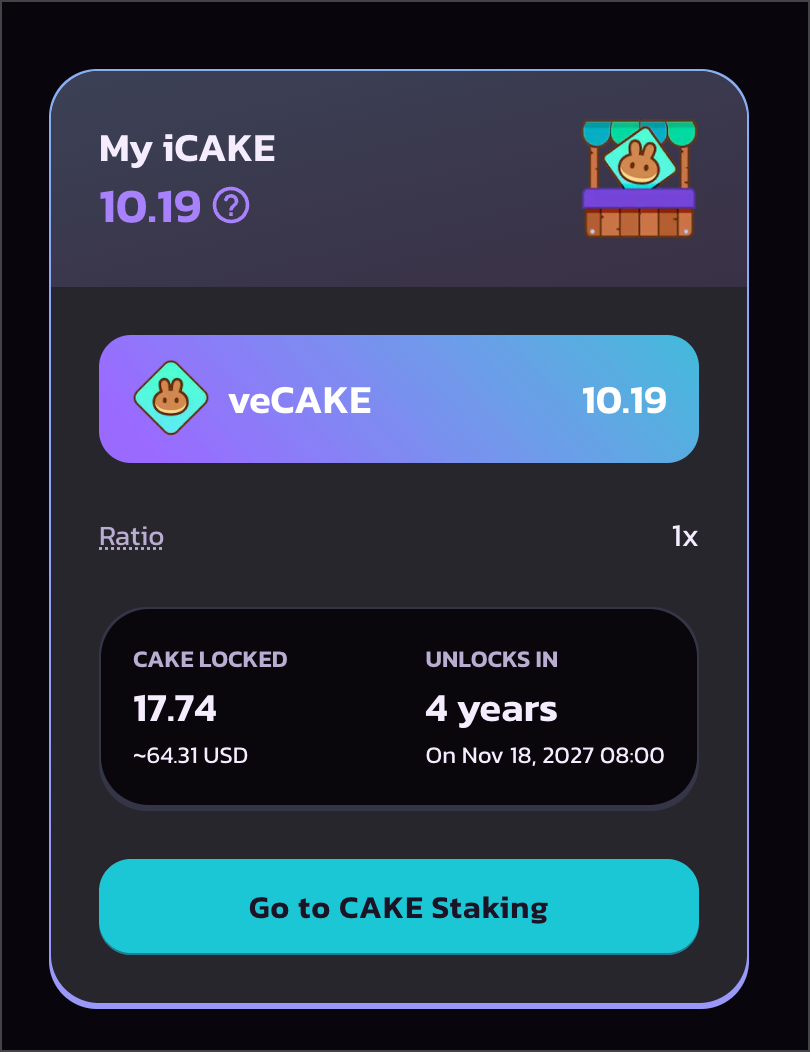
After transitioning to veCAKE, the new iCAKE will be based on the veCAKE balance
* Just like the old iCAKE, it determines the maximum CAKE commit limit in the PancakeSwap IFO public sales. For example, if you have 200 iCAKE, you can commit 200 CAKE in IFO public sales.
* The new iCAKE number is calculated using the veCAKE balance at the end of each IFO. Therefore, you will have different iCAKE numbers for each IFO.
* Since veCAKE balance gradually decreases with your remaining lock time. Therefore, your iCAKE in future IFOs will decrease with your veCAKE balance. To maintain your iCAKE number, add more CAKE to the stakings, or renew/extend your lock.
**iCAKE is NOT a new token, it is a numerical metric being used by the PancakeSwap IFO system.**
### How is iCAKE calculated?
The number of iCAKE you have is based on the veCAKE balance at the end of each IFO, multiplied by a predefined ratio.
veCAKE is a dynamically calculated value based on how much CAKE you lock and how much time is left in the lock. To learn more about how veCAKE is calculated, check out [here](https://docs.pancakeswap.finance/products/vecake/faq#52f27118-bbf3-448b-9ffe-e9e1a9dd97ef).
An additional ratio is being applied on top of the veCAKE balance, which is adjusted by the Kitchen for each IFO. For example, if the ratio is 2x, and you have 1 veCAKE at the end of the next IFO, you can commit up to 2 CAKE.
Example:
* You locked 100 CAKE for 2 years.
* Your remaining lock time is: `2 * 52 * 7 * 24 * 60 * 60 = 62899200` (seconds)
* The max lock time is: `(209 * 7 * 24 * 60 * 60) - 1 = 126403199` (seconds)
* At the current moment, you have: `100 * (62899200 / 126403199) ~= 49.76` veCAKE
* The very next IFO is scheduled; its end time is exactly 1 week later, which is `604800` seconds after the current moment.
* At the time, your remaining lock time is: `62899200 - 604800 = 62294400` (seconds)
* At that time, you have: `100 * (62294400 / 126403199) ~= 49.28` veCAKE
* For this IFO, the ratio is set to `3x`
* Therefore, for this IFO, you have: `49.28 * 3 = 147.84` iCAKE, which means you can commit up to 147.84 CAKE in the public sale.
### How to check the number of iCAKE I have?
You can check the number of iCAKE you have on the IFO page [here](https://pancakeswap.finance/ifo).
Please keep in mind that when there is no upcoming IFO, your iCAKE will be calculated using real-time veCAKE balance, which gradually decreases second by second.
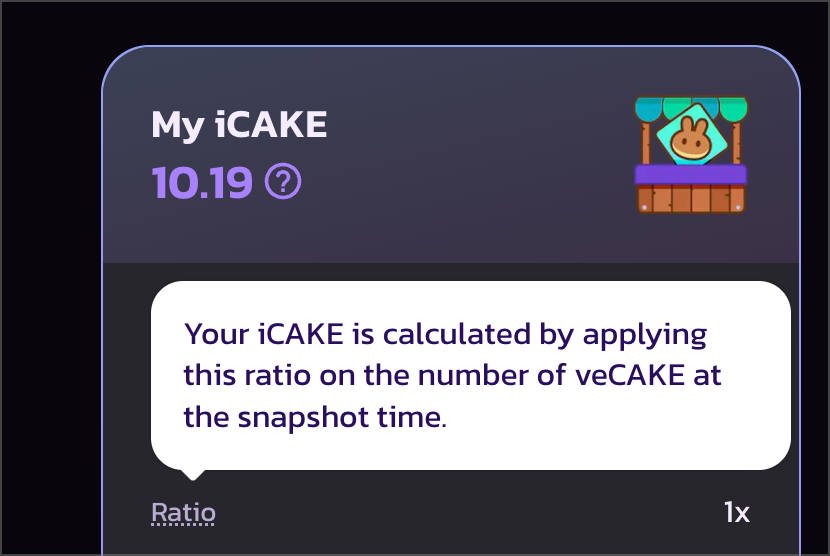
When there is an upcoming IFO, your iCAKE will be calculated using the veCAKE balance at the snapshot time, which is the end of the IFO. Your iCAKE will not decrease or change until the IFO ends.
### **How do I increase the number of iCAKE I have?**
You can increase the number of iCAKE anytime by:
* Adding more CAKE to your veCAKE staking position.
* Extend your veCAKE staking position.
on the [CAKE Staking Page](https://pancakeswap.finance/cake-staking)
### What is the "Ratio" in iCAKE calculation?
Ratio is an additional control factor being applied on top of the veCAKE balance when calculating iCAKE.
For example, if the ratio is 2x, and you have 1 veCAKE at the end of the next IFO, you can commit up to 2 CAKE.
Between each IFO, the kitchen will optimise the "Ratio" based on various metrics. The adjustment will be published on all social channels.
You can check the current "Ratio" number for iCAKE calculations by going to [the IFO page](https://pancakeswap.finance/ifo).
---
# Agent Instructions
This documentation is published with GitBook. GitBook is the documentation platform designed so that both humans and AI agents can read, navigate, and reason over technical content effectively. Learn more at gitbook.com.
## Querying This Documentation
If you need additional information that is not directly available in this page, you can query the documentation by asking a question.
Perform an HTTP GET request on the following URL with the `ask` and `goal` query parameters:
```
GET https://docs.pancakeswap.finance/welcome-to-pancakeswap/vecake-sunset/icake.md?ask=&goal=
```
`ask` is the immediate question: it should be specific, self-contained, and written in natural language.
`goal` is what the user is ultimately trying to achieve, the reason they need the answer. Sharing it helps GitBook give you a better, more relevant answer. A goal is most helpful when it describes the outcome the user wants rather than restating the question. For example, with `ask=how do I create an API token`, a goal like `automate deployments from our CI pipeline` lets GitBook tailor the answer to that use case.
The response will contain a direct answer to the question and relevant excerpts and sources from the documentation.
Use this mechanism when the answer is not explicitly present in the current page, you need clarification or additional context, or you want to retrieve related documentation sections.