> For the complete documentation index, see [llms.txt](https://docs.pancakeswap.finance/llms.txt). Markdown versions of documentation pages are available by appending `.md` to page URLs; this page is available as [Markdown](https://docs.pancakeswap.finance/vietnamese/giao-dich/perpetual-trading/perpetuals-trading-new/simple-mode.md).
# Chế độ đơn giản
Simple Mode được thiết kế cho các nhà giao dịch muốn hành động nhanh. Đặt kích thước, chọn đòn bẩy và nhấn UP hoặc DOWN — chỉ vậy thôi.
### **Đến trang PCS Perps**
Truy cập [pancakeswap.finance/perps](https://pancakeswap.finance/perps) hoặc nhấp Perps trong thanh điều hướng chính của PancakeSwap.
### **Kết nối ví của bạn**
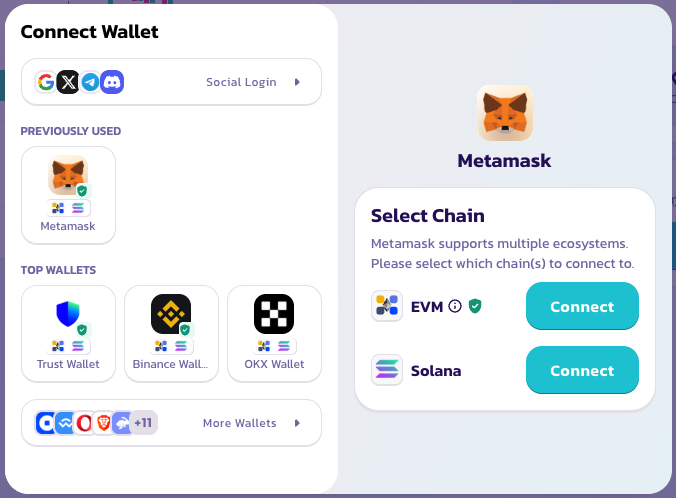
Nhấp Connect Wallet ở góc trên bên phải. Không cần tạo tài khoản hoặc KYC — ví của bạn là tài khoản của bạn.
### **Chọn cặp giao dịch**
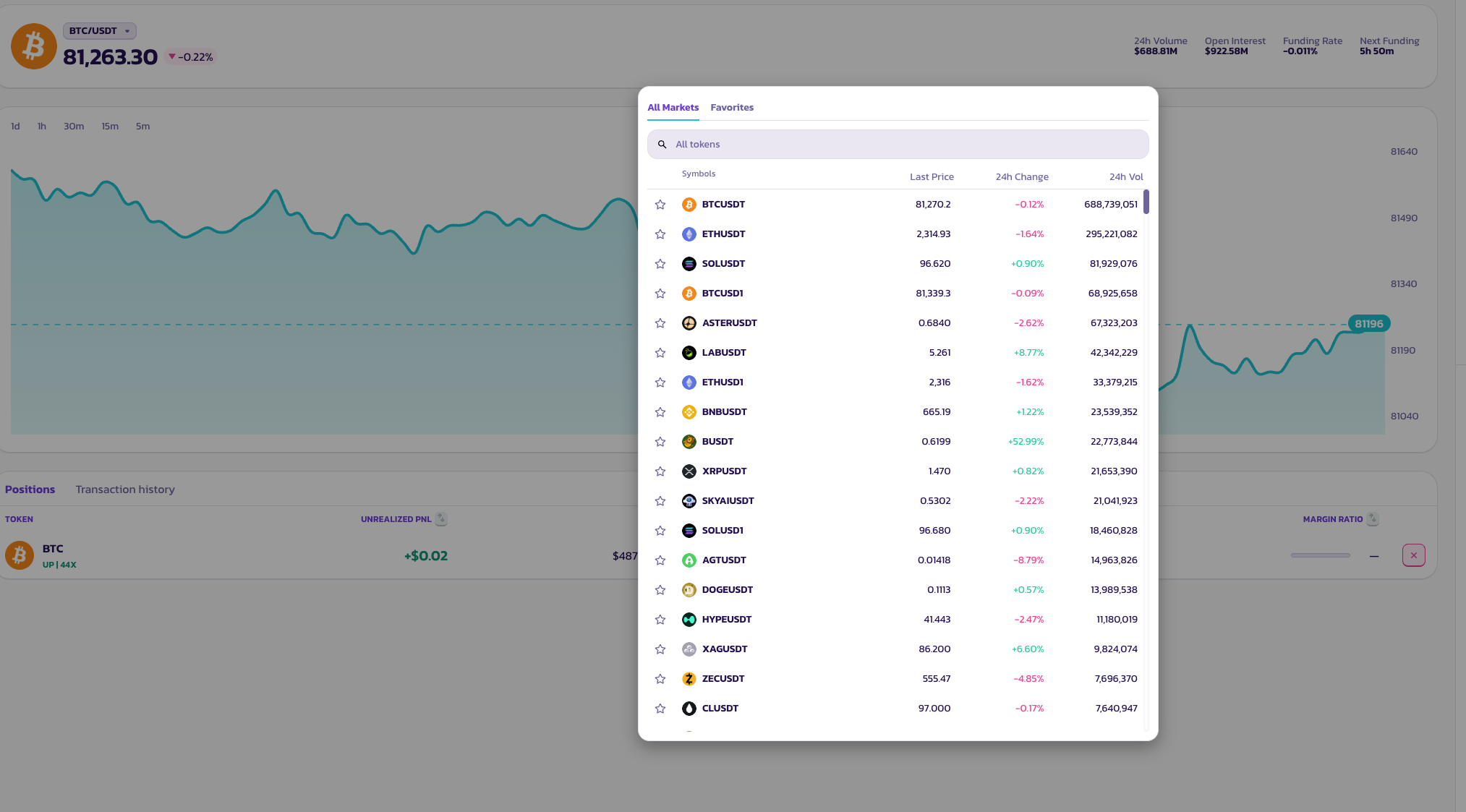
Nhấp vào tên cặp ở đầu trang để mở bộ chọn tài sản. Có rất nhiều loại cặp token để lựa chọn.
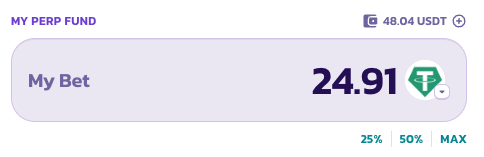
### **My Bet — Kích Thước Vị Thế**
Nhập số tiền bạn muốn đặt, hoặc nhấp các nút được đặt sẵn — **25%**, **50%**, hoặc **MAX** — để xác định kích thước vị thế của bạn theo tỷ lệ so với số dư quỹ perp có sẵn.
### **Đòn Bẩy**
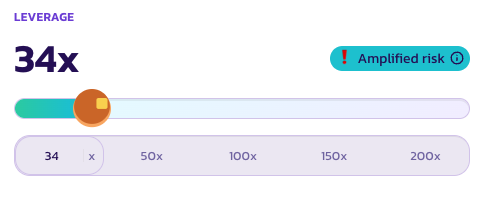
Sử dụng thanh trượt hoặc nhấp vào các mức được đặt sẵn — **50×**, **100×**, **150×**, hoặc **200×** — để đặt đòn bẩy. Hệ số nhân hiện tại của bạn được hiển thị ở dạng chữ lớn phía trên thanh trượt.
Khi đòn bẩy đủ cao để mang rủi ro thanh lý đáng kể, một chỉ báo **Amplified Risk** (Rủi Ro Khuếch Đại) sẽ xuất hiện như một lời nhắc nhở.
### **Một thao tác để mở**
Nhấn **UP** để mở long, hoặc **DOWN** để mở short. Vị thế của bạn mở ngay lập tức ở mức giá thị trường tốt nhất có sẵn.
### **Nhấn nhiều lần**
Simple Mode được thiết kế để bạn xây dựng hoặc giảm vị thế bằng cách nhấn nhiều lần — không cần điều chỉnh kích thước thủ công mỗi lần.
* **Nhấn UP hai lần** — vị thế của bạn nhân đôi. Mỗi lần nhấn thêm một đơn vị vào vị thế long hiện tại của bạn.
* **Nhấn UP rồi DOWN** — các vị thế triệt tiêu nhau, đưa bạn trở về trạng thái không có vị thế.
Hãy nghĩ mỗi lần nhấn như thêm hoặc bớt một đơn vị theo một hướng. Đây là cách thú vị để tăng hoặc giảm quy mô giao dịch.
### **Kiểm tra trạng thái lệnh của bạn**
Lệnh của bạn sẽ xuất hiện trong **Positions** trong khi chờ được khớp.
***
💡 Muốn đặt lệnh giới hạn, TP/SL, hoặc quản lý vị thế chi tiết hơn? Chuyển sang **Pro Mode** bất cứ lúc nào — các vị thế đang mở của bạn không bị ảnh hưởng.
---
# Agent Instructions
This documentation is published with GitBook. GitBook is the documentation platform designed so that both humans and AI agents can read, navigate, and reason over technical content effectively. Learn more at gitbook.com.
## Querying This Documentation
If you need additional information that is not directly available in this page, you can query the documentation by asking a question.
Perform an HTTP GET request on the following URL with the `ask` and `goal` query parameters:
```
GET https://docs.pancakeswap.finance/vietnamese/giao-dich/perpetual-trading/perpetuals-trading-new/simple-mode.md?ask=&goal=
```
`ask` is the immediate question: it should be specific, self-contained, and written in natural language.
`goal` is what the user is ultimately trying to achieve, the reason they need the answer. Sharing it helps GitBook give you a better, more relevant answer. A goal is most helpful when it describes the outcome the user wants rather than restating the question. For example, with `ask=how do I create an API token`, a goal like `automate deployments from our CI pipeline` lets GitBook tailor the answer to that use case.
The response will contain a direct answer to the question and relevant excerpts and sources from the documentation.
Use this mechanism when the answer is not explicitly present in the current page, you need clarification or additional context, or you want to retrieve related documentation sections.