> For the complete documentation index, see [llms.txt](https://docs.pancakeswap.finance/llms.txt). Markdown versions of documentation pages are available by appending `.md` to page URLs; this page is available as [Markdown](https://docs.pancakeswap.finance/vietnamese/chao-mung-den-voi-pancakeswap/how-to-guides/get-started-sol/solana-faq.md).
# Câu hỏi thường gặp về Solana
### V3 Pools – Câu Hỏi Thường Gặp (FAQ)
#### 1. Có những mức phí nào?
**Các Mức Phí Được Hỗ Trợ:**\
Các mức phí sau có sẵn cho các nhóm V3 (thanh khoản tập trung):
`0.01%, 0.02%, 0.03%, 0.04%, 0.05%, 0.1%, 0.15%, 0.16%, 0.18%, 0.2%, 0.25%, 0.4%, 0.6%, 0.8%, 1%, 2%, 3%, 4%`
**Phân phối phí (áp dụng cho tất cả các mức phí):**
* 84% cho các nhà cung cấp thanh khoản (LP)
* 16% cho giao thức
* 8% bị đốt
* 8% vào kho bạc giao thức
#### 2. Ai cũng có thể tạo nhóm không?
Có. Việc tạo nhóm không cần cấp phép, với một vài ngoại lệ:
* Chỉ có thể tồn tại một nhóm cho một **cặp token + mức phí** nhất định (ví dụ: chỉ có thể tồn tại một nhóm SOL <> USDC 0.1% tại một thời điểm)
* Chỉ **token SPL** và một số **token Token-2022** được chọn mới được hỗ trợ tại thời điểm này.
#### 3. Mất bao lâu để nhóm mới tạo xuất hiện?
* Các nhóm thường xuất hiện trong danh sách nhóm khoảng **5 phút** sau khi tạo.
* Nếu không xuất hiện:
* Sử dụng **thanh tìm kiếm** để tìm thủ công.
* Các nhóm có thể bị lọc khỏi danh sách do **TVL thấp**.
#### 4. Tại sao APR hoặc TVL của nhóm tôi vẫn hiển thị là không?
Điều này được mong đợi ngay sau khi một nhóm mới được tạo:
* Dữ liệu APR và TVL sẽ chỉ được điền sau khi **ít nhất một giao dịch hoán đổi** xảy ra trong nhóm.
* Sau khi hoán đổi, các chỉ số này sẽ bắt đầu hiển thị trong khoảng **15 phút**.
#### 5. Làm thế nào để thêm token tùy chỉnh để tạo nhóm?
Để thêm token mới:
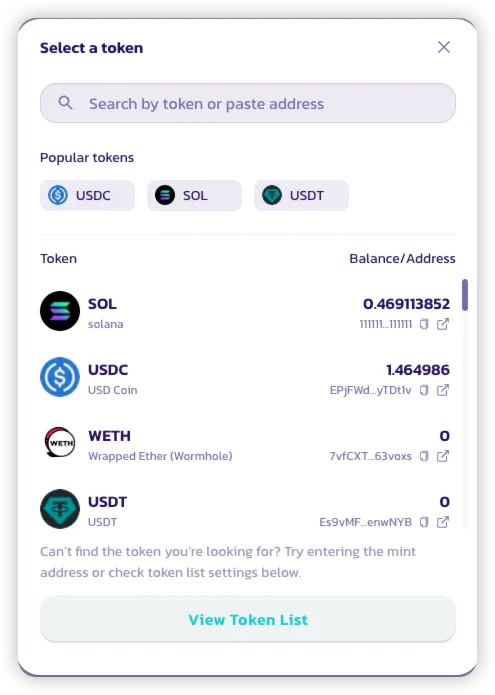
* Trong giao diện tạo nhóm, mở bộ chọn token.
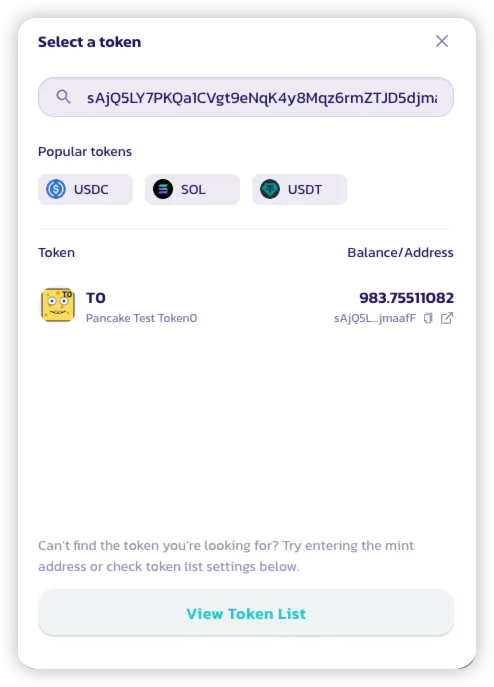
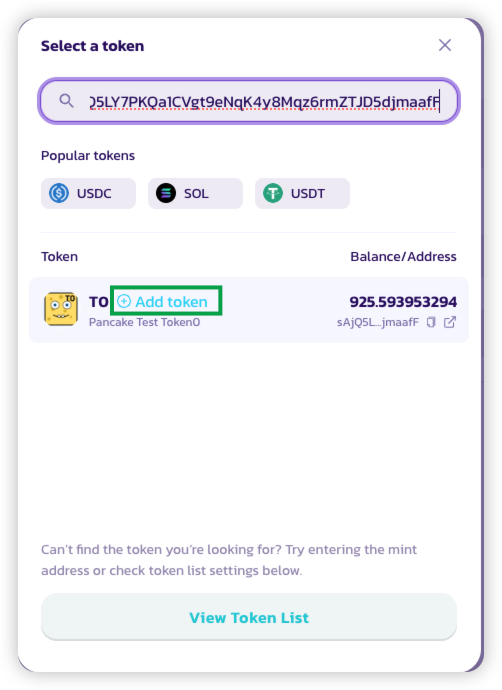
* Dán địa chỉ token vào thanh tìm kiếm.
* Nhấp vào **"Add Token"** (Thêm Token).
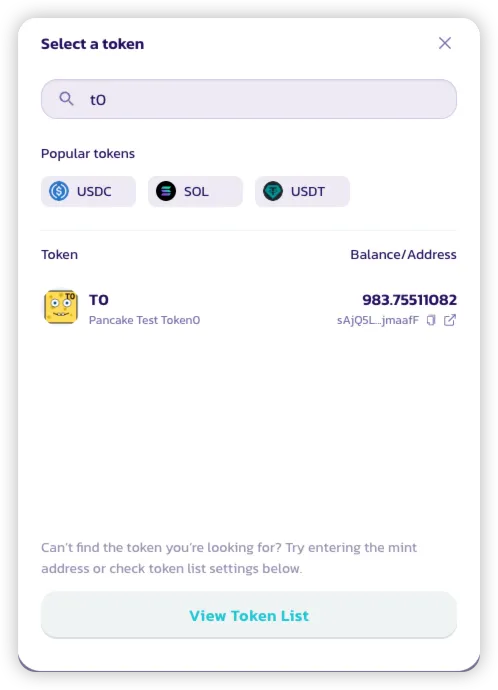
* Token bây giờ sẽ có thể tìm kiếm trong danh sách.
* Để quản lý token:
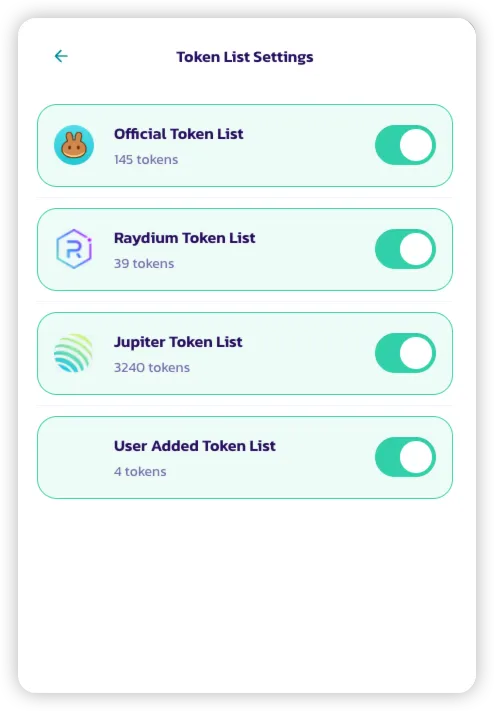
* Nhấp vào **"View Token List"** (Xem Danh Sách Token).
* Bật/tắt các danh sách khác nhau, bao gồm **Danh sách Token Người Dùng Đã Thêm**, bao gồm bất kỳ token nào được thêm thủ công.
#### 6. Tại sao giao dịch đầu tiên của tôi trên Solana có vẻ đắt hơn?
Solana sử dụng **Tài khoản Token Liên kết (ATA)** để quản lý số dư token cho mỗi ví. Khi tương tác với một token lần đầu tiên, ví của bạn phải tạo một ATA, phát sinh chi phí một lần ban đầu (được trả bằng SOL).
* Chi phí tạo ATA này được yêu cầu bởi giao thức Solana và không đặc trưng cho PancakeSwap.
* Nếu ATA sau đó được đóng, **SOL ban đầu đã sử dụng có thể được hoàn lại** về ví của bạn.
---
# Agent Instructions
This documentation is published with GitBook. GitBook is the documentation platform designed so that both humans and AI agents can read, navigate, and reason over technical content effectively. Learn more at gitbook.com.
## Querying This Documentation
If you need additional information that is not directly available in this page, you can query the documentation by asking a question.
Perform an HTTP GET request on the following URL with the `ask` and `goal` query parameters:
```
GET https://docs.pancakeswap.finance/vietnamese/chao-mung-den-voi-pancakeswap/how-to-guides/get-started-sol/solana-faq.md?ask=&goal=
```
`ask` is the immediate question: it should be specific, self-contained, and written in natural language.
`goal` is what the user is ultimately trying to achieve, the reason they need the answer. Sharing it helps GitBook give you a better, more relevant answer. A goal is most helpful when it describes the outcome the user wants rather than restating the question. For example, with `ask=how do I create an API token`, a goal like `automate deployments from our CI pipeline` lets GitBook tailor the answer to that use case.
The response will contain a direct answer to the question and relevant excerpts and sources from the documentation.
Use this mechanism when the answer is not explicitly present in the current page, you need clarification or additional context, or you want to retrieve related documentation sections.