> For the complete documentation index, see [llms.txt](https://docs.pancakeswap.finance/llms.txt). Markdown versions of documentation pages are available by appending `.md` to page URLs; this page is available as [Markdown](https://docs.pancakeswap.finance/turkish/trading-araclari/social-login/social-login-how-to-guide.md).
# Social Login: Nasıl Yapılır Kılavuzu
Saniyeler içinde DeFi'ye başla — cüzdan eklentisi veya tohum ifadesi gerekmez. Social login cüzdanını oluşturmak, kurtarma parolası ayarlamak ve yeni bir cihazda cüzdanını kurtarmak için aşağıdaki adımları izle.
### 1. Social Login Cüzdanını Oluştur
1. pancakeswap.finance adresine git
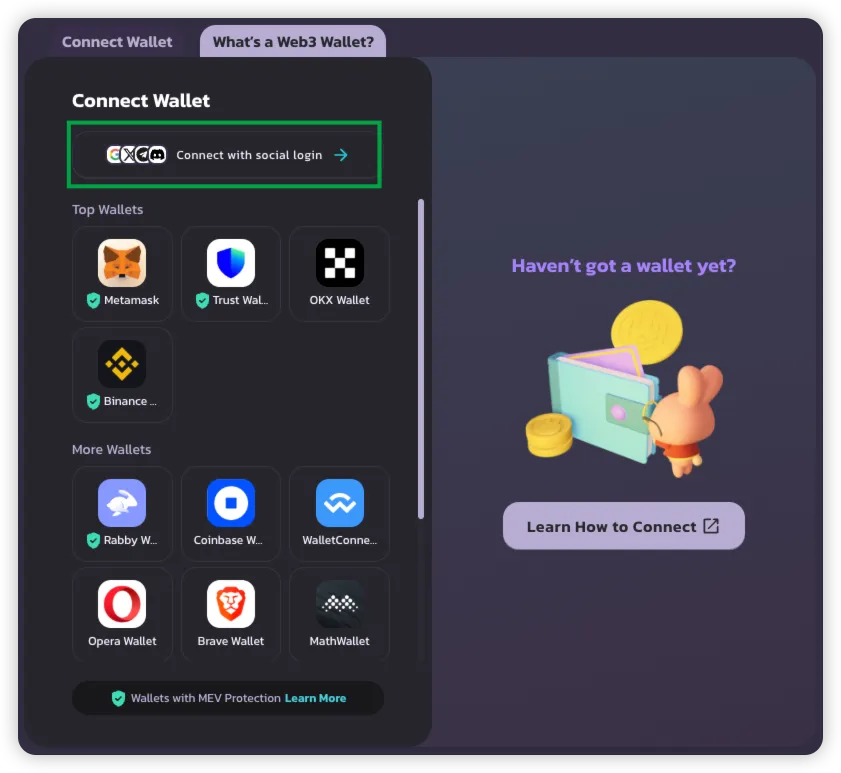
2. **Cüzdan Bağla** düğmesine tıkla → **Social Login ile Bağlan**'ı seç
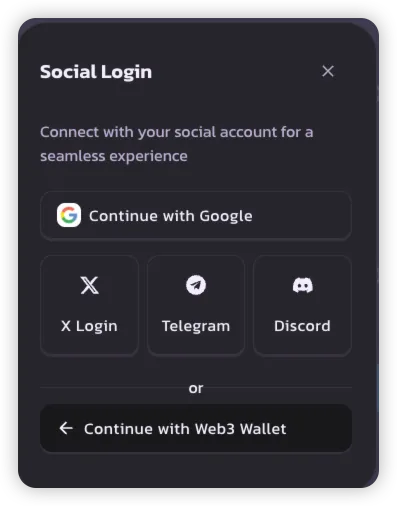
3. Tercih ettiğin social login yöntemini seç:
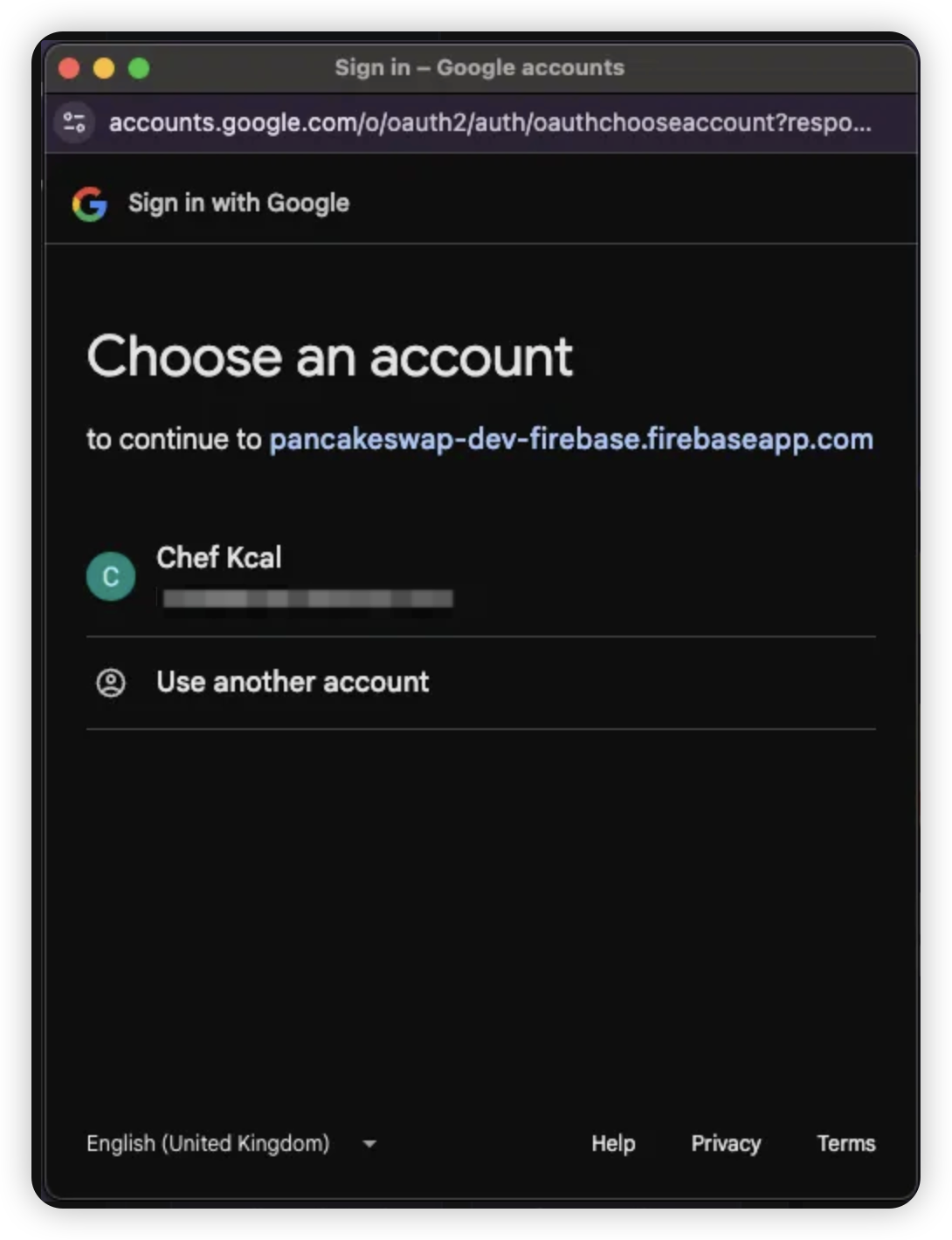
* **Google**
* **X (Twitter)**
* **Telegram**
* **Discord**
> 💡 Her sosyal hesap, PancakeSwap'ta kullanım için benzersiz bir cüzdan oluşturur.
4. Seçtiğin sosyal hesabın bilgileriyle giriş yap
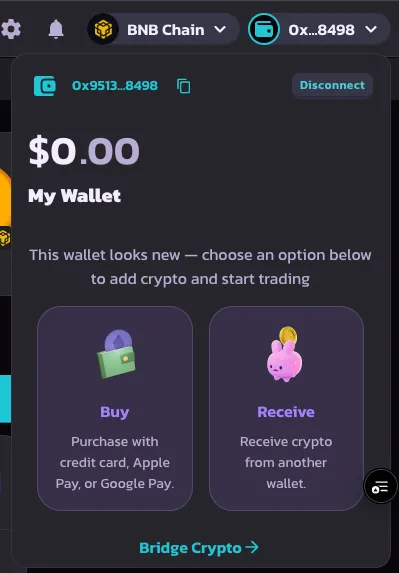
5. Giriş başarılı olduğunda cüzdanın oluşturulur ve kullanıma hazır olur
***
### 2. Kurtarma Parolası Ayarla
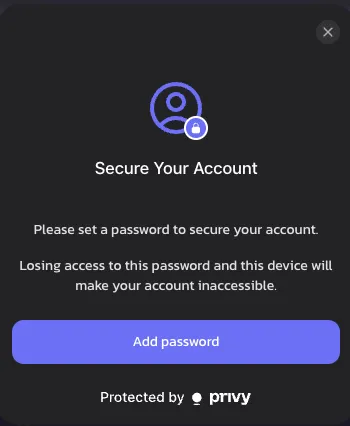
İlk girişinin ardından bir **kurtarma parolası** belirlemen istenecek. Bu adım isteğe bağlıdır ancak tam cüzdan kontrolü için şiddetle tavsiye edilir.
1. İstendiğinde **Kurtarma Parolası Belirle** düğmesine tıkla
> 🔒 Ayarlanmazsa kurtarma payı varsayılan olarak Privy'de saklanır
>
> 🔑 [Kurtarma payları hakkında daha fazla bilgi edin](https://docs.privy.io/security/wallet-infrastructure/advanced/user-device#securing-the-recovery-share)
{% hint style="success" %}
Bu bildirimi kapatırsan, PancakeSwap'ın cüzdan güvenliğine verdiği önem çerçevesinde 1 hafta sonra tekrar görünecektir.
{% endhint %}
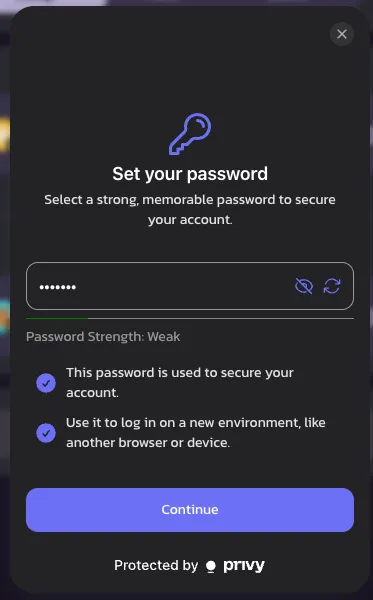
2. **Hatırlanması kolay bir parola** seç — yeni bir cihazda giriş yaparken veya oturumun sona erdiğinde buna ihtiyacın olacak
> ⚠️ Unutulursa cüzdana erişim kalıcı olarak kaybolabilir
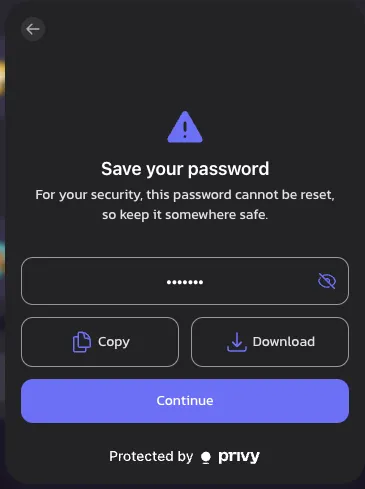
3. Parolayı **kopyalayarak veya indirerek** güvenli bir yere kaydet
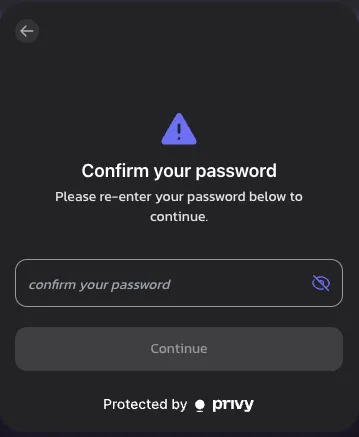
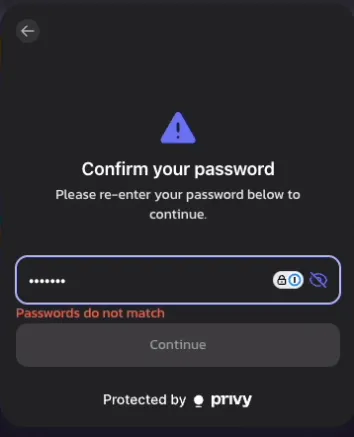
4. Onaylamak için parolayı yeniden gir
> ❗ Parolalar eşleşmezse hata mesajı görünür
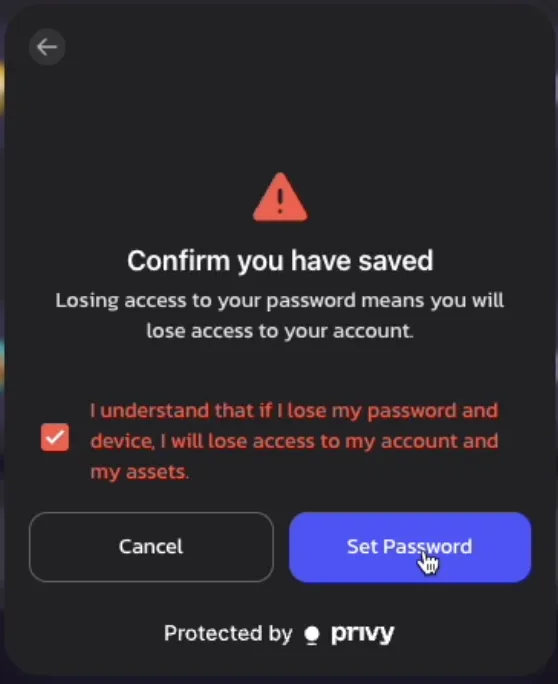
5. **Sorumluluk reddi beyanını** incele ve kurtarma parolası riskini anladığını onayla
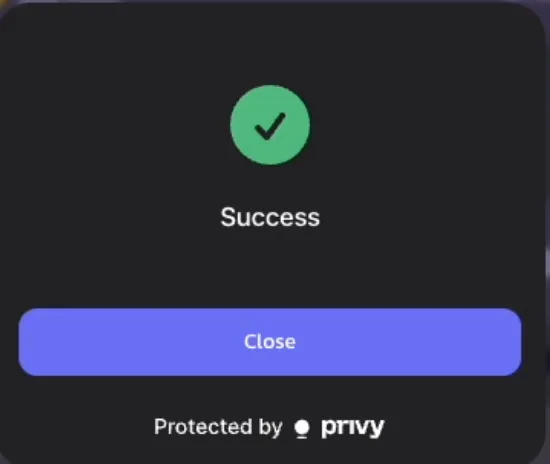
6. 🎉 Tebrikler! Kurtarma parolanız artık belirlendi
> Hatırlatma: Oturumun sona ermesi veya cihaz değiştirmen durumunda tekrar girmen istenecek
>
***
### 3. Cüzdanını Kurtar (Yeni Cihazda Giriş)
PancakeSwap'a yeni bir cihazdan erişiyorsan cüzdanını kurtarmak için şu adımları izle:
1. Yeni cihazda **sosyal hesabınla** giriş yap
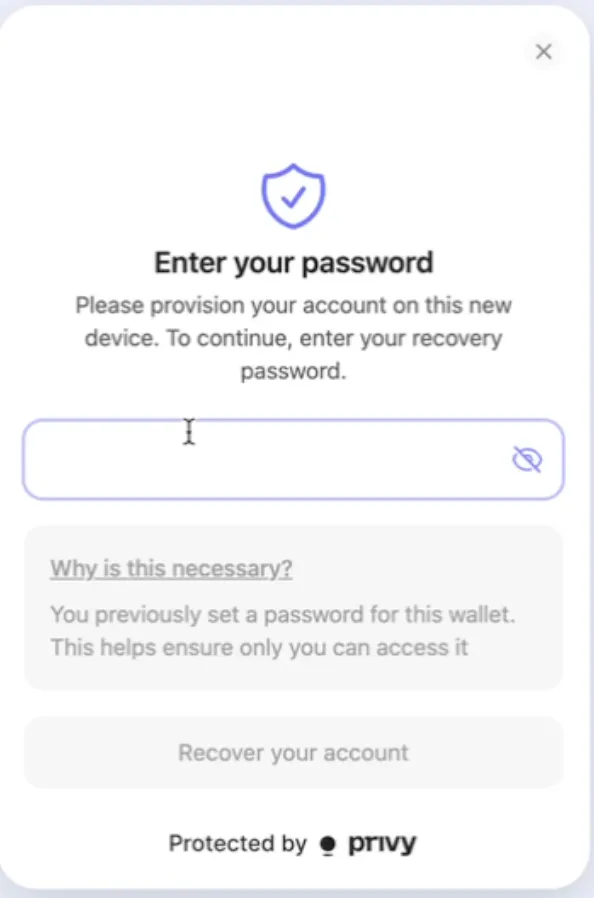
2. İlk işlemini veya zincir üzeri aksiyonunu gerçekleştirmeye çalıştığında **kurtarma parolasını girmen** istenecek
3. Onaylandıktan sonra işlemlerine devam edebilirsin — başka bir kurulum gerekmez!
---
# Agent Instructions
This documentation is published with GitBook. GitBook is the documentation platform designed so that both humans and AI agents can read, navigate, and reason over technical content effectively. Learn more at gitbook.com.
## Querying This Documentation
If you need additional information that is not directly available in this page, you can query the documentation dynamically by asking a question.
Perform an HTTP GET request on the current page URL with the `ask` query parameter, and the optional `goal` query parameter:
```
GET https://docs.pancakeswap.finance/turkish/trading-araclari/social-login/social-login-how-to-guide.md?ask=&goal=
```
`ask` is the immediate question: it should be specific, self-contained, and written in natural language.
`goal` is optional and describes the broader end goal you are ultimately trying to accomplish on behalf of the user. GitBook uses it to tailor the answer towards what is most useful for that goal.
The response will contain a direct answer to the question and relevant excerpts and sources from the documentation.
Use this mechanism when the answer is not explicitly present in the current page, you need clarification or additional context, or you want to retrieve related documentation sections.