> For the complete documentation index, see [llms.txt](https://docs.pancakeswap.finance/llms.txt). Markdown versions of documentation pages are available by appending `.md` to page URLs; this page is available as [Markdown](https://docs.pancakeswap.finance/turkish/ticaret/perpetual-trading/perpetuals-trading-new/simple-mode.md).
# Basit Mod
Simple Mode hızlı hareket etmek isteyen traderlar için tasarlanmıştır. Boyutunu belirle, kaldıracını seç ve YUKARI veya AŞAĞI'ya dokun — bu kadar.
### **PCS Perps sayfasına git**
[pancakeswap.finance/perps](https://pancakeswap.finance/perps) adresine git veya ana PancakeSwap gezinti çubuğundaki Perps'e tıkla.
### **Cüzdanını bağla**
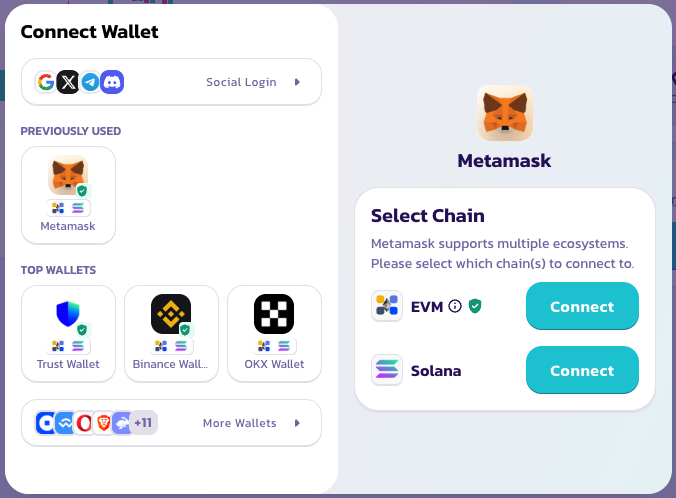
Sağ üst köşedeki Cüzdanı Bağla'ya tıkla. Hesap oluşturma veya KYC gerekmez — cüzdanın hesabındır.
### **Bir işlem çifti seç**
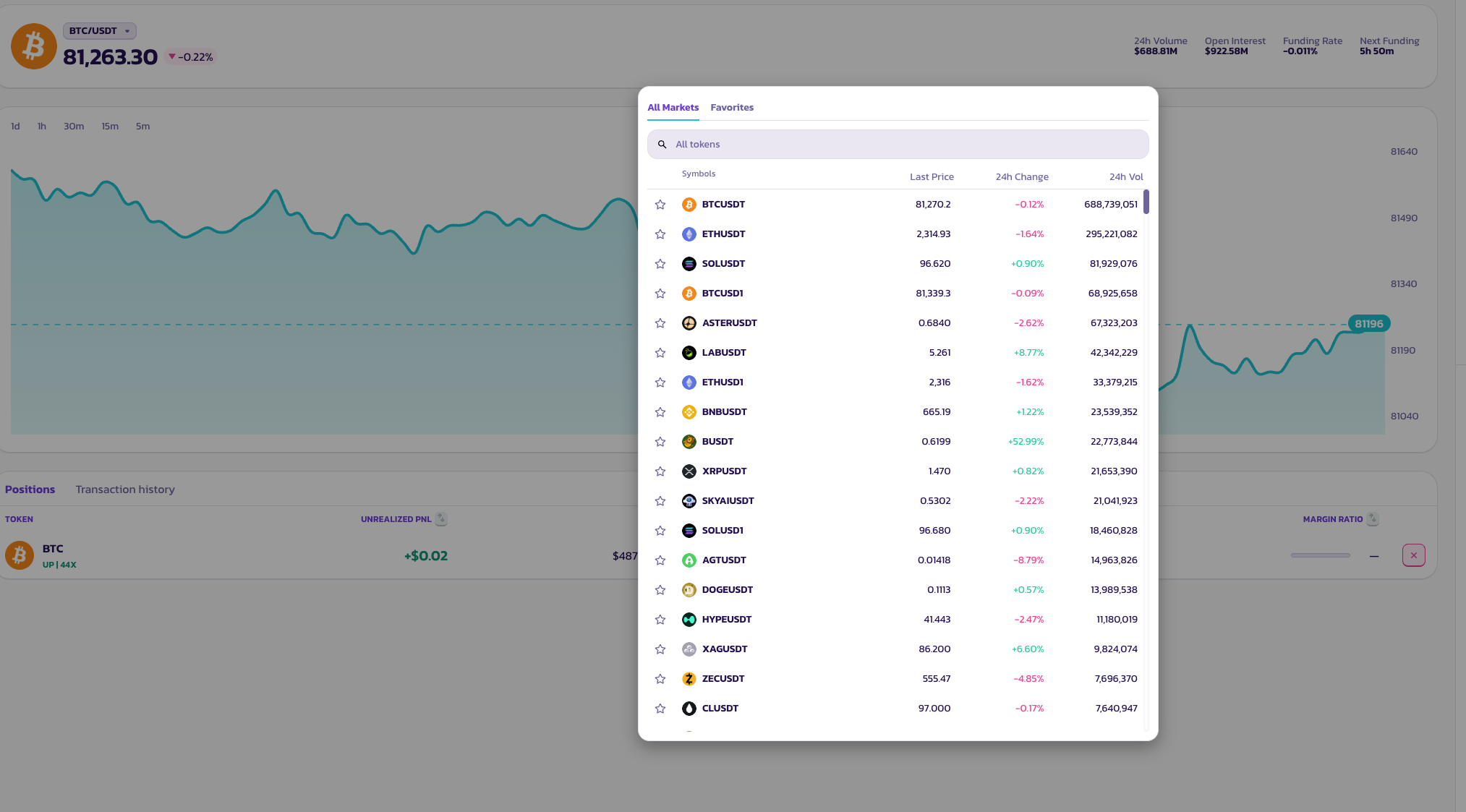
Varlık seçiciyi açmak için sayfanın üst kısmındaki çift adına tıkla. Çok çeşitli token çiftleri mevcut.
### **Bahsim — Pozisyon Boyutu**
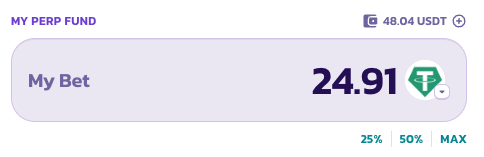
Ne kadar koymak istediğini gir veya mevcut perp fon bakiyenin bir bölümü olarak pozisyonunu boyutlandırmak için **%25**, **%50** veya **MAX** önceden ayarlı düğmelerine dokun.
### **Kaldıraç**
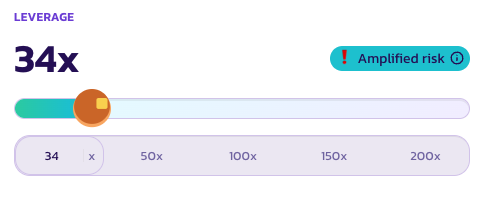
Kaldıracını ayarlamak için kaydırıcıyı kullan veya bir ön ayara dokun — **50×**, **100×**, **150×** veya **200×**. Mevcut çarpanın kaydırıcının üzerinde büyük metinle gösterilir.
Kaldıraç, anlamlı tasfiye riski taşıyacak kadar yüksek olduğunda, bir hatırlatma olarak **Amplifikasyon Riski** göstergesi görünür.
### **Tek dokunuşla aç**
Long pozisyon için **YUKARI**'ya, short pozisyon için **AŞAĞI**'ya dokun. Pozisyonun mevcut en iyi piyasa fiyatından anında açılır.
### **Birden fazla kez dokunma**
Simple Mode, her seferinde boyutu manuel olarak ayarlamana gerek kalmadan tekrarlı dokunuşlarla pozisyonunu artırmanı veya azaltmanı sağlamak için tasarlanmıştır.
* **YUKARI'ya iki kez dokun** — pozisyonun iki katına çıkar. Her dokunuş mevcut long'una bir birim ekler.
* **YUKARI'ya, ardından AŞAĞI'ya dokun** — pozisyonlar birbirini iptal eder, seni düz konuma getirir.
Her dokunuşu bir yönde bir birim eklemek veya çıkarmak olarak düşün. Bu, bir işleme adım adım girmenin veya çıkmanın eğlenceli bir yoludur.
### **Emir durumunu kontrol et**
Emrin gerçekleşmeyi beklerken **Pozisyonlar** altında görünecektir.
***
💡 Limit emirler, TP/SL ayarlamak veya pozisyonları daha ayrıntılı yönetmek ister misin? İstediğin zaman **Pro Mode**'a geç — açık pozisyonların etkilenmez.
---
# Agent Instructions
This documentation is published with GitBook. GitBook is the documentation platform designed so that both humans and AI agents can read, navigate, and reason over technical content effectively. Learn more at gitbook.com.
## Querying This Documentation
If you need additional information that is not directly available in this page, you can query the documentation dynamically by asking a question.
Perform an HTTP GET request on the current page URL with the `ask` query parameter, and the optional `goal` query parameter:
```
GET https://docs.pancakeswap.finance/turkish/ticaret/perpetual-trading/perpetuals-trading-new/simple-mode.md?ask=&goal=
```
`ask` is the immediate question: it should be specific, self-contained, and written in natural language.
`goal` is optional and describes the broader end goal you are ultimately trying to accomplish on behalf of the user. GitBook uses it to tailor the answer towards what is most useful for that goal.
The response will contain a direct answer to the question and relevant excerpts and sources from the documentation.
Use this mechanism when the answer is not explicitly present in the current page, you need clarification or additional context, or you want to retrieve related documentation sections.