> For the complete documentation index, see [llms.txt](https://docs.pancakeswap.finance/llms.txt). Markdown versions of documentation pages are available by appending `.md` to page URLs; this page is available as [Markdown](https://docs.pancakeswap.finance/turkish/ticaret/perpetual-trading/perpetuals-trading-new/pro-mode.md).
# Pro Mod
Pro Mode sana işlemlerinde tam kontrol sağlar — emir tipleri, kaldıraç, TP/SL ve pozisyon yönetimi tek bir yerde. İlk pozisyonunu açmak için aşağıdaki adımları izle. Temel terimlerin tanımları için PCS Perps Sözlüğüne bakın.
### **PCS Perps sayfasına git**
[pancakeswap.finance/perps](https://pancakeswap.finance/perps) adresine git veya ana PancakeSwap gezinti çubuğundaki Perps'e tıkla.
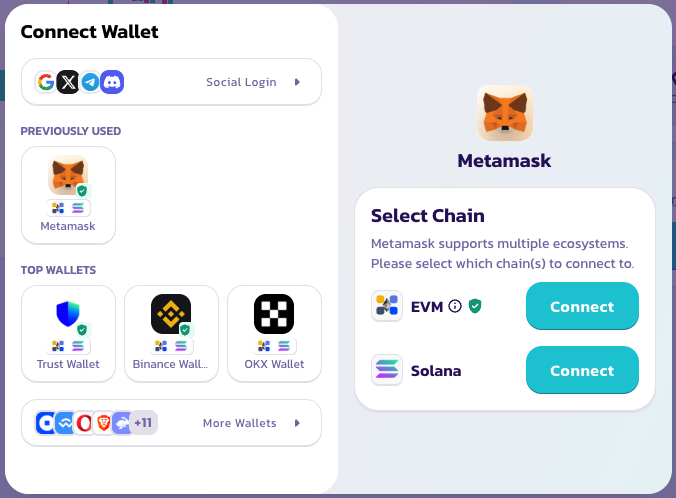
### **Cüzdanını bağla**
Sağ üst köşedeki Cüzdanı Bağla'ya tıkla. Hesap oluşturma veya KYC gerekmez — cüzdanın hesabındır.
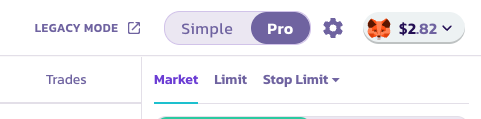
### **Modunu seç**
Önceden ayarlanmış boyutlarla hızlı tek dokunuşluk long veya short için **Simple Mode**'u seç. Limit emirler ayarlamak, TP/SL yapılandırmak veya pozisyonları daha ayrıntılı yönetmek istiyorsan **Pro Mode**'a geç.
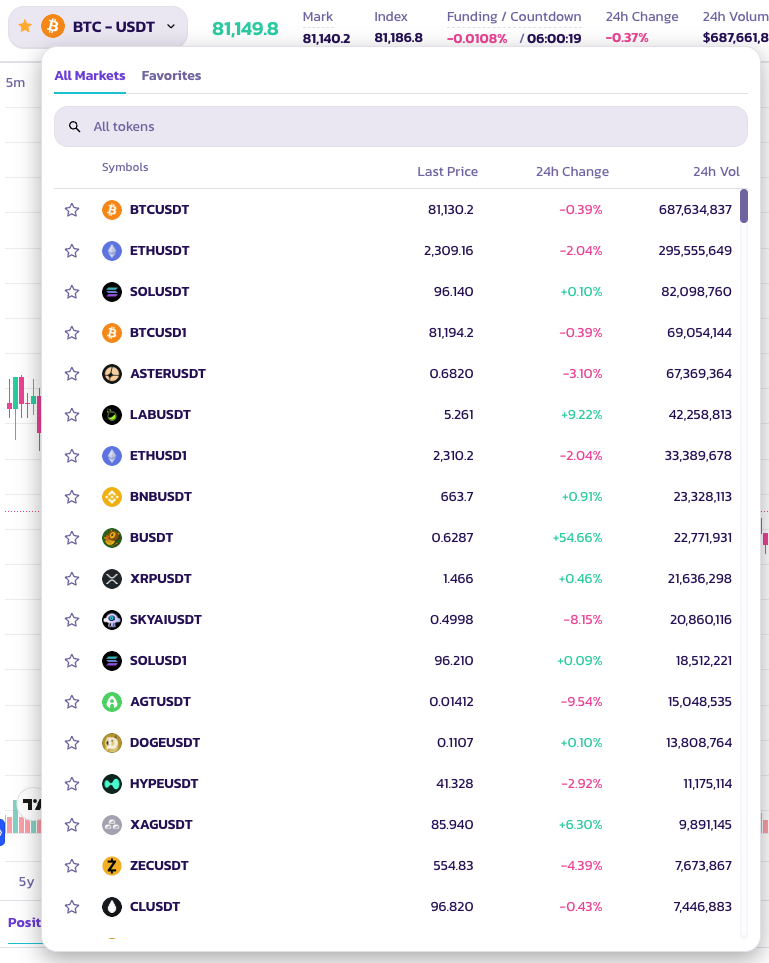
### **Bir işlem çifti seç**
Varlık seçiciyi açmak için sayfanın üst kısmındaki çift adına tıkla. Çok çeşitli token çiftleri mevcut.
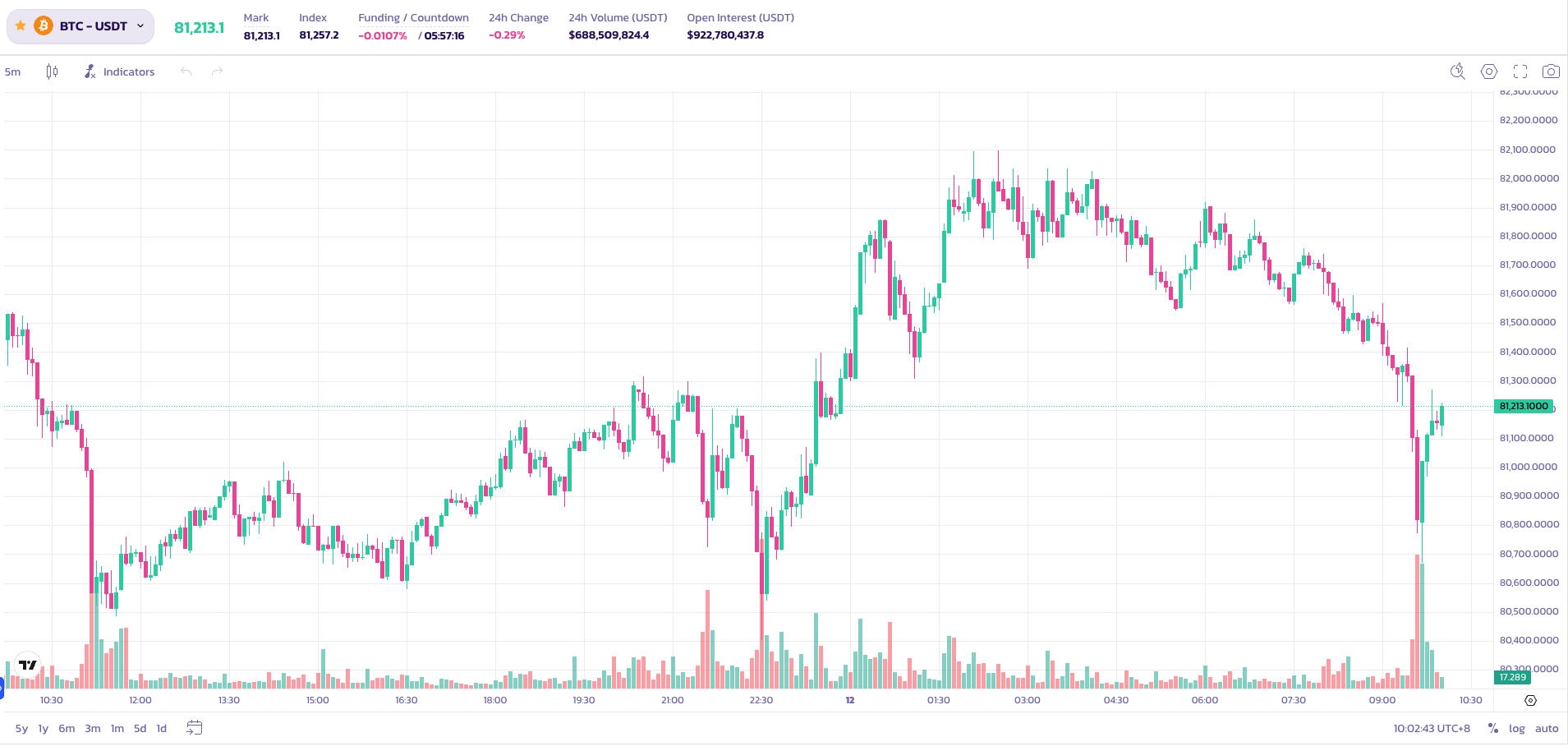
### **Grafiği analiz et ve stratejini belirle**
İşlemi yerleştirmeden önce fiyat hareketini analiz etmek için yerleşik TradingView grafiğini kullan. Tüm standart grafik araçları mevcuttur.
### **Pozisyon parametrelerini ayarla**
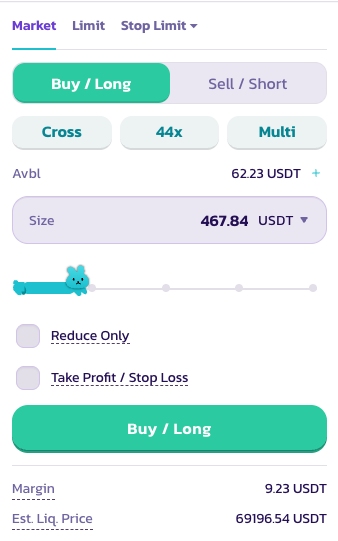
Emir panelinde aşağıdakileri yapılandır:
1. **Long veya Short** — işleminin yönünü seç
2. **Kaldıraç** — kaldıracını ayarlamak için kaydırıcıyı kullan veya manuel olarak yaz. BTC'de 200×'e kadar kullanılabilir.
⚠️ Yüksek kaldıraç önemli risk taşır. Dikkatli kullan.
3. **Emir türü** — Piyasa (anında gerçekleşir) veya Limit (seçtiğin fiyattan gerçekleşir)
4. **Pozisyon boyutu** — tercih ettiğin referans para biriminde işlem boyutunu gir
**Kâr Al ve Zararı Durdur Ayarla** *(isteğe bağlı)*
* **Kâr Al** — hedef kazancına ulaşıldığında pozisyonun otomatik olarak kapanır
* **Zararı Durdur** — belirlenen eşikte zararları sınırlamak için pozisyonun otomatik olarak kapanır
Tüm parametreler ayarlandıktan sonra emri göndermek için Al / Long veya Sat / Short'a tıkla.
### **Emir durumunu kontrol et**
Emrin gerçekleşmeyi beklerken **Pozisyonlar** altında görünecektir.
İyi işlemler!
---
# Agent Instructions
This documentation is published with GitBook. GitBook is the documentation platform designed so that both humans and AI agents can read, navigate, and reason over technical content effectively. Learn more at gitbook.com.
## Querying This Documentation
If you need additional information that is not directly available in this page, you can query the documentation by asking a question.
Perform an HTTP GET request on the following URL with the `ask` and `goal` query parameters:
```
GET https://docs.pancakeswap.finance/turkish/ticaret/perpetual-trading/perpetuals-trading-new/pro-mode.md?ask=&goal=
```
`ask` is the immediate question: it should be specific, self-contained, and written in natural language.
`goal` is what the user is ultimately trying to achieve, the reason they need the answer. Sharing it helps GitBook give you a better, more relevant answer. A goal is most helpful when it describes the outcome the user wants rather than restating the question. For example, with `ask=how do I create an API token`, a goal like `automate deployments from our CI pipeline` lets GitBook tailor the answer to that use case.
The response will contain a direct answer to the question and relevant excerpts and sources from the documentation.
Use this mechanism when the answer is not explicitly present in the current page, you need clarification or additional context, or you want to retrieve related documentation sections.