> For the complete documentation index, see [llms.txt](https://docs.pancakeswap.finance/llms.txt). Markdown versions of documentation pages are available by appending `.md` to page URLs; this page is available as [Markdown](https://docs.pancakeswap.finance/turkish/kazan/yield-farming/solana-farming.md).
# Solana Farming
## PancakeSwap SOL V3'te Farm Nasıl Kullanılır
Farming, uygun havuzlara likidite sağladığında standart likidite sağlayıcı (LP) ücretlerinin üzerine ek ödüller kazanmana olanak tanır. Başlamak için şu adresi ziyaret et:
{% hint style="warning" %}
**Not:** Bu rehberde gösterilen görseller yalnızca açıklayıcı amaçlıdır; gerçek zamanlı verileri veya mevcut farming istatistiklerini yansıtmayabilir.
{% endhint %}
***
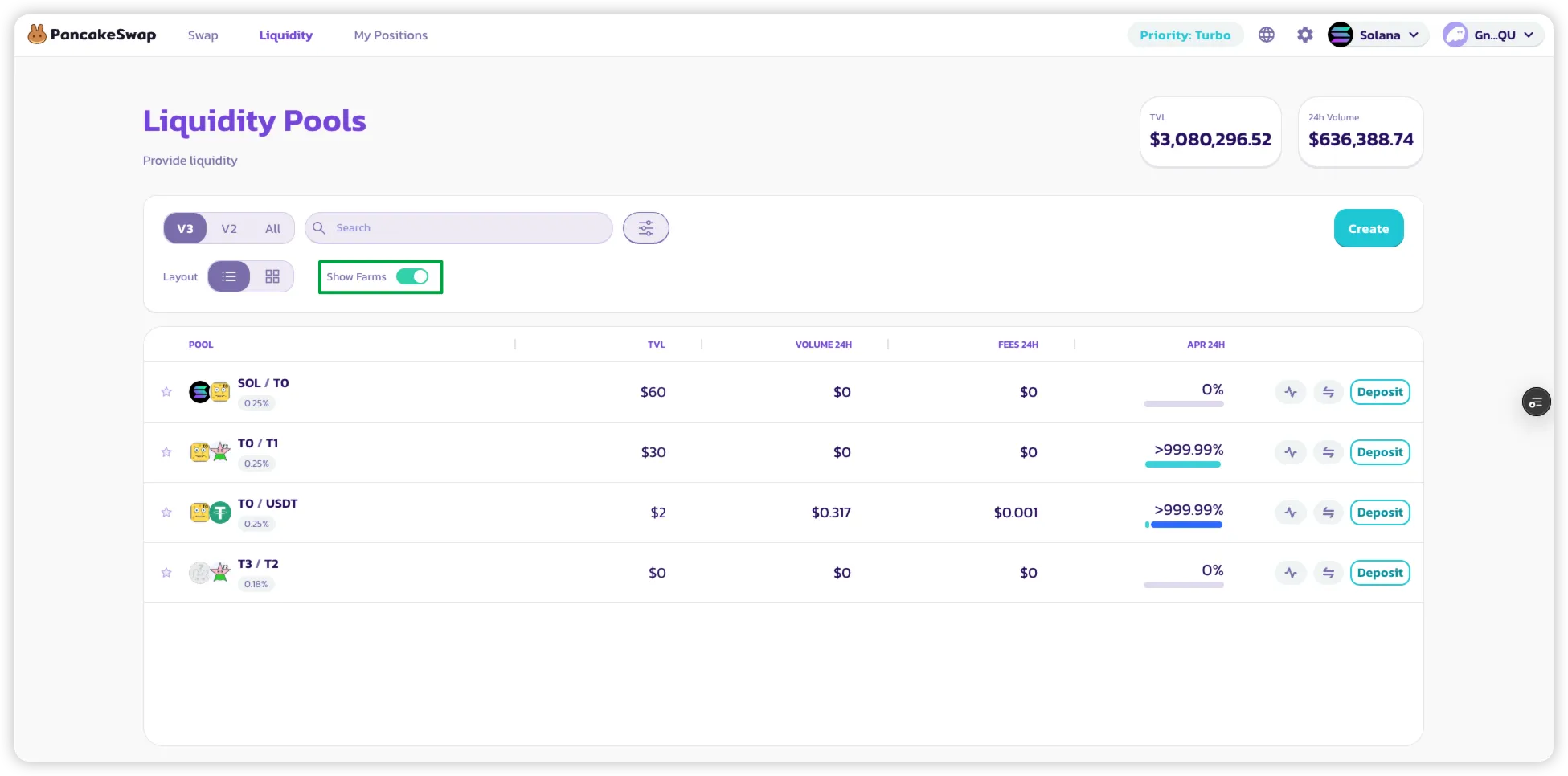
### 1. Farm'ları Görüntülemek için Filtrele
* **Havuz Listesi** sayfasında yalnızca farming ödülleri sunan havuzları göstermek için **"Yalnızca Farm'ları Göster"** filtresini etkinleştir.
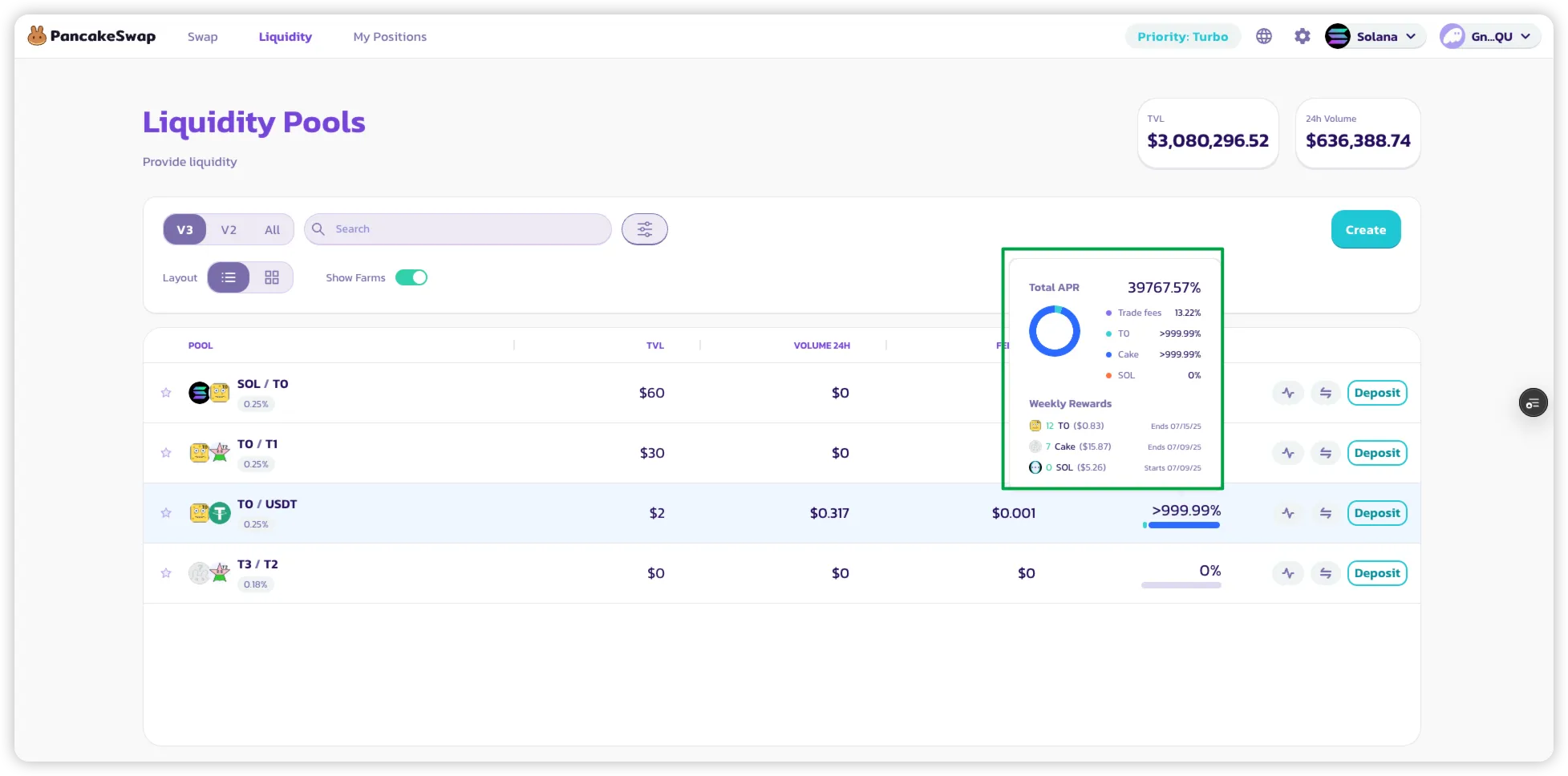
### 2. APR Dağılımını Görüntüle
* Bir havuzun yanında gösterilen APR'ye **fare ile üzerine gel** veya **tıkla**.
* Şunları gösteren bir dağılım açılır:
* İşlem ücretlerinden elde edilen LP ödülleri.
* Farming teşviklerinden elde edilen ek ödüller.
* O havuz için token cinsinden **tahmini haftalık ödül**.
### 3. Farming Ödülleri Kazanmaya Başla
* Farming özelliği etkin olan bir havuza basitçe **likidite ekle**.
* **Aktif (aralık içinde)** bir pozisyon elde ettiğinde:
* Swap gerçekleştiğinde farming ödülleri **otomatik olarak** kazanılmaya başlanır.
* **LP NFT'ni stake etmene gerek yok** — ödüller doğrudan pozisyonuna birikir.
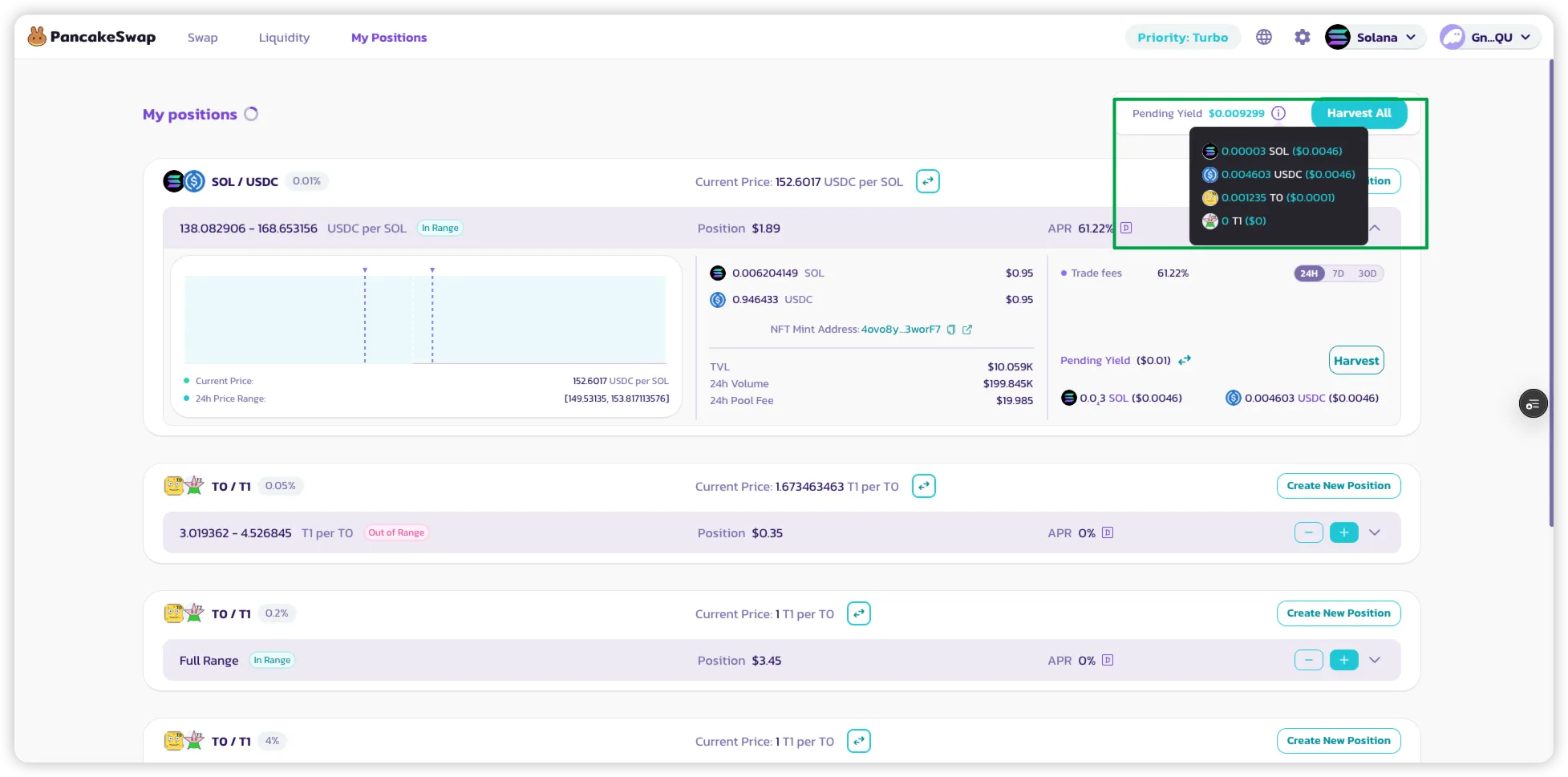
### 4. Ödüllerini Takip Et
* Şunları görüntülemek için **"Pozisyonlarım"** sayfasına git:
* Aktif LP pozisyonların.
* Her pozisyon için biriken farming ödülleri.
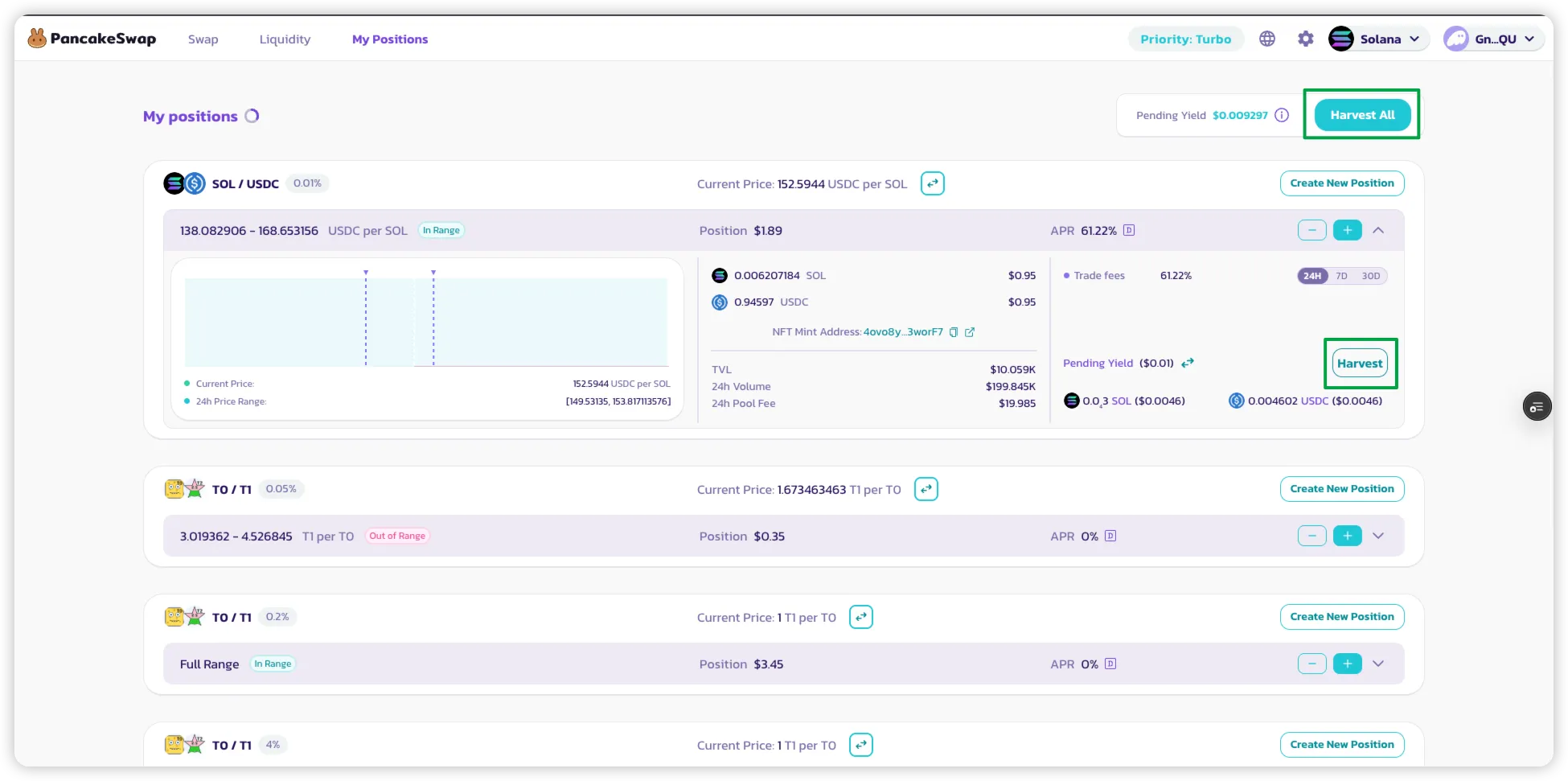
### 5. Ödüllerini Talep Et
* Hem şunları toplamak için bir pozisyonda **"Topla"** düğmesine tıkla:
* LP ödülleri (işlem ücretlerinden)
* Farming token ödülleri (varsa)
* Tek bir işlemde **tüm aktif pozisyonların** ödüllerini toplamak için **"Tümünü Topla"** seçeneğini kullan.
---
# Agent Instructions
This documentation is published with GitBook. GitBook is the documentation platform designed so that both humans and AI agents can read, navigate, and reason over technical content effectively. Learn more at gitbook.com.
## Querying This Documentation
If you need additional information that is not directly available in this page, you can query the documentation by asking a question.
Perform an HTTP GET request on the following URL with the `ask` and `goal` query parameters:
```
GET https://docs.pancakeswap.finance/turkish/kazan/yield-farming/solana-farming.md?ask=&goal=
```
`ask` is the immediate question: it should be specific, self-contained, and written in natural language.
`goal` is what the user is ultimately trying to achieve, the reason they need the answer. Sharing it helps GitBook give you a better, more relevant answer. A goal is most helpful when it describes the outcome the user wants rather than restating the question. For example, with `ask=how do I create an API token`, a goal like `automate deployments from our CI pipeline` lets GitBook tailor the answer to that use case.
The response will contain a direct answer to the question and relevant excerpts and sources from the documentation.
Use this mechanism when the answer is not explicitly present in the current page, you need clarification or additional context, or you want to retrieve related documentation sections.