> For the complete documentation index, see [llms.txt](https://docs.pancakeswap.finance/llms.txt). Markdown versions of documentation pages are available by appending `.md` to page URLs; this page is available as [Markdown](https://docs.pancakeswap.finance/turkish/archive/legacy-products/archived-simple-staking/how-to-start-simple-staking.md).
# Basit Staking'e Nasıl Başlanır
{% hint style="danger" %}
\[Arşivlendi] Simple Staking – 10 Mart 2025 itibarıyla
{% endhint %}
Simple Staking 3 adıma ayrılır — **Staking, Kazanma, Talep Etme**
Simple Staking'e nasıl başlayacağına dair adım adım rehber:
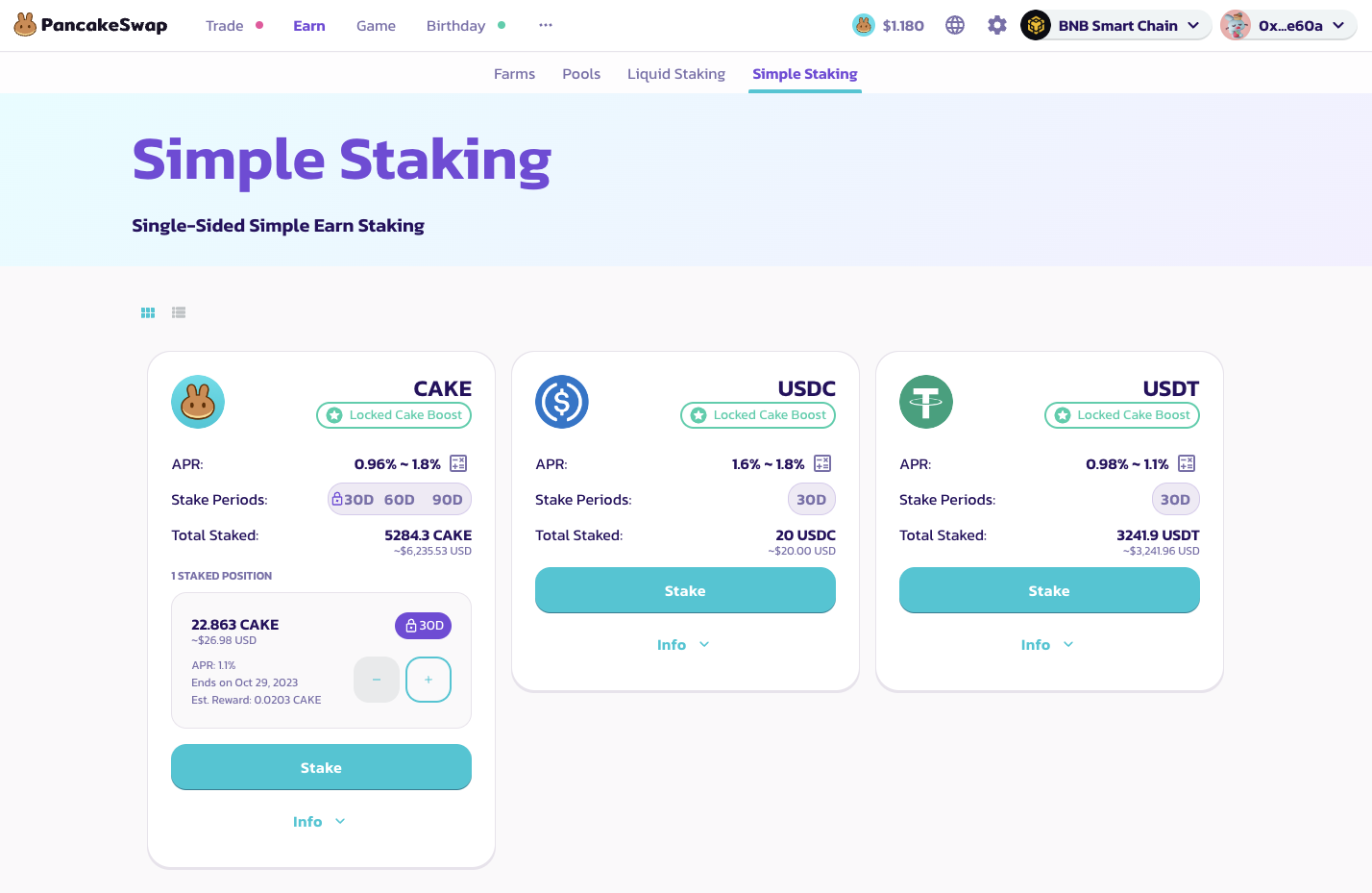
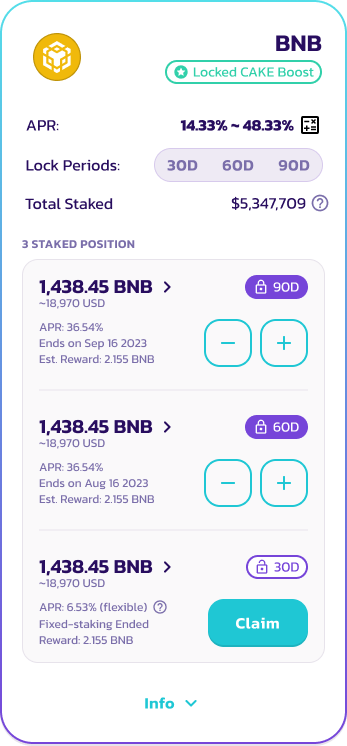
1. **Simple Staking için havuz seç** — PancakeSwap Simple Staking, her token için 3 farklı havuzda sunulur (30, 60 ve 90 gün). USDC veya USDT gibi stablecoin'ler yalnızca 30 günlük havuzları destekler. Tokenlerini daha uzun süreli havuzlarda kilitleyen kullanıcılar daha yüksek günlük ödüller ve APR alır.
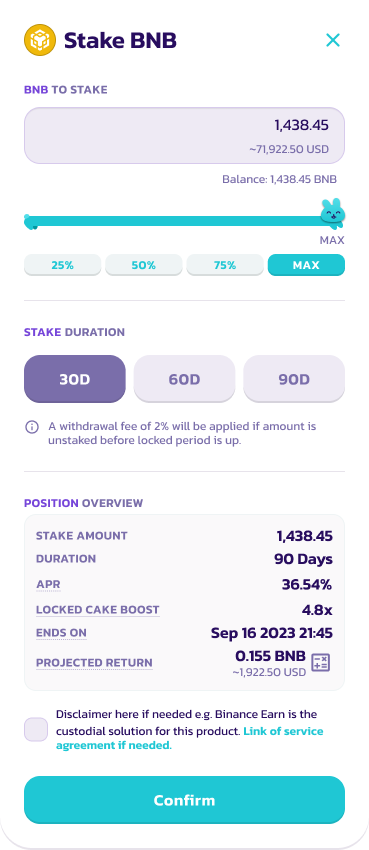
2. **Token Yatır** — Staking havuzuna yatırmak istediğin token miktarını seç. Tokene göre minimum stake miktarı olduğunu unutma. [CAKE Syrup Pool'da](https://pancakeswap.finance/pools) **100 CAKE** stake eden kullanıcılar, Kilitli CAKE artışından yararlanabilir. CAKE Syrup Pool hakkında daha fazla bilgi için lütfen [Sabit Staking rehberini](/turkish/archive/legacy-products/new-cake-pool/fixed-term-staking.md) ziyaret et.
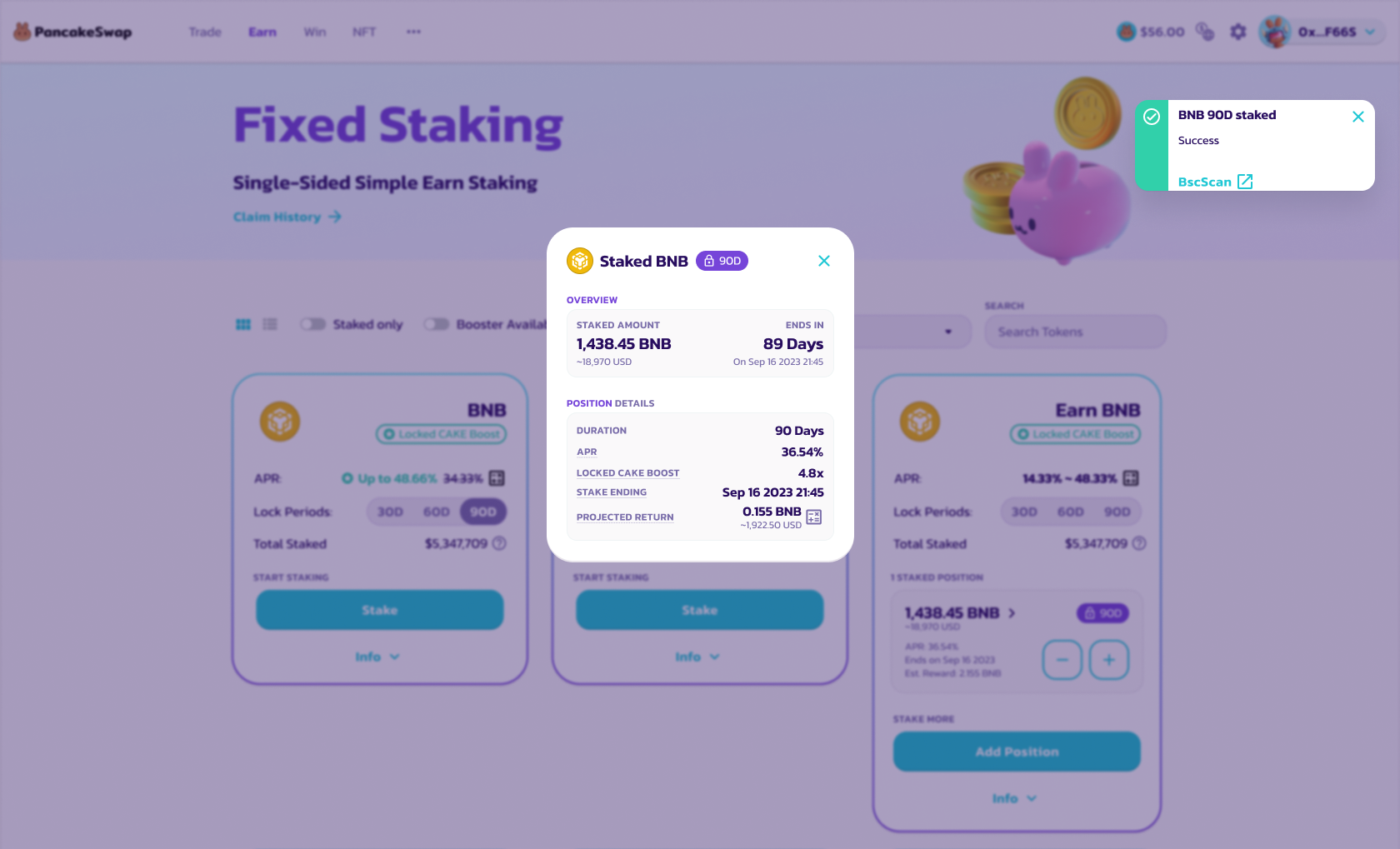
3. **Onayla ve token stake et** — Ayrıntıları onayla ve tokeni stake et. Bir bildirim alacaksın.
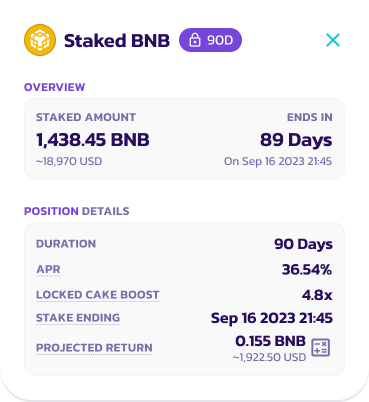
4. **Faiz Kazanma** — Faiz ödülleri her gün birikir. Daha fazla ayrıntı için info düğmesine tıklayarak pozisyonunu kontrol et.
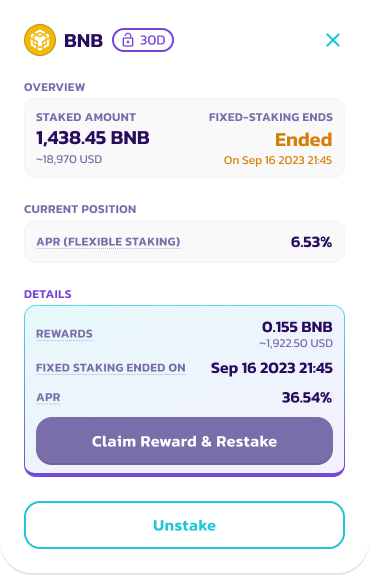
5. **Talep Et/Yeniden Stake Et/Unstake Et** — Staking döneminin sonunda kullanıcılar ödüllerini talep etmeyi ve tokenlerini unstake etmeyi seçebilir.
5.1 Kilit süresi dolduğunda pozisyonda görünecek "Talep Et" düğmesine tıkla
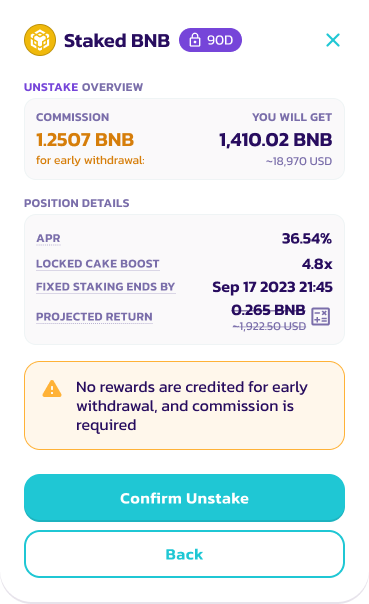
5.2 Aynı token miktarıyla yeni bir Simple Staking pozisyonu oluşturmak için "Ödülü Talep Et ve Yeniden Stake Et"i seç. Aksi takdirde, tüm ödülleri ve tokenleri cüzdanına geri çekmek için "Unstake Et"i seç.
5.3 Ayrıntıları gözden geçir ve Unstake'i onayla
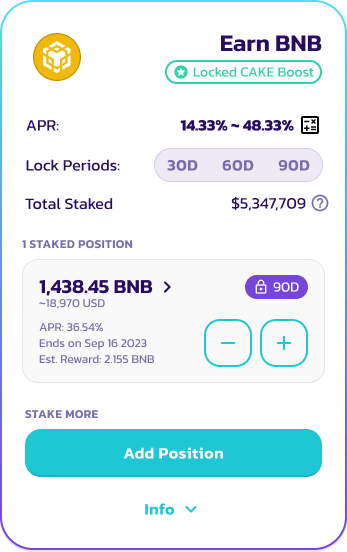
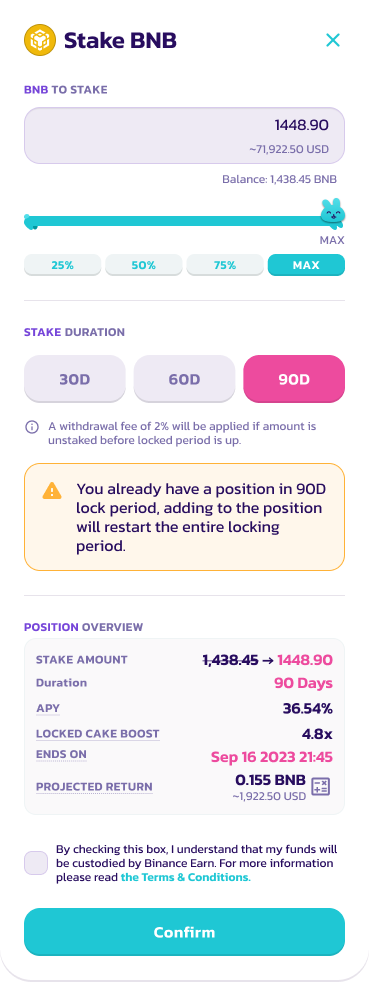
6. **Pozisyon Ekle** — Kullanıcılar pozisyonları kilitliyken pozisyon ekleyebilir. Ancak belirli kilit süresi için Staking dönemi sıfırlanacaktır.
6.1 Mevcut Staking pozisyonunu seç ve "+" simgesine tıkla
6.2 Eklemek istediğin token sayısını seç ve yeni Staking pozisyonunu gözden geçir
7. Pozisyon eklemeyi tamamlamak için onayla'ya tıkla
---
# Agent Instructions
This documentation is published with GitBook. GitBook is the documentation platform designed so that both humans and AI agents can read, navigate, and reason over technical content effectively. Learn more at gitbook.com.
## Querying This Documentation
If you need additional information that is not directly available in this page, you can query the documentation by asking a question.
Perform an HTTP GET request on the following URL with the `ask` and `goal` query parameters:
```
GET https://docs.pancakeswap.finance/turkish/archive/legacy-products/archived-simple-staking/how-to-start-simple-staking.md?ask=&goal=
```
`ask` is the immediate question: it should be specific, self-contained, and written in natural language.
`goal` is what the user is ultimately trying to achieve, the reason they need the answer. Sharing it helps GitBook give you a better, more relevant answer. A goal is most helpful when it describes the outcome the user wants rather than restating the question. For example, with `ask=how do I create an API token`, a goal like `automate deployments from our CI pipeline` lets GitBook tailor the answer to that use case.
The response will contain a direct answer to the question and relevant excerpts and sources from the documentation.
Use this mechanism when the answer is not explicitly present in the current page, you need clarification or additional context, or you want to retrieve related documentation sections.