> For the complete documentation index, see [llms.txt](https://docs.pancakeswap.finance/llms.txt). Markdown versions of documentation pages are available by appending `.md` to page URLs; this page is available as [Markdown](https://docs.pancakeswap.finance/russian/zarabotok/yield-farming/solana-farming.md).
# Фарминг на Solana
## Как использовать Фермы на PancakeSwap SOL V3
Фарминг позволяет тебе зарабатывать дополнительные вознаграждения поверх стандартных комиссий поставщика ликвидности (LP) при предоставлении ликвидности в подходящие пулы. Вот как начать:
{% hint style="warning" %}
**Примечание:** Изображения в этом руководстве приведены исключительно в иллюстративных целях и могут не отражать данные в реальном времени или текущую статистику фарминга.
{% endhint %}
***
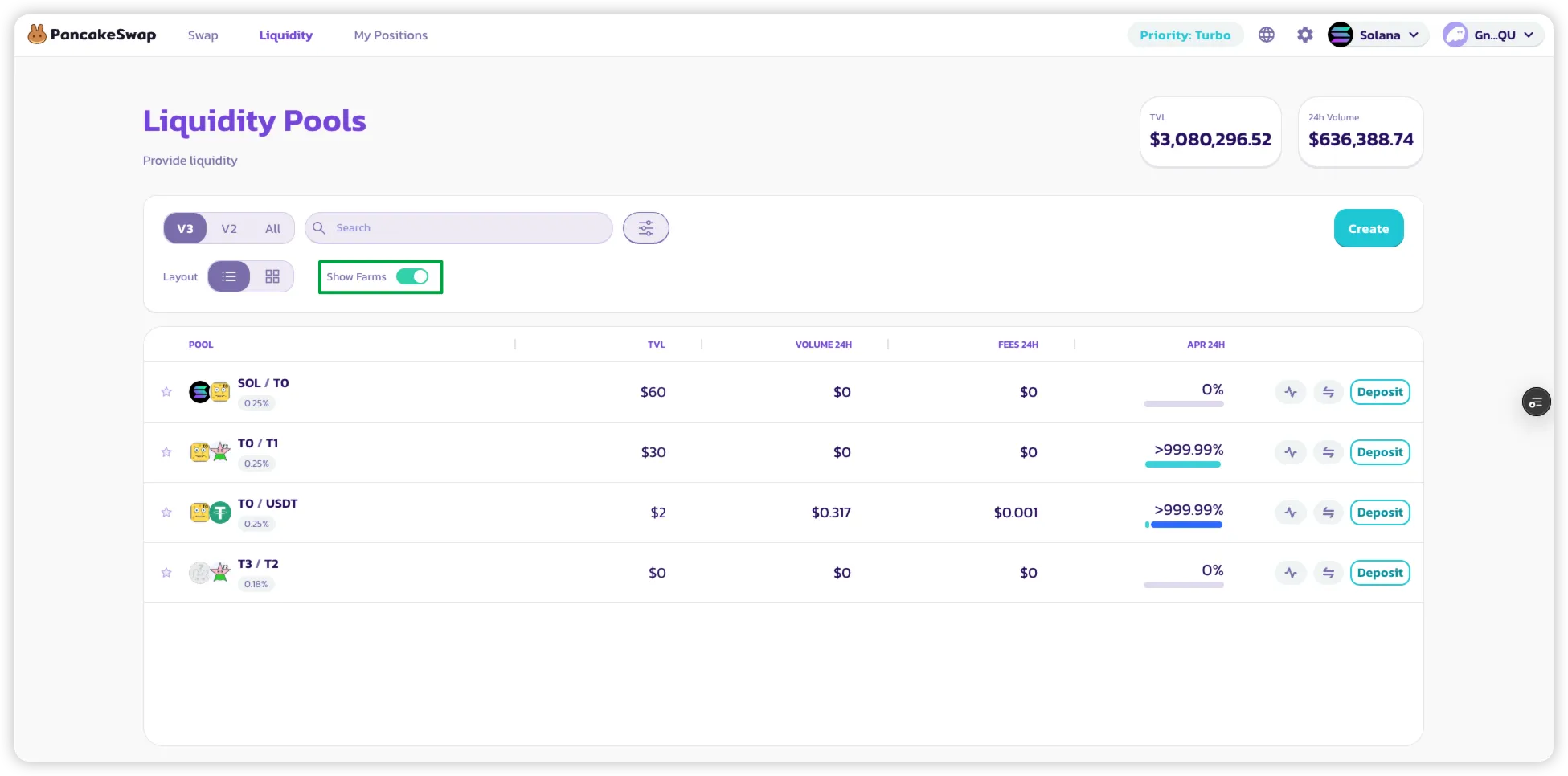
### 1. Отфильтруй для просмотра Ферм
* На странице **Pool List** включи фильтр **«Show Farm only»**, чтобы отображать только пулы с вознаграждениями от фарминга.
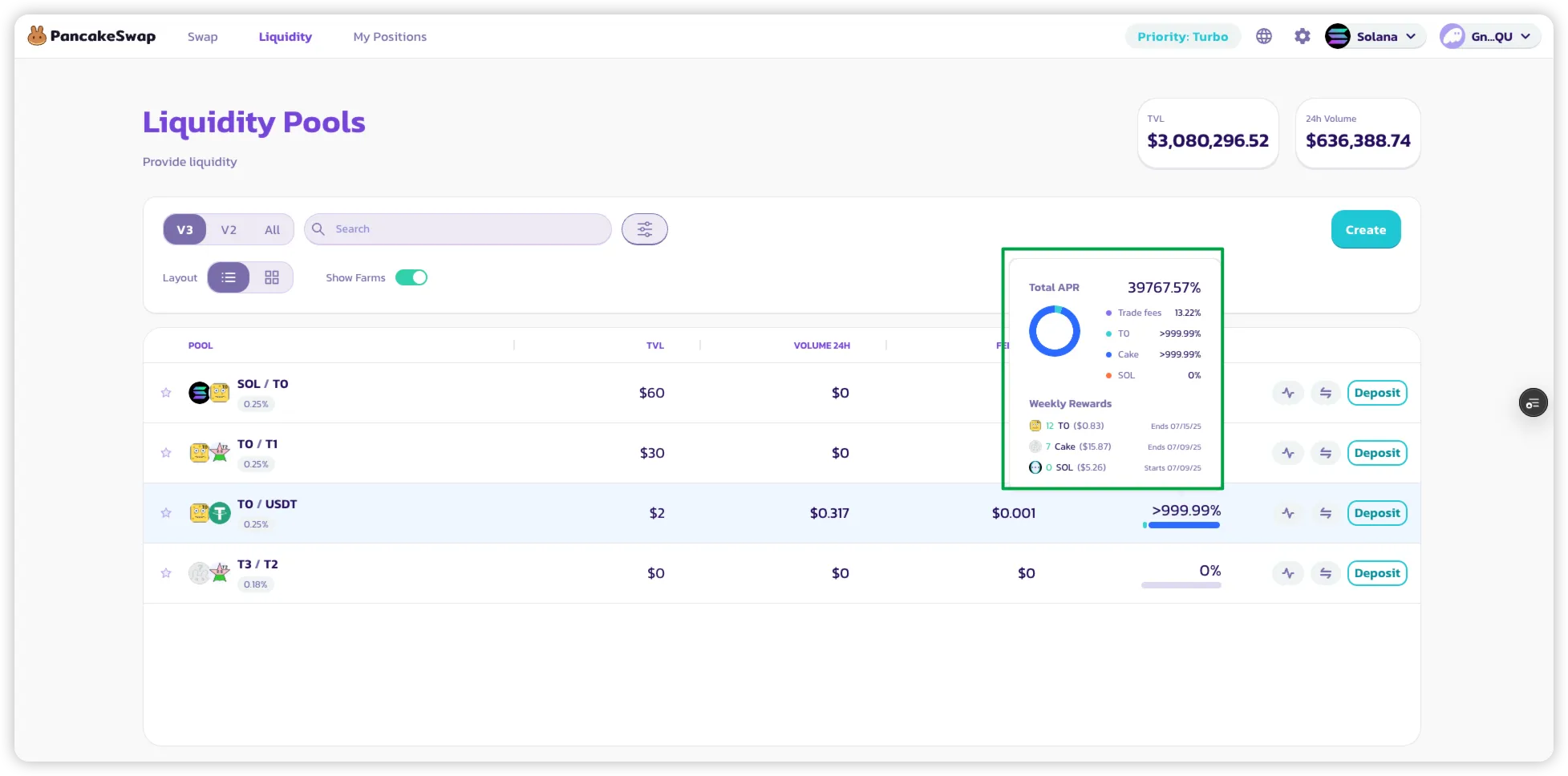
### 2. Просмотри разбивку APR
* **Наведи курсор** или **нажми** на APR, отображаемый рядом с пулом.
* Появится разбивка, показывающая:
* Вознаграждения LP от торговых комиссий.
* Дополнительные вознаграждения от стимулов фарминга.
* **Расчётное еженедельное вознаграждение** в токенах для этого пула.
### 3. Начни получать вознаграждения от фарминга
* Просто **добавь ликвидность** в пул с включённым фармингом.
* Как только у тебя будет **активная (в диапазоне)** позиция:
* Ты начнёшь получать вознаграждения от фарминга **автоматически при совершении обменов**.
* **Не нужно стейкать NFT LP** — вознаграждения начисляются непосредственно на позицию.
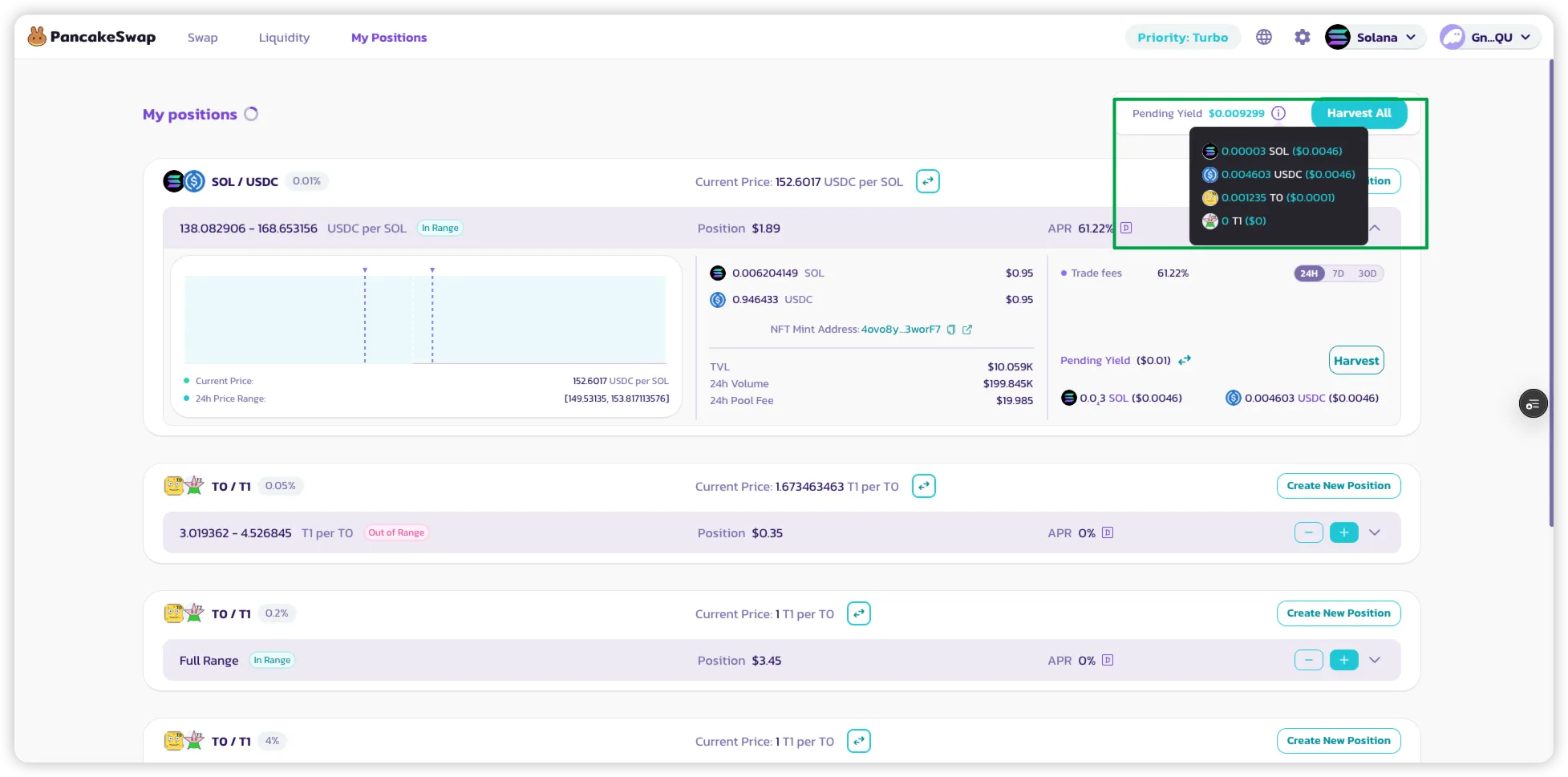
### 4. Отслеживай свои вознаграждения
* Перейди на страницу **«My Positions»** для просмотра:
* Активных LP-позиций.
* Накопленных вознаграждений от фарминга для каждой позиции.
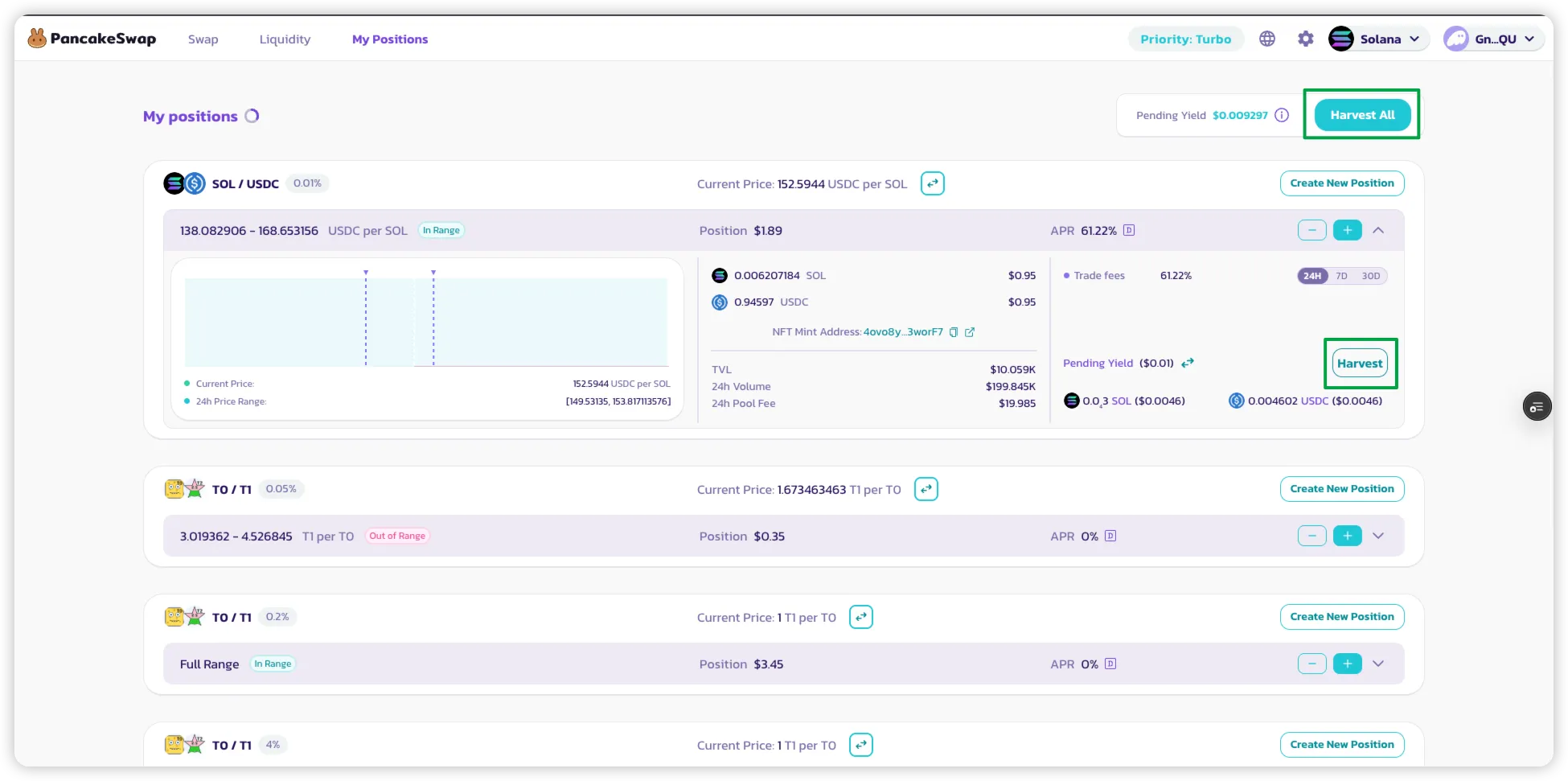
### 5. Получение вознаграждений
* **Нажми «Harvest»** на позиции для получения:
* Вознаграждений LP (от торговых комиссий)
* Вознаграждений токенами фарминга (если применимо)
* Используй **«Harvest All»** для получения вознаграждений от **всех активных позиций** в одной транзакции.
---
# Agent Instructions
This documentation is published with GitBook. GitBook is the documentation platform designed so that both humans and AI agents can read, navigate, and reason over technical content effectively. Learn more at gitbook.com.
## Querying This Documentation
If you need additional information that is not directly available in this page, you can query the documentation by asking a question.
Perform an HTTP GET request on the following URL with the `ask` and `goal` query parameters:
```
GET https://docs.pancakeswap.finance/russian/zarabotok/yield-farming/solana-farming.md?ask=&goal=
```
`ask` is the immediate question: it should be specific, self-contained, and written in natural language.
`goal` is what the user is ultimately trying to achieve, the reason they need the answer. Sharing it helps GitBook give you a better, more relevant answer. A goal is most helpful when it describes the outcome the user wants rather than restating the question. For example, with `ask=how do I create an API token`, a goal like `automate deployments from our CI pipeline` lets GitBook tailor the answer to that use case.
The response will contain a direct answer to the question and relevant excerpts and sources from the documentation.
Use this mechanism when the answer is not explicitly present in the current page, you need clarification or additional context, or you want to retrieve related documentation sections.