> For the complete documentation index, see [llms.txt](https://docs.pancakeswap.finance/llms.txt). Markdown versions of documentation pages are available by appending `.md` to page URLs; this page is available as [Markdown](https://docs.pancakeswap.finance/russian/protokol/voting/voting-guide.md).
# Как голосовать

Участвовать в управлении через голосование легко, и это абсолютно **БЕСПЛАТНО**. Тебе даже не нужно платить газ! Узнай, как голосовать, следи за новыми предложениями и подавай свой голос.
### Как голосовать
#### Перейди к предложению для голосования
Всякий раз, когда мы публикуем новое предложение, мы всегда прикладываем ссылку на страницу голосования. Поэтому следи за [нашими социальными каналами](/russian/dobro-pozhalovat-v-pancakeswap/contact-us/social-accounts.md) для получения новостей и обновлений.
Кроме того, ты можешь посетить [нативный портал голосования PancakeSwap](https://voting.pancakeswap.finance/?_gl=1*pc8o0h*_ga*MTUzNDEzNDQxMy4xNjAwNzkzNDM4*_ga_334KNG3DMQ*MTYwNDMwMTk4Ni42MC4xLjE2MDQzMDM3MDIuMA..#/)[ ](https://pancakeswap.finance/voting), чтобы просмотреть список предложений. Если ты не видишь нужного предложения, оно может находиться во вкладке «soon».
#### Прочитай предложение и выбери вариант голосования

На странице предложения ты найдёшь:
* Содержание предложения
* Варианты для голосования
* Детали предложения: блок снимка и окно голосования
* Актуальные результаты голосования
* Список голосов
Внимательно прочитай предложение и нажми на вариант, за который хочешь проголосовать.

#### Подтверди и подай голос

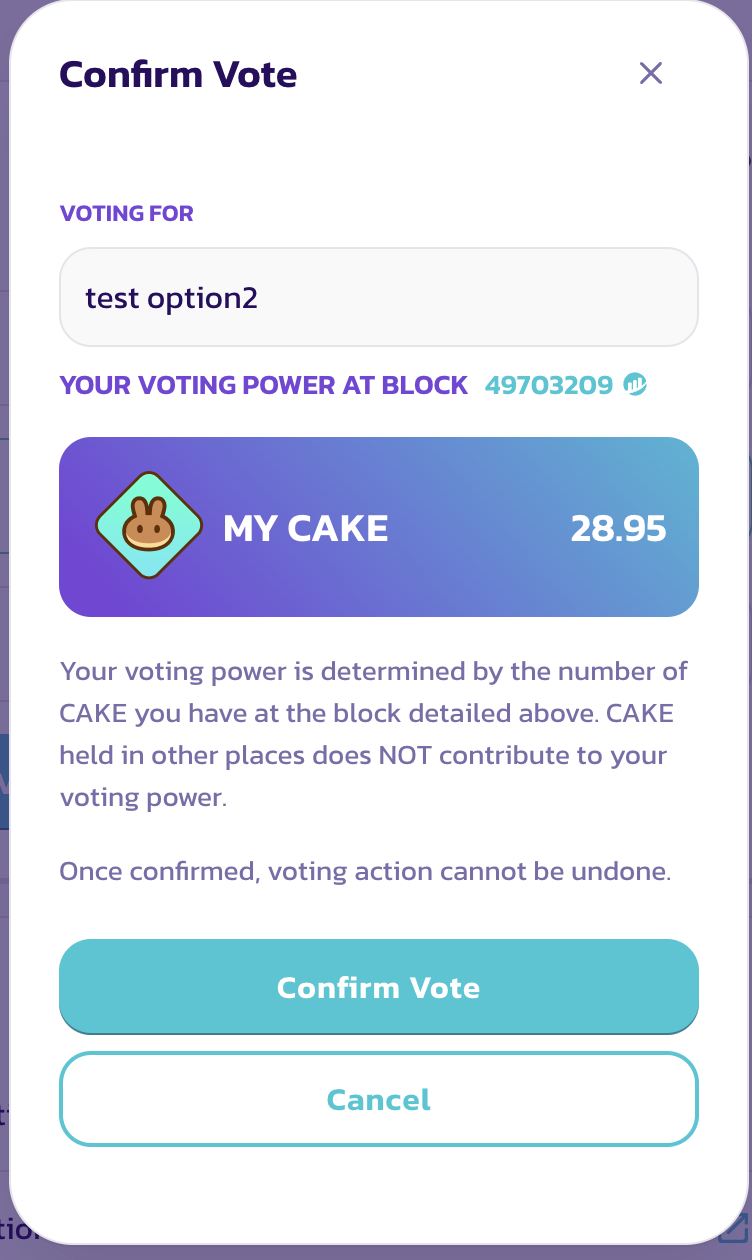
Проверь все детали и нажми «Confirm Vote», затем подтверди в кошельке подпись сообщения.
Готово, ты успешно проголосовал.
### Как проверить детали
{% tabs %}
{% tab title="Проверить силу голоса" %}
Перед подачей голоса ты увидишь окно «Confirm Vote».
В этом окне ты сможешь просмотреть следующие элементы:
* Выбранный тобой вариант
* Твою силу голоса
Твоя сила голоса равна балансу CAKE на блоке снимка.
{% endtab %}
{% tab title="Проверить блок снимка" %}
**Проверить блок снимка**

Сила голоса рассчитывается на основе снимка, сделанного на блоке снимка. Поэтому покупка или внесение дополнительного CAKE после публикации предложения не увеличит силу голоса для этого конкретного предложения.
Если ты хочешь узнать точное время блока снимка, просто нажми на номер блока и найди временну́ю метку на странице BscScan.

{% endtab %}
{% endtabs %}
---
# Agent Instructions
This documentation is published with GitBook. GitBook is the documentation platform designed so that both humans and AI agents can read, navigate, and reason over technical content effectively. Learn more at gitbook.com.
## Querying This Documentation
If you need additional information that is not directly available in this page, you can query the documentation by asking a question.
Perform an HTTP GET request on the following URL with the `ask` and `goal` query parameters:
```
GET https://docs.pancakeswap.finance/russian/protokol/voting/voting-guide.md?ask=&goal=
```
`ask` is the immediate question: it should be specific, self-contained, and written in natural language.
`goal` is what the user is ultimately trying to achieve, the reason they need the answer. Sharing it helps GitBook give you a better, more relevant answer. A goal is most helpful when it describes the outcome the user wants rather than restating the question. For example, with `ask=how do I create an API token`, a goal like `automate deployments from our CI pipeline` lets GitBook tailor the answer to that use case.
The response will contain a direct answer to the question and relevant excerpts and sources from the documentation.
Use this mechanism when the answer is not explicitly present in the current page, you need clarification or additional context, or you want to retrieve related documentation sections.