> For the complete documentation index, see [llms.txt](https://docs.pancakeswap.finance/llms.txt). Markdown versions of documentation pages are available by appending `.md` to page URLs; this page is available as [Markdown](https://docs.pancakeswap.finance/portuguese-brazilian/ferramentas-de-trading/social-login/social-login-how-to-guide.md).
# Social Login: Guia de Instruções
Comece a usar o DeFi em segundos — sem extensões de Carteira ou frases semente. Siga os passos abaixo para criar sua Carteira de Social Login, definir uma senha de recuperação e recuperar sua Carteira em um novo dispositivo.
### 1. Criando Sua Carteira de Social Login
1. Acesse pancakeswap.finance
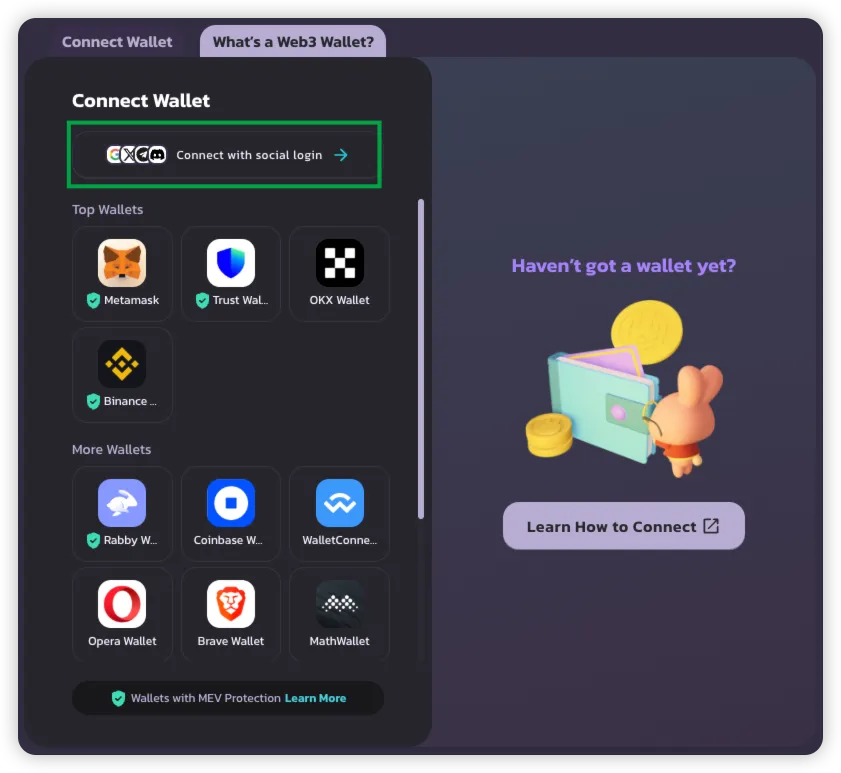
2. Clique em **Conectar Carteira** → Selecione **Conectar com Social Login**
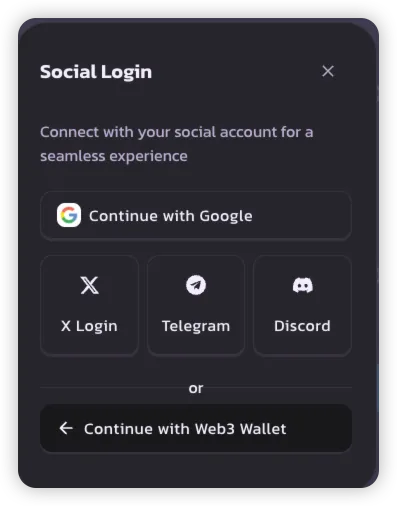
3. Escolha seu método de Social Login preferido:
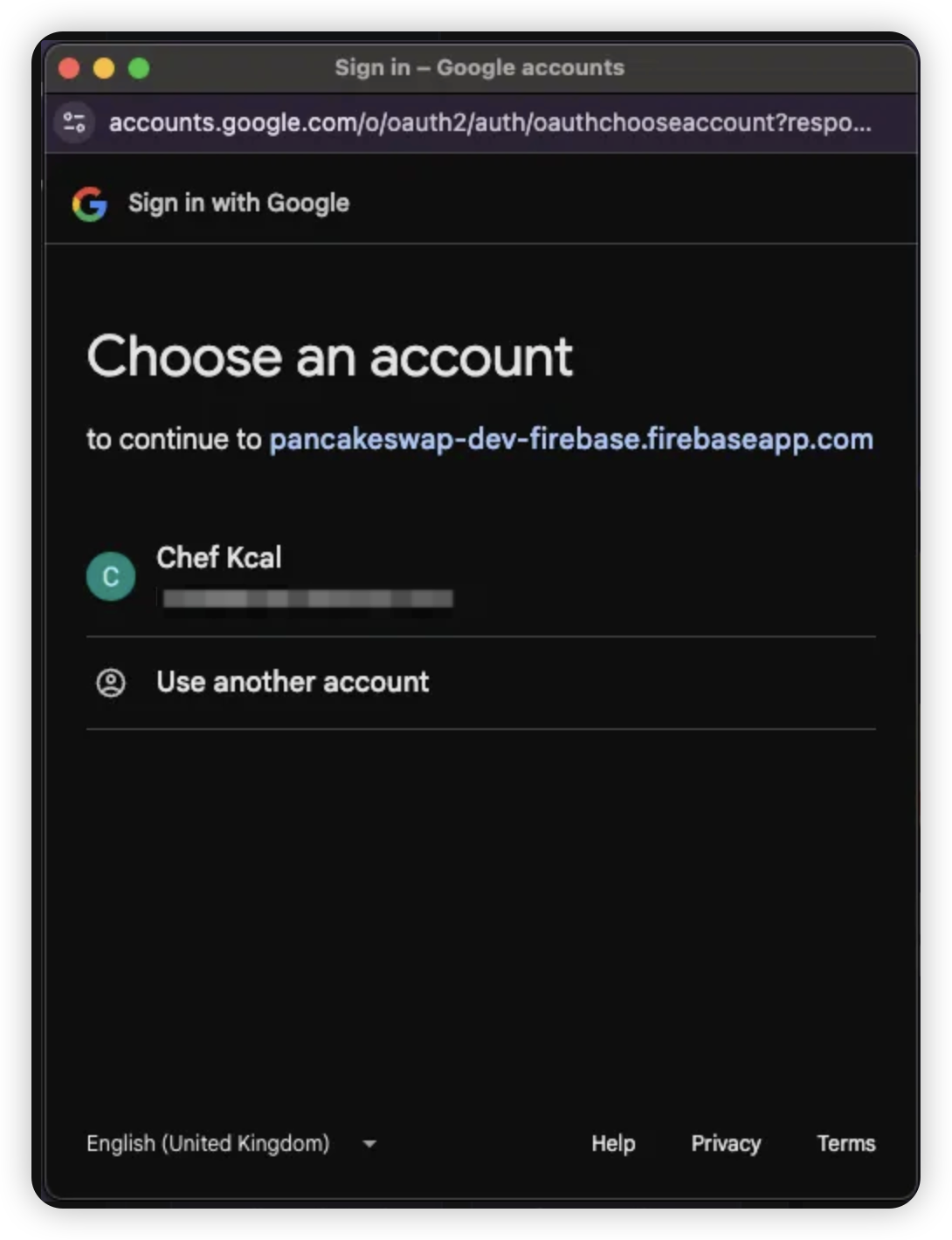
* **Google**
* **X (Twitter)**
* **Telegram**
* **Discord**
> 💡 Cada conta social cria uma Carteira única para uso na PancakeSwap.
4. Faça login com as credenciais da conta social selecionada
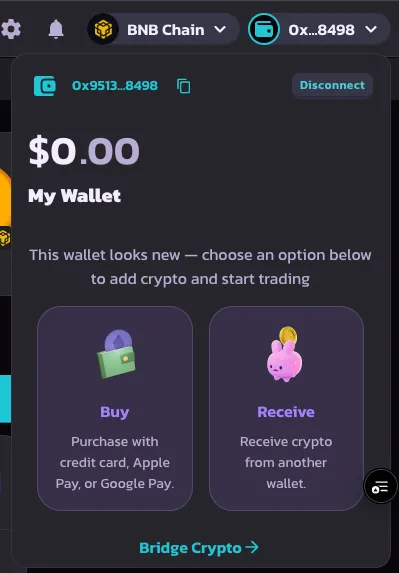
5. Assim que o login for bem-sucedido, sua Carteira será criada e estará pronta para uso
***
### 2. Definindo uma Senha de Recuperação
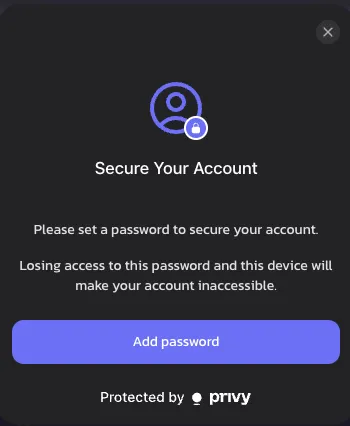
Após o primeiro login, você será solicitado a definir uma **senha de recuperação**. Esta etapa é opcional, mas altamente recomendada para controle total da Carteira.
1. Clique em **Definir Senha de Recuperação** quando solicitado
> 🔒 Se não for definida, a chave de recuperação será armazenada pela Privy por padrão
>
> 🔑 [Saiba mais sobre chaves de recuperação](https://docs.privy.io/security/wallet-infrastructure/advanced/user-device#securing-the-recovery-share)
{% hint style="success" %}
Se você dispensar este aviso, ele reaparecerá após 1 semana, como parte do compromisso da PancakeSwap com a segurança da Carteira.
{% endhint %}
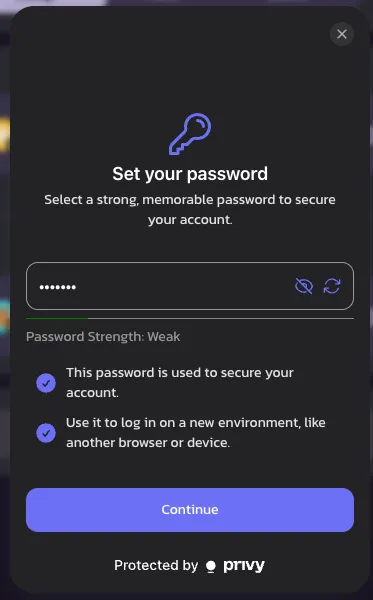
2. Escolha uma **senha memorável** — você precisará dela para fazer login em um novo dispositivo ou quando sua sessão expirar
> ⚠️ Se esquecida, o acesso à Carteira pode ser perdido permanentemente
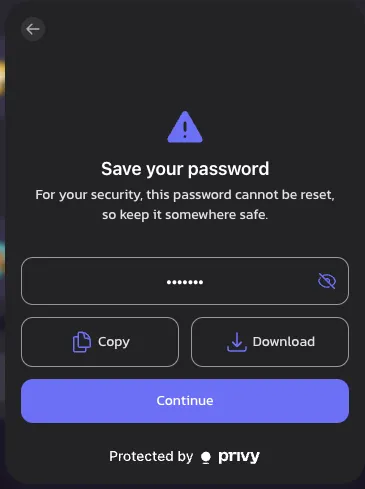
3. Salve sua senha com segurança **copiando ou baixando-a**
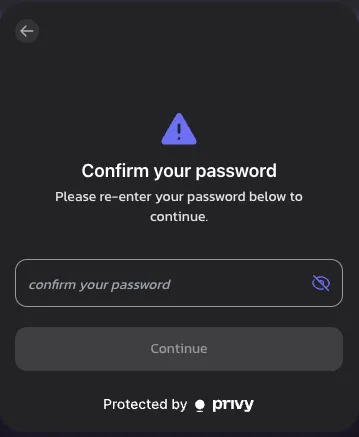
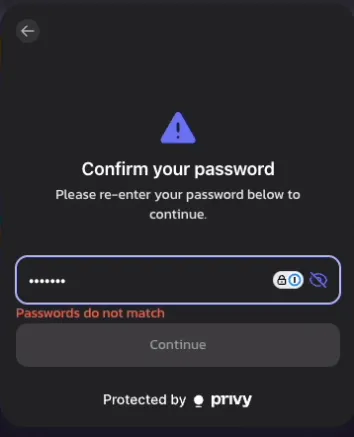
4. Digite sua senha novamente para confirmar
> ❗ Um erro aparecerá se as senhas não coincidirem
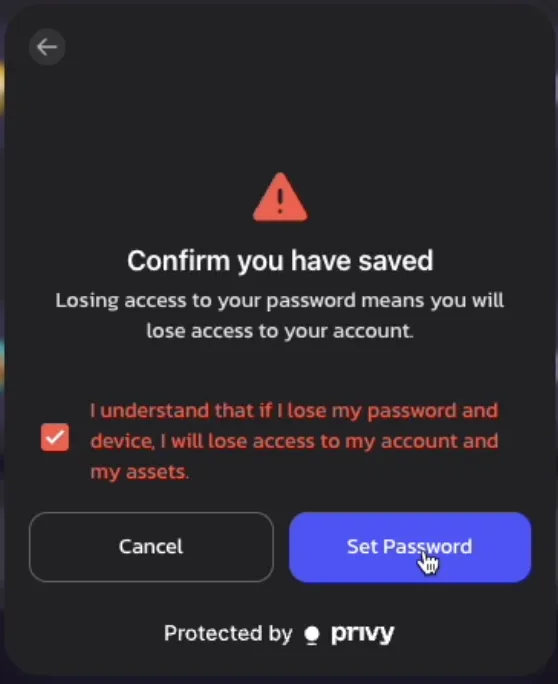
5. Leia o **aviso de isenção de responsabilidade** e confirme que entende o risco da senha de recuperação
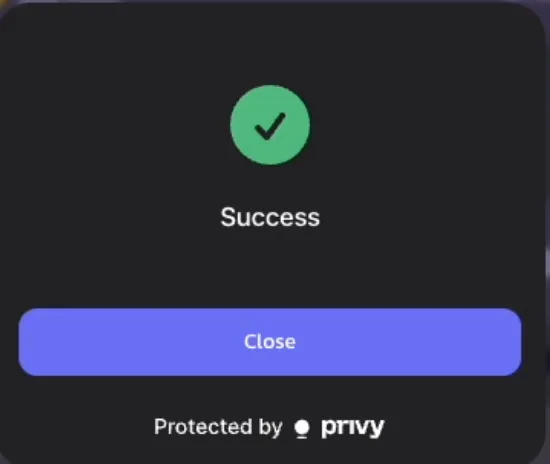
6. 🎉 Sucesso! Sua senha de recuperação está definida
> Lembrete: Você será solicitado a inseri-la novamente quando sua sessão terminar ou você trocar de dispositivo
>
***
### 3. Recuperando Sua Carteira (Login em Novo Dispositivo)
Se você acessar a PancakeSwap em um novo dispositivo, siga estas etapas para recuperar sua Carteira:
1. Faça login com sua **conta social** no novo dispositivo
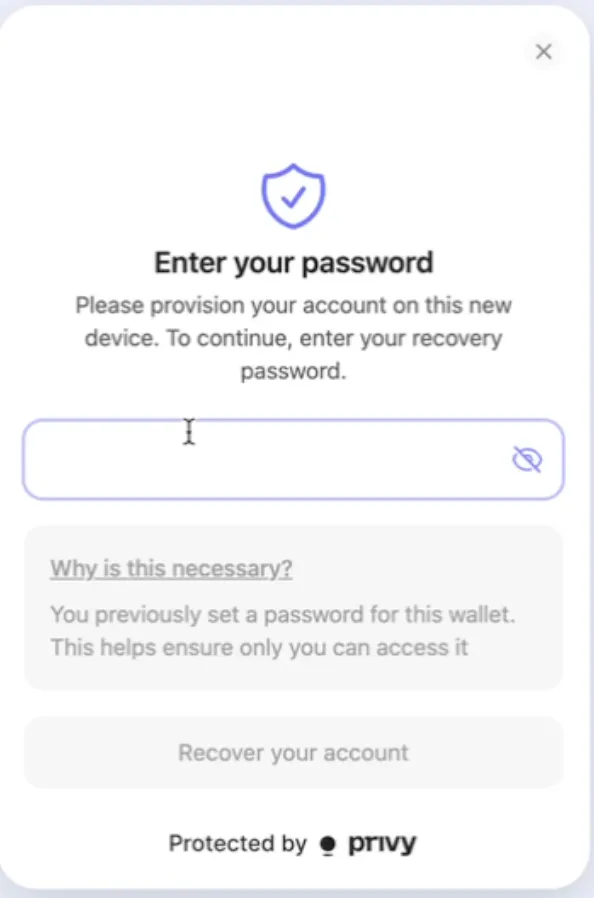
2. Ao tentar sua primeira transação ou ação onchain, você será solicitado a **inserir sua senha de recuperação**
3. Após confirmação, você pode continuar realizando transações normalmente — sem necessidade de configuração adicional!
---
# Agent Instructions
This documentation is published with GitBook. GitBook is the documentation platform designed so that both humans and AI agents can read, navigate, and reason over technical content effectively. Learn more at gitbook.com.
## Querying This Documentation
If you need additional information that is not directly available in this page, you can query the documentation by asking a question.
Perform an HTTP GET request on the following URL with the `ask` and `goal` query parameters:
```
GET https://docs.pancakeswap.finance/portuguese-brazilian/ferramentas-de-trading/social-login/social-login-how-to-guide.md?ask=&goal=
```
`ask` is the immediate question: it should be specific, self-contained, and written in natural language.
`goal` is what the user is ultimately trying to achieve, the reason they need the answer. Sharing it helps GitBook give you a better, more relevant answer. A goal is most helpful when it describes the outcome the user wants rather than restating the question. For example, with `ask=how do I create an API token`, a goal like `automate deployments from our CI pipeline` lets GitBook tailor the answer to that use case.
The response will contain a direct answer to the question and relevant excerpts and sources from the documentation.
Use this mechanism when the answer is not explicitly present in the current page, you need clarification or additional context, or you want to retrieve related documentation sections.