> For the complete documentation index, see [llms.txt](https://docs.pancakeswap.finance/llms.txt). Markdown versions of documentation pages are available by appending `.md` to page URLs; this page is available as [Markdown](https://docs.pancakeswap.finance/japanese/tordingutsru/pancake-gifts/pancake-gifts-how-to-guide.md).
# Pancake Gifts: 使い方ガイド
Pancake Giftsを使うと、**リンクまたはQRコード**だけを使って、友達、ユーザー、またはコミュニティメンバーにトークン(オプションのガスを含む)を送ることができます。手順は迅速でシームレス、初心者にもやさしいです。
このガイドでは以下を説明します:
* ✅ Pancake Giftの**作成**方法
* ✅ **送信または共有**方法
* ✅ ギフトの**請求**方法
* ✅ ギフトの**キャンセル**方法(未請求の場合)
***
### 🧑🍳 ステップ1:ギフトを作成する
#### 1. ギフト作成タブに移動する
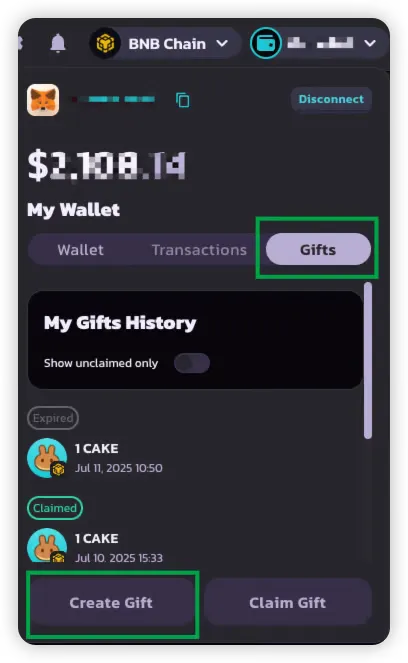
PancakeSwapウォレットUI内の**ギフトタブ**に移動します。
#### 2. トークンと金額を選択する
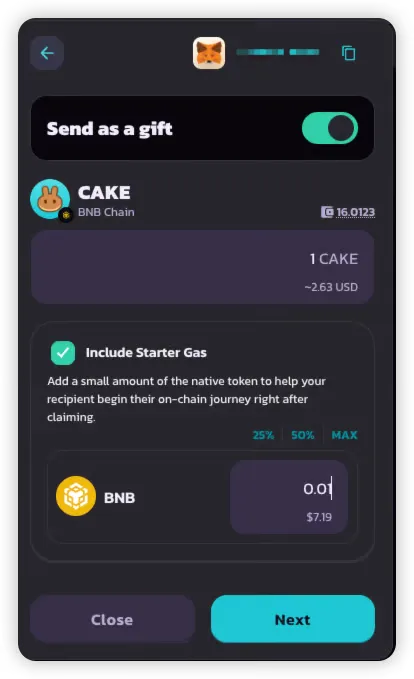
ギフトに含めるトークンを最大**2つ**選択します:
* **1つのBEP-20トークン**(必須)— 例:CAKE
* **1つのネイティブガストークン**(オプション)— 例:BNB
この設定により:
* 受取人に使えるトークンを送ることができます
* ガスを補填することで受取人がすぐに取引できます
#### 3. ギフトタイプを選択する
以下から1つを選択します:
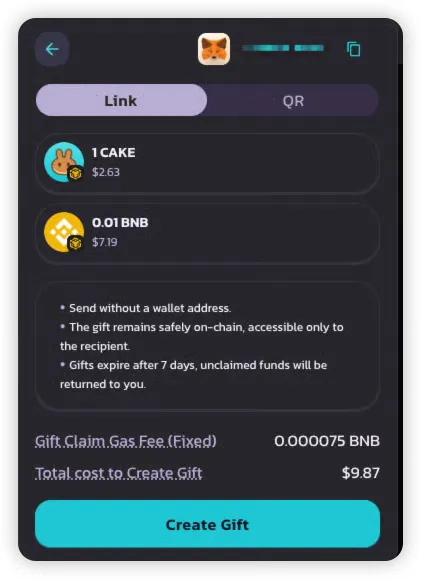
* 🔗 **リンク** — チャットやソーシャルメディアで簡単にコピーして共有できます
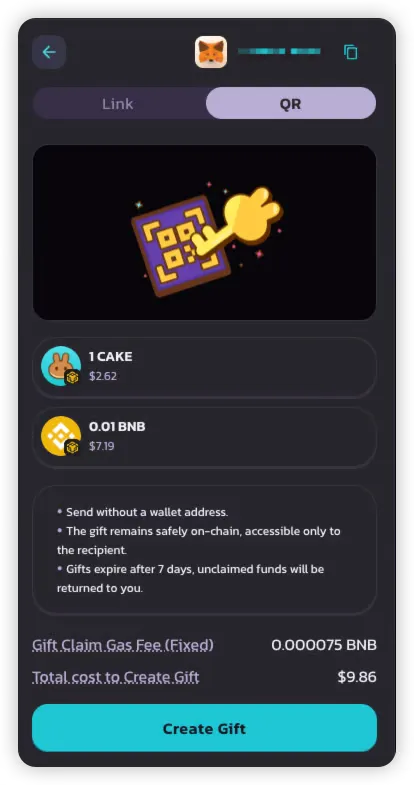
* 📱 **QRコード** — 対面イベントやモバイルユーザーに最適です
> 💡 各ギフトは1回のみ請求でき、1つの配送形式(リンクまたはQR)のみをサポートします。
#### 4. 概要を確認して支払う
確認する前に以下を確認します:
* **ギフト金額** — ギフトに含まれる合計トークン
* **ギフト請求ガス手数料** — 受取人がガスなしで請求できるよう送信者が含めたネイティブトークン(BNBで約$0.05)
確認後:
* ギフトが作成されてオンチェーンに保存されます
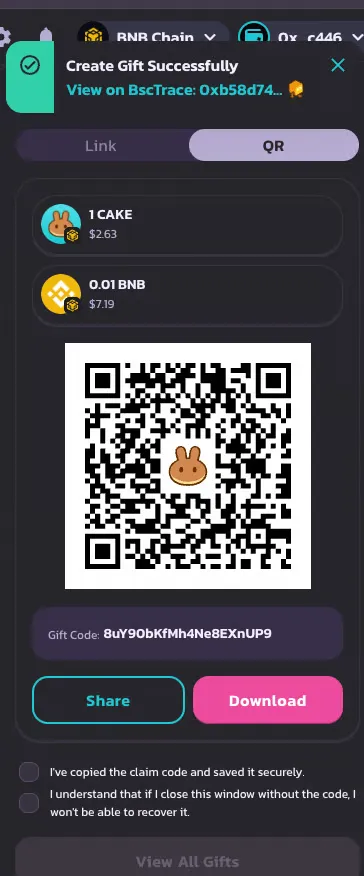
* **リンクまたはQRコード**が表示されます — **ポップアップを閉じる前に必ず保存してください**
{% hint style="danger" %}
保存せずにポップアップを閉じると、ギフトコードは後で取得できません。
{% endhint %}
***
### 📤 ステップ2:ギフトを送信または共有する
作成後、以下のいずれかを受け取ります:
* **共有可能なリンク**、および/または
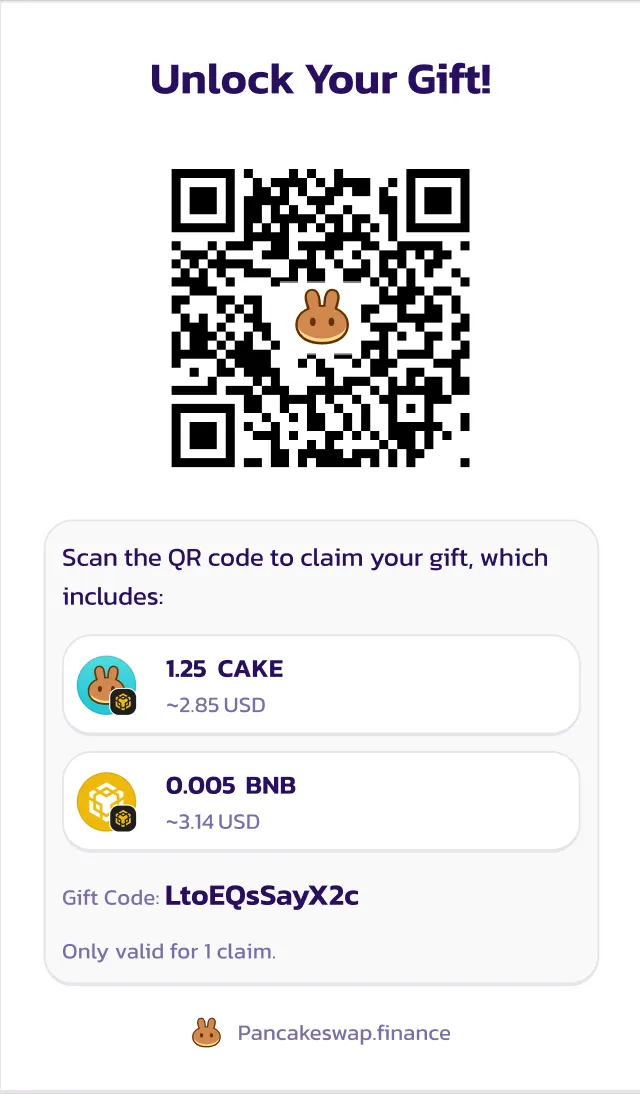
* **スキャン可能なQRコード**
以下を通じて共有できます:
* チャットアプリ(Telegram、WhatsApp)
* メール
* ソーシャルメディア
* イベントでのダイレクトメッセージ
共有可能なリンク
> ${ギフト金額}を送りました!🎉
>
> このリンクをタップして請求してください:👉 [https://pancakeswap.finance/invite/{ギフトコード}](https://pancakeswap.finance/invite/%7BGift_Code%7D)
>
> 請求を完了するにはウォレットを接続してください。
>
> または、PancakeSwapウォレットにコード`{Gift_Code}`を手動で入力してください。
QRコード
***
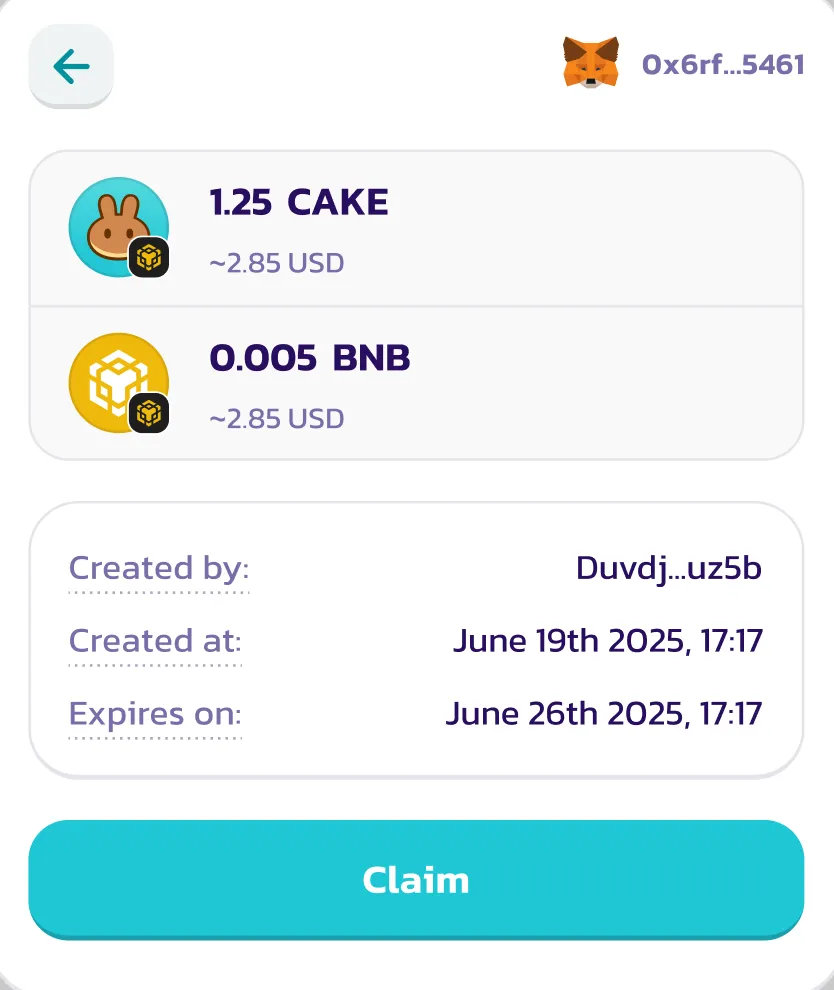
### 🎉 ステップ3:ギフトを請求する
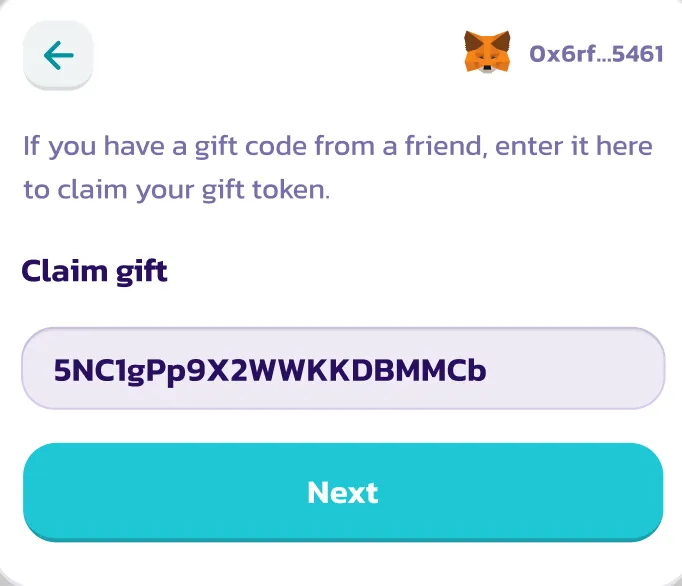
#### 1. ウォレットを接続後、リンクをタップするかQRコードをスキャンする
受取人が:
* **リンクを開く**または
* **QRコードをスキャン**する
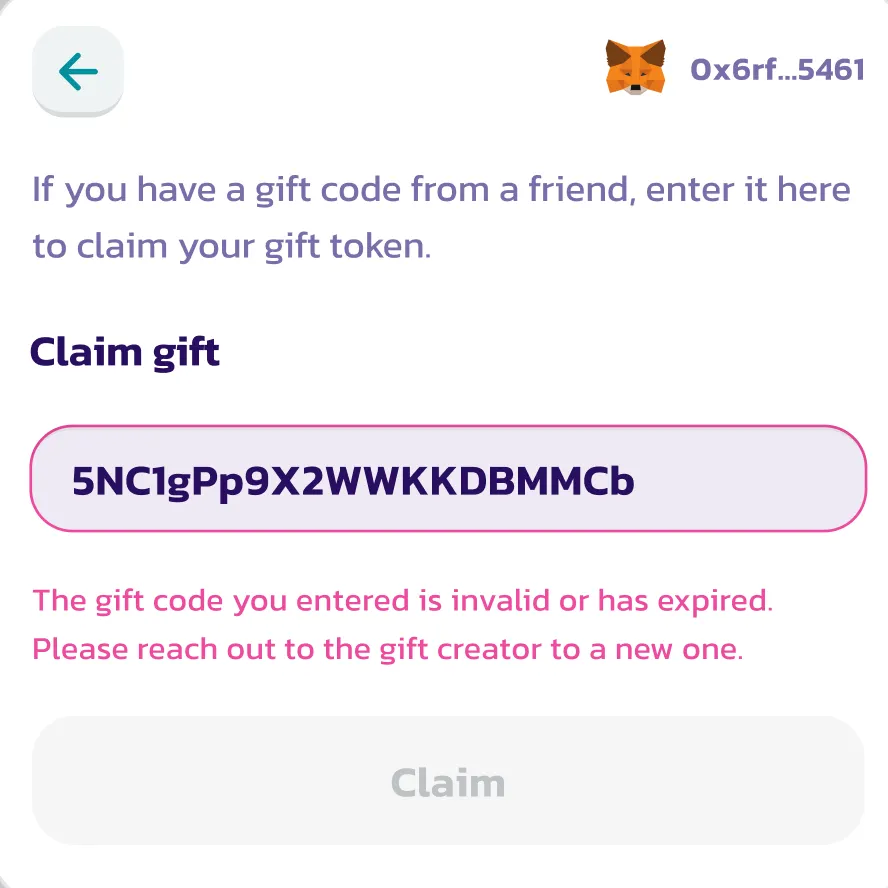
と、アプリがギフトコードを自動入力します。資格があり未請求の場合、ギフト請求UIが読み込まれます。
そうでない場合、エラーメッセージが表示されます(例:有効期限切れまたは請求済み)。
***
#### 2. 承認してトークンを受け取る
受取人は**ガスを支払わずに**請求できます(すでに補填されています)。
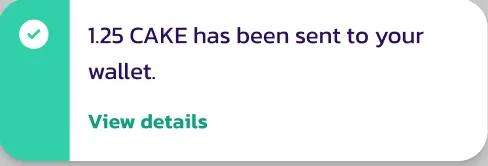
承認後:
* BEP-20トークン(およびガストークン(含まれている場合))がウォレットに入金されます
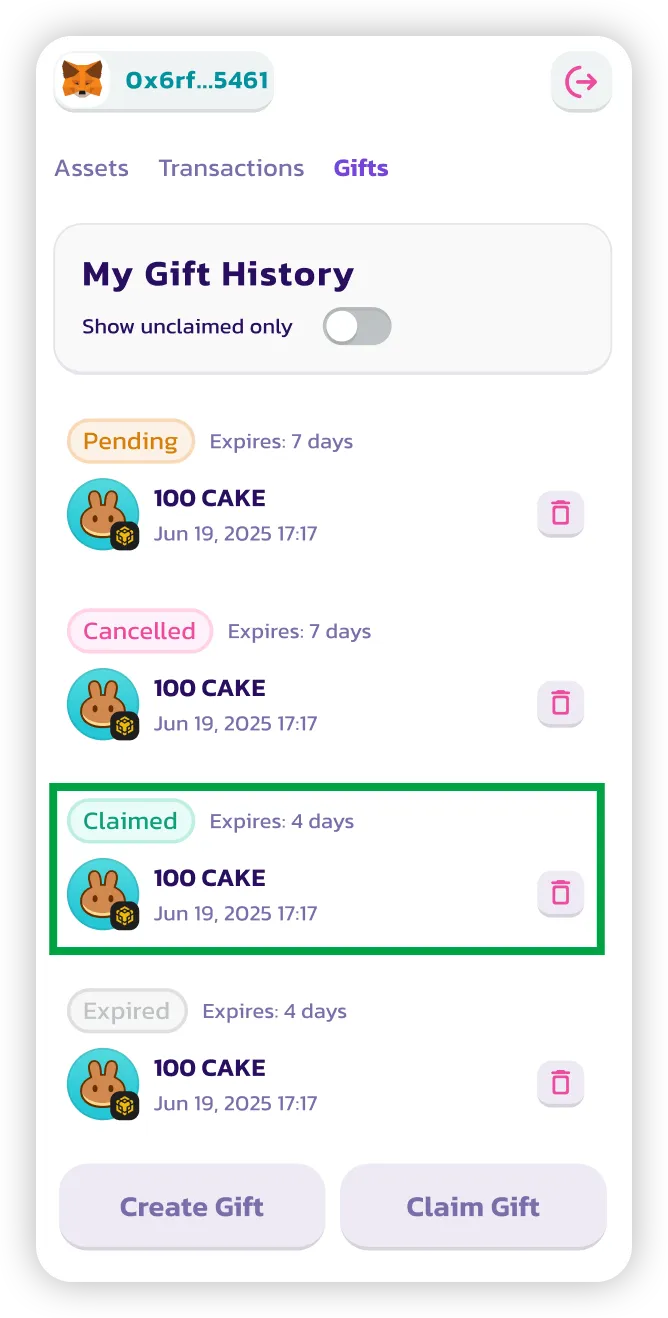
* ギフトが**請求済み**とマークされます
***
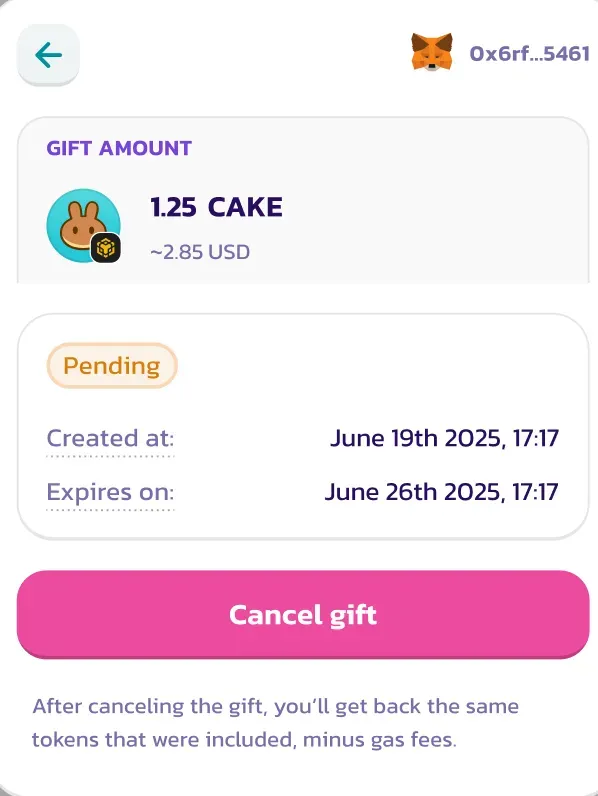
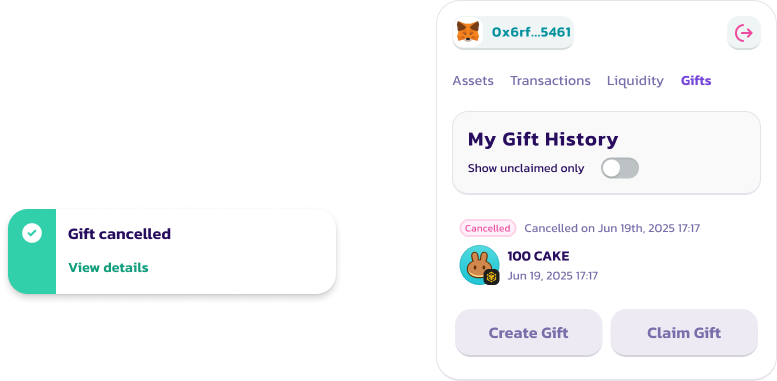
### ❌ ステップ4:ギフトをキャンセルする(未請求の場合)
ギフトをキャンセルできるのは以下の場合のみです:
* まだ**未請求**である
* まだ**有効期限内**(デフォルト:7日)である
キャンセルするには:
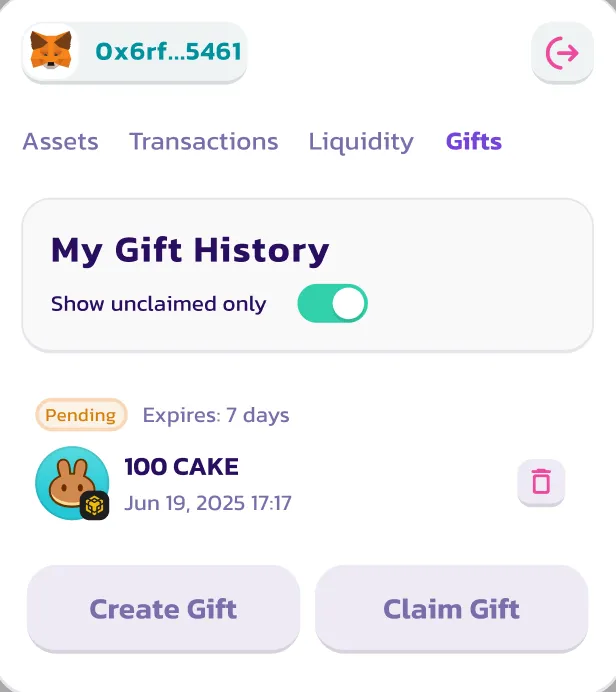
1. **ギフト履歴**タブに移動します
2. ギフトを見つけます
3. **キャンセル**をクリックします
トークンがウォレットに返却されます(ガスのスポンサー手数料を差し引いた金額)。
> ⚠️ キャンセルされたギフトは再アクティベートまたは再使用できません。
***
### ✅ 完了です!
これで以下の方法がわかりました:
1. Pancake Giftを作成する
2. リンクまたはQRで誰かに送る
3. 送られてきたギフトを請求する
4. 必要であればギフトをキャンセルする
完全なギフト履歴を確認したり、ステータスを確認したりしたいですか?PancakeSwapウォレットの**ギフトタブ**に戻ってください。
---
# Agent Instructions
This documentation is published with GitBook. GitBook is the documentation platform designed so that both humans and AI agents can read, navigate, and reason over technical content effectively. Learn more at gitbook.com.
## Querying This Documentation
If you need additional information that is not directly available in this page, you can query the documentation by asking a question.
Perform an HTTP GET request on the following URL with the `ask` and `goal` query parameters:
```
GET https://docs.pancakeswap.finance/japanese/tordingutsru/pancake-gifts/pancake-gifts-how-to-guide.md?ask=&goal=
```
`ask` is the immediate question: it should be specific, self-contained, and written in natural language.
`goal` is what the user is ultimately trying to achieve, the reason they need the answer. Sharing it helps GitBook give you a better, more relevant answer. A goal is most helpful when it describes the outcome the user wants rather than restating the question. For example, with `ask=how do I create an API token`, a goal like `automate deployments from our CI pipeline` lets GitBook tailor the answer to that use case.
The response will contain a direct answer to the question and relevant excerpts and sources from the documentation.
Use this mechanism when the answer is not explicitly present in the current page, you need clarification or additional context, or you want to retrieve related documentation sections.