> For the complete documentation index, see [llms.txt](https://docs.pancakeswap.finance/llms.txt). Markdown versions of documentation pages are available by appending `.md` to page URLs; this page is available as [Markdown](https://docs.pancakeswap.finance/japanese/qu-yin/perpetual-trading/perpetuals-trading-new/pro-mode.md).
# プロモード
プロモードでは注文タイプ、レバレッジ、TP/SL、ポジション管理をすべて一か所で完全にコントロールできます。以下の手順に従って最初のポジションを開いてください。主要用語の定義についてはPCS Perps用語集をご参照ください。
### **PCS Perpsページへのアクセス**
[pancakeswap.finance/perps](https://pancakeswap.finance/perps)にアクセスするか、PancakeSwapのメインナビゲーションバーでPerpsをクリックします。
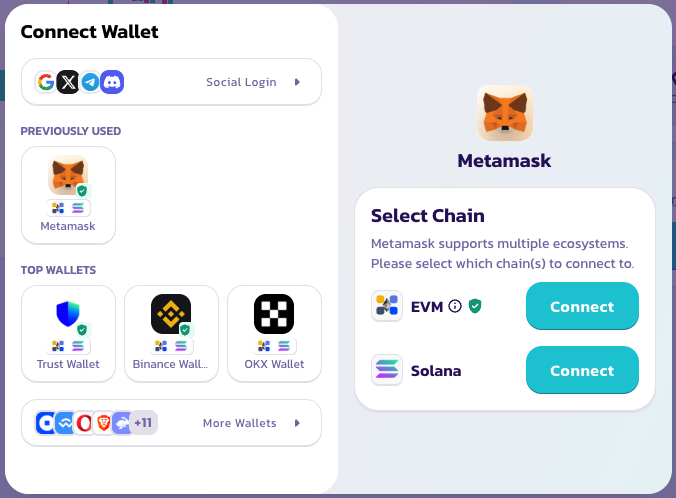
### **ウォレットを接続する**
右上隅の「Connect Wallet(ウォレットを接続)」をクリックします。アカウント作成やKYCは不要です。ウォレットがあなたのアカウントです。
### **モードを選択する**
プリセットサイズでのワンタップロング・ショートには**シンプルモード**を選択します。指値注文の設定、TP/SLの設定、またはより詳細なポジション管理を行いたい場合は**プロモード**に切り替えます。
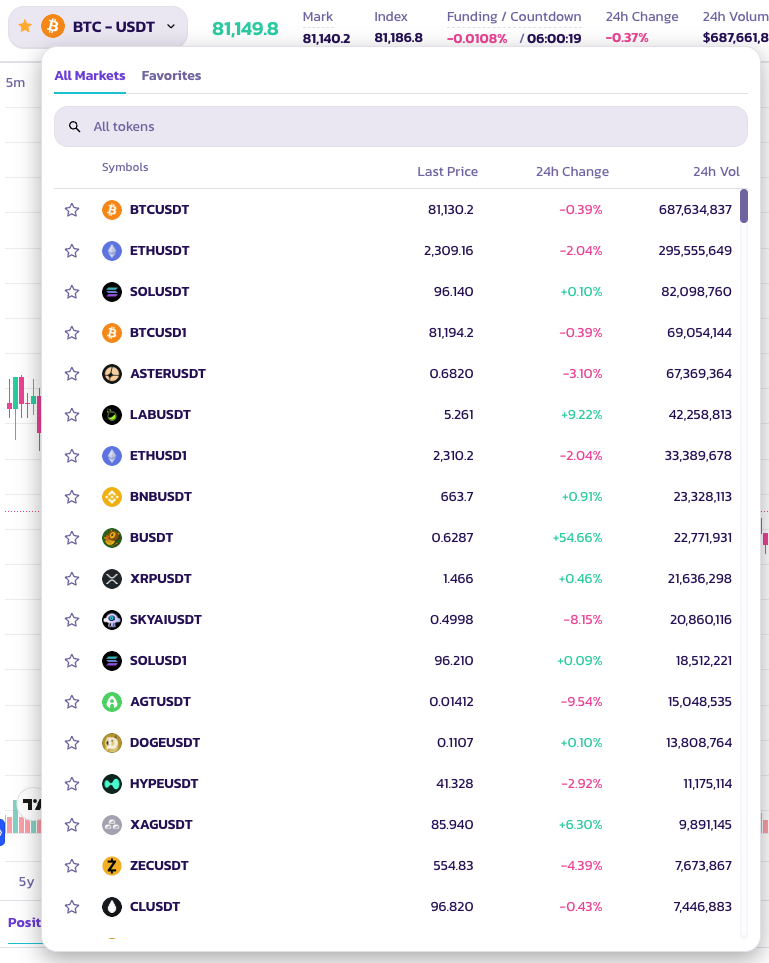
### **取引ペアを選択する**
ページ上部のペア名をクリックしてアセットセレクターを開きます。非常に多様なトークンペアが利用可能です。
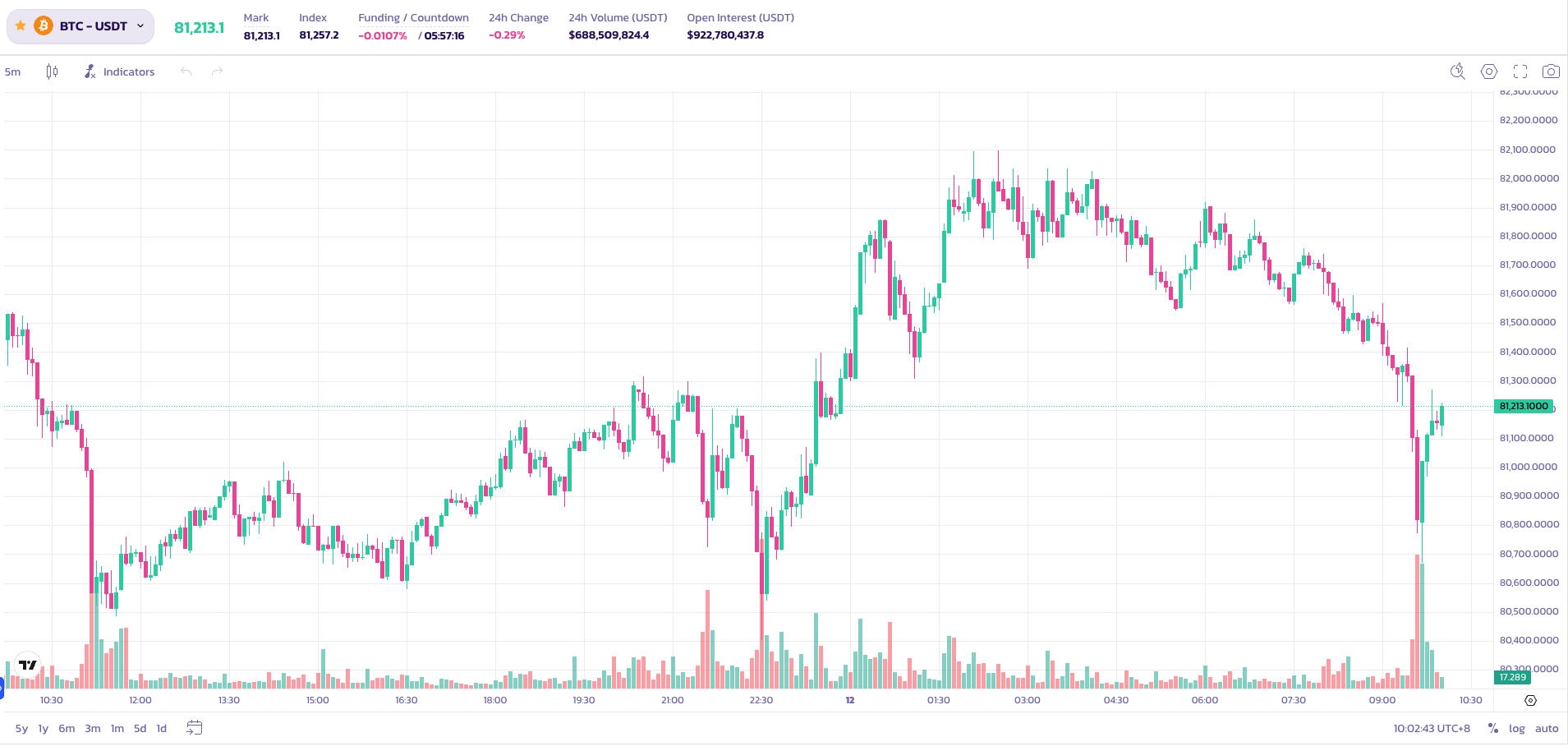
### **チャートを分析して戦略を決める**
内蔵のTradingViewチャートを使用して、取引を行う前に価格動向を分析します。標準的なチャーティングツールがすべて利用可能です。
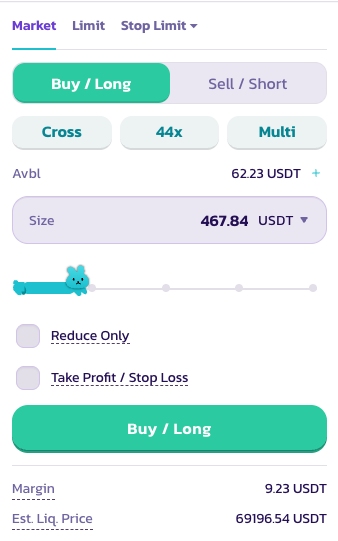
### **ポジションパラメーターを設定する**
注文パネルで以下を設定します:
1. **ロングまたはショート** — 取引の方向を選択します。
2. **レバレッジ** — スライダーを使用するか手動入力してレバレッジを設定します。BTCでは最大200×が利用可能です。
⚠️ 高レバレッジは大きなリスクを伴います。慎重にご使用ください。
3. **注文タイプ** — 成行(即時約定)または指値(指定価格で約定)
4. **ポジションサイズ** — 希望する基準通貨での取引サイズを入力します。
**テイクプロフィットとストップロスを設定する**(任意)
* **テイクプロフィット** — 目標利益に達した際にポジションが自動的にクローズされます。
* **ストップロス** — 設定した閾値での損失を制限するためにポジションが自動的にクローズされます。
すべてのパラメーターを設定したら、「Buy / Long(買い/ロング)」または「Sell / Short(売り/ショート)」をクリックして注文を送信します。
### **注文状況を確認する**
注文は約定待ちの間、\*\*Positions(ポジション)\*\*に表示されます。
取引のご成功をお祈りします!
---
# Agent Instructions
This documentation is published with GitBook. GitBook is the documentation platform designed so that both humans and AI agents can read, navigate, and reason over technical content effectively. Learn more at gitbook.com.
## Querying This Documentation
If you need additional information that is not directly available in this page, you can query the documentation dynamically by asking a question.
Perform an HTTP GET request on the current page URL with the `ask` query parameter, and the optional `goal` query parameter:
```
GET https://docs.pancakeswap.finance/japanese/qu-yin/perpetual-trading/perpetuals-trading-new/pro-mode.md?ask=&goal=
```
`ask` is the immediate question: it should be specific, self-contained, and written in natural language.
`goal` is optional and describes the broader end goal you are ultimately trying to accomplish on behalf of the user. GitBook uses it to tailor the answer towards what is most useful for that goal.
The response will contain a direct answer to the question and relevant excerpts and sources from the documentation.
Use this mechanism when the answer is not explicitly present in the current page, you need clarification or additional context, or you want to retrieve related documentation sections.