> For the complete documentation index, see [llms.txt](https://docs.pancakeswap.finance/llms.txt). Markdown versions of documentation pages are available by appending `.md` to page URLs; this page is available as [Markdown](https://docs.pancakeswap.finance/japanese/qu-yin/perpetual-trading/perpetual-trading-v2/perpetual-trading-faq/arbitrum/alp-syrup-pool-arbitrum.md).
# ALP シロッププール (Arbitrum)
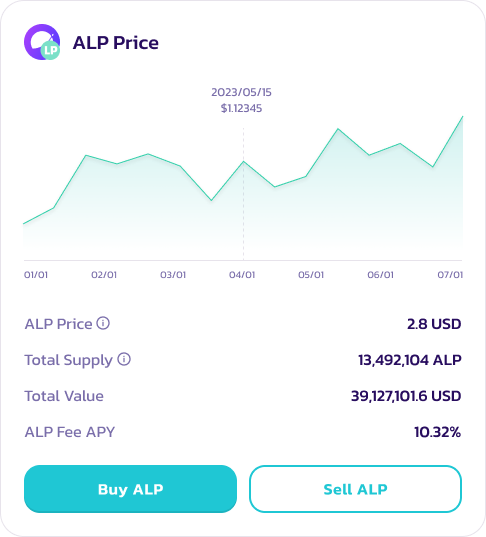
ALPはPancakeSwap Perpetuals V2の流動性を支えるトークンです。ユーザーはUSDC、USDT、DAI、ETH、BTCなどの担保トークンを使用してALPをミント/購入します。これらのトークンはApolloXが提供するPancakeSwap Perpetualsの取引エンジンに流動性を供給します。ALPトークンは**ウォレット間で転送できず**、**ALPコントラクトを通じてのみミント/売却**でき、**ALPプールにステークできます**。
### ステップバイステップガイド
#### ALPの購入/ミント
1. [PancakeSwap ALP Pool(V2)](https://perp.pancakeswap.finance/en/ALP)ページにアクセスしてウォレットを接続します。
2. ウォレットを接続後、\*\*Buy ALP(ALPを購入)\*\*をクリックします。ALPプールのいずれかの資産でALPを購入できます。
3. 情報を確認し、\*\*Buy ALP(ALPを購入)\*\*をクリックしてトランザクションを完了します。
**ALPのステーキング(Arbitrum)**
1. Pancake ALPダッシュボードページで\*\*Stake Now(今すぐステーク)\*\*をクリックするか、[こちら](https://pancakeswap.finance/pools?chain=arb)をクリックします。
2. CAKE-ALP Syrup Poolを選択します。
3. ALPを\*\*Enable(有効化)\*\*し、\*\*Stake(ステーク)\*\*をクリックします。
4. ステークするALPの量を選択し、\*\*confirm(確認)\*\*をクリックします。
**ALPの売却**
1. ALP Pool(V2)ページにアクセスしてウォレットを接続します。
2. ウォレットを接続後、\*\*Sell ALP(ALPを売却)\*\*をクリックします。
ALPの売却条件:
* ユーザーはALP購入から48時間後に売却できます。
* 売却可能なALPトークンの量:min\[(流動性プールの価値 - ユーザーのポジション価値)× 50%] / ALP市場価格。例えば、流動性プールの価値が10,000,000 USDT、ユーザーのポジション価値が5,000,000 USDT、ALP市場価格が2 USDTの場合、ALPユーザーが売却できる最大量は1,250,000となります。
* 同時に、ユーザーがALPトークンを売却した後に受け取るアセットの量はALP流動性プールを超えることはできません。例えば、流動性プールに1000 USDTしかない場合、ユーザーが受け取る最大USDT量は1000 USDTとなり、残りのALPは他の暗号資産に変えて売却できます。
---
# Agent Instructions
This documentation is published with GitBook. GitBook is the documentation platform designed so that both humans and AI agents can read, navigate, and reason over technical content effectively. Learn more at gitbook.com.
## Querying This Documentation
If you need additional information that is not directly available in this page, you can query the documentation dynamically by asking a question.
Perform an HTTP GET request on the current page URL with the `ask` query parameter, and the optional `goal` query parameter:
```
GET https://docs.pancakeswap.finance/japanese/qu-yin/perpetual-trading/perpetual-trading-v2/perpetual-trading-faq/arbitrum/alp-syrup-pool-arbitrum.md?ask=&goal=
```
`ask` is the immediate question: it should be specific, self-contained, and written in natural language.
`goal` is optional and describes the broader end goal you are ultimately trying to accomplish on behalf of the user. GitBook uses it to tailor the answer towards what is most useful for that goal.
The response will contain a direct answer to the question and relevant excerpts and sources from the documentation.
Use this mechanism when the answer is not explicitly present in the current page, you need clarification or additional context, or you want to retrieve related documentation sections.