> For the complete documentation index, see [llms.txt](https://docs.pancakeswap.finance/llms.txt). Markdown versions of documentation pages are available by appending `.md` to page URLs; this page is available as [Markdown](https://docs.pancakeswap.finance/japanese/qu-yin/perpetual-trading/perpetual-trading-v2/how-can-i-use-it.md).
# 使い方

この機能の使い方はとても簡単です(難しいのは上手に取引することです)。体験を完結させるためにいくつかのステップに従うだけです。詳細については[V2用語集](/japanese/qu-yin/perpetual-trading/perpetual-trading-v2/perpetuals-glossary.md)をご参照ください。
### 無期限取引ページへのアクセス
[サイト](https://pancakeswap.finance)から「Trade → Perpetual」セクションに移動するか、こちらの[リンク ](https://perp.pancakeswap.finance/en/futures/BTCUSDT)からアクセスできます。
### 取引ペアの選択
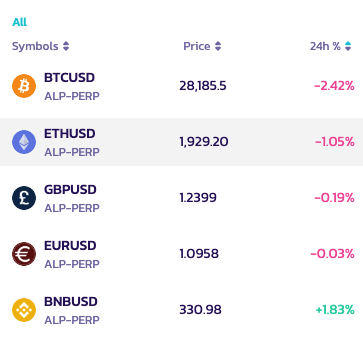
ページ上部のペア名横にある矢印をクリックすると、取引可能なペアを選択できます。
今後さらに多くの取引ペアが追加される予定です!
### チャートを分析してトレーディング戦略を決める
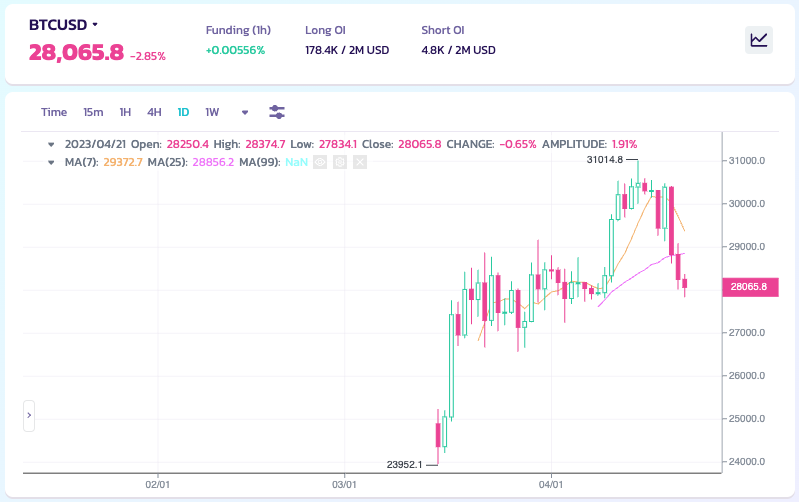
いよいよ取引の時間です!真剣に取り組みましょう。利用可能なすべてのツールを使って、独自のスタイルでチャートを分析できます。
**チャート分析の方法を知りたい、またはスキルを向上させたい方へ**
チャート分析の世界へのガイドはこちらです:
* [How to Use TradingView on Binance Website](https://www.binance.com/en/support/faq/8419126024404348a1c6e4039fbed3fe)
* [Candlestick charts](https://academy.binance.com/en/articles/a-beginners-guide-to-candlestick-charts)
* [Trend Lines Explained](https://academy.binance.com/en/articles/trend-lines-explained)
### ポジションを建てる
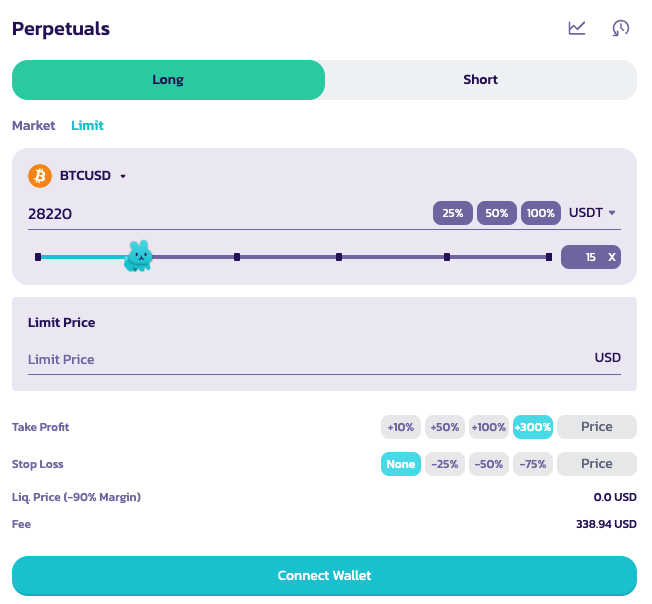
画面右上の注文パネルから注文を設定します。
以下のパラメーターを設定する必要があります(順不同):
*特定の順序はありません*
1. ロングまたはショート
取りたいトレードポジションを選択します。
2\. レバレッジの倍率
バニーを動かして適切なレバレッジポジションを選択します。左側のボックスに数値を手動で入力することもできます。
免責事項:高いレバレッジは非常に高いリスクを伴います。賢明にご使用ください。
3\. 注文タイプ
4\. 注文サイズの設定と価格の指定(指値注文の場合)
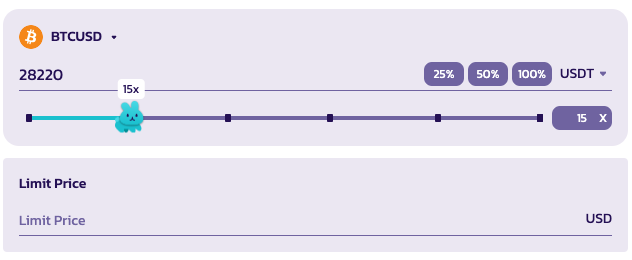
ポジション表示の基準通貨を選択することもできます。
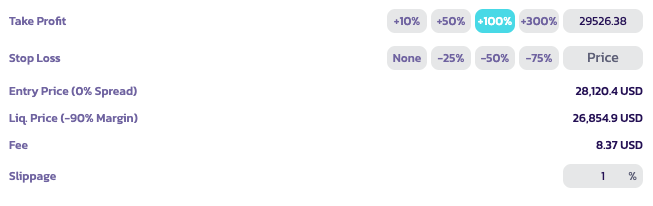
5. テイクプロフィット/ストップロス & スリッページ
ポジションを開く際にテイクプロフィットまたはストップロスの価格を設定できます。
* テイクプロフィット:設定したP\&L利益率に達した時点でユーザーのポジションが清算されます。
* ストップロス:設定したP\&L損失率に達した時点でユーザーのポジションが清算されます。
* スリッページ:ポジションが開かれる前に価格が取引方向へ急激に動いた場合、成行注文を自動キャンセルするために使用します。例えば、現在の価格で成行ロングしたい場合に、取引が開かれる前に価格が1%上昇した場合、自動的にキャンセルされます。
注意:各オプションにカーソルを合わせると詳細情報が表示されます。詳しいガイドは[Perpetuals V2用語集](/japanese/qu-yin/perpetual-trading/perpetual-trading-v2/perpetuals-glossary.md)をご参照ください。
### 注文を送信する
すべてのパラメーターを設定したら、「Open Position(ポジションを開く)」をクリックして注文を送信できます。

### ポジションの確認
注文を送信すると、約定されるまで「Open Orders(未約定注文)」に表示されます。

### ライブ!
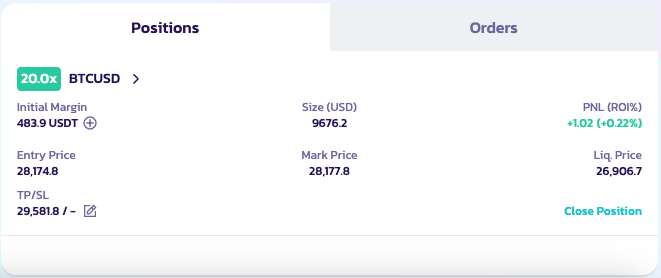
約定されると、ポジションがアクティブになります。ポジションパネルで確認でき、表示・編集・クローズが可能です。
取引のご成功をお祈りします!
---
# Agent Instructions
This documentation is published with GitBook. GitBook is the documentation platform designed so that both humans and AI agents can read, navigate, and reason over technical content effectively. Learn more at gitbook.com.
## Querying This Documentation
If you need additional information that is not directly available in this page, you can query the documentation dynamically by asking a question.
Perform an HTTP GET request on the current page URL with the `ask` query parameter, and the optional `goal` query parameter:
```
GET https://docs.pancakeswap.finance/japanese/qu-yin/perpetual-trading/perpetual-trading-v2/how-can-i-use-it.md?ask=&goal=
```
`ask` is the immediate question: it should be specific, self-contained, and written in natural language.
`goal` is optional and describes the broader end goal you are ultimately trying to accomplish on behalf of the user. GitBook uses it to tailor the answer towards what is most useful for that goal.
The response will contain a direct answer to the question and relevant excerpts and sources from the documentation.
Use this mechanism when the answer is not explicitly present in the current page, you need clarification or additional context, or you want to retrieve related documentation sections.