> For the complete documentation index, see [llms.txt](https://docs.pancakeswap.finance/llms.txt). Markdown versions of documentation pages are available by appending `.md` to page URLs; this page is available as [Markdown](https://docs.pancakeswap.finance/japanese/qu-yin/pancakeswap-x/how-to-use-pancakeswap-x.md).
# PancakeSwap Xの使い方
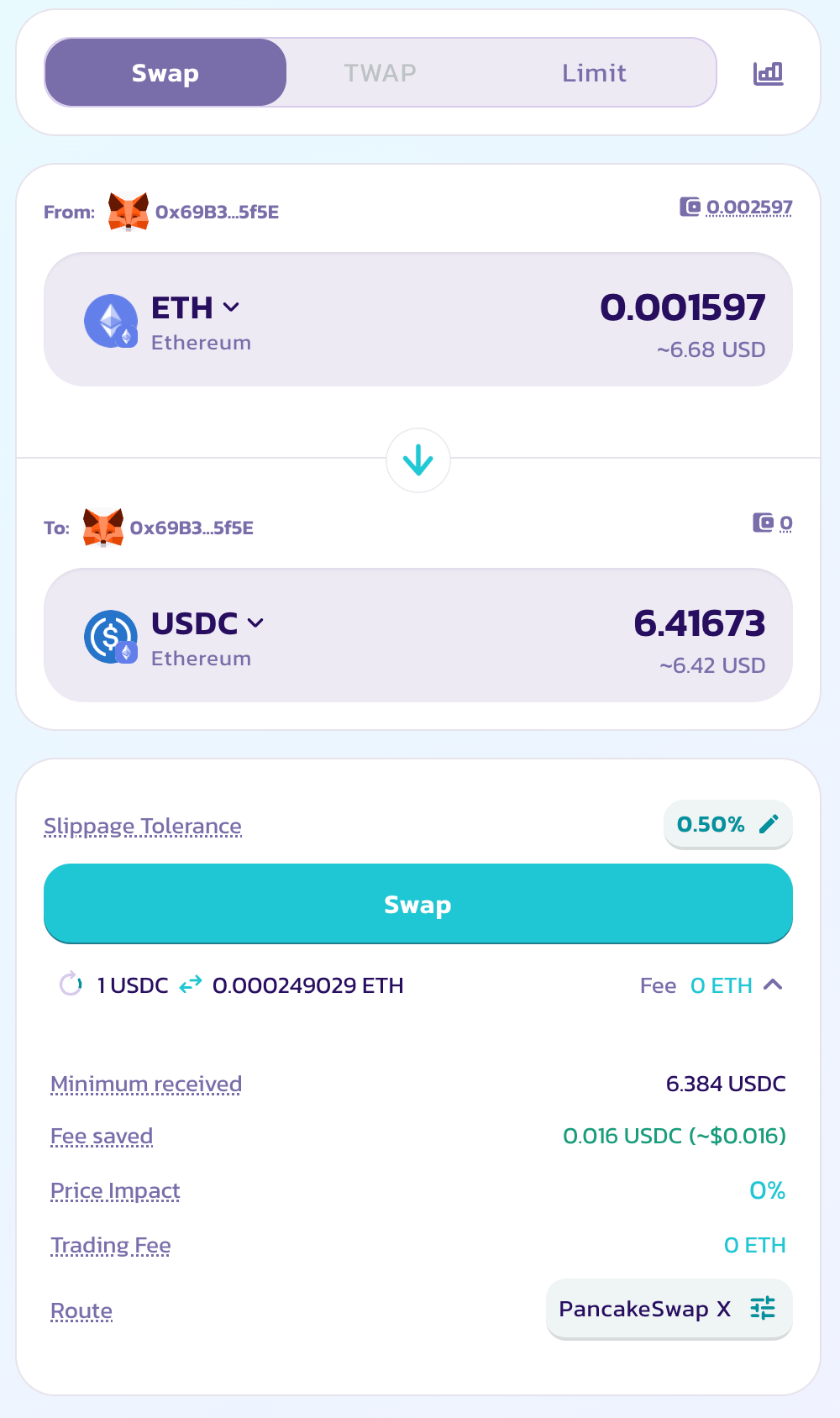
PancakeSwap Xはなじみのある「Swap」インターフェースに直接組み込まれており、すべてのユーザーでデフォルトで有効になっています。PancakeSwap Xを使用するには、[Swap](https://pancakeswap.finance/swap)ページにアクセスして取引を始めるだけです。
### PancakeSwap Xを有効にする
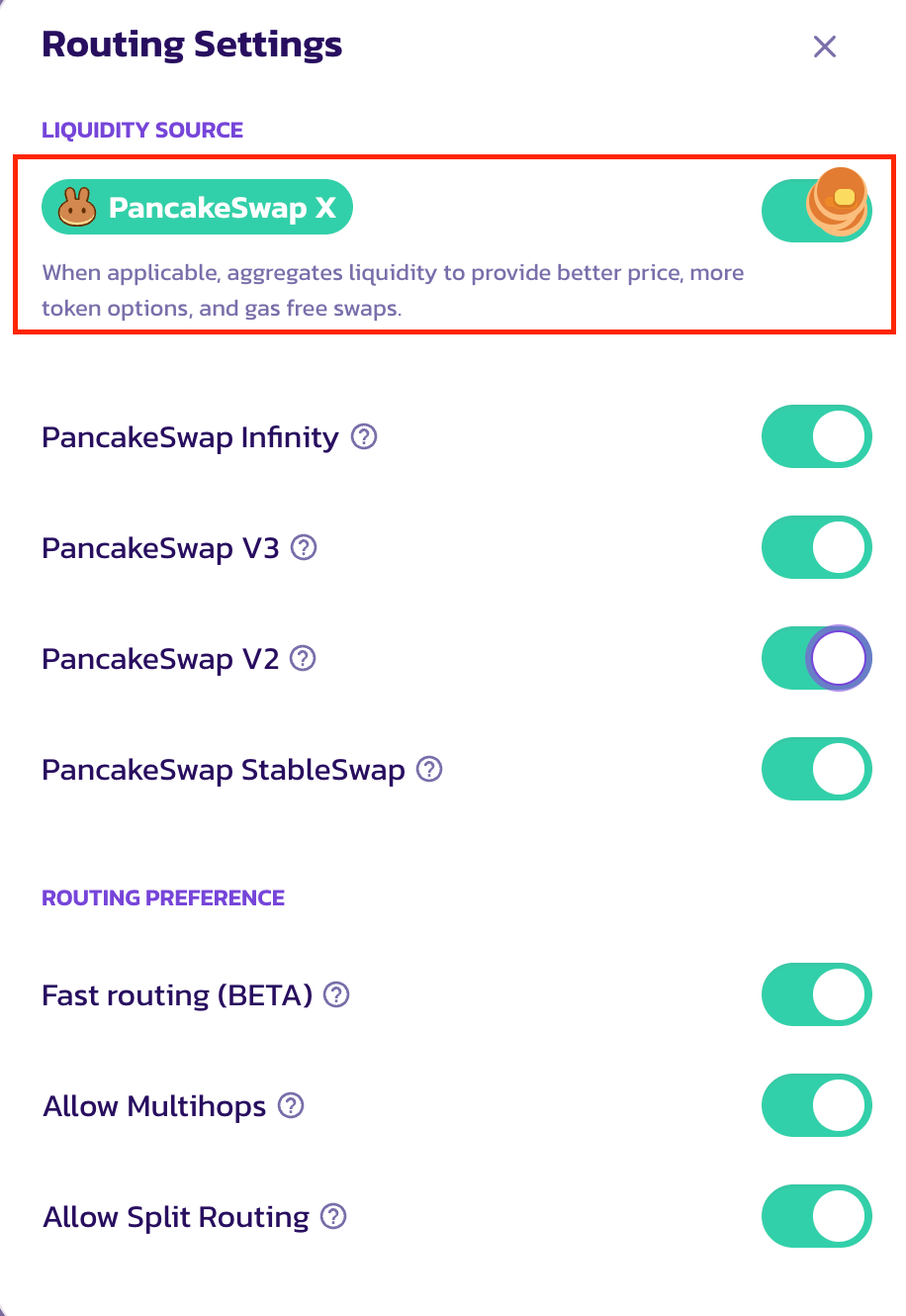
Xが有効になっていない場合は、「Route」の設定アイコンをクリックして設定モーダルを開き、「Customise Routing」をクリックしてルーティング設定を表示します。
「Customize Routing」モーダル内に、取引ルートのPancakeSwap Xのオン・オフを切り替える新しいスイッチがあります。クリックまたはタップしてオンにします。
オンにしたら、メインのSwapページに戻ることができます。現在のスワップがPancakeSwap Xで利用可能な場合、「Route」セクションにインジケーターが表示されます。価格インパクトと手数料はすべて0になります。
PancakeSwap Xはすべてのスワップで利用できるわけではないことにご注意ください。利用可能かどうかは入力・出力トークン、取引サイズ、およびネットワークによって異なります。スワップがPancakeSwap Xで処理できない場合は、AMM流動性プールを通じてルーティングされます。
取引がPancakeSwap Xを経由する場合は、「Route」セクションでハイライト表示されます。
### 注文の送信
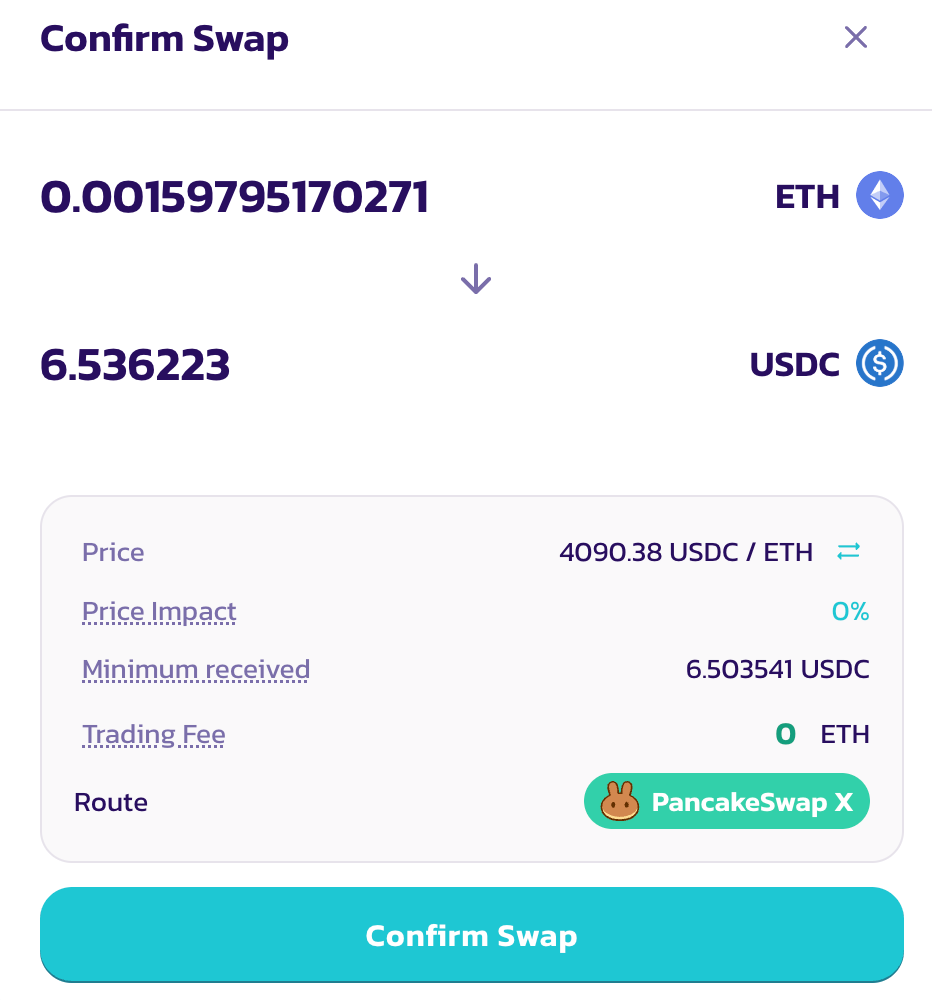
注文を送信するには、「Swap」をクリックし、「Confirm Swap」モーダルですべてのパラメータを確認します。問題がなければ、「Confirm Swap」をクリックして続行します。
入力トークンをまだ承認していない場合、ウォレットで承認を求めるプロンプトが表示されます。PancakeSwap Xを通じたスワップにはガストークンが不要ですが、トークンの使用承認にはガスが必要なことにご注意ください。
トークン承認後、注文への署名を求めるウォレットのポップアップが再度表示されます。「Confirm」をクリックして進んでください。ガスコストやオンチェーントランザクションは発生しません。
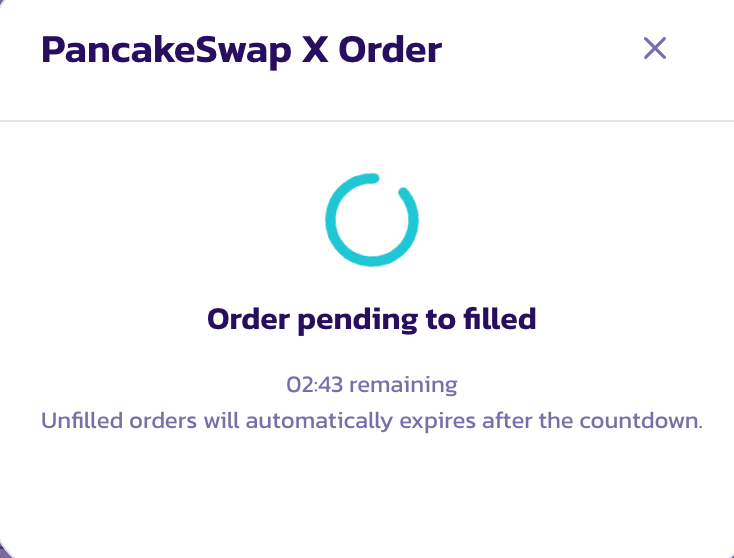
注文が送信されると、プログレスバー付きのモーダルが表示されます。モーダルを閉じても、注文はバックグラウンドで引き続き充填されます。
通常のAMM DEX流動性プールのスワップとは異なり、PancakeSwap Xの注文が送信された後、流動性プロバイダーが応答して注文を充填するまでに時間がかかることにご注意ください。注文が正常に充填されるまで最大2分かかる場合があります。
### 注文状況の追跡
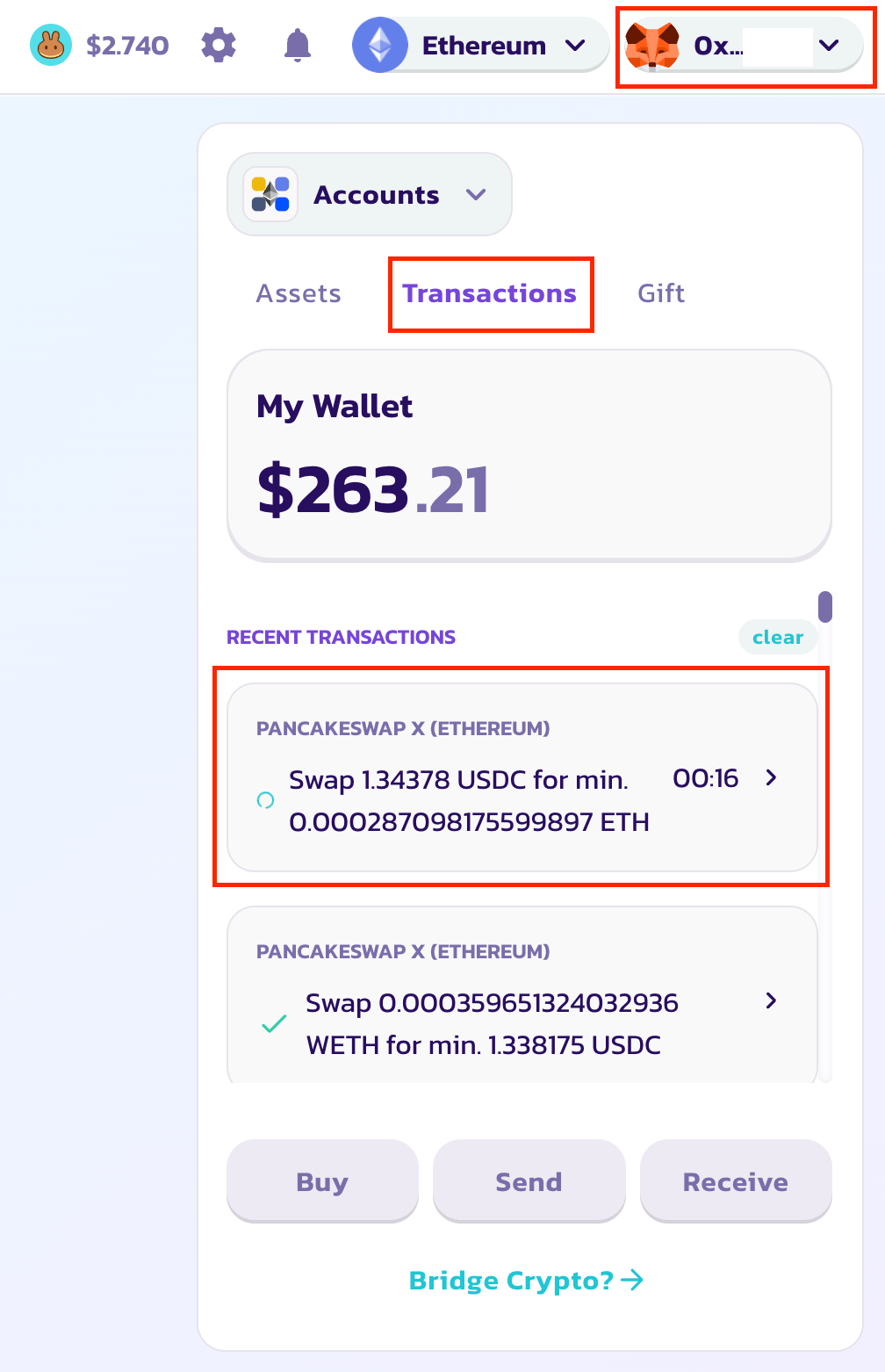
注文状況を追跡するには、右上のウォレットドロップダウンからウォレットモーダルを開きます。「Transaction」ボタンをクリックして注文一覧を表示します。特定の注文の詳細を確認するには、クリックして詳細モーダルを開きます。
注文が正常に充填されると、注文に緑のチェックマークが表示され、購入したトークンが自動的にウォレットに送られます。
---
# Agent Instructions
This documentation is published with GitBook. GitBook is the documentation platform designed so that both humans and AI agents can read, navigate, and reason over technical content effectively. Learn more at gitbook.com.
## Querying This Documentation
If you need additional information that is not directly available in this page, you can query the documentation dynamically by asking a question.
Perform an HTTP GET request on the current page URL with the `ask` query parameter, and the optional `goal` query parameter:
```
GET https://docs.pancakeswap.finance/japanese/qu-yin/pancakeswap-x/how-to-use-pancakeswap-x.md?ask=&goal=
```
`ask` is the immediate question: it should be specific, self-contained, and written in natural language.
`goal` is optional and describes the broader end goal you are ultimately trying to accomplish on behalf of the user. GitBook uses it to tailor the answer towards what is most useful for that goal.
The response will contain a direct answer to the question and relevant excerpts and sources from the documentation.
Use this mechanism when the answer is not explicitly present in the current page, you need clarification or additional context, or you want to retrieve related documentation sections.