> For the complete documentation index, see [llms.txt](https://docs.pancakeswap.finance/llms.txt). Markdown versions of documentation pages are available by appending `.md` to page URLs; this page is available as [Markdown](https://docs.pancakeswap.finance/japanese/purei/prediction/prediction-leaderboard.md).
# 予測 - リーダーボード
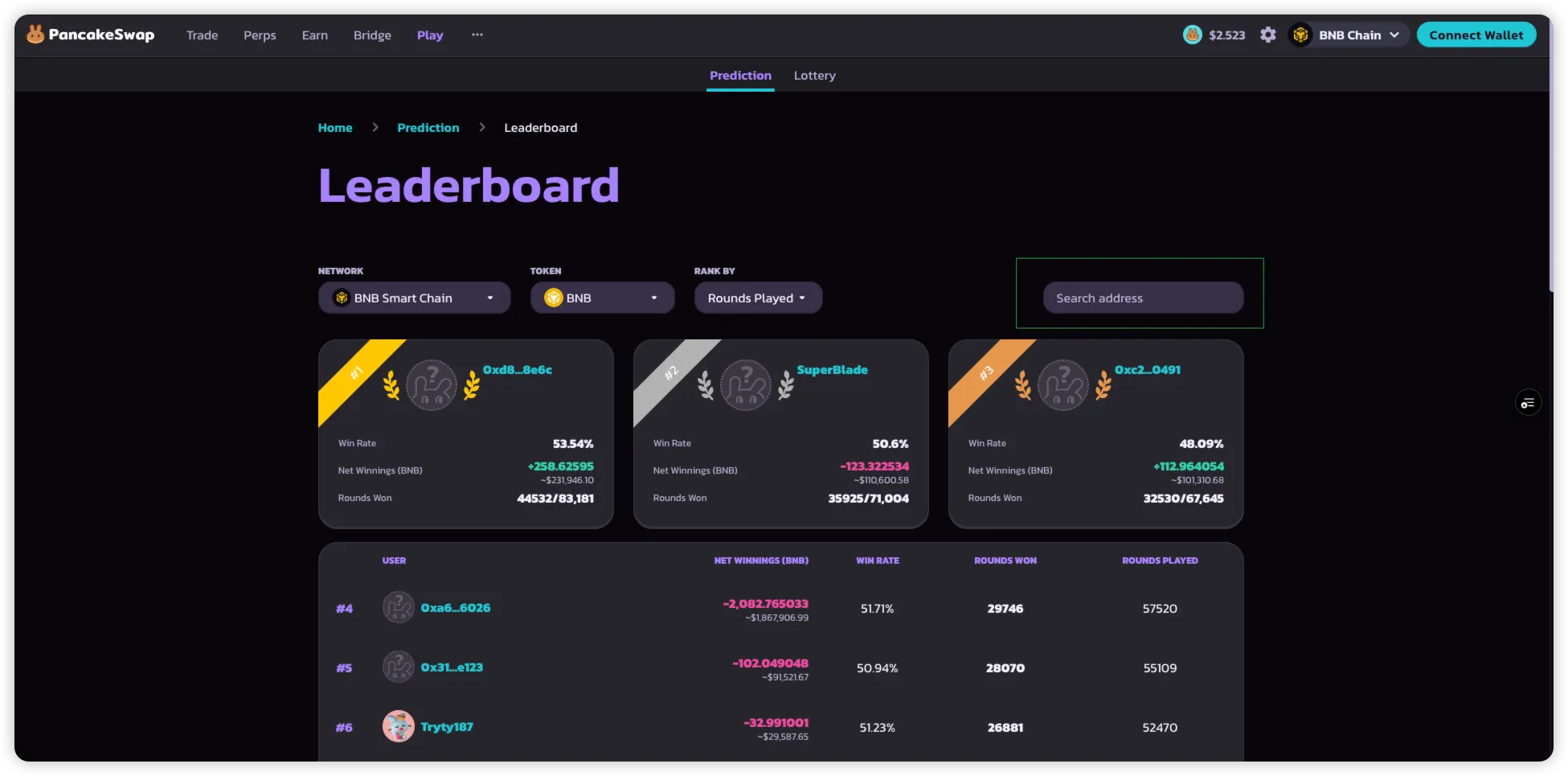
**Predictionリーダーボード**はPancakeSwap Predictionのトップ参加者をハイライトします。\
プレイヤーはさまざまな指標に基づいて、他のプレイヤーとの順位を確認できます。
> **注意**:デフォルトではリーダーボードに表示されるためには、ウォレットが少なくとも**10ラウンド**に参加している必要があります。\
> 特定のウォレットアドレスは手動で検索することができます。
### リーダーボードの使い方
1. Predictionページから直接**リーダーボードにアクセス**します。
2. **トークンでフィルタリング**
* トッププレイヤーを確認したいマーケット(BNB、BTC、ETH)を選択します。
3. **ランキング基準でソート**
* **プレイしたラウンド数**:ユーザーが参加したラウンドの合計数。
* **純獲得額**:3%の手数料を差し引いた後の、成功した予測から獲得したトークンの合計。
* **BNB合計**:予測に使用したBNBの総量。
* **勝率**:参加した全ラウンドに対する勝ちラウンドの比率。
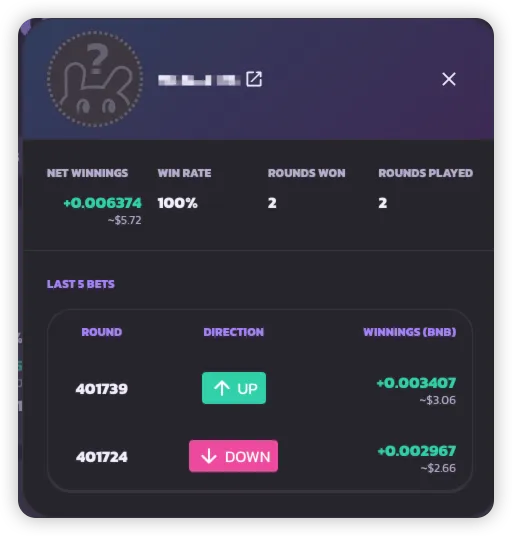
4. **ウォレットアドレスで検索**
* 10ラウンドの閾値に達していなくても、ウォレットアドレスを入力してスコアカードを表示できます。
***
---
# Agent Instructions
This documentation is published with GitBook. GitBook is the documentation platform designed so that both humans and AI agents can read, navigate, and reason over technical content effectively. Learn more at gitbook.com.
## Querying This Documentation
If you need additional information that is not directly available in this page, you can query the documentation by asking a question.
Perform an HTTP GET request on the following URL with the `ask` and `goal` query parameters:
```
GET https://docs.pancakeswap.finance/japanese/purei/prediction/prediction-leaderboard.md?ask=&goal=
```
`ask` is the immediate question: it should be specific, self-contained, and written in natural language.
`goal` is what the user is ultimately trying to achieve, the reason they need the answer. Sharing it helps GitBook give you a better, more relevant answer. A goal is most helpful when it describes the outcome the user wants rather than restating the question. For example, with `ask=how do I create an API token`, a goal like `automate deployments from our CI pipeline` lets GitBook tailor the answer to that use case.
The response will contain a direct answer to the question and relevant excerpts and sources from the documentation.
Use this mechanism when the answer is not explicitly present in the current page, you need clarification or additional context, or you want to retrieve related documentation sections.