> For the complete documentation index, see [llms.txt](https://docs.pancakeswap.finance/llms.txt). Markdown versions of documentation pages are available by appending `.md` to page URLs; this page is available as [Markdown](https://docs.pancakeswap.finance/japanese/pancakeswapheyoukoso/how-to-guides/v3-v2-migration/how-to-migrate.md).
# 移行方法
流動性とファームのステーキングを新しいPancakeSwap ExchangeおよびFarm v3に移行する
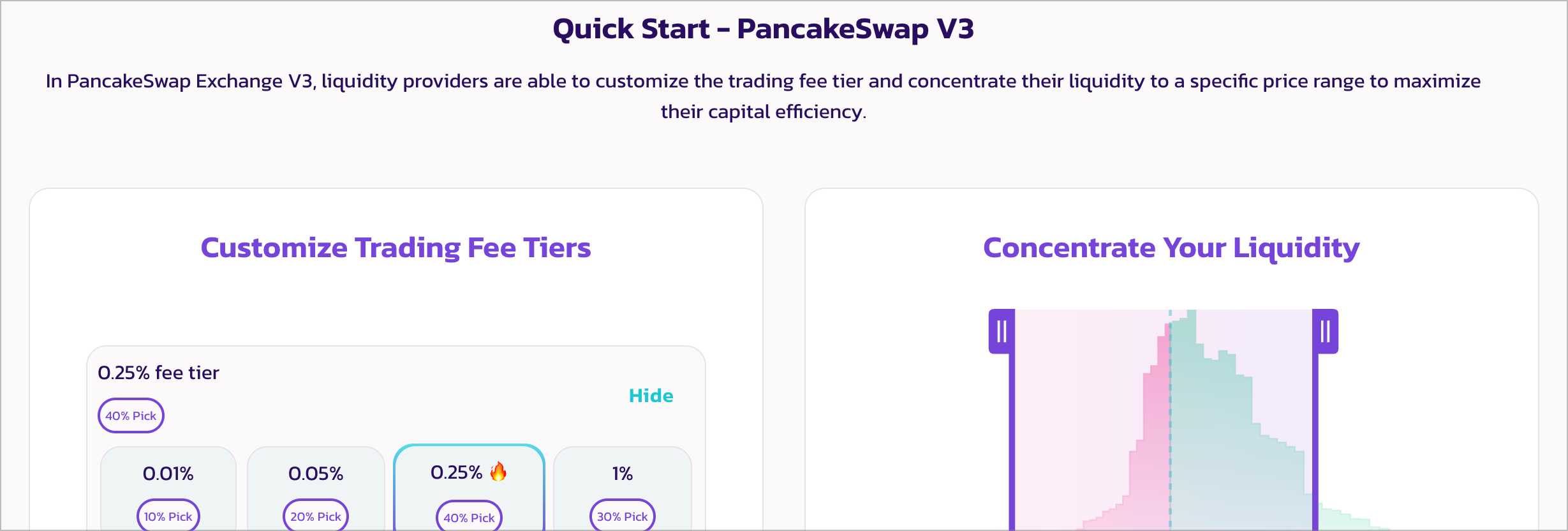
2023年4月、PancakeSwapはExchangeとFarmのv3を発表しました。一部のファーミングペアはステーキング報酬を引き続き獲得するためにマイグレーションが必要です。前回同様、スムーズに進めますのでご安心ください。
### マイグレーションが必要かどうかの確認
以下の条件に該当する場合はマイグレーションが必要です。
**以下のPancakeSwap v2ファームでファーミングしている場合:**
* BNBチェーン:
* CAKE-BNB
* CAKE-BUSD
* CAKE-USDT
* BUSD-BNB
* USDT-BNB
* BTCB-BUSD
* BTCB-USDT
* BTCB-ETH
* BTCB-BNB
* ETH-BNB
* ETH-USDC
* USDC-USDT
* BUSD-USDC
* BUSD-USDT
* Ethereum:
* ETH-USDC
* ETH-USDT
* WBTC-ETH
このリストは今後拡大される可能性があります。最新リストを確認する最も簡単な方法は、にアクセスしてウォレットを接続することです。
**v2の流動性を提供しており、以下の条件を満たす場合:**
* そのトークンペアの流動性の大部分がv3に移行済み — 詳細はPancakeSwap Infoページ、またはそのトークンプロジェクトのウェブサイトやソーシャルチャンネルをご確認ください。
* そのトークンのプロジェクトチームが流動性をv3に移行すると発表している — 詳細は各プロジェクトのウェブサイトやソーシャルチャンネルをご確認ください。
### マイグレーションの手順
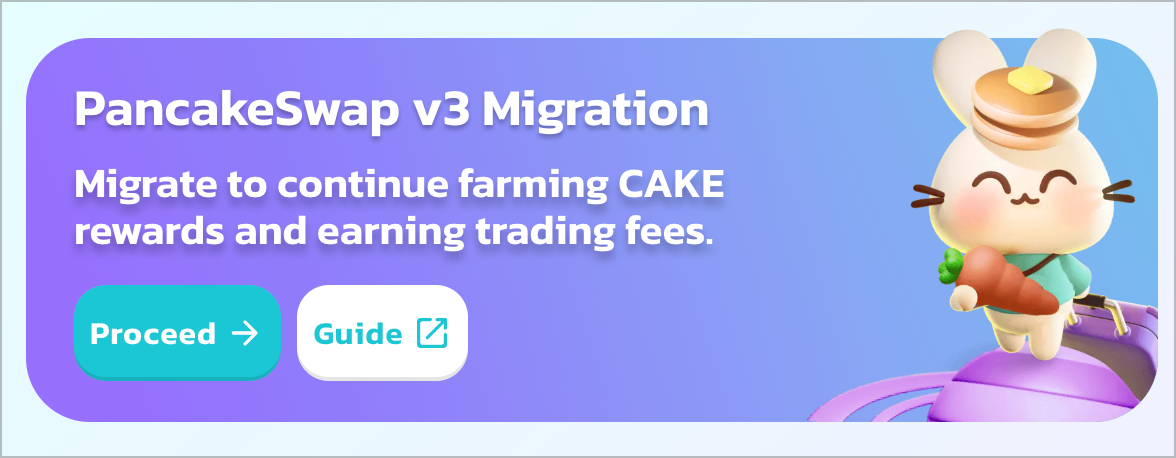
LiquidityページまたはFarmページのv3マイグレーションバナーをご確認ください。「Proceed」をクリックしてマイグレーションヘルパーページに進みます。
**ステップ1 — v2およびStableSwapファームからアンステーキングする**
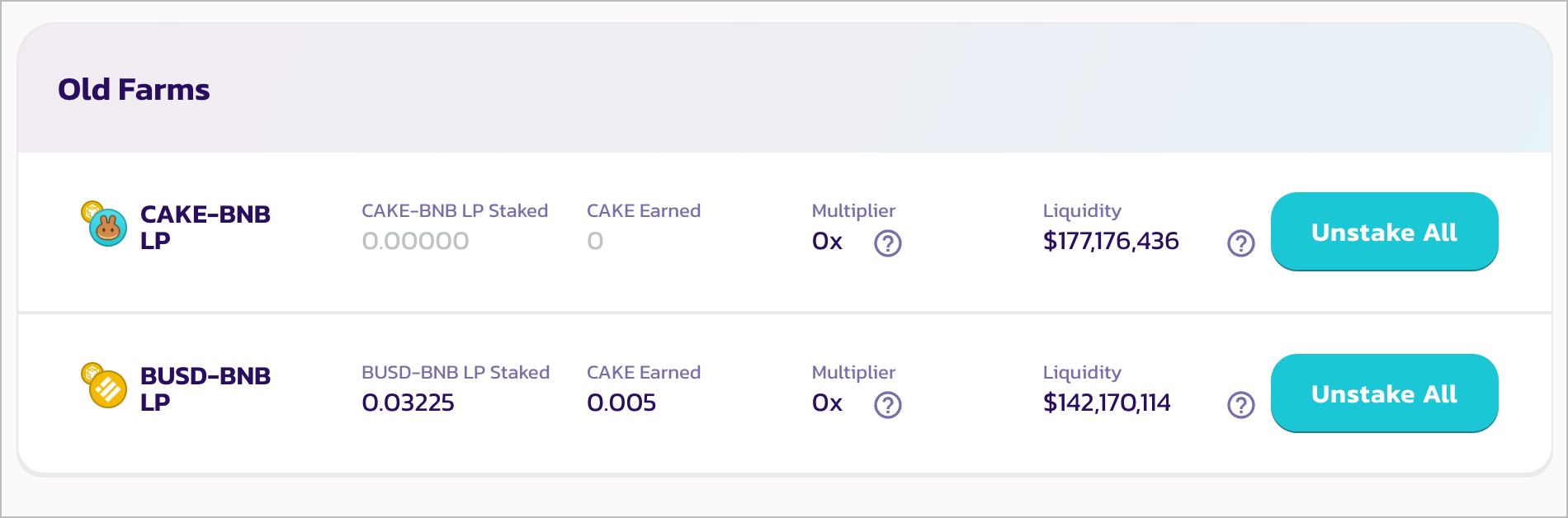
ステップ1では、ヘルパーがマイグレーションが必要なPancakeSwap v2またはStableSwapファームの一覧を表示します。
各「Unstake All」ボタンをクリックして、ファームからステーキングされているすべてのLPトークンをアンステーキングします。ウォレットで確認を求められます。
リストに表示されたすべてのファームのアンステーキングが完了したら、「Next Steps」をクリックして次に進みます。
**ステップ2 — Exchange v2またはStableSwapから流動性を撤退させる**
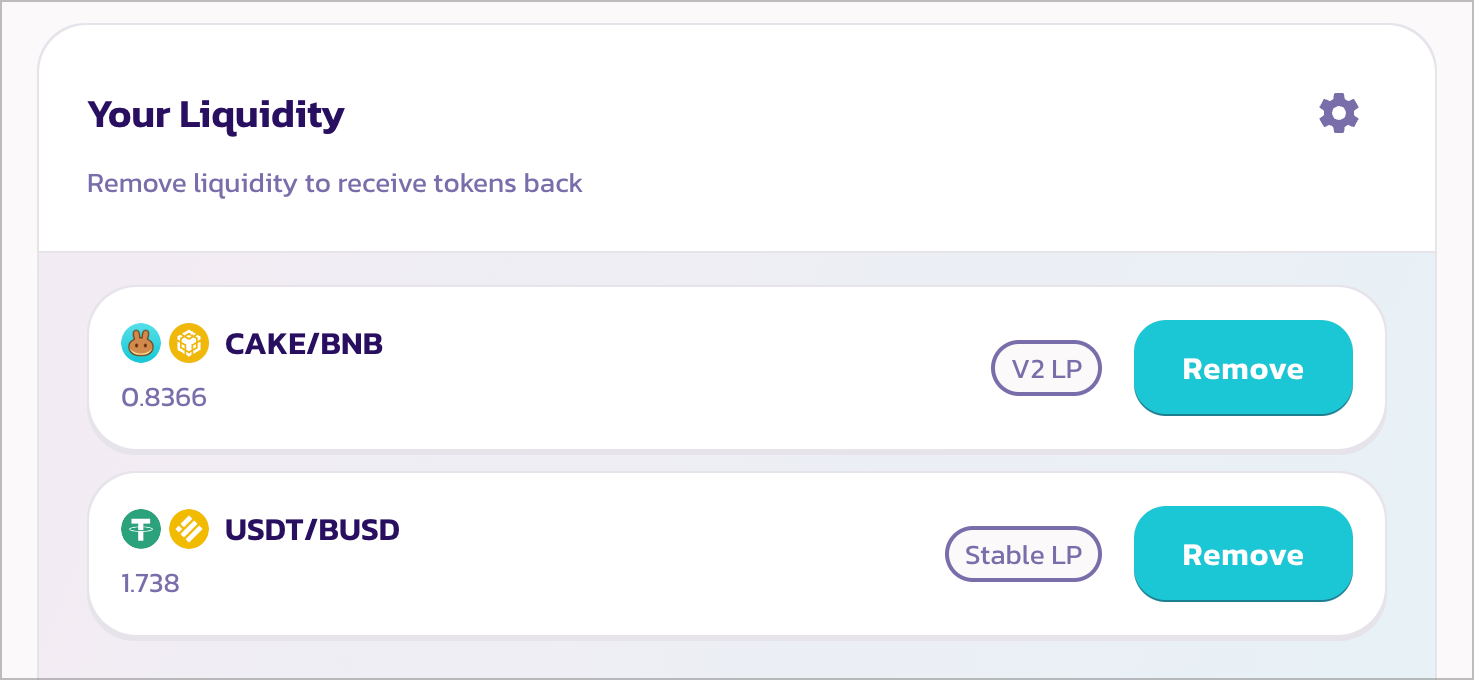
ステップ2では、ヘルパーがCAKEのイールドファーミング付きでv3に移行できる流動性ポジションの一覧を表示します。
各「Remove」ボタンをクリックして、100%が選択された状態で流動性の撤退モーダルを表示します。
「Enable」をクリックし、ウォレットでトランザクションに署名して、「Remove」をクリックします。ウォレットで確認を求められます。
{% hint style="info" %}
他のプロジェクトのトークンの一部もv3に移行していますが、リストには表示されません。詳細は各プロジェクトのウェブサイトやソーシャルチャンネルをご確認ください。手動でマイグレーションするには[Liquidity](https://pancakeswap.finance/liquidity)ページをご利用ください。
{% endhint %}
**ステップ3 — v3の準備をする**
操作は不要です。v3の仕組みとv3での流動性提供方法を確認して、理解を深めておきましょう。
**ステップ4 — v3流動性を追加する**

このステップでは、新しいExchange v3に流動性を追加します。
「Add Liquidity」をクリックします。以前撤退したv2の流動性がリストに表示されますので、「Add」をクリックしてv3流動性追加のインターフェースを表示します。
追加したいペアが見つからない場合は、「Add Other Pairs」をクリックして2つのトークンを手動で選択してください。
v3での流動性提供に関する詳細チュートリアルは[こちら](/japanese/gu/pancakeswap-pools/liquidity-guide.md)をご覧ください。
v3で流動性を提供する際にご不明な点がある場合は、[よくある質問 (FAQ)](/japanese/qu-yin/trading-faq/swap-faq.md)をご確認ください。
{% hint style="warning" %}
Exchange v3では、アクティブな(範囲内の)流動性ポジションのみが取引手数料の報酬を獲得できることにご注意ください。
流動性ポジションの価格範囲を設定する際は慎重にお行いください。
{% endhint %}
**ステップ5 — v3ファームにステーキングする**
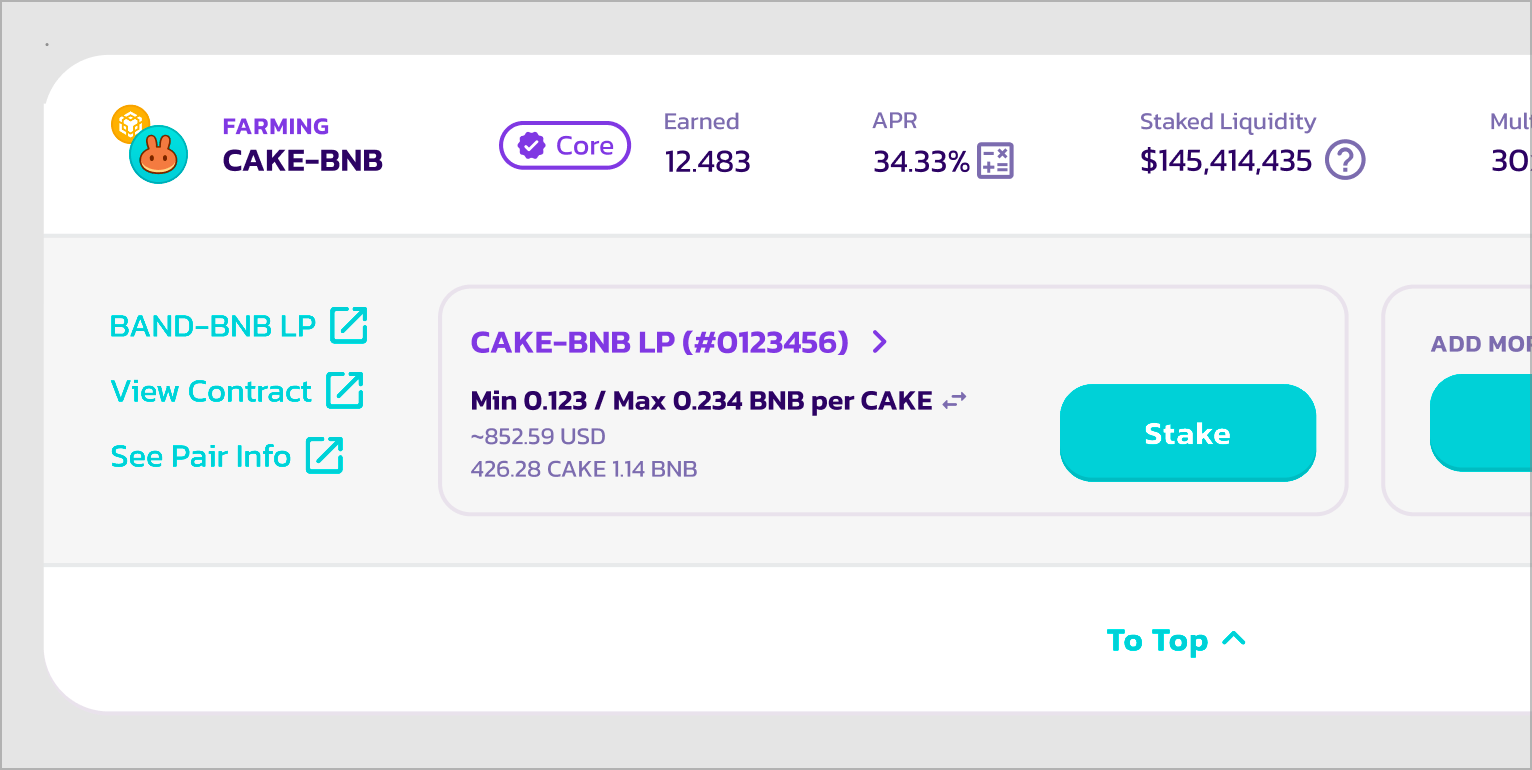
このステップでは、新しく追加したv3の流動性ポジションを新しいv3ファームにステーキングして、CAKE報酬の獲得を開始します!
ポジションの各「Stake」ボタンをクリックしてファームにステーキングします。ウォレットで確認を求められます。
v3でのファーミングに関する詳細チュートリアルは[こちら](/japanese/gu/yield-farming/how-to-use-farms.md#farm-v3)をご覧ください。
v3ファームで流動性をステーキングする際にご不明な点がある場合は、[よくある質問 (FAQ)](/japanese/gu/earn-faq/farming-faq.md)をご確認ください。
{% hint style="warning" %}
Farm v3では、アクティブな(範囲内の)流動性ポジションのみがCAKE報酬を獲得できることにご注意ください。
流動性ポジションの価格範囲を設定する際は慎重にお行いください。
{% endhint %}
**完了**
これで完了です。ファームのステーキングと流動性を新しいPancakeSwap v3に移行しました!
---
# Agent Instructions
This documentation is published with GitBook. GitBook is the documentation platform designed so that both humans and AI agents can read, navigate, and reason over technical content effectively. Learn more at gitbook.com.
## Querying This Documentation
If you need additional information that is not directly available in this page, you can query the documentation by asking a question.
Perform an HTTP GET request on the following URL with the `ask` and `goal` query parameters:
```
GET https://docs.pancakeswap.finance/japanese/pancakeswapheyoukoso/how-to-guides/v3-v2-migration/how-to-migrate.md?ask=&goal=
```
`ask` is the immediate question: it should be specific, self-contained, and written in natural language.
`goal` is what the user is ultimately trying to achieve, the reason they need the answer. Sharing it helps GitBook give you a better, more relevant answer. A goal is most helpful when it describes the outcome the user wants rather than restating the question. For example, with `ask=how do I create an API token`, a goal like `automate deployments from our CI pipeline` lets GitBook tailor the answer to that use case.
The response will contain a direct answer to the question and relevant excerpts and sources from the documentation.
Use this mechanism when the answer is not explicitly present in the current page, you need clarification or additional context, or you want to retrieve related documentation sections.