> For the complete documentation index, see [llms.txt](https://docs.pancakeswap.finance/llms.txt). Markdown versions of documentation pages are available by appending `.md` to page URLs; this page is available as [Markdown](https://docs.pancakeswap.finance/japanese/pancakeswapheyoukoso/how-to-guides/get-started-sol/solana-faq.md).
# Solana よくある質問 (FAQ)
### V3 Pools — よくある質問 (FAQ)
#### 1. 利用可能な手数料ティアは何ですか?
**サポートされている手数料ティア:**\
V3(集中流動性)プールで利用できる手数料ティアは以下の通りです。
`0.01%, 0.02%, 0.03%, 0.04%, 0.05%, 0.1%, 0.15%, 0.16%, 0.18%, 0.2%, 0.25%, 0.4%, 0.6%, 0.8%, 1%, 2%, 3%, 4%`
**手数料の分配(すべての手数料ティアに適用):**
* 84%:流動性プロバイダー(LP)に分配
* 16%:プロトコルへ
* 8%:バーン(焼却)
* 8%:プロトコルトレジャリーへ
#### 2. 誰でもプールを作成できますか?
はい。プールの作成はパーミッションレスですが、以下の例外があります。
* 同一の**トークンペア + 手数料ティア**の組み合わせに対してプールは 1 つのみ作成可能です(例:SOL <> USDC 0.1% プールは同時に 1 つしか存在できません)。
* 現時点では **SPL トークン**と一部の **Token-2022** トークンのみサポートされています。
#### 3. 新しく作成したプールが表示されるまでどのくらいかかりますか?
* プールはほとんどの場合、作成後約 **5 分**でプールリストに表示されます。
* 表示されない場合:
* **検索バー**を使って手動で検索してください。
* **TVL が低い**プールはリストからフィルタリングされる場合があります。
#### 4. プールの APR や TVL がゼロのままなのはなぜですか?
これは新しいプール作成直後には正常な状態です。
* APR と TVL のデータは、プール内で**少なくとも 1 回のスワップ**が行われた後にのみ表示されます。
* スワップ後、これらの指標は約 **15 分以内**に表示され始めます。
#### 5. カスタムトークンを追加してプールを作成するには?
新しいトークンを追加するには:
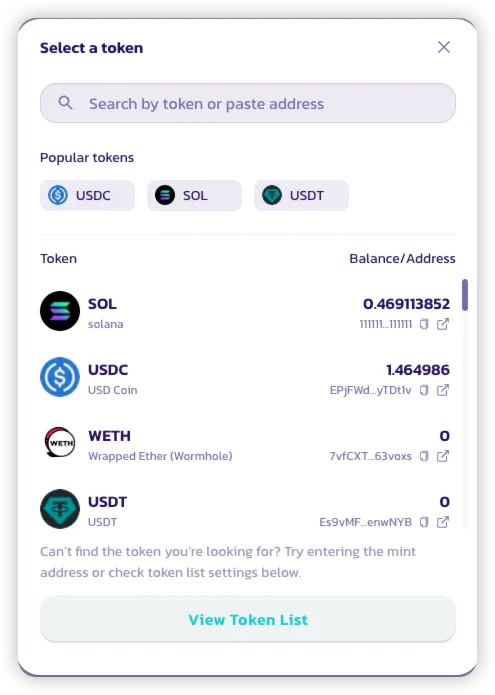
* プール作成インターフェースでトークンセレクターを開きます。
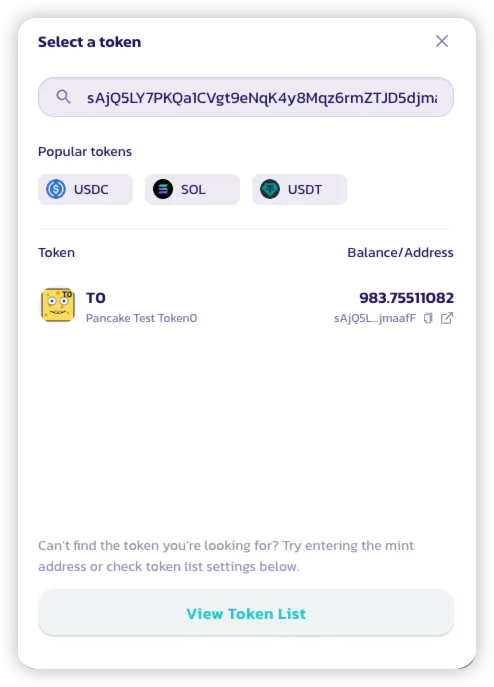
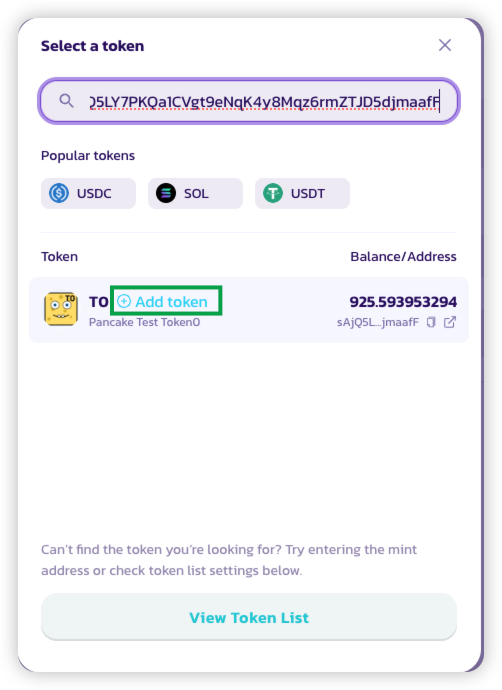
* 検索バーにトークンのアドレスを貼り付けます。
* **「Add Token」** をクリックします。
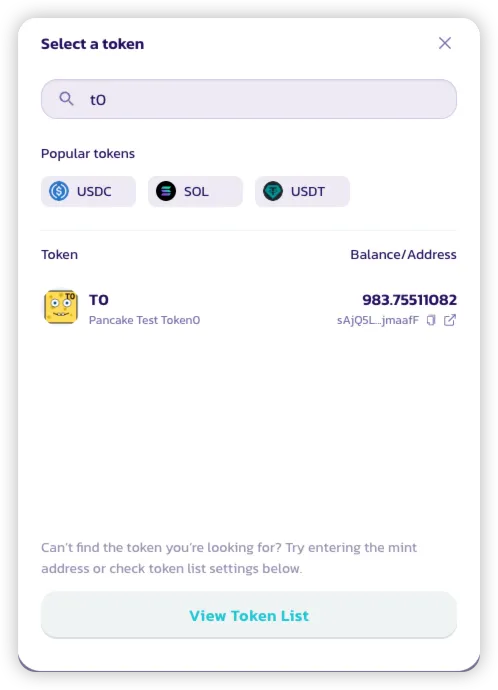
* トークンがリストで検索可能になります。
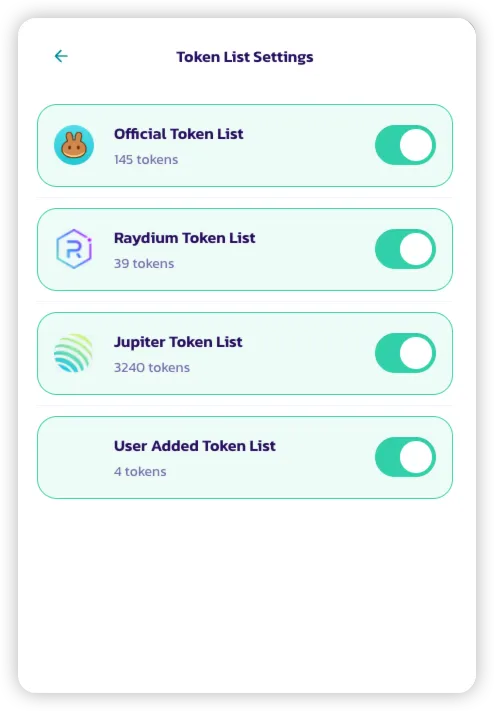
* トークンを管理するには:
* **「View Token List」** をクリックします。
* 手動で追加したトークンを含む **User Added Token List** など、さまざまなリストのオン / オフを切り替えられます。
#### 6. Solana で最初の取引が割高に感じられるのはなぜですか?
Solana は **Associated Token Accounts(ATA)** を使って各ウォレットのトークン残高を管理しています。あるトークンに初めてアクセスする際、ウォレットは ATA を作成する必要があり、これには初回のみ費用がかかります(SOL で支払い)。
* この ATA 作成費用は Solana プロトコルによって要求されるものであり、PancakeSwap 固有のものではありません。
* ATA が後で閉鎖された場合、**使用した SOL は元のウォレットに返還されます**。
---
# Agent Instructions
This documentation is published with GitBook. GitBook is the documentation platform designed so that both humans and AI agents can read, navigate, and reason over technical content effectively. Learn more at gitbook.com.
## Querying This Documentation
If you need additional information that is not directly available in this page, you can query the documentation by asking a question.
Perform an HTTP GET request on the following URL with the `ask` and `goal` query parameters:
```
GET https://docs.pancakeswap.finance/japanese/pancakeswapheyoukoso/how-to-guides/get-started-sol/solana-faq.md?ask=&goal=
```
`ask` is the immediate question: it should be specific, self-contained, and written in natural language.
`goal` is what the user is ultimately trying to achieve, the reason they need the answer. Sharing it helps GitBook give you a better, more relevant answer. A goal is most helpful when it describes the outcome the user wants rather than restating the question. For example, with `ask=how do I create an API token`, a goal like `automate deployments from our CI pipeline` lets GitBook tailor the answer to that use case.
The response will contain a direct answer to the question and relevant excerpts and sources from the documentation.
Use this mechanism when the answer is not explicitly present in the current page, you need clarification or additional context, or you want to retrieve related documentation sections.