> For the complete documentation index, see [llms.txt](https://docs.pancakeswap.finance/llms.txt). Markdown versions of documentation pages are available by appending `.md` to page URLs; this page is available as [Markdown](https://docs.pancakeswap.finance/japanese/gu/yield-farming/solana-farming.md).
# Solanaファーミング
## PancakeSwap SOL V3でのファームの使い方
ファーミングにより、対象プールに流動性を提供する際、標準的な流動性提供者(LP)手数料に加えて追加報酬を獲得できます。始め方はからご確認ください。
{% hint style="warning" %}
**注意:** このガイドに記載されている画像は説明目的のみであり、リアルタイムのデータや現在のファーミング統計を反映していない場合があります。
{% endhint %}
***
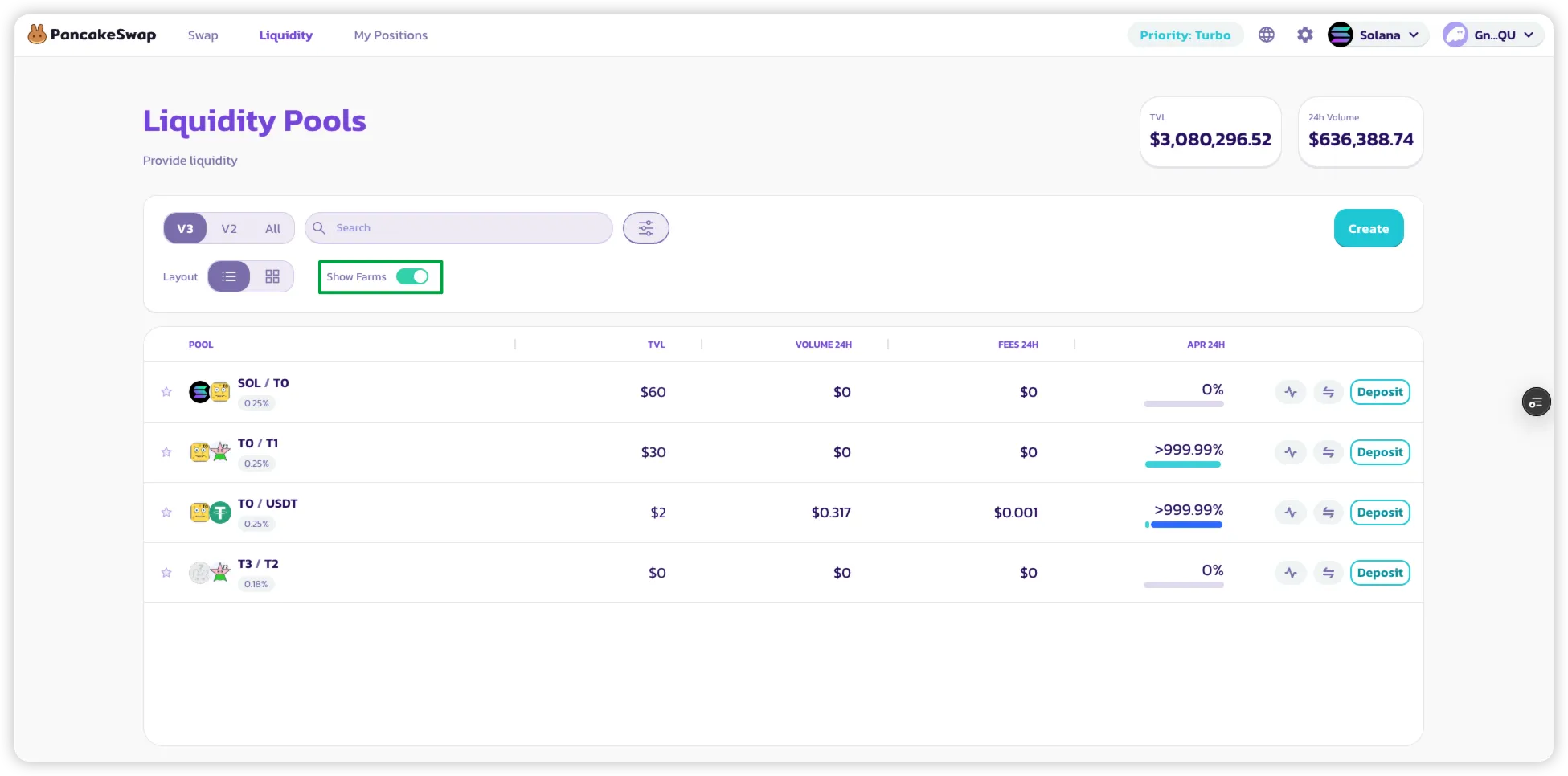
### 1. ファームを表示するためのフィルタリング
* **プールリスト**ページで、\*\*「ファームのみ表示」\*\*フィルターをオンにして、ファーミング報酬を提供するプールのみを表示します。
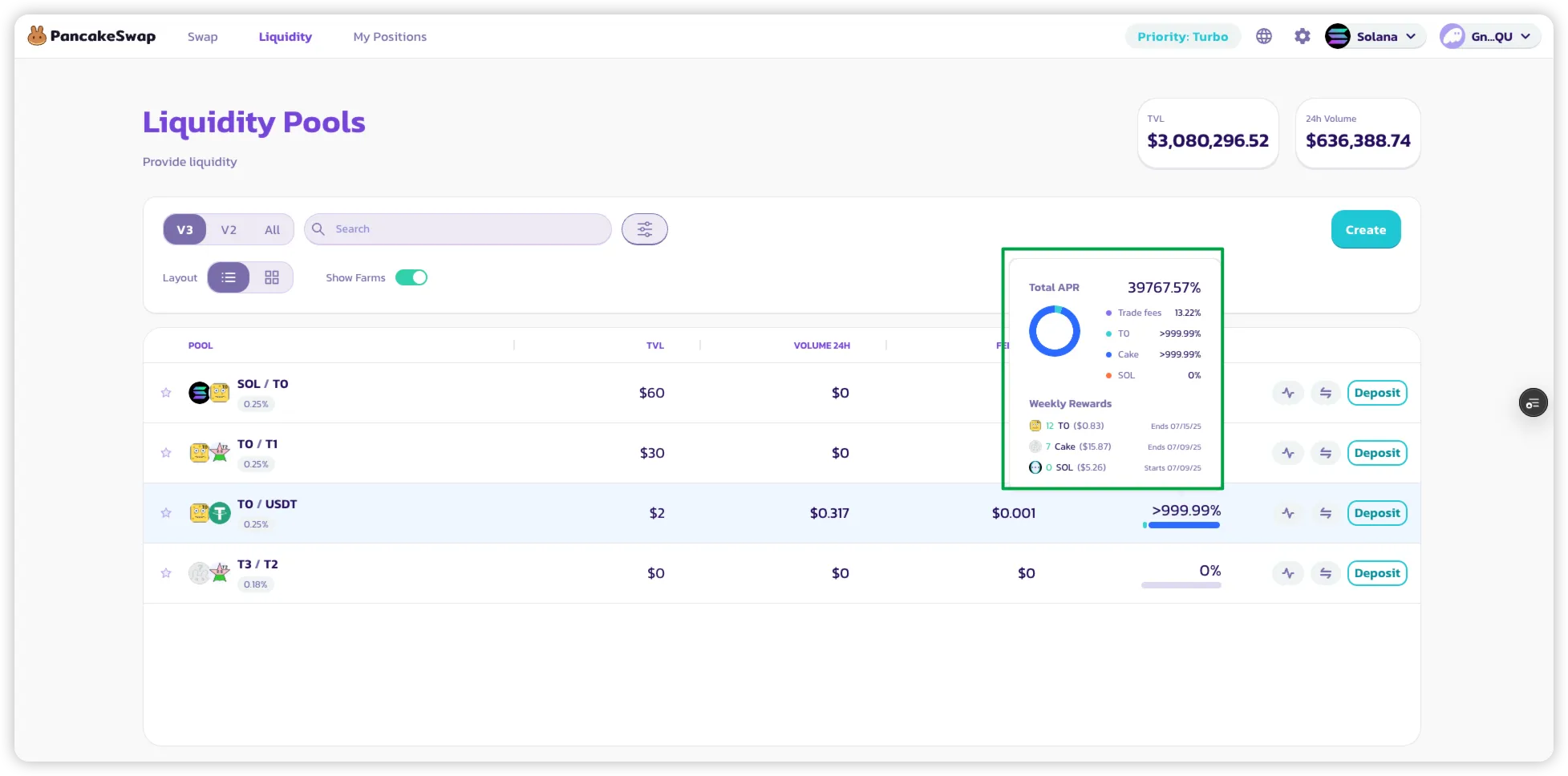
### 2. APRの内訳を確認する
* プールの横に表示されているAPRに**マウスオーバー**するか**クリック**します。
* 内訳が表示されます:
* 取引手数料からのLP報酬
* ファーミングインセンティブからの追加報酬
* そのプールのトークンでの**週間報酬の見込み額**
### 3. ファーミング報酬の獲得を開始する
* ファーミングが有効なプールに**流動性を追加する**だけです。
* \*\*アクティブ(レンジ内)\*\*なポジションを保有すると:
* スワップが発生すると**自動的に**ファーミング報酬が蓄積されます。
* **LP NFTのステーキングは不要**です。報酬はポジションに直接蓄積されます。
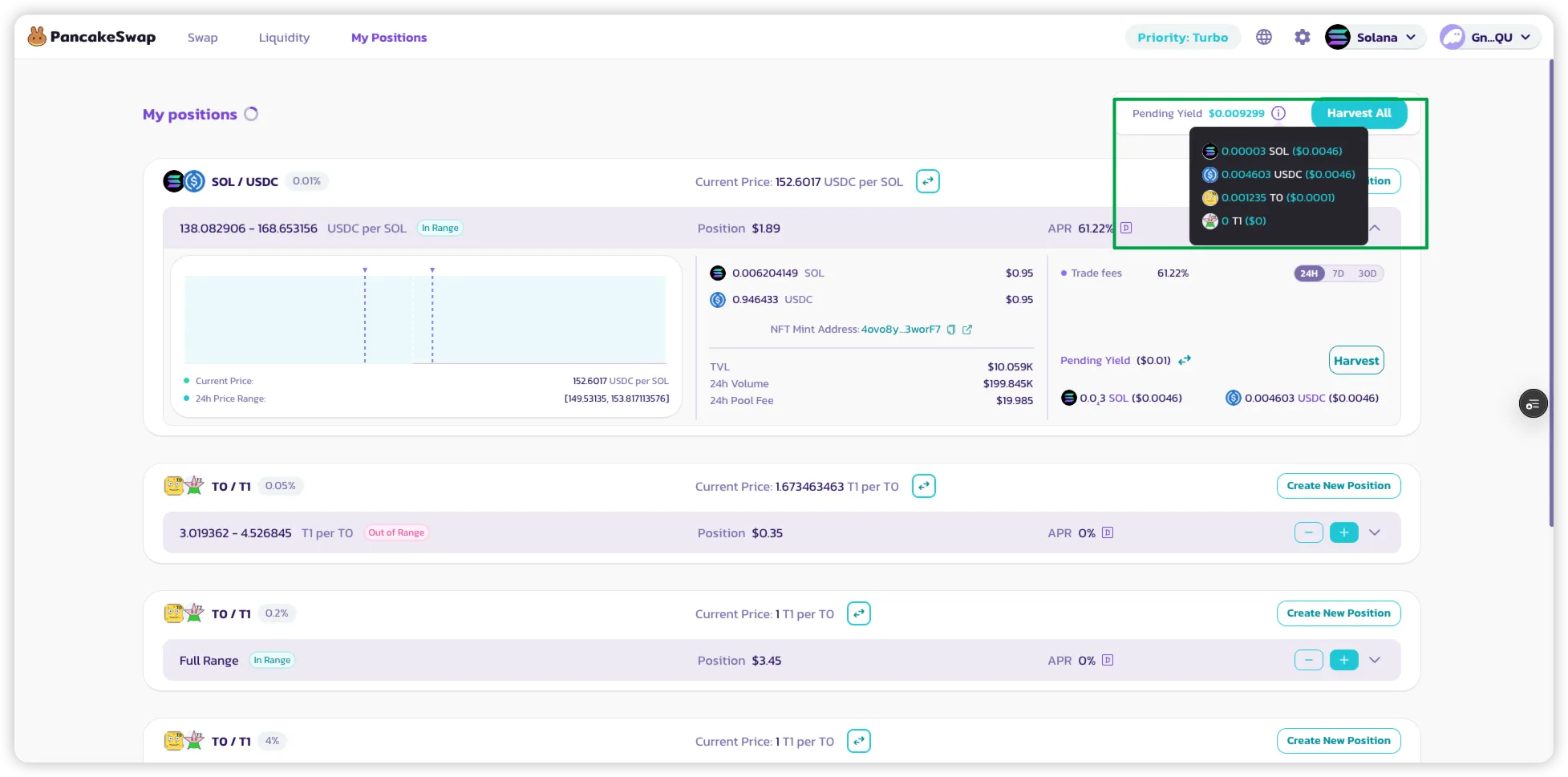
### 4. 報酬を追跡する
* \*\*「マイポジション」\*\*ページに移動して以下を確認します:
* アクティブなLPポジション
* 各ポジションに蓄積されたファーミング報酬
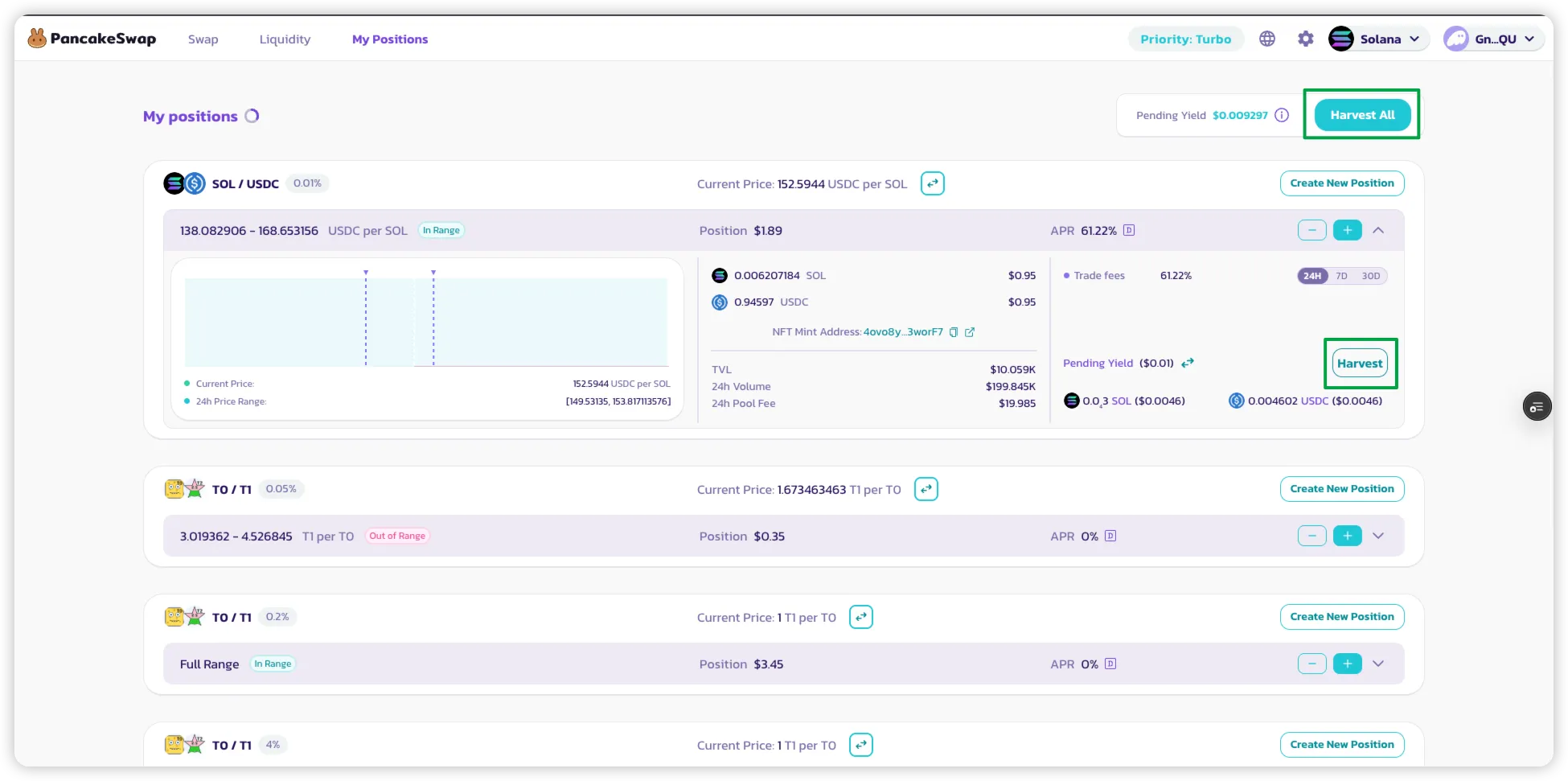
### 5. 報酬のクレーム
* ポジションの\*\*「ハーベスト」をクリック\*\*して以下の両方をハーベストします:
* LP報酬(取引手数料から)
* ファーミングトークン報酬(該当する場合)
* **「全てハーベスト」を使用して、1つのトランザクションですべてのアクティブポジション**から報酬を回収します。
---
# Agent Instructions
This documentation is published with GitBook. GitBook is the documentation platform designed so that both humans and AI agents can read, navigate, and reason over technical content effectively. Learn more at gitbook.com.
## Querying This Documentation
If you need additional information that is not directly available in this page, you can query the documentation by asking a question.
Perform an HTTP GET request on the following URL with the `ask` and `goal` query parameters:
```
GET https://docs.pancakeswap.finance/japanese/gu/yield-farming/solana-farming.md?ask=&goal=
```
`ask` is the immediate question: it should be specific, self-contained, and written in natural language.
`goal` is what the user is ultimately trying to achieve, the reason they need the answer. Sharing it helps GitBook give you a better, more relevant answer. A goal is most helpful when it describes the outcome the user wants rather than restating the question. For example, with `ask=how do I create an API token`, a goal like `automate deployments from our CI pipeline` lets GitBook tailor the answer to that use case.
The response will contain a direct answer to the question and relevant excerpts and sources from the documentation.
Use this mechanism when the answer is not explicitly present in the current page, you need clarification or additional context, or you want to retrieve related documentation sections.