> For the complete documentation index, see [llms.txt](https://docs.pancakeswap.finance/llms.txt). Markdown versions of documentation pages are available by appending `.md` to page URLs; this page is available as [Markdown](https://docs.pancakeswap.finance/japanese/gu/pancakeswap-pools/zap.md).
# Zap
### Zapとは
Zapは流動性を簡単に追加できる機能です。Zapを使えば、プールで必要なトークンに関係なく、残高のある任意のトークンで流動性を提供できます。価格レンジを設定し、提供する金額を選択して実行するだけです。トークンは最も効率的な方法で取引されながら、最低限の価格インパクトとスリッページで自動的にバランス調整され、流動性ポジションが形成されます。
### 対応チェーン
* v3 - BNB Chain上のすべてのプール、EthereumおよびArbitrumネットワークの選択されたプール
* Infinity - BNB Chain上のすべてのCLAMMプール(Hookなし)
### 使い方
現在、Zapは以下をサポートしています:
* 🆕 任意のトークン!
* シングルトークンを使用
* 🆕 デュオトークンを使用
* 🆕 または...複数のトークンを使用(ダストコレクターとして使用可能)
#### 開始
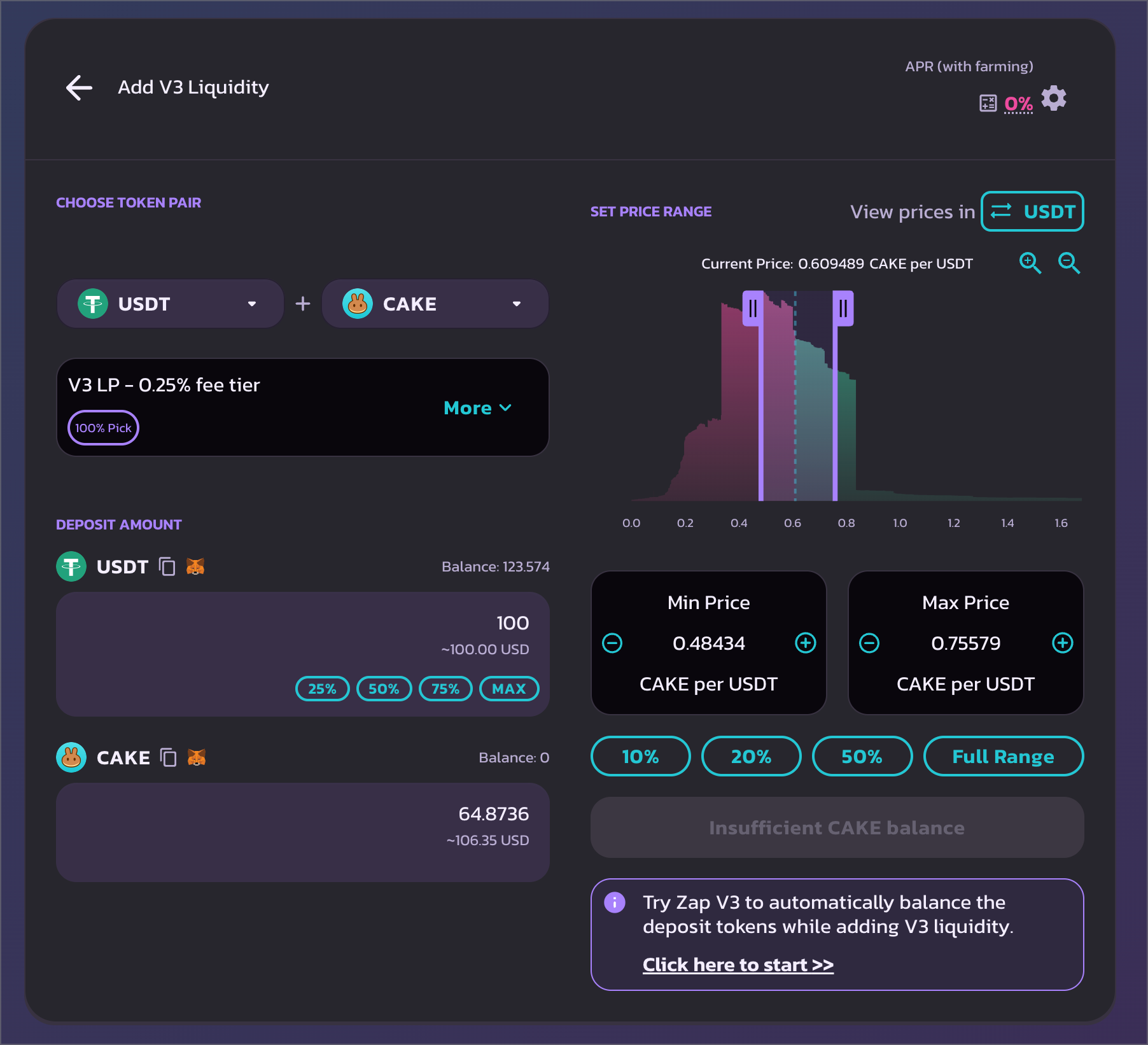
Zapを使用するには、流動性追加ページにアクセスし、流動性を提供したいトレーディングペア、手数料ティア、価格レンジを選択します。
次に、流動性を提供するトークン数量を選択します。
1つ以上のトークンの残高が不足している場合、Zapのオプションが自動的に表示されます。
リンクをクリックしてZapモーダルを開きます。
#### Zapの開始
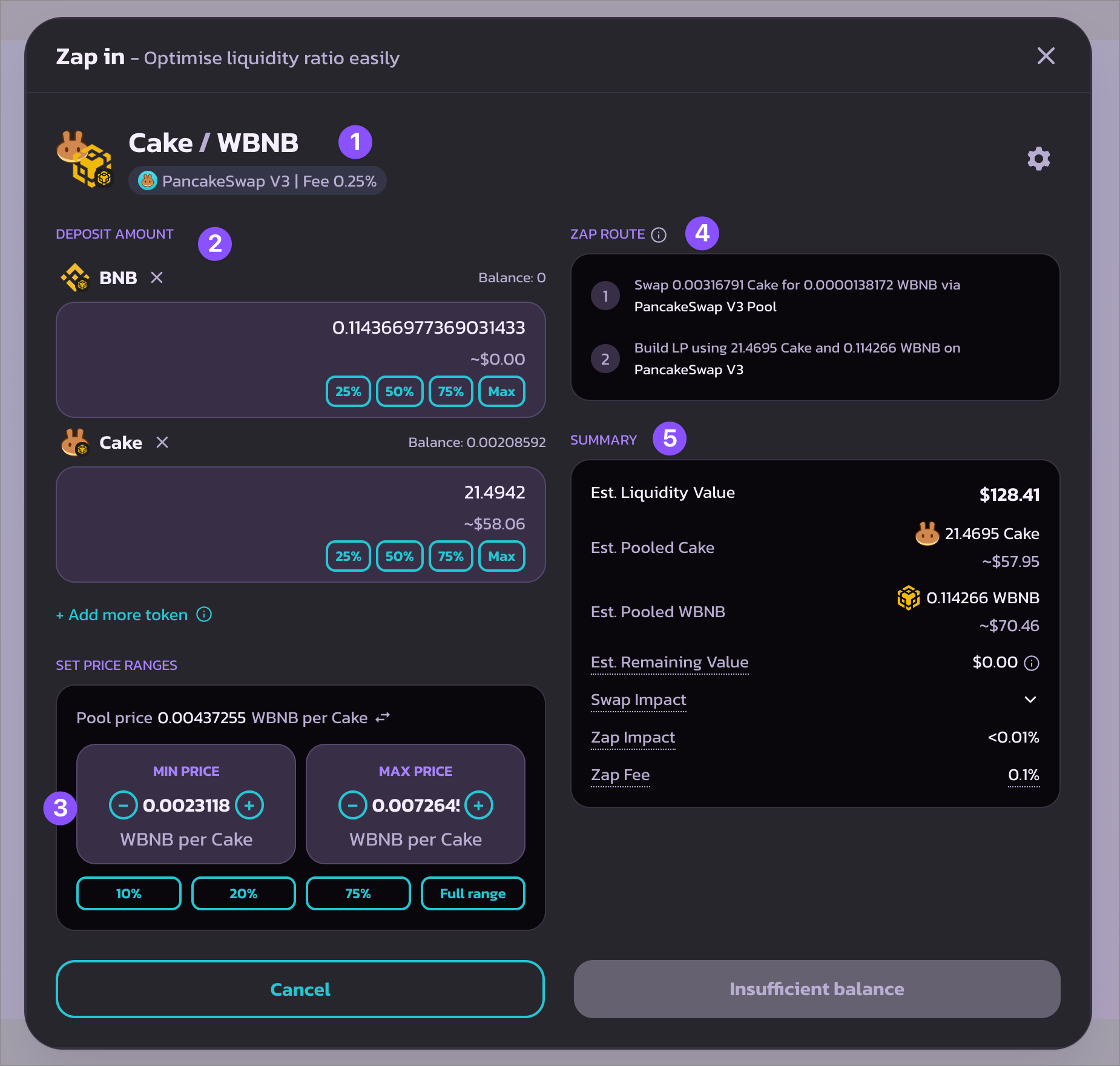
新しい「Zap in」モーダル内には、以下のフィールドがあります:
1. Zap(流動性提供)先のトレーディングペア。
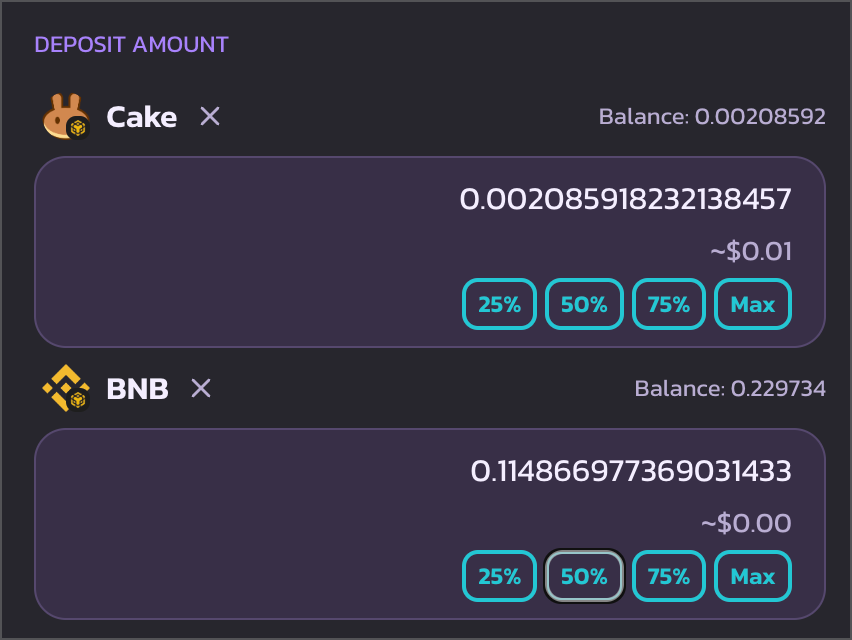
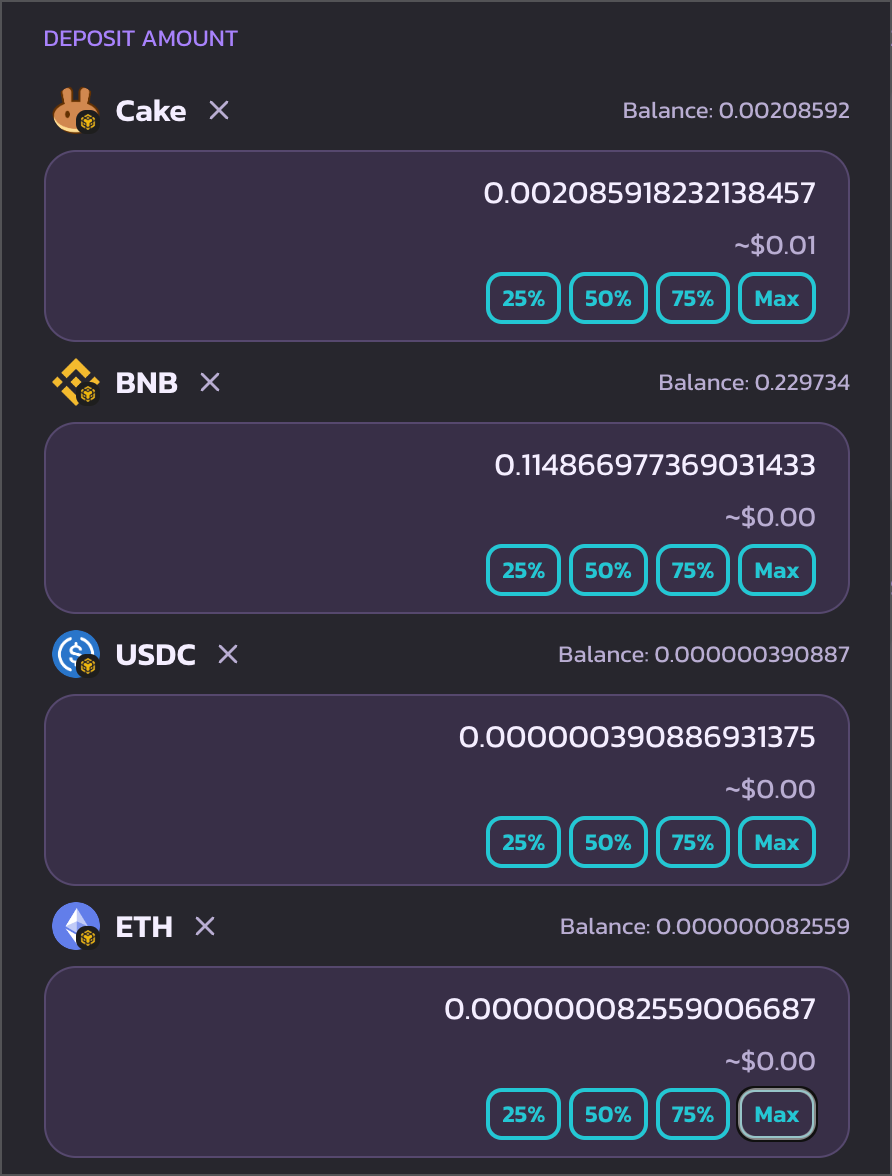
2. 預入トークンと預入金額。Zapに使用するトークンは自由に追加・削除できます。
3. 新しいポジションの価格レンジ。矢印をクリックして異なる価格表示を切り替えることもできます。
4. Zap機能が預入トークンをどのように処理するかの詳細な内訳。
5. 以下を含む統計のサマリー:
1. 新しい流動性ポジションのUSD換算の推定価値。
2. 新しい流動性ポジションの推定トークン数量。
3. Zap後のUSD換算の推定残余資金。ほとんどの場合は0になります。流動性プールやトークンの流動性が非常に少ない場合、この値が増加する場合があります。
4. Zap中のトークンスワップとリバランスに対する価格インパクト。
5. 流動性追加とポジション構築に対する価格インパクト。
6. Zap手数料。流動性ペアによって手数料率は異なります。
{% hint style="warning" %}
利用可能な残高に基づいてZap金額を再設定する必要がある場合があります。いずれかのトークンの残高がない場合は、そのトークンを削除してください。
{% endhint %}
{% hint style="info" %}
「V3流動性の追加」からの設定(預入金額や価格レンジの設定を含む)が自動的にZapモーダルに引き継がれることに気づくかもしれません。
{% endhint %}
#### Zapの実行
最後に「Approve」をクリックし、トークン許可のためウォレットポップアップで確認します。
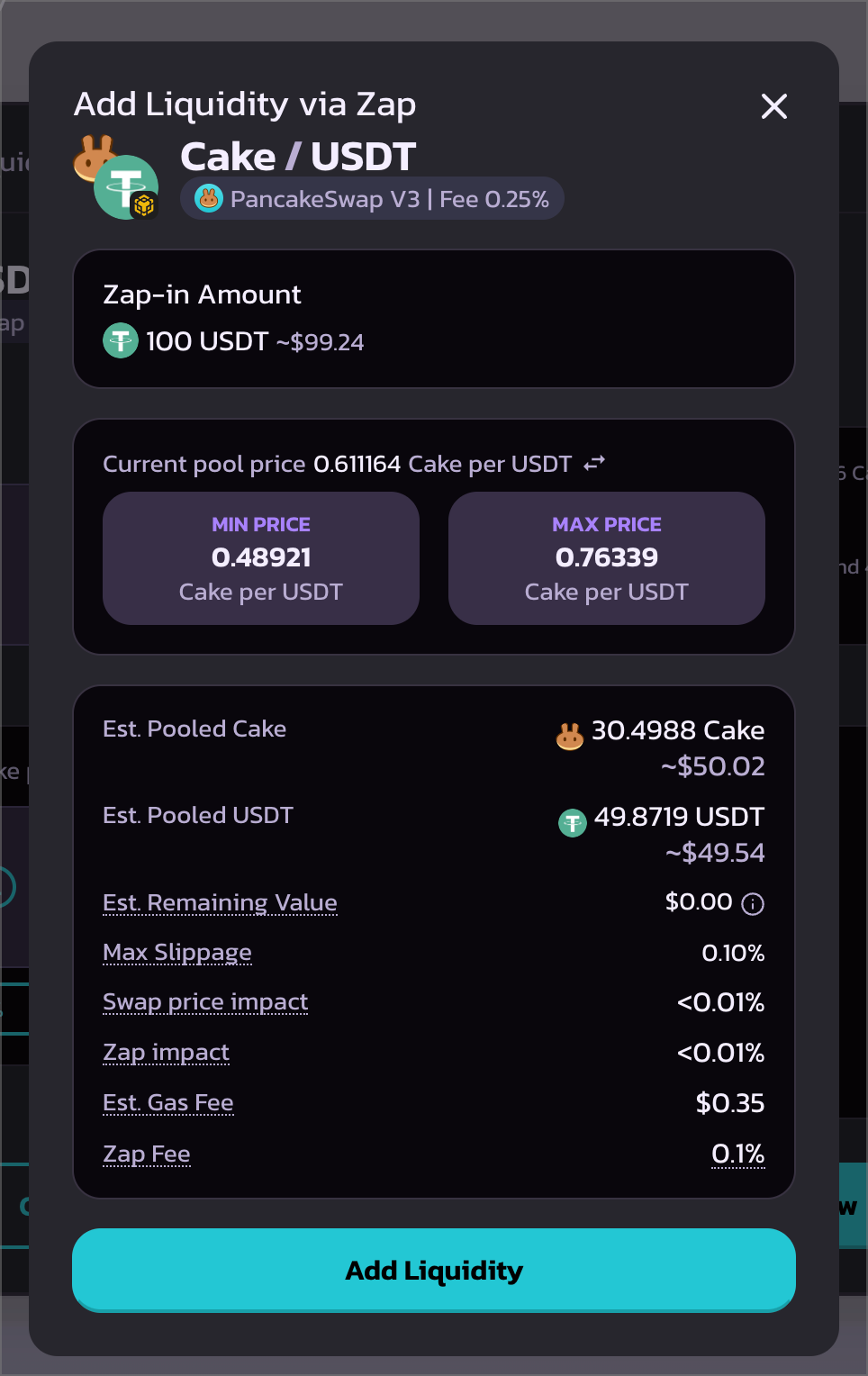
次に「Preview」をクリックして最終確認モーダルを表示します。続行する前に、最終確認モーダルに表示されているすべての統計と見積もりを必ずご確認ください。特に影響の数値と最大スリッページにご注意ください。
最後に「Add Liquidity」をクリックし、ウォレットポップアップで確認します。
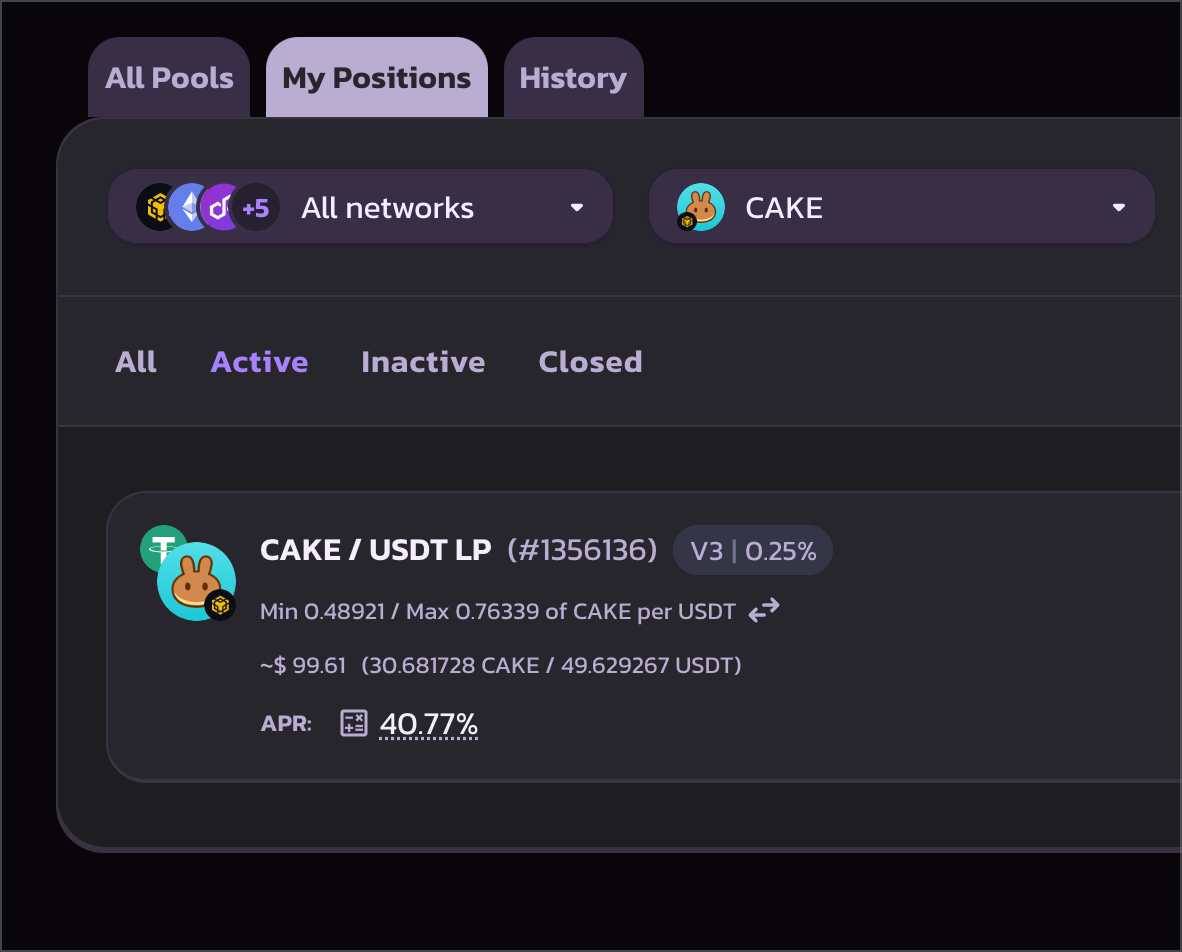
トランザクションが確認されると、「マイポジション」ページに新しいポジションが表示されます。
#### その他の設定
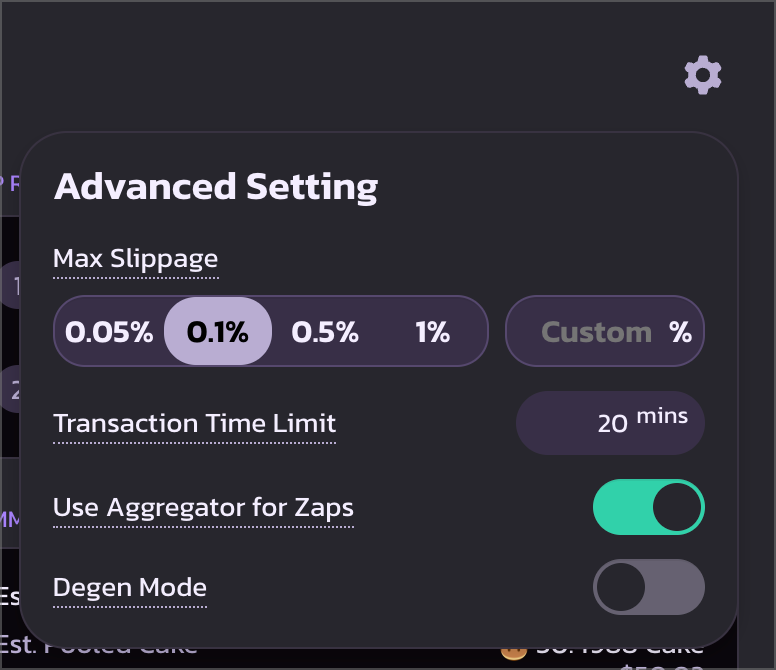
Zapエクスペリエンスをさらにカスタマイズする場合は、右上のギアアイコンをクリックします。設定では以下を設定できます:
* Zap中の最大スリッページ。
* トランザクションデッドラインのタイムライン。
* KyberSwapのアグリゲーテッド流動性を使用してトークンリバランスを実行するかどうか。PancakeSwap Poolsでのみ取引したい場合はオフにしてください。
* Degenモードは非常に高いスリッページのZapを実行するために使用できます。通常の用途には推奨しません。自己責任でご使用ください。
{% hint style="warning" %}
スリッページとデッドラインの設定はSwapおよび流動性ページとは独立していることにご注意ください。
{% endhint %}
#### デュオトークンを使用したZap
流動性をデュオトークンでZapできるようになりました。これは、利用可能な残高が価格設定と一致しない場合や、必要なトークン数量と比率に合わない場合に便利です。Zapを使えば、比率が自動的に再調整されます。
#### 複数のトークンを使用したZap
ダストトークンコレクターのように機能します。ウォレット内の少額残高を整理し、取引手数料からの収益を得るためのポジションに活用するのに適しています。
---
# Agent Instructions
This documentation is published with GitBook. GitBook is the documentation platform designed so that both humans and AI agents can read, navigate, and reason over technical content effectively. Learn more at gitbook.com.
## Querying This Documentation
If you need additional information that is not directly available in this page, you can query the documentation dynamically by asking a question.
Perform an HTTP GET request on the current page URL with the `ask` query parameter, and the optional `goal` query parameter:
```
GET https://docs.pancakeswap.finance/japanese/gu/pancakeswap-pools/zap.md?ask=&goal=
```
`ask` is the immediate question: it should be specific, self-contained, and written in natural language.
`goal` is optional and describes the broader end goal you are ultimately trying to accomplish on behalf of the user. GitBook uses it to tailor the answer towards what is most useful for that goal.
The response will contain a direct answer to the question and relevant excerpts and sources from the documentation.
Use this mechanism when the answer is not explicitly present in the current page, you need clarification or additional context, or you want to retrieve related documentation sections.