> For the complete documentation index, see [llms.txt](https://docs.pancakeswap.finance/llms.txt). Markdown versions of documentation pages are available by appending `.md` to page URLs; this page is available as [Markdown](https://docs.pancakeswap.finance/japanese/gu/pancakeswap-pools/how-to-add-remove-liquidity-sol.md).
# 流動性の追加・削除方法 (SOL)
「流動性」はPancakeSwapのExchangeの仕組みの中心です。流動性ページでトークンペアのステーキングを行うことで、任意のトークンペアに流動性を追加できます。
流動性を追加することで、そのペアの取引手数料とファーミング報酬(該当する場合)を受け取ることができます。
PancakeSwap V3では**集中流動性**を提供できます。つまり、流動性がアクティブになる価格レンジを自分で選択できます。これにより、資本の使い方をより細かくコントロールし、効率を高めることができます。
{% hint style="warning" %}
**注意:** このガイドに掲載されている画像はあくまで説明目的のものであり、リアルタイムのデータや現在のプール統計を反映していない場合があります。
{% endhint %}
***
## 流動性の追加
流動性の追加には2つの方法があります:
* **オプション1:** 既存のプールに追加する
* **オプション2:** すでに作成したポジションにトークンを追加する
***
### オプション1:既存のプールに追加する
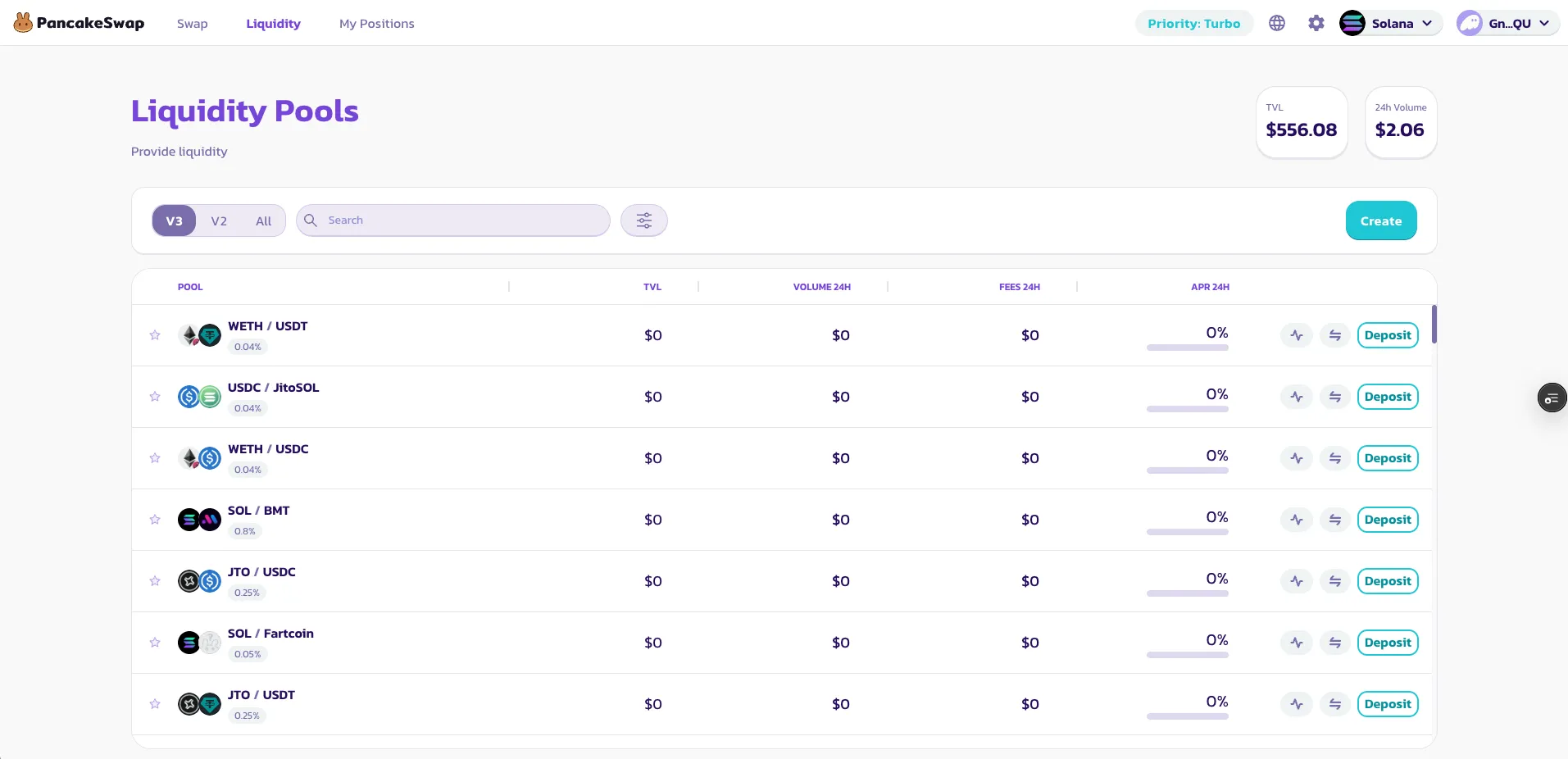
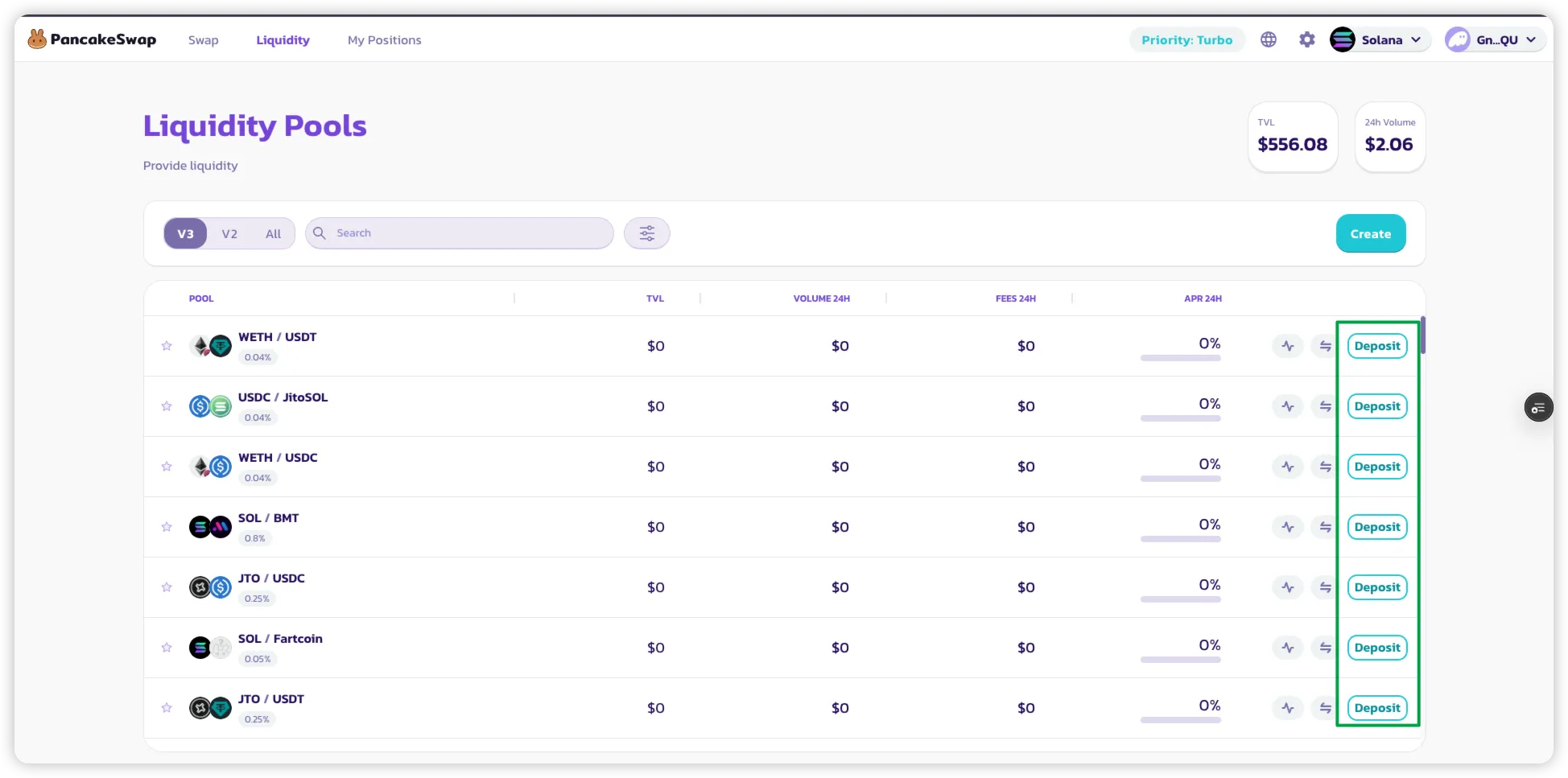
#### ステップ1:プールリストページにアクセスする
Solana上のすべてのアクティブなV3プールが表示されます。
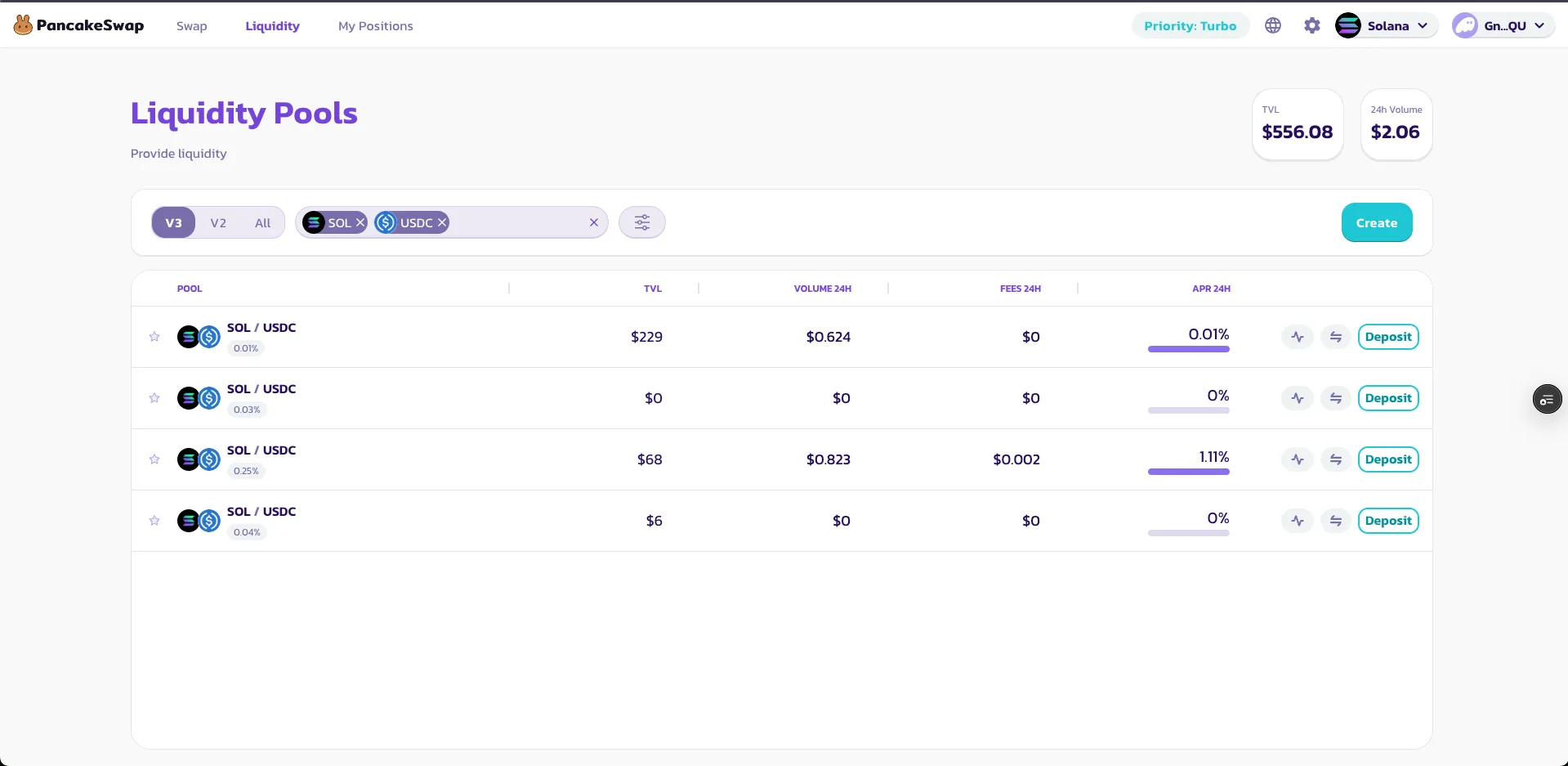
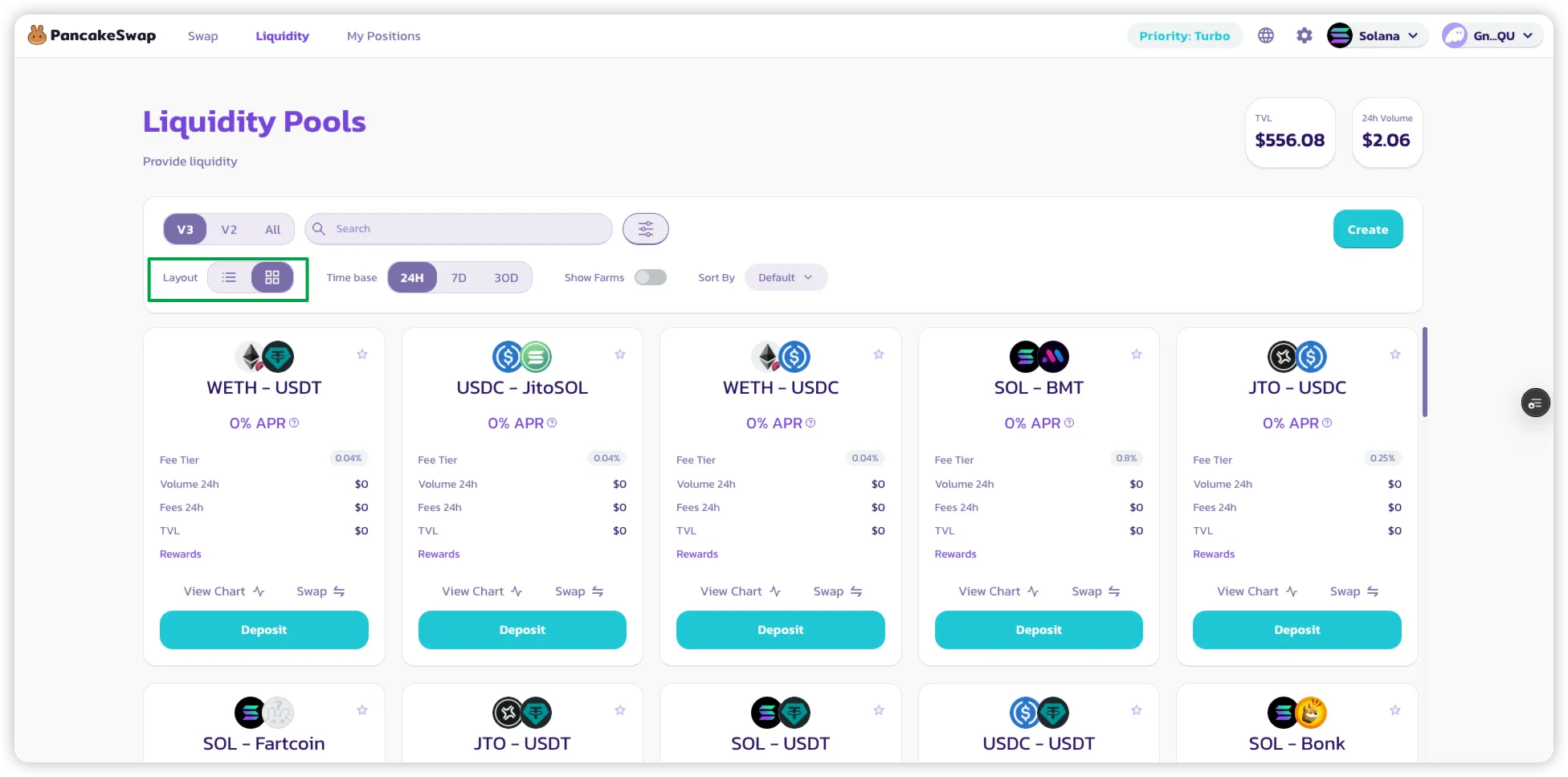
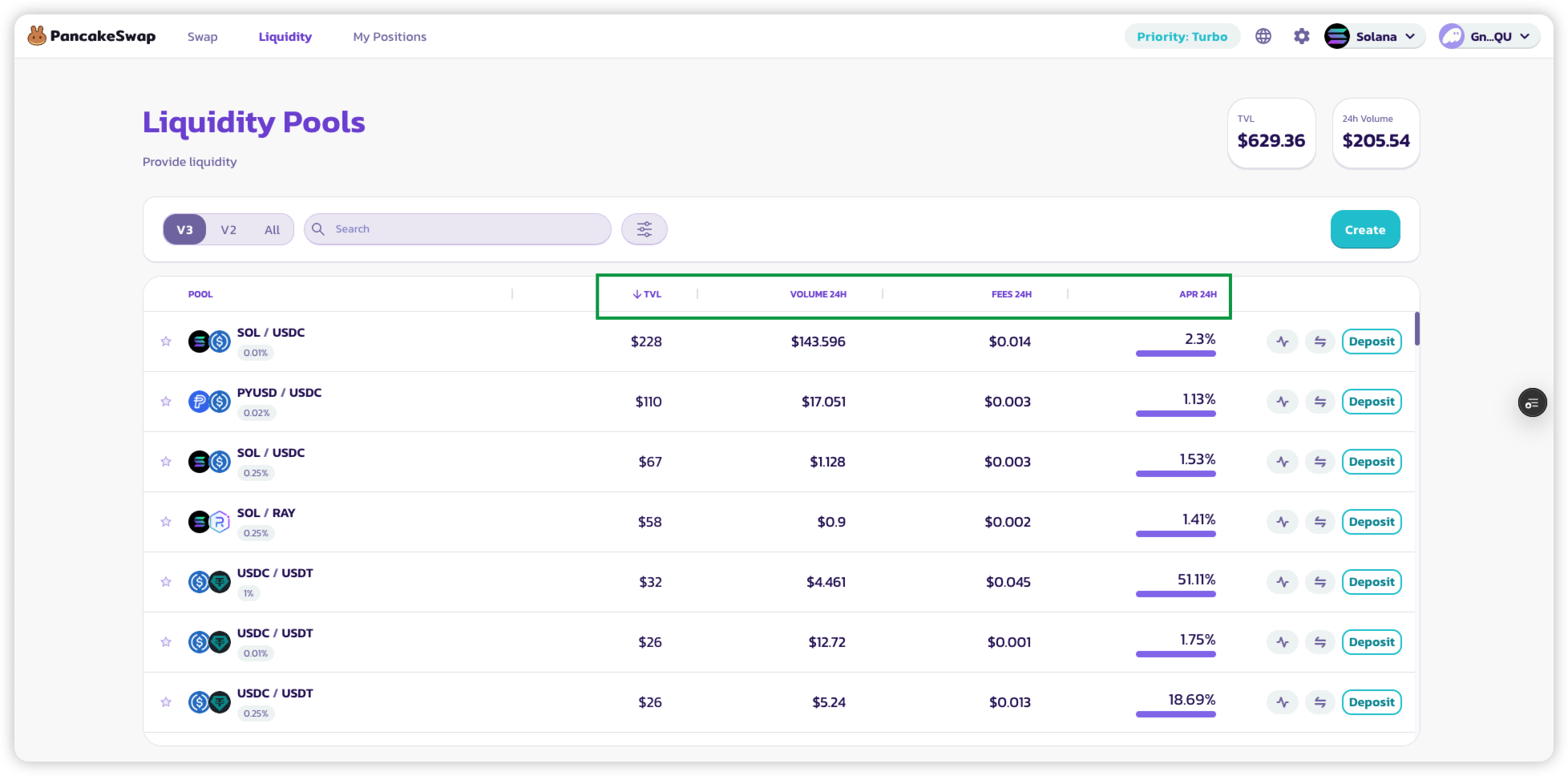
#### ステップ2:フィルターを使用してプールを検索する
ページ上部のフィルターを使用して以下の操作ができます:
* 特定のトークンペアを**検索**する
* **レイアウト表示を変更**する(グリッド/リスト)
* TVL、出来高、手数料、またはAPRで**プールをソート**する
{% hint style="success" %}
作成直後にプールが表示されない場合は、最大5分お待ちください。TVL、出来高、手数料、APRの統計は、プールでスワップが発生するたびにおよそ15分ごとに更新されます。
{% endhint %}
#### ステップ3:流動性の追加方法を選択する
以下のいずれかの方法で開始できます:
* プールカードの\*\*「Deposit」\*\*をクリックする
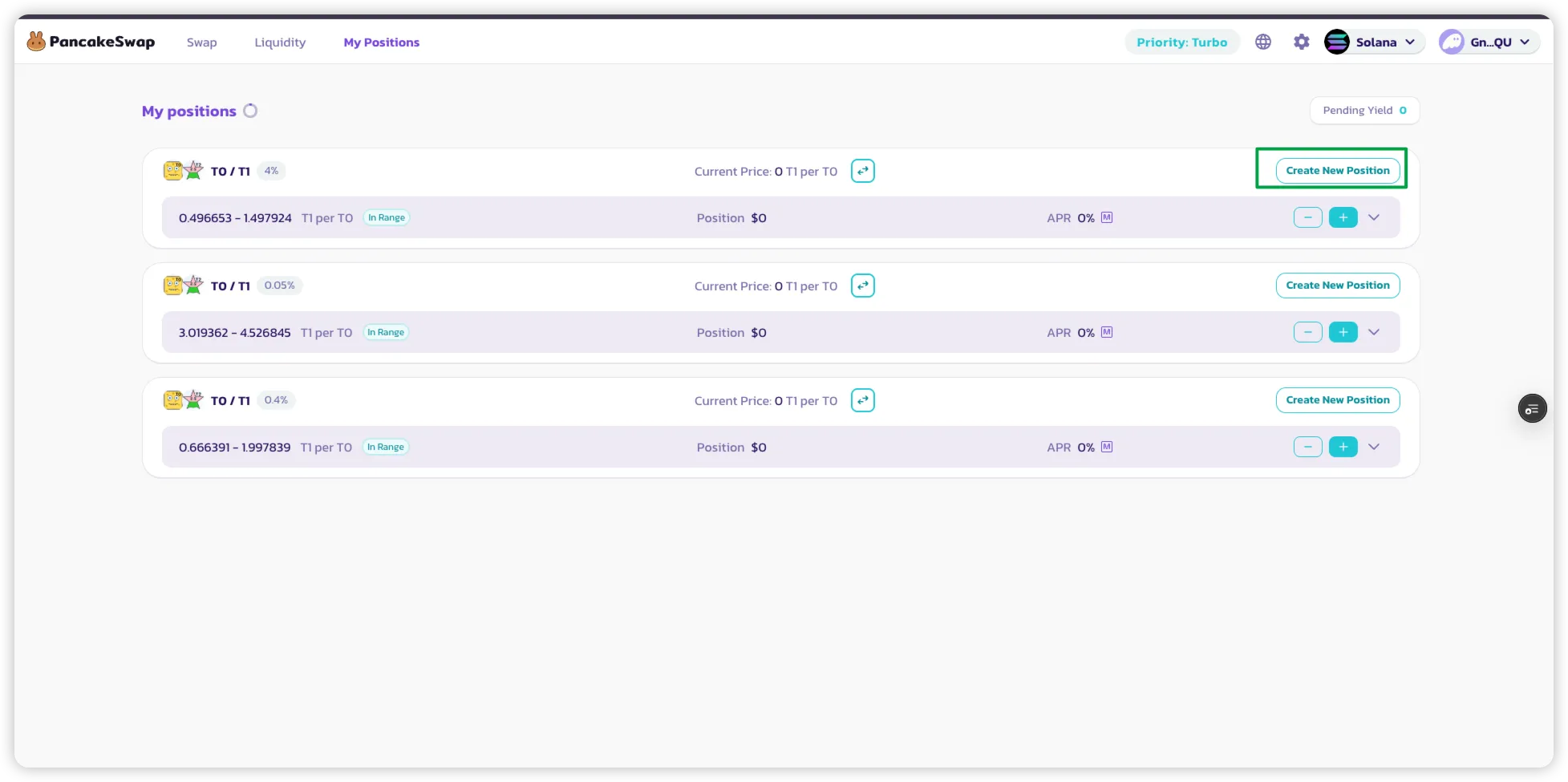
* または「マイポジション」の\*\*「Create New Position」\*\*をクリックする
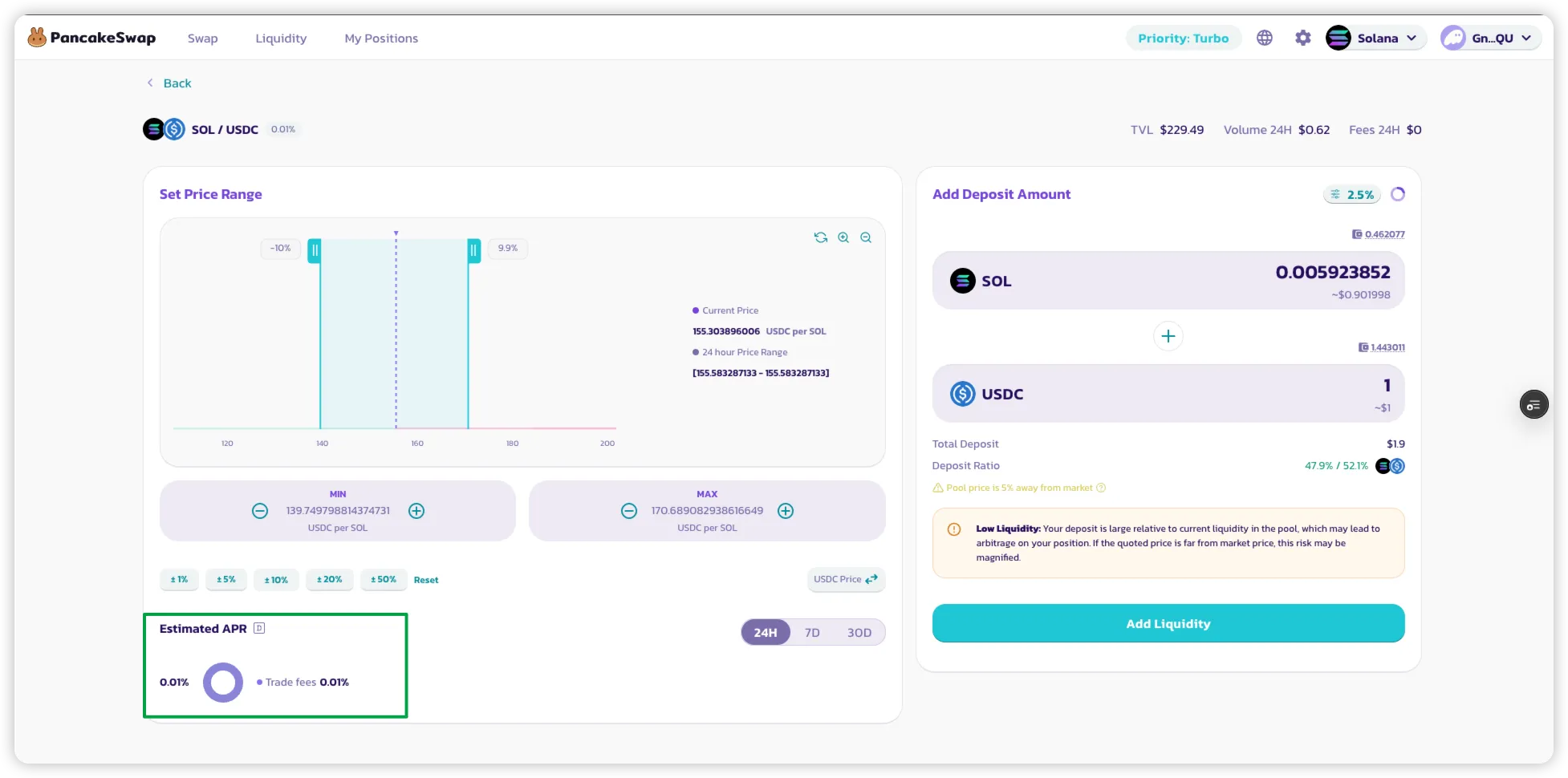
#### ステップ4:価格レンジを設定する
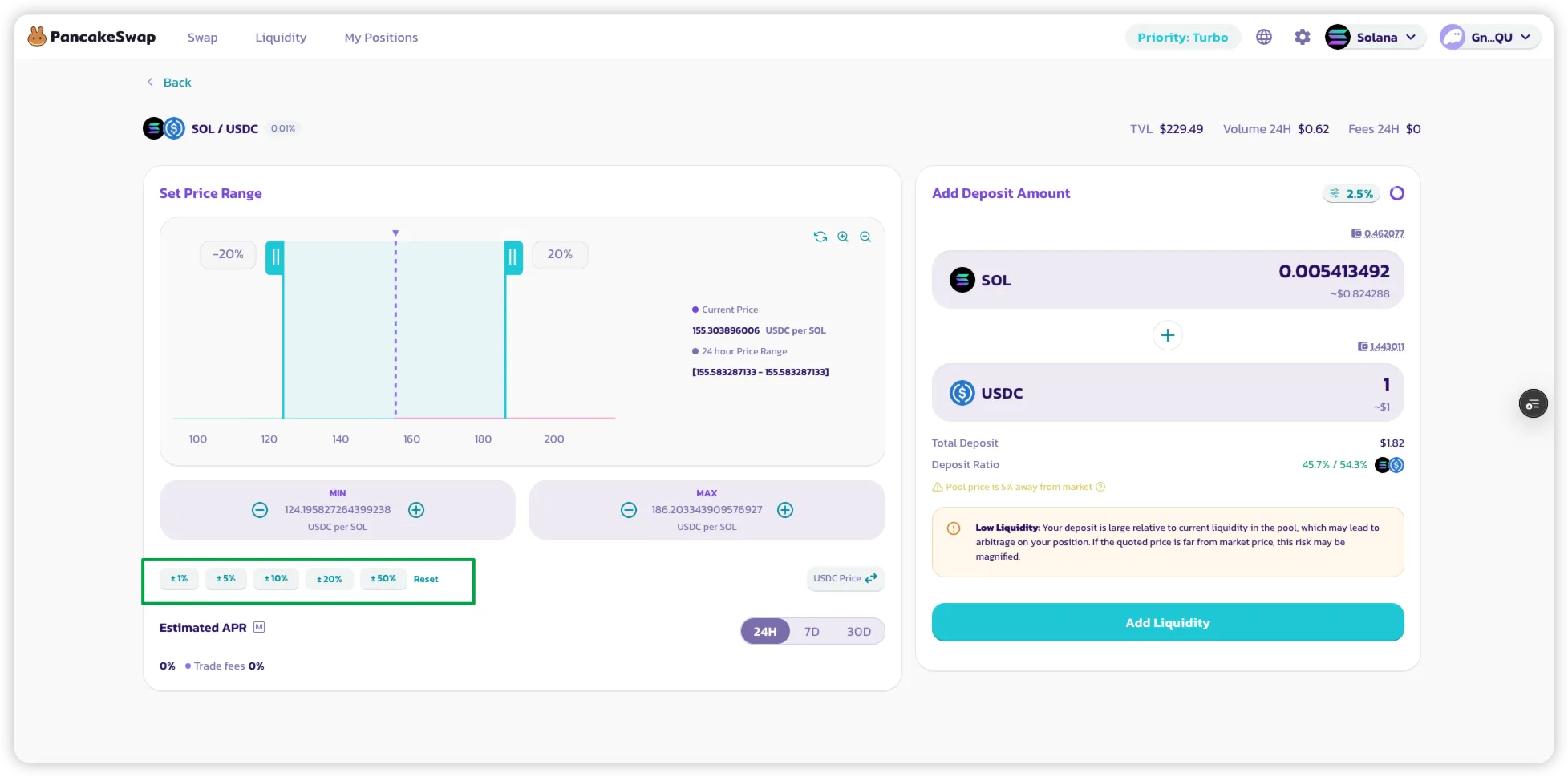
これはV3プールのため、流動性の価格レンジを選択する必要があります:
* **クイックプリセットレンジ**(例:±25%)を使用するか、カスタムレンジを設定する
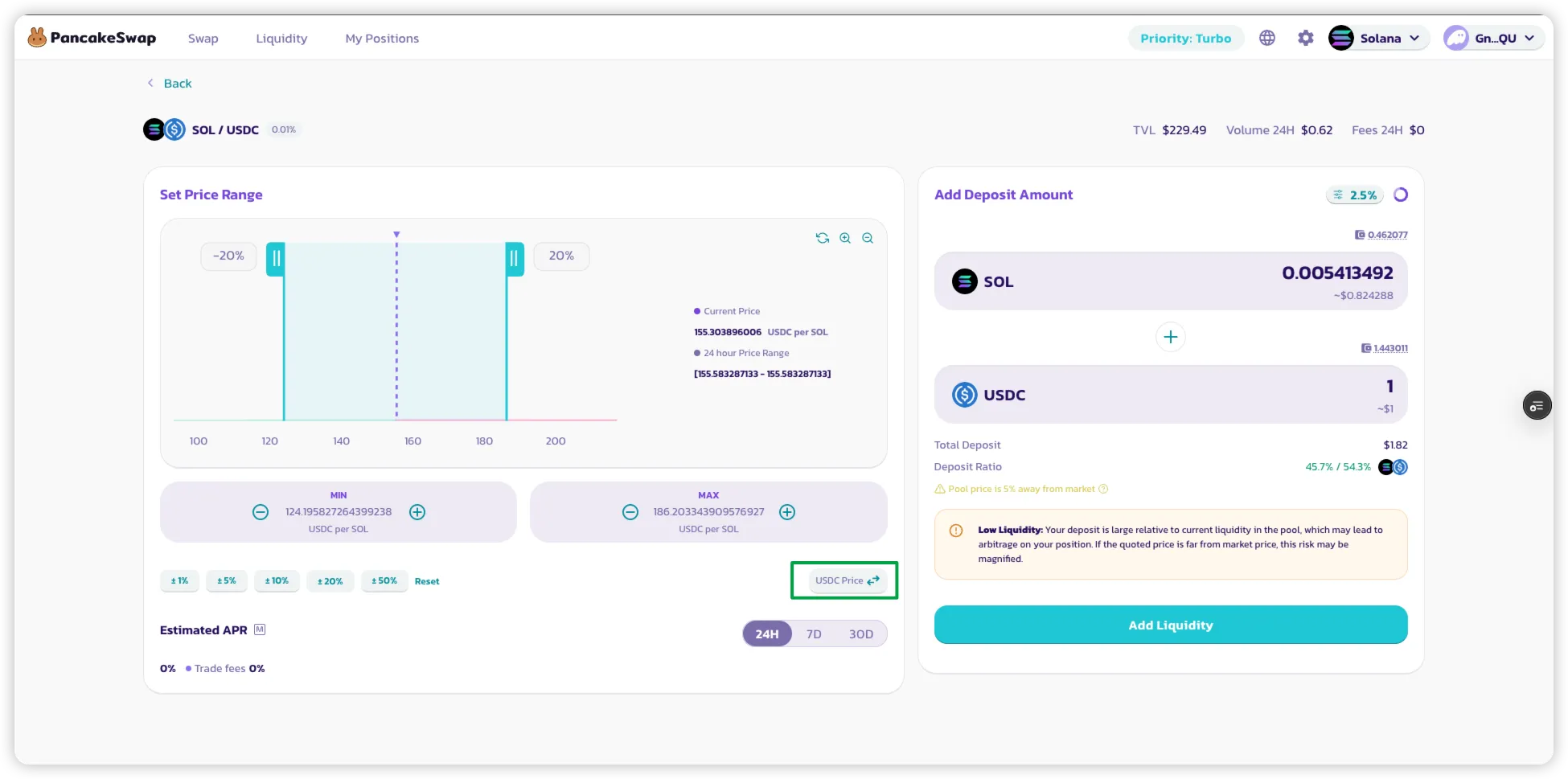
* **価格方向トグル**を使用して、ベース/クォート表示を切り替える
{% hint style="warning" %}
以下の場合は**アラート**にご注意ください:
* 選択したレンジが市場価格から大きく離れている場合
* プールの流動性が低い場合
{% endhint %}
#### ステップ5:預入金額を入力する
供給したいトークン数量を入力します
\*\* 両方のトークンの金額を入力するまでAPRは表示されません
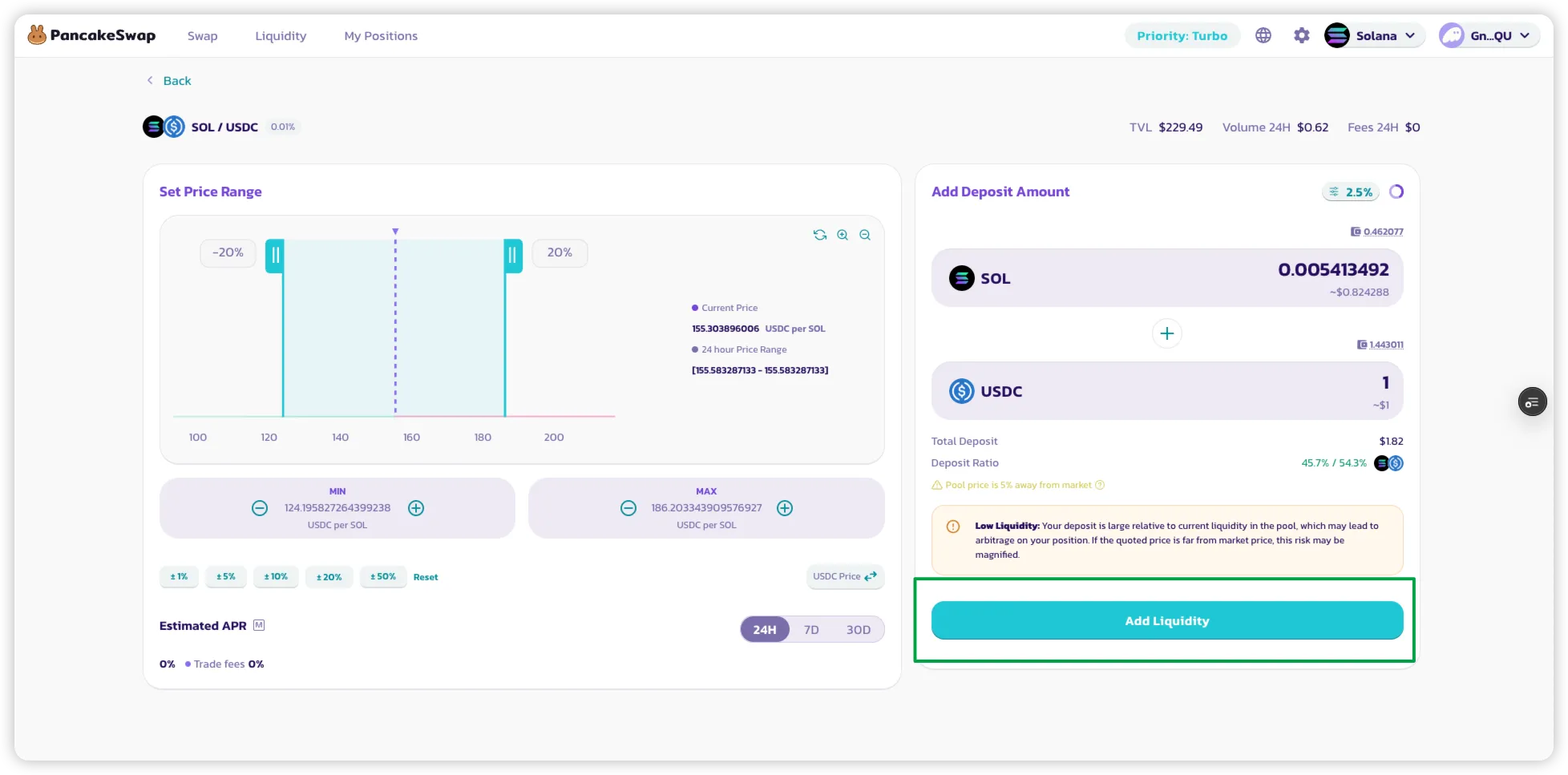
#### ステップ6:プレビューと確認
* \*\*「Add Liquidity」\*\*をクリックする
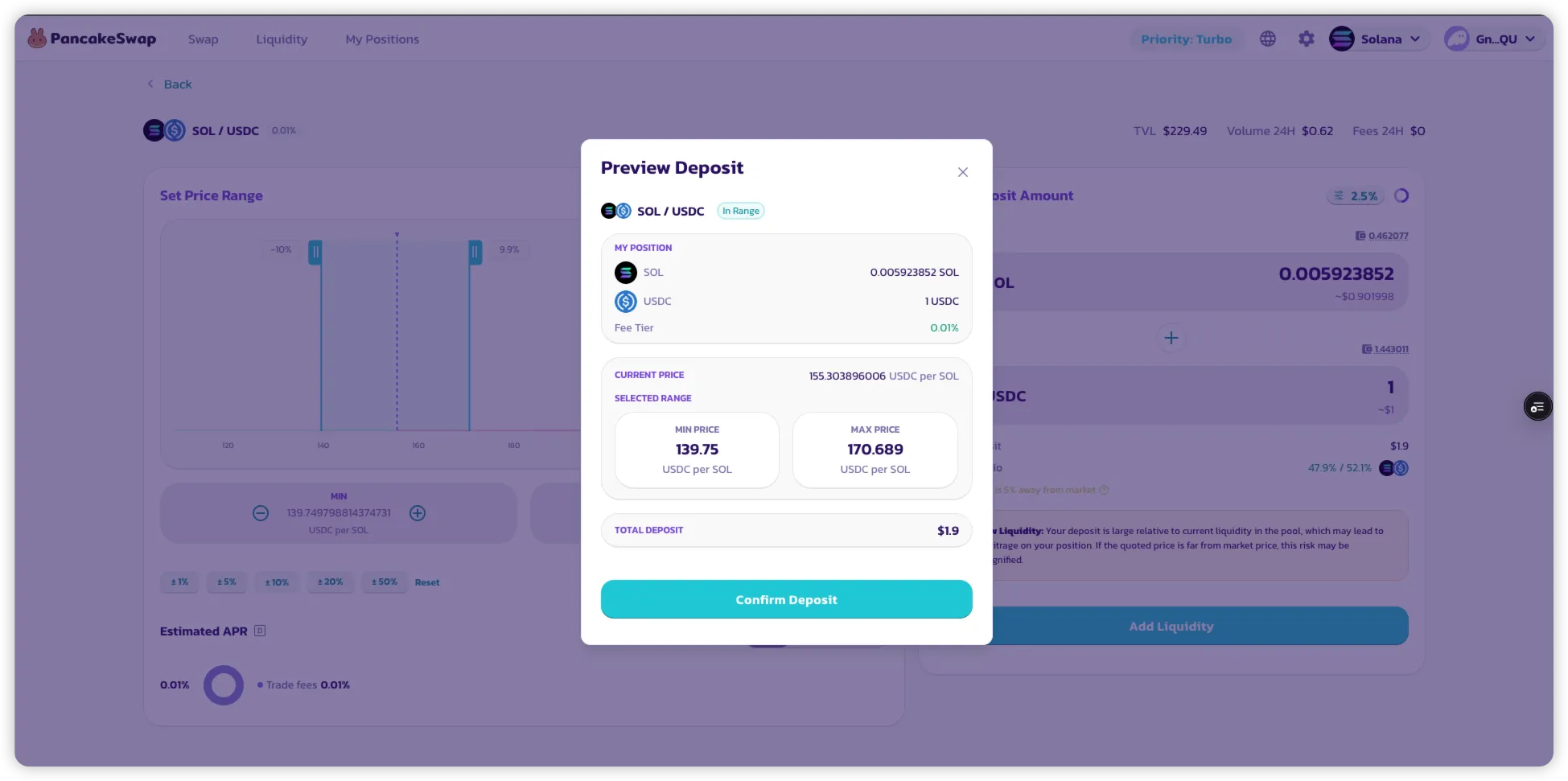
* プレビューモーダルでポジションを確認する
確認後、トランザクションが送信され、ポジションが作成されます!
***
### オプション2:既存のポジションに流動性を追加する
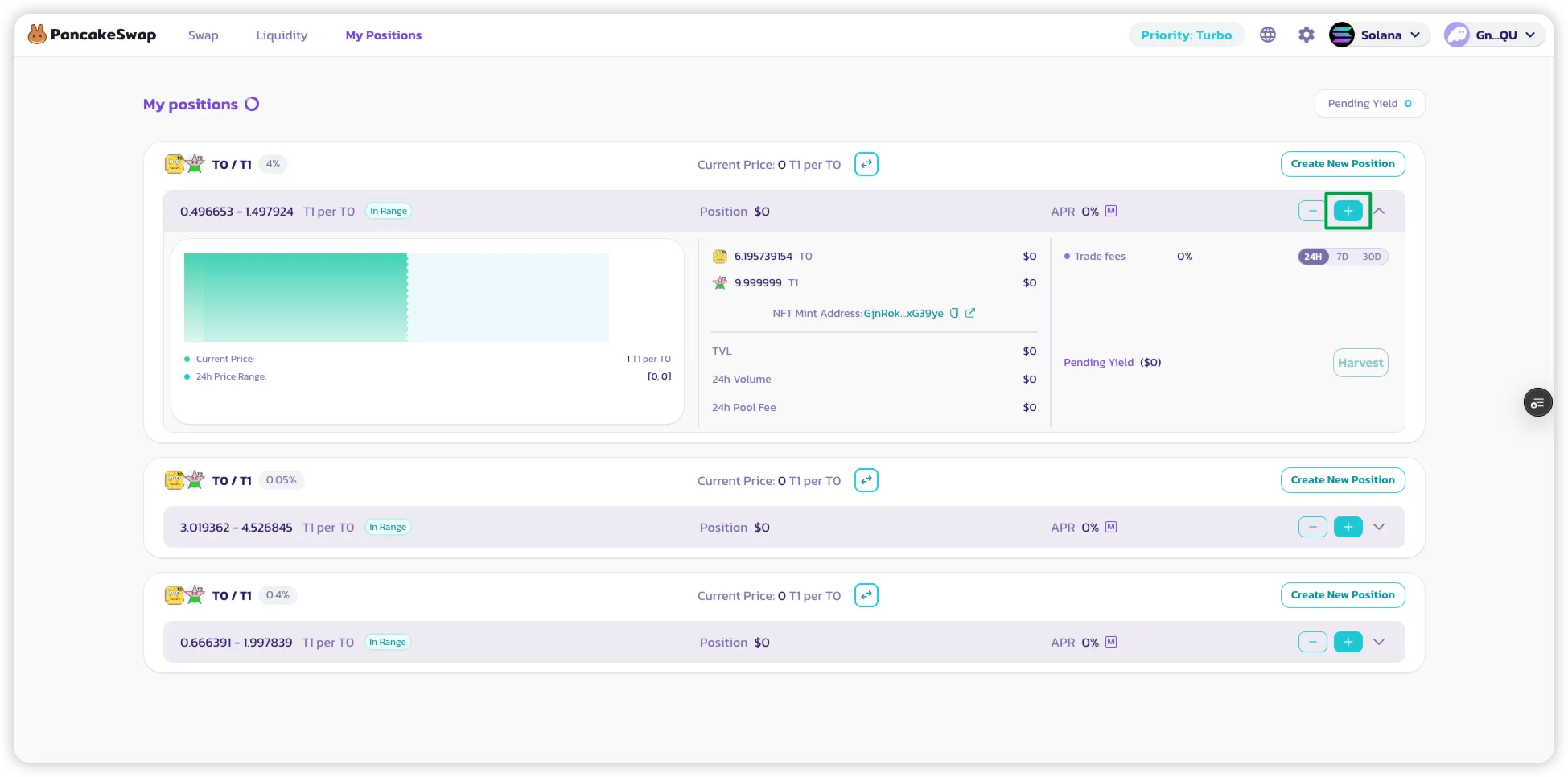
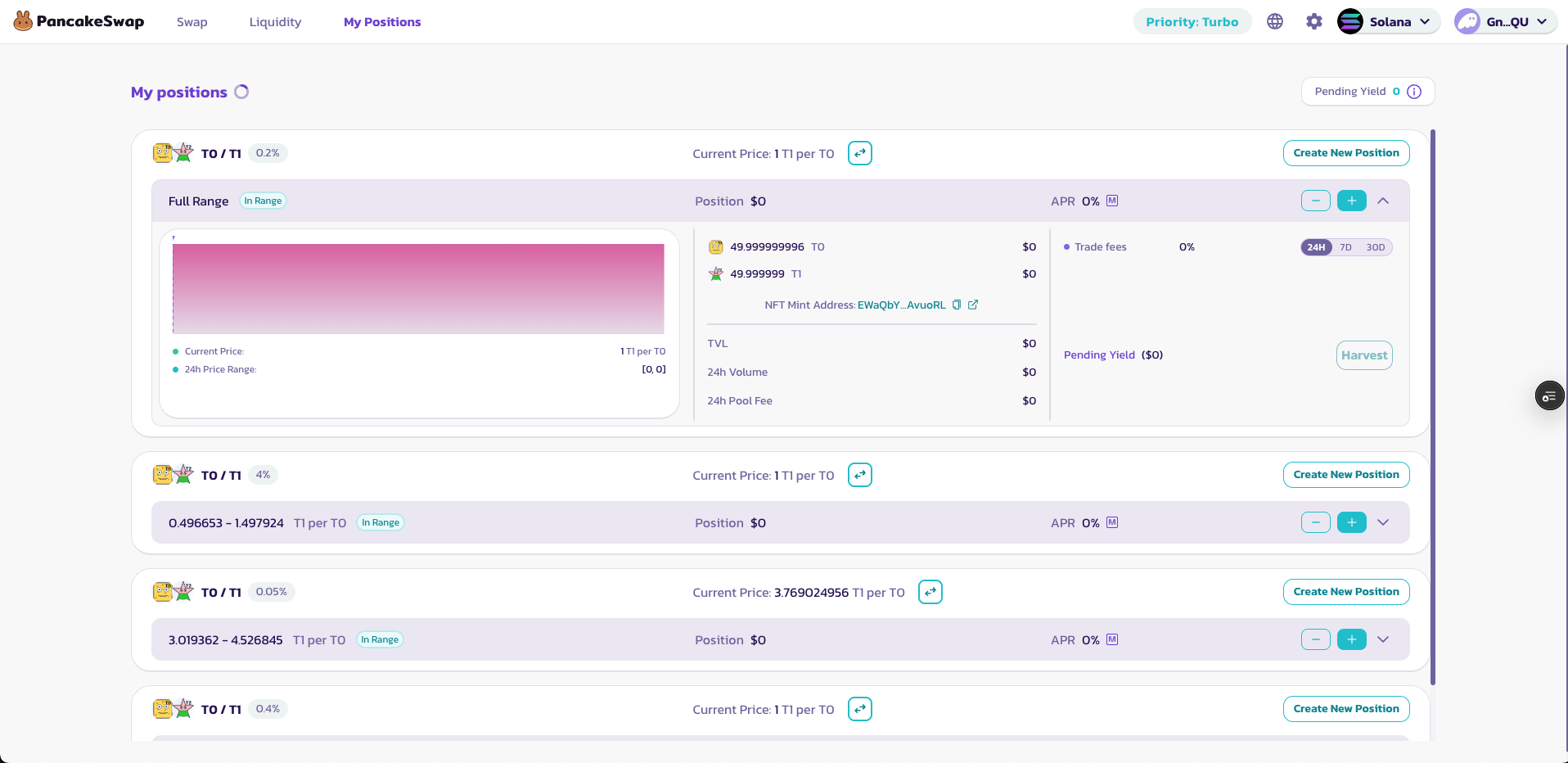
#### ステップ1:「マイポジション」にアクセスする
アクティブなすべてのV3流動性ポジションが表示されます。
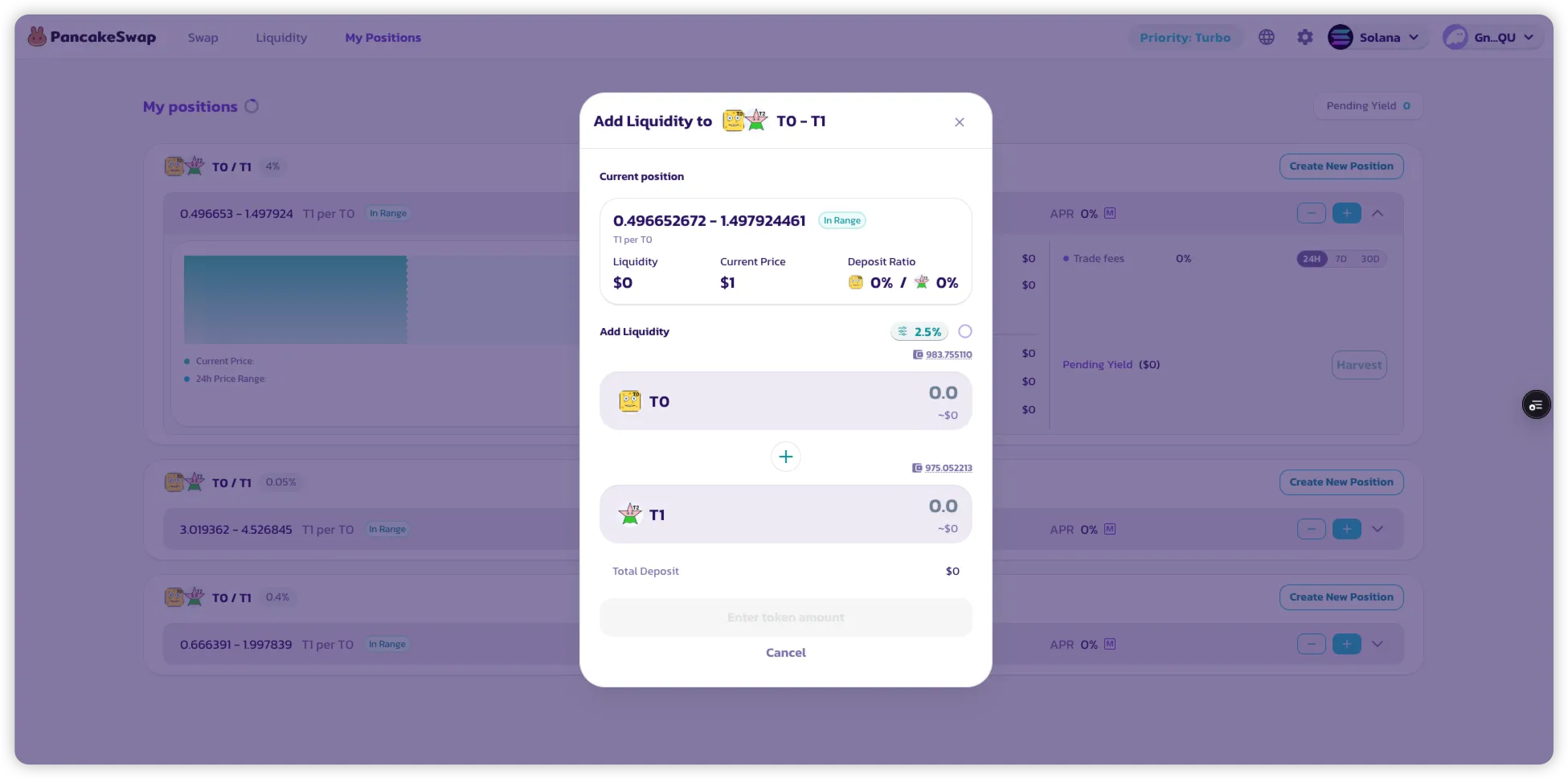
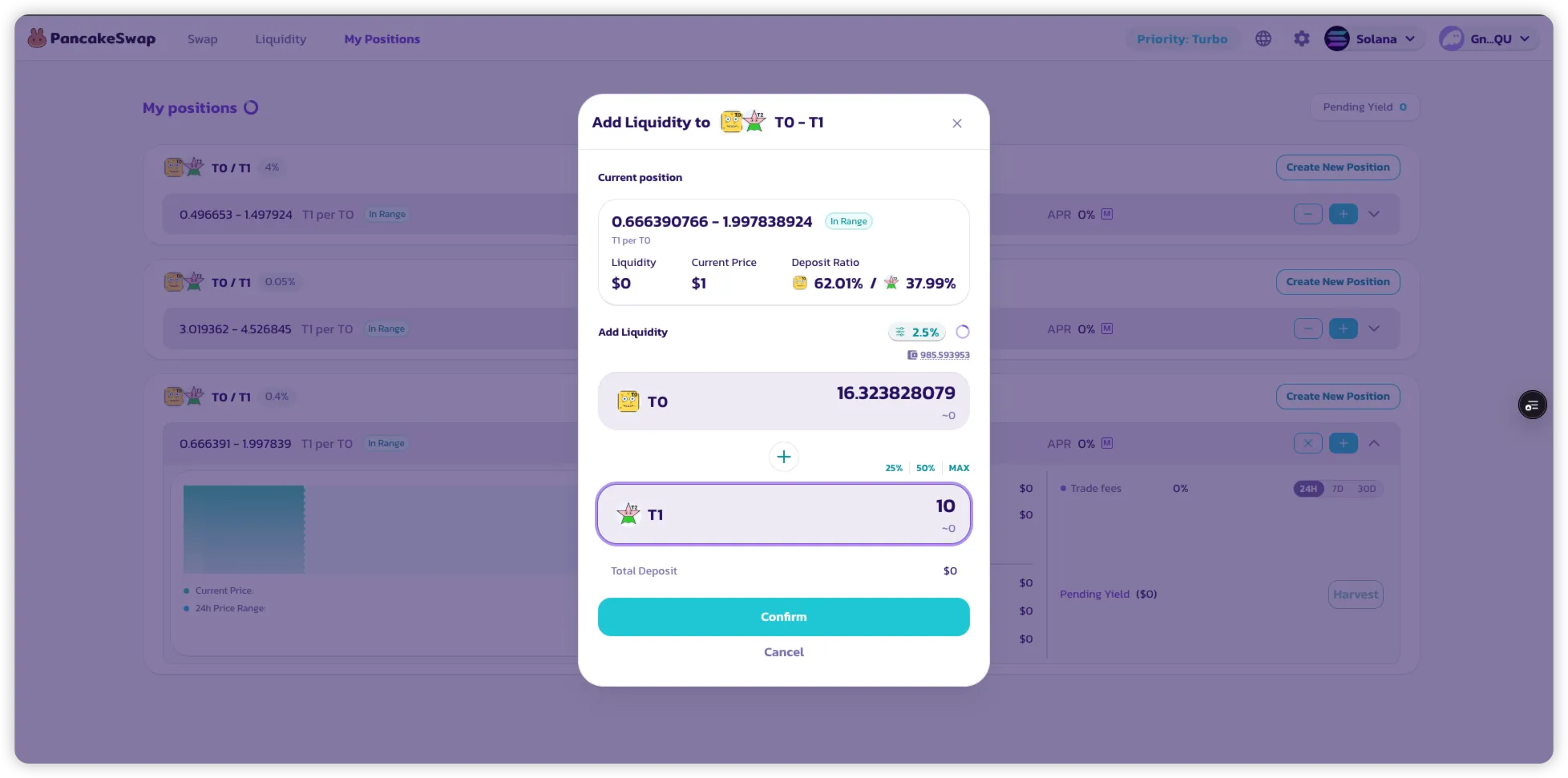
#### ステップ2:「+」ボタンをクリックする
現在の価格レンジにトークンを追加できます。
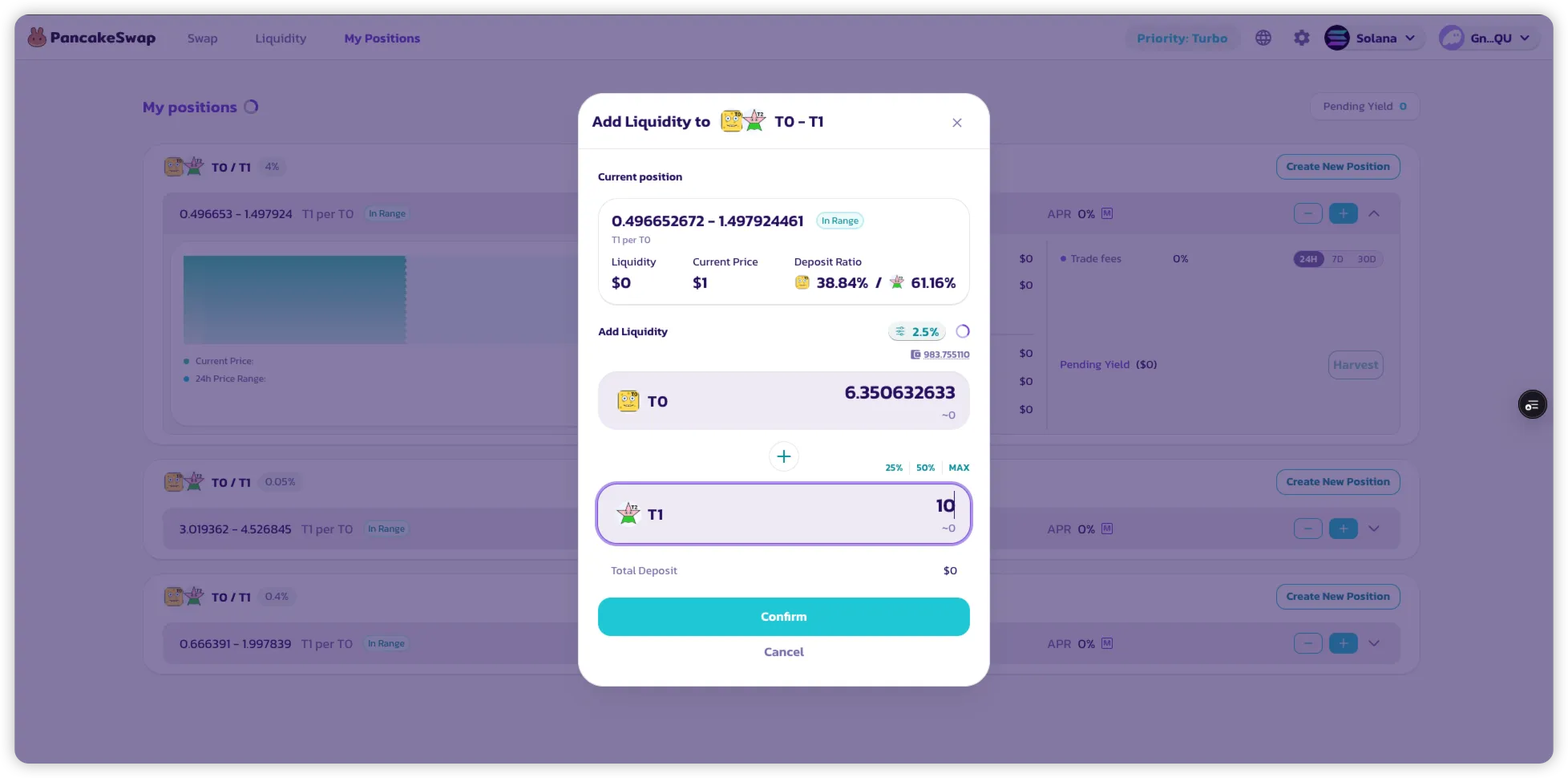
#### ステップ3:預入金額を入力する
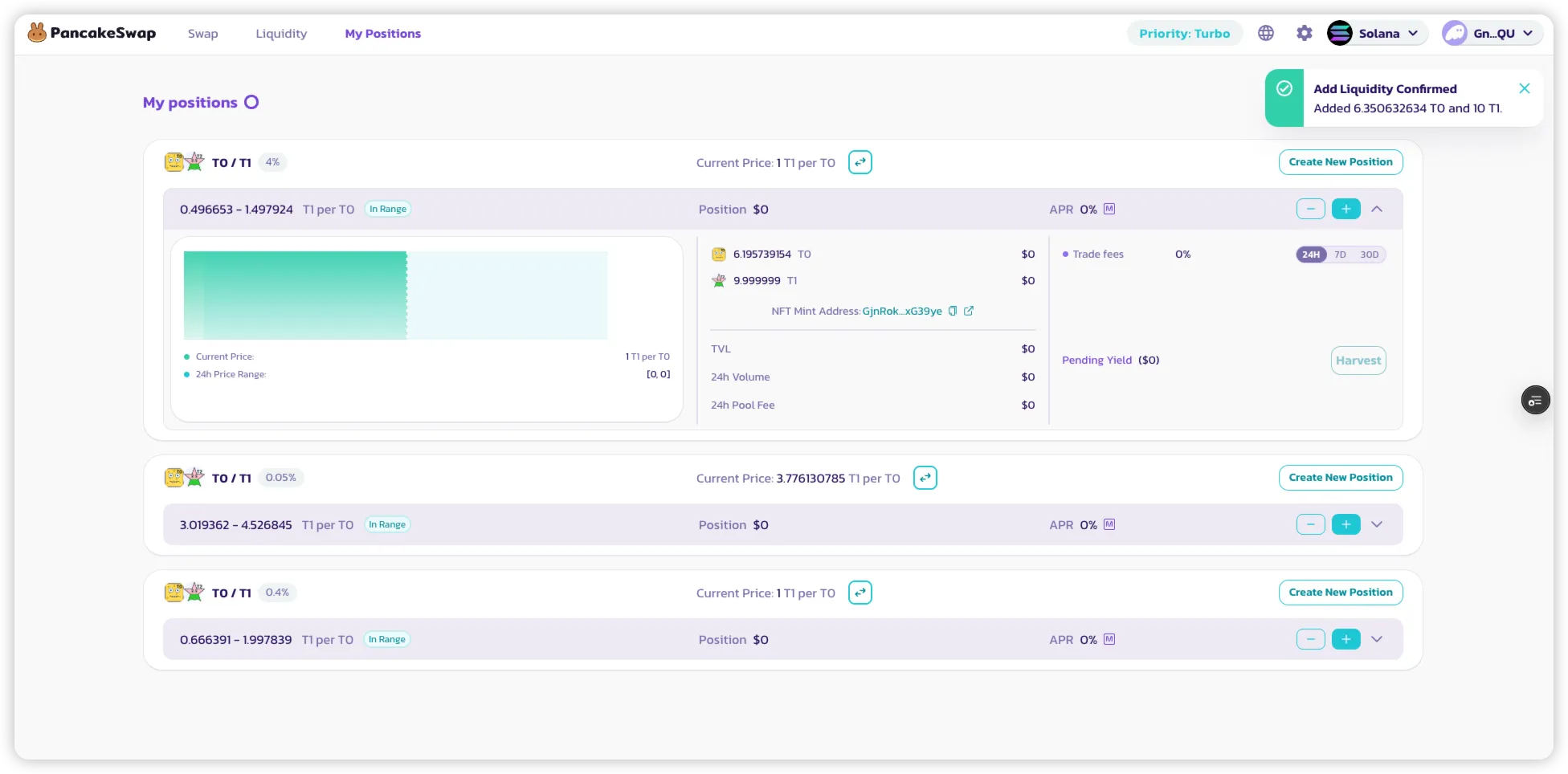
追加したいトークン数量を入力し、\*\*「Confirm」\*\*をクリックします。
確認後、成功メッセージが表示されます。
***
## 流動性の削除
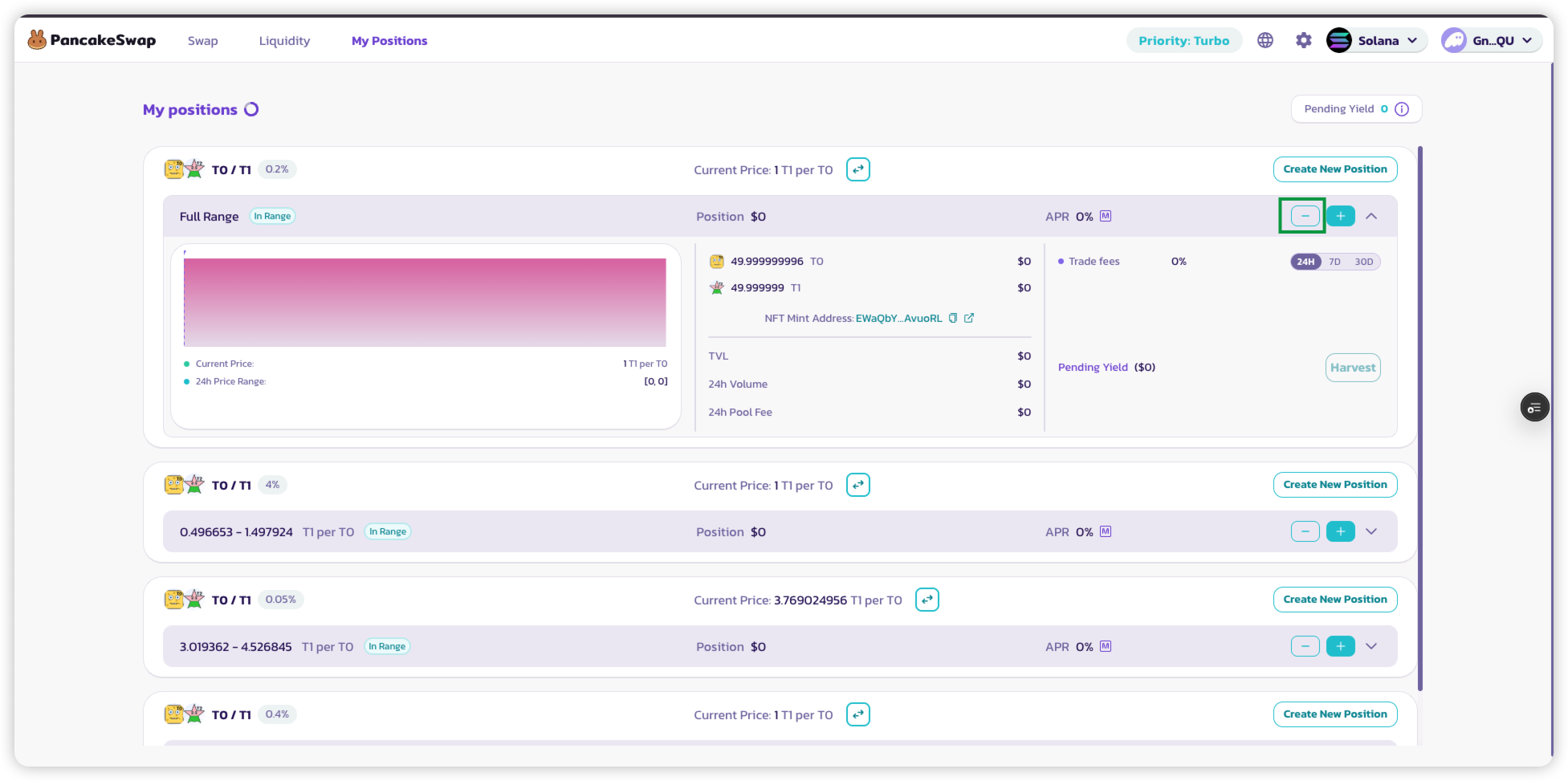
**マイポジション**タブから、アクティブなポジションの流動性を直接削除できます。
#### 1. **マイポジション**にアクセスする
#### 2. 流動性を削除したいポジションを選択する
ポジション横の\*\*「−」\*\*アイコンをクリックします。
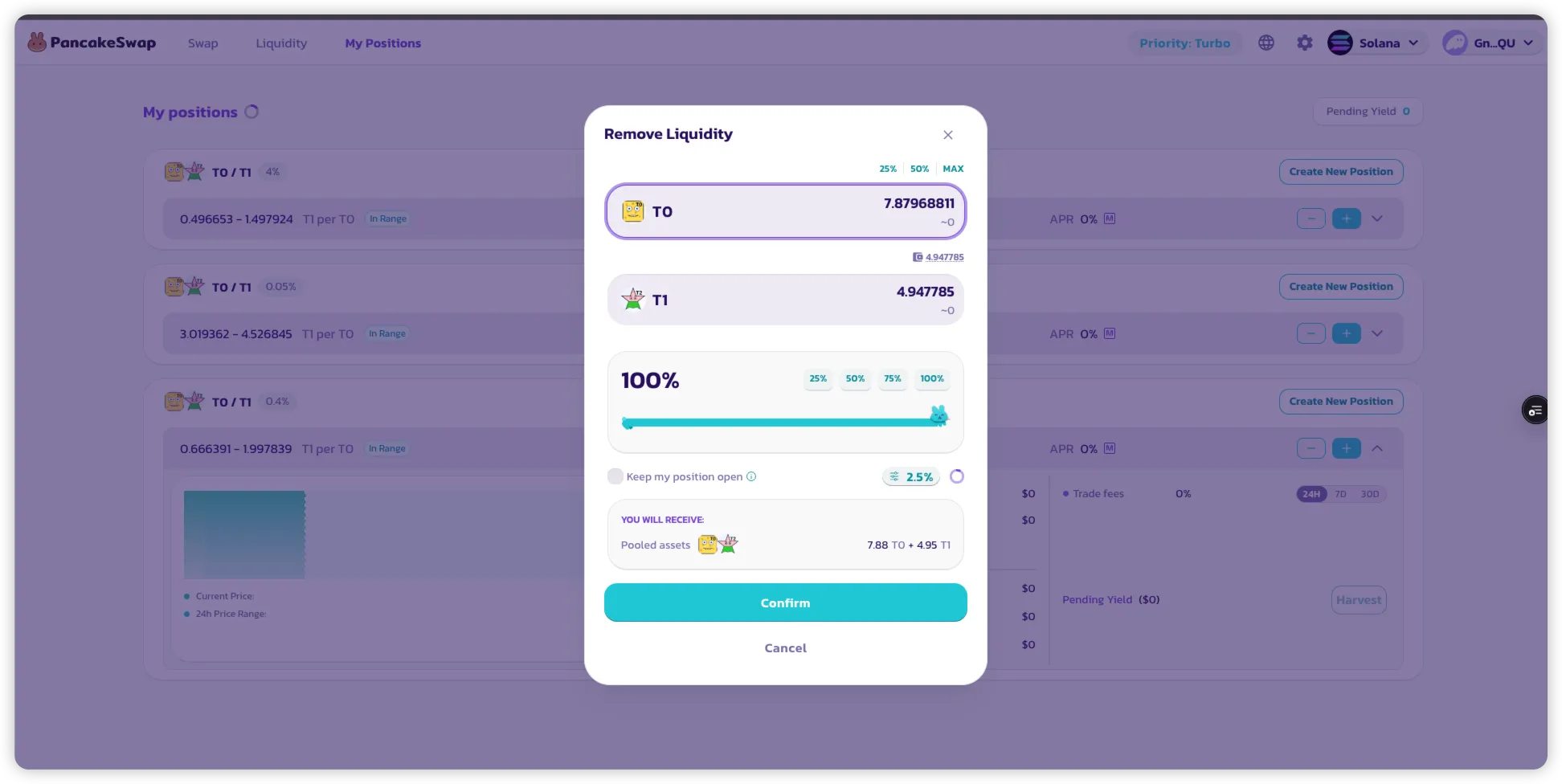
#### 3. 削除したい金額を入力する
以下のいずれかの方法が選択できます:
* トークン数量を手動で入力する
* **または\*\*\*\*スライダー**を使用して現在のポジションの割合を選択する
#### 4.(任意)流動性削除後もポジションを維持する
流動性の\*\*100%**を削除する際に**「Keep my position open」\*\*を選択した場合:
* トークンは引き出されます
* ただし、ポジションの履歴と元の価格レンジは**マイポジション**に**引き続き表示**されます
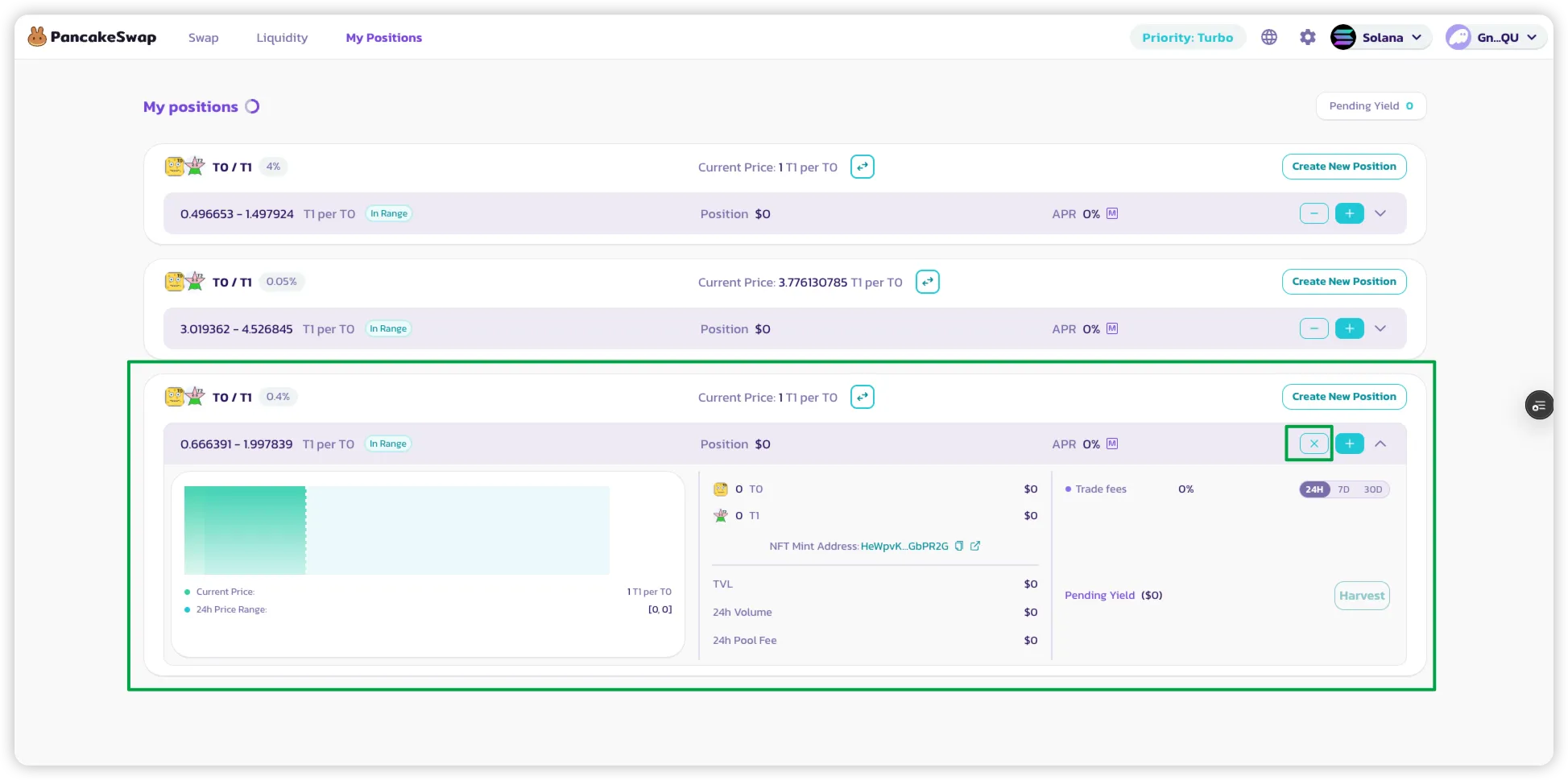
価格レンジの表示を含めてポジションを**完全にクローズ**したい場合:
* \*\*「X」\*\*アイコンをクリックします
#### 5. 同じ価格レンジを再利用する
後から同じ手順で、同じ価格レンジに**流動性をさらに追加**することもできます。
---
# Agent Instructions
This documentation is published with GitBook. GitBook is the documentation platform designed so that both humans and AI agents can read, navigate, and reason over technical content effectively. Learn more at gitbook.com.
## Querying This Documentation
If you need additional information that is not directly available in this page, you can query the documentation by asking a question.
Perform an HTTP GET request on the following URL with the `ask` and `goal` query parameters:
```
GET https://docs.pancakeswap.finance/japanese/gu/pancakeswap-pools/how-to-add-remove-liquidity-sol.md?ask=&goal=
```
`ask` is the immediate question: it should be specific, self-contained, and written in natural language.
`goal` is what the user is ultimately trying to achieve, the reason they need the answer. Sharing it helps GitBook give you a better, more relevant answer. A goal is most helpful when it describes the outcome the user wants rather than restating the question. For example, with `ask=how do I create an API token`, a goal like `automate deployments from our CI pipeline` lets GitBook tailor the answer to that use case.
The response will contain a direct answer to the question and relevant excerpts and sources from the documentation.
Use this mechanism when the answer is not explicitly present in the current page, you need clarification or additional context, or you want to retrieve related documentation sections.