> For the complete documentation index, see [llms.txt](https://docs.pancakeswap.finance/llms.txt). Markdown versions of documentation pages are available by appending `.md` to page URLs; this page is available as [Markdown](https://docs.pancakeswap.finance/japanese/archive/legacy-products/archived-trading-reward/how-to-participate/cake-stakers-campaign.md).
# CAKEステーカーキャンペーン
CAKE StakersのTrading Rewardプログラムへの参加方法
{% hint style="danger" %}
\[アーカイブ済み] Trading Reward – 2024年8月23日をもって
{% endhint %}
{% hint style="info" %}
CAKE StakersキャンペーンはveCAKE Stakersキャンペーンになりました。固定期間ステーキングプールの代わりに、ユーザーはCAKEを新しいveCAKEステーキングプールにロックしてキャンペーンに参加できます。
{% endhint %}
## 進行中のキャンペーンを確認する
「Trading Competition」と同様に、Trading Rewardプログラムは個別のキャンペーン形式で実施されます。進行中のキャンペーンがある場合、対象ユーザーは特定のPancakeSwap V3取引ペアで取引することで報酬を獲得できます。
進行中のキャンペーンを確認するには:
* [Trading Rewardページ](https://pancakeswap.finance/trading-reward)を直接確認する
* [PancakeSwapホームページ](https://pancakeswap.finance/)のイベントバナーを確認する
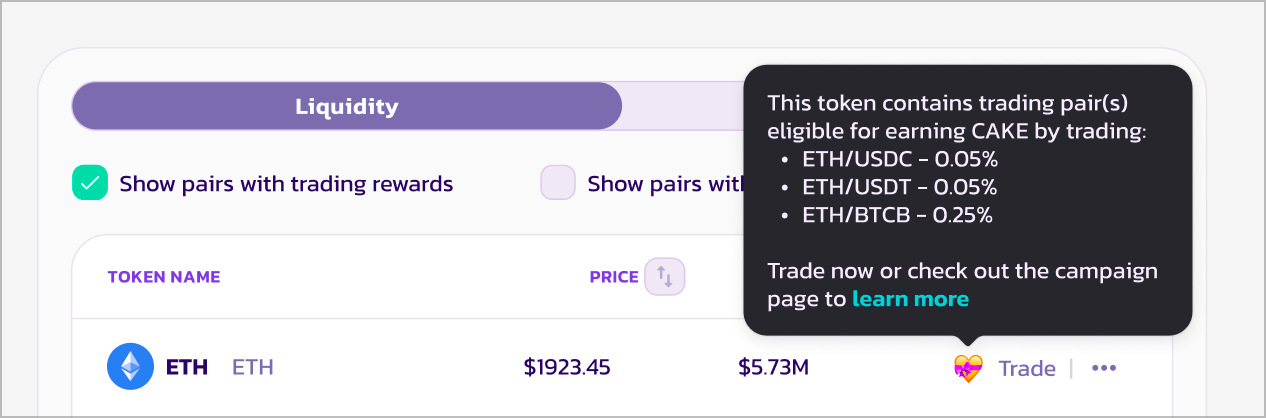
* [スワップページ](https://pancakeswap.finance/swap)の「Hot Token」リストから💝アイコンを探す。またはフィルターを使用してTrading Rewardのあるペアを確認する。
* [ソーシャルメディアチャンネル](broken://pages/QqND39S2UhktBbu09Doj)を確認する。
## アドレスが対象かどうかを確認する
Trading Rewardキャンペーンに参加するには、アドレスが以下の要件を満たす必要があります:
* アクティブなPancakeプロフィールを持っていること
* アクティブなCAKEステーキングポジションを持っていること
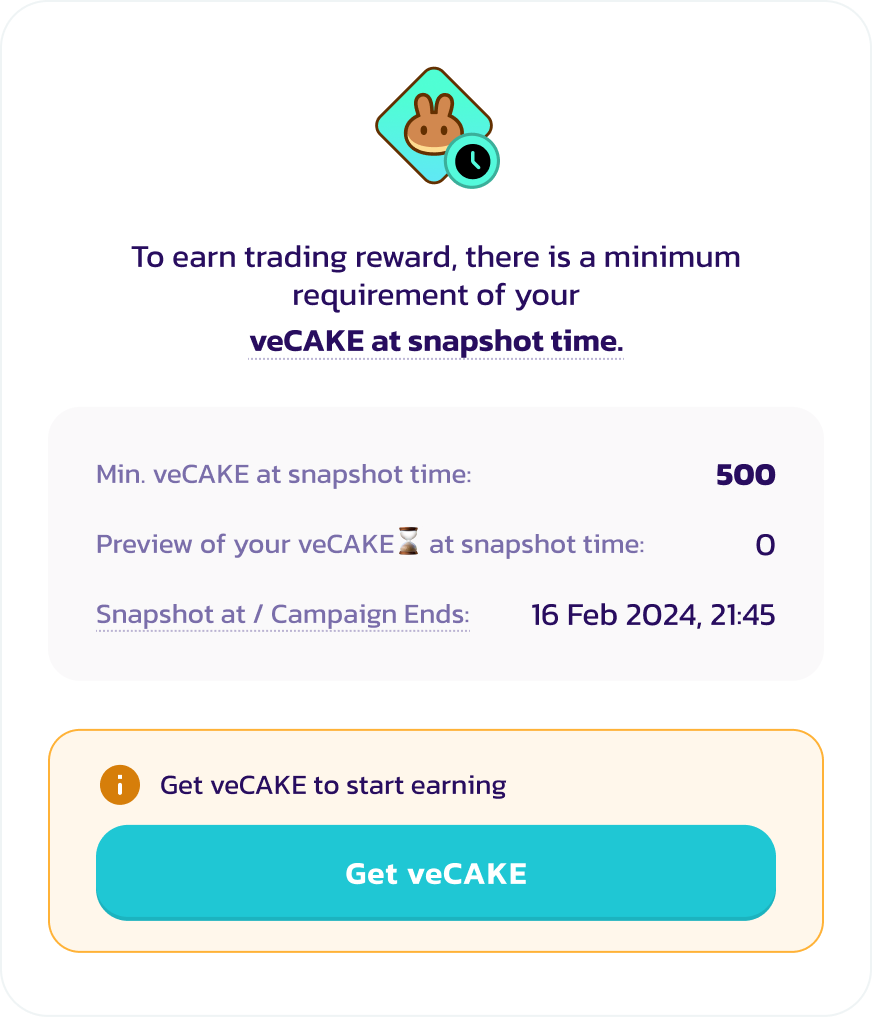
* スナップショット時のveCAKE残高が必要なしきい値を超えていること(「スナップショット時のveCAKE残高」についての詳細は[こちら](/japanese/archive/legacy-products/archived-trading-reward/faq.md#cake-stakers-campaign)をご確認ください)
アドレスが対象かどうかを確認する最も簡単な方法は、[Trading Rewardページ](https://pancakeswap.finance/trading-reward)にアクセスしてウォレットを接続することです。ページ上でアドレスをCAKE報酬獲得対象にするためのプロセスが案内されます。
例えば、アクティブなveCAKEステーキングポジションがない場合や、スナップショット時のveCAKE残高が0の場合は、上記の画面が表示されます。CAKEのロックを開始するには、ガイドに従ってください。
veCAKEは時間とともに減少するため、スナップショット時のveCAKE量がしきい値を満たすようにするには、スナップショット量のプレビューを確認しながらガイダンスに従ってください。
キャンペーンが進行中であれば、いつでもCAKEのロックを開始してキャンペーンに参加できます。Trading Rewardはキャンペーン開始時点から計算されます。
## 取引を開始する
これで対象チェーン上の特定のPancakeSwap V3ペアで取引してCAKEを獲得できます。
キャンペーンによって対象ペアが異なる場合があります。対象ペアを確認するには:
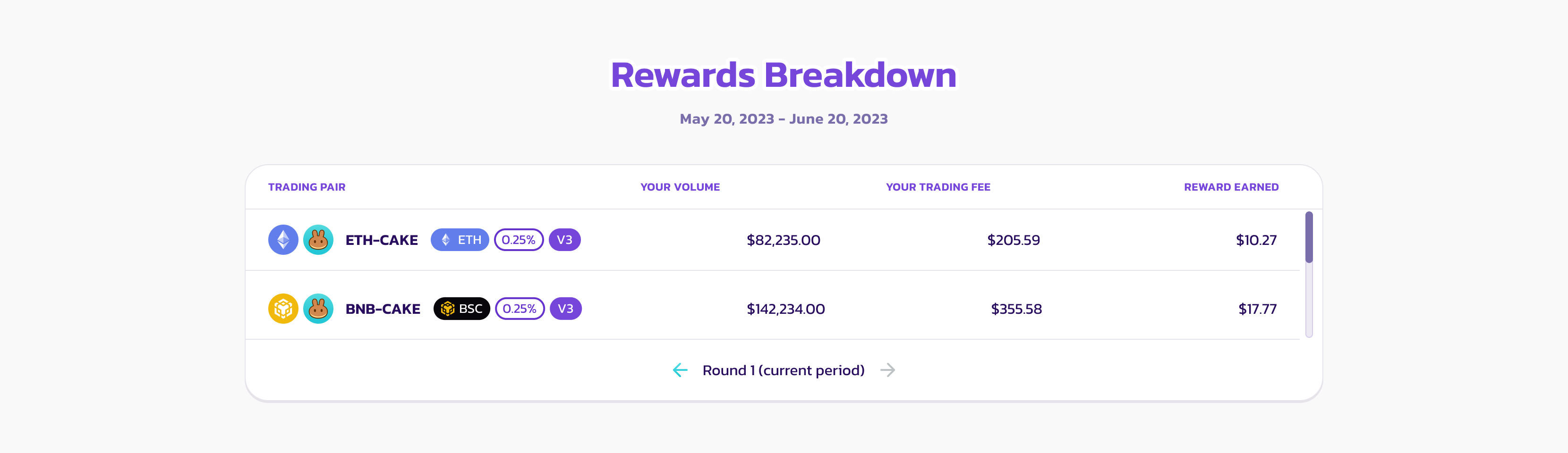
* [Trading Rewardページ](https://pancakeswap.finance/trading-reward#rewards-breakdown)の「Reward Breakdown」セクションを確認する
* [スワップページ](https://pancakeswap.finance/swap)の「Hot Token」リストから💝アイコンを探す。またはフィルターを使用してTrading Rewardのあるペアを確認する。
## 報酬数を確認する

[Trading Rewardページ](https://pancakeswap.finance/trading-reward)で以下の数値を確認できます:
* 獲得したCAKE報酬数
* キャンペーンから獲得できる最大CAKE量(スナップショット時のveCAKE量によって決まります。上限を超えている場合のみ表示されます)
* 対象ペア全体での取引量
さらに、「Rewards Breakdown」セクションで取引した各ペアの詳細を確認できます。
## 報酬を請求する

キャンペーン終了後、データ集計と報酬注入が完了するまで最大72時間かかる場合があります。

報酬の請求が可能になると「Claim All」ボタンが点灯します。クリックして報酬を請求してください。
**有効期限が切れる前に報酬を請求してください。**
---
# Agent Instructions
This documentation is published with GitBook. GitBook is the documentation platform designed so that both humans and AI agents can read, navigate, and reason over technical content effectively. Learn more at gitbook.com.
## Querying This Documentation
If you need additional information that is not directly available in this page, you can query the documentation by asking a question.
Perform an HTTP GET request on the following URL with the `ask` and `goal` query parameters:
```
GET https://docs.pancakeswap.finance/japanese/archive/legacy-products/archived-trading-reward/how-to-participate/cake-stakers-campaign.md?ask=&goal=
```
`ask` is the immediate question: it should be specific, self-contained, and written in natural language.
`goal` is what the user is ultimately trying to achieve, the reason they need the answer. Sharing it helps GitBook give you a better, more relevant answer. A goal is most helpful when it describes the outcome the user wants rather than restating the question. For example, with `ask=how do I create an API token`, a goal like `automate deployments from our CI pipeline` lets GitBook tailor the answer to that use case.
The response will contain a direct answer to the question and relevant excerpts and sources from the documentation.
Use this mechanism when the answer is not explicitly present in the current page, you need clarification or additional context, or you want to retrieve related documentation sections.