> For the complete documentation index, see [llms.txt](https://docs.pancakeswap.finance/llms.txt). Markdown versions of documentation pages are available by appending `.md` to page URLs; this page is available as [Markdown](https://docs.pancakeswap.finance/japanese/archive/legacy-products/archived-simple-staking/how-to-start-simple-staking.md).
# シンプルステーキングの始め方
{% hint style="danger" %}
\[アーカイブ済み] Simple Staking – 2025年3月10日をもって
{% endhint %}
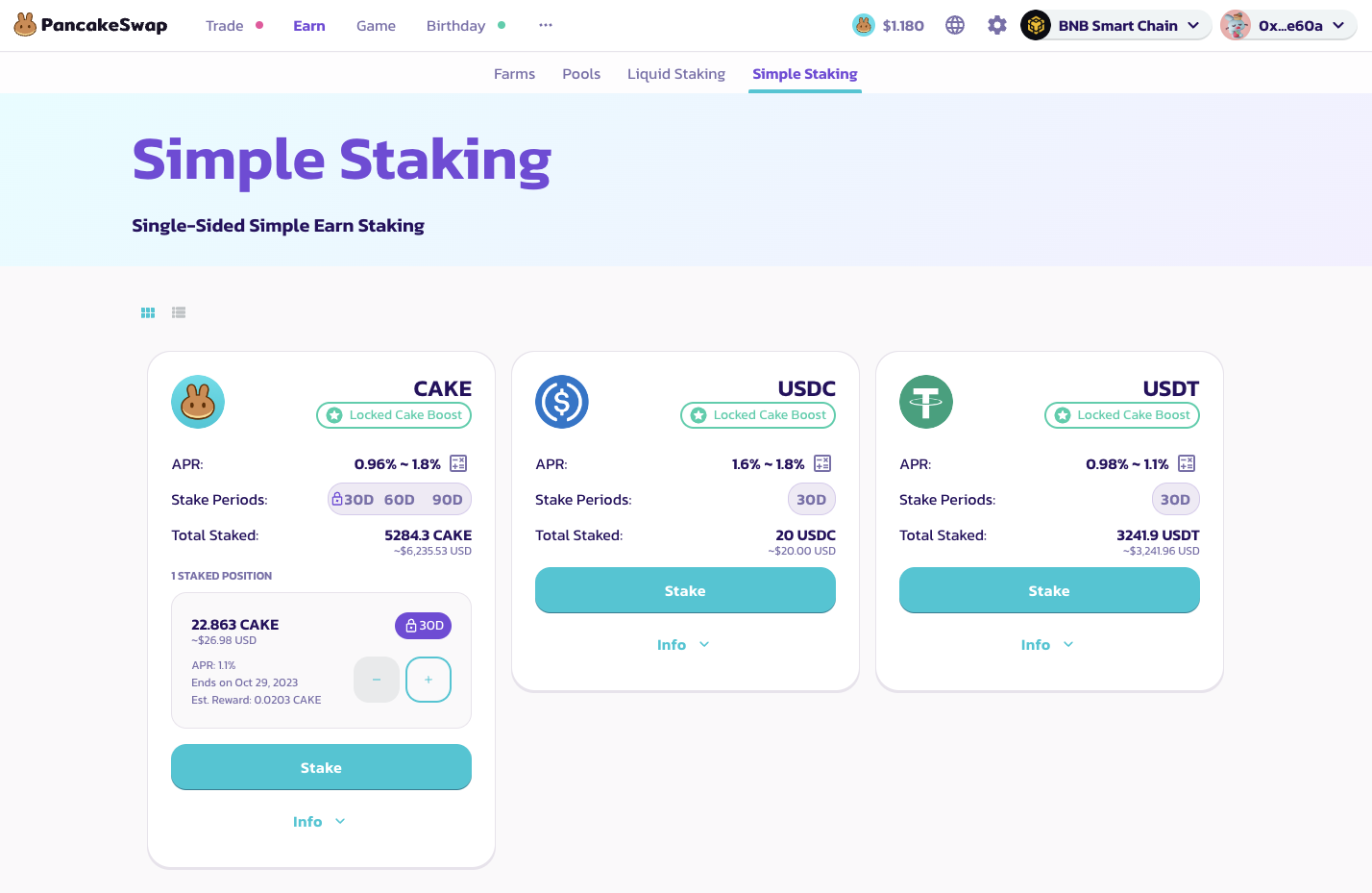
Simple Stakingは**ステーキング、獲得、請求**の3ステップに分けられます。
Simple Stakingを始めるためのステップバイステップガイドは以下の通りです:
1. **Simple Stakingのプールを選択する** - PancakeSwap Simple Stakingでは、各トークンに対して30日、60日、90日の3種類のプールが用意されています。USDCやUSDTなどのステーブルコインは30日プールのみ対応しています。より長い期間のプールにトークンをロックしたユーザーは、より多くの日次報酬とより高いAPRを受け取ることができます。
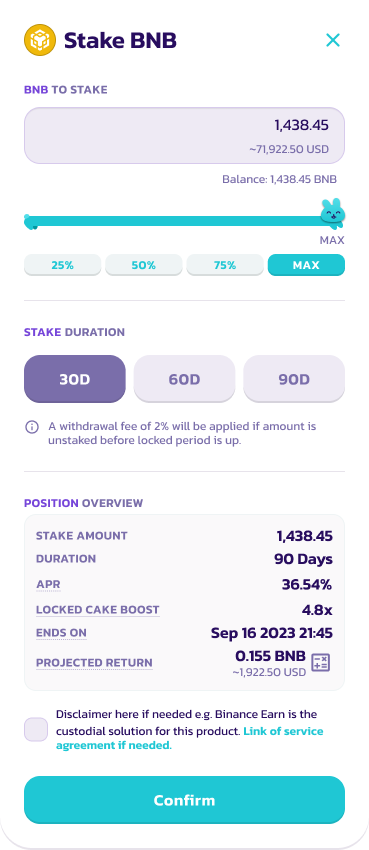
2. **トークンをデポジットする** - ステーキングプールにデポジットするトークンの量を選択します。トークンによってステーキングの最低額が設定されていることにご注意ください。[CAKE シロッププール](https://pancakeswap.finance/pools)で**100 CAKE**をステーキングしているユーザーは、ロックCAKEブーストを利用できます。CAKE シロッププールについての詳細は、[固定期間ステーキングガイド](/japanese/archive/legacy-products/new-cake-pool/fixed-term-staking.md)をご覧ください。
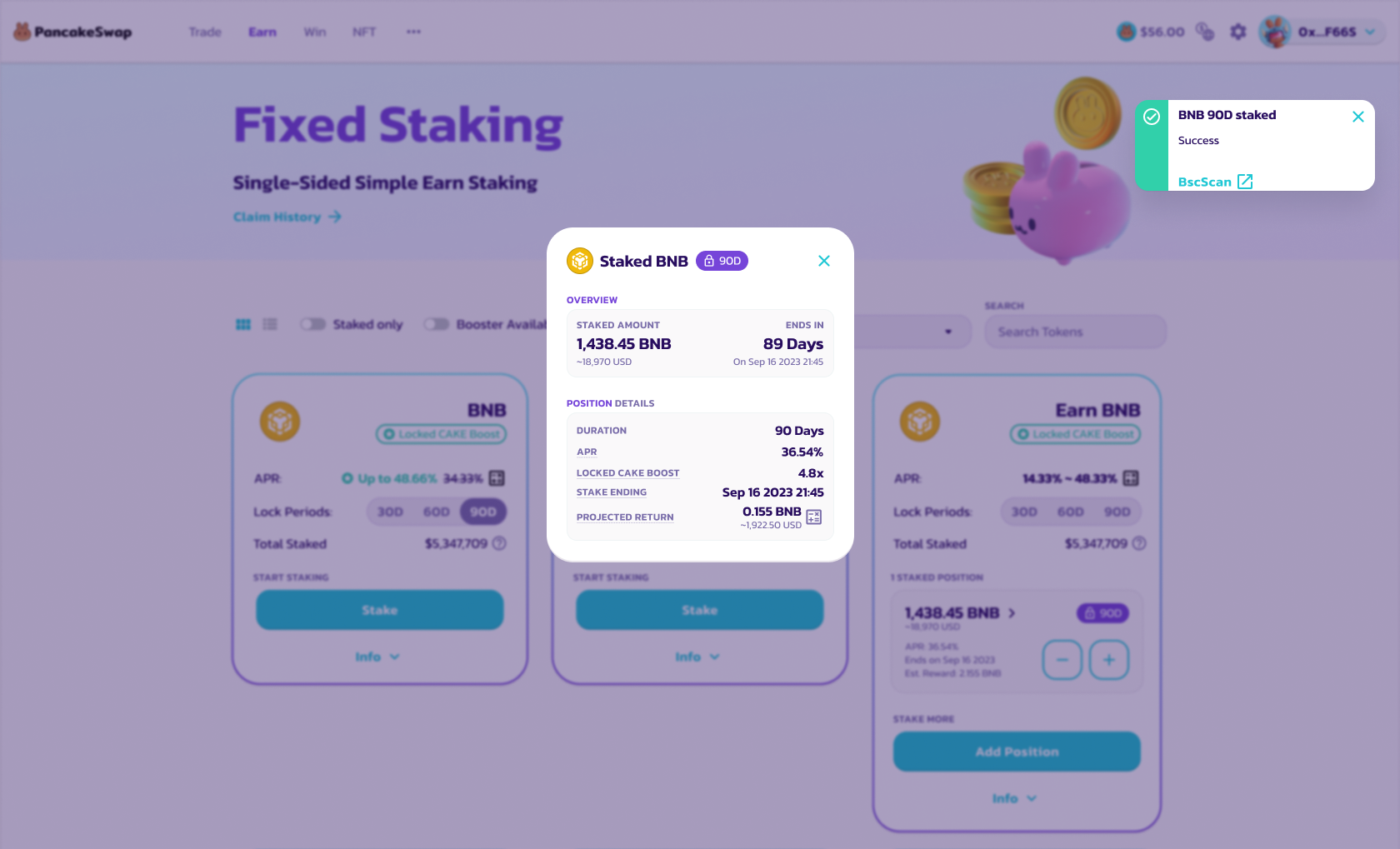
3. **詳細を確認してトークンをステーキングする** - 詳細を確認してトークンをステーキングします。通知が届きます。
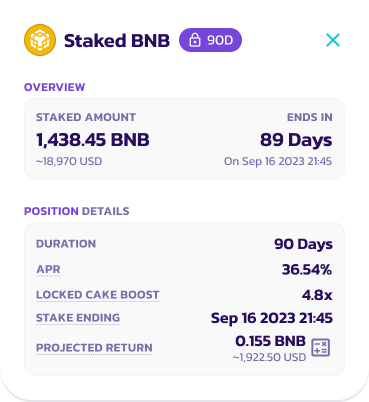
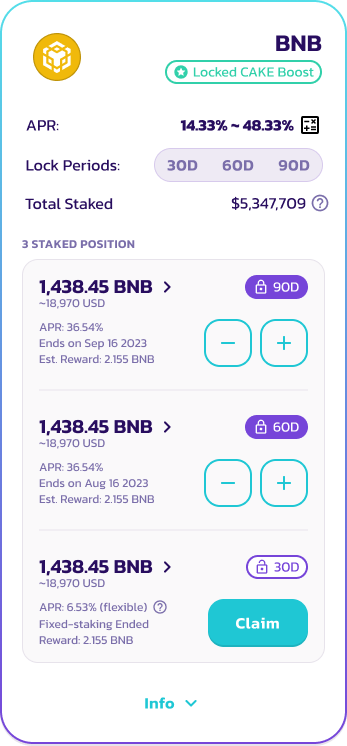
4. **利息の獲得** - 利息報酬は毎日積み立てられます。詳細はinfoボタンをクリックしてポジションをご確認ください。
5. **請求/再ステーキング/アンステーキング** - ステーキング期間終了時に、ユーザーは報酬を請求してトークンをアンステーキングするか選択できます。
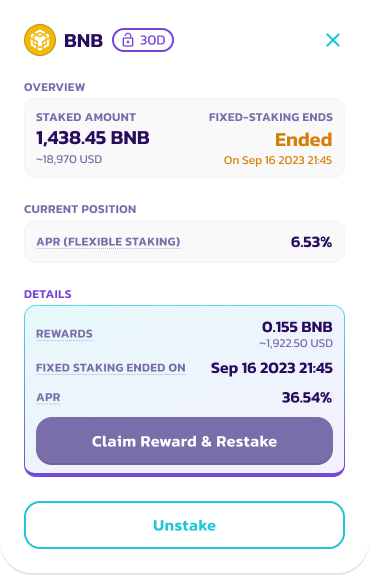
5.1 ポジションの「請求」ボタンをクリックします。このボタンはロック期間終了後に表示されます。
5.2 「報酬を請求して再ステーキング」を選択すると、同じトークン量で新しいSimple Stakingポジションが作成されます。それ以外の場合は「アンステーキング」を選択して、すべての報酬とトークンをウォレットに引き出すことができます。
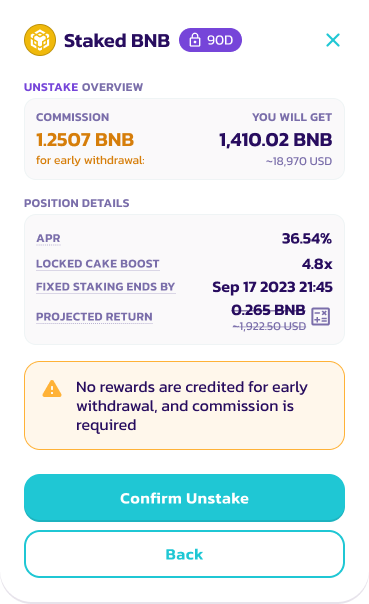
5.3 詳細を確認してアンステーキングを承認します。
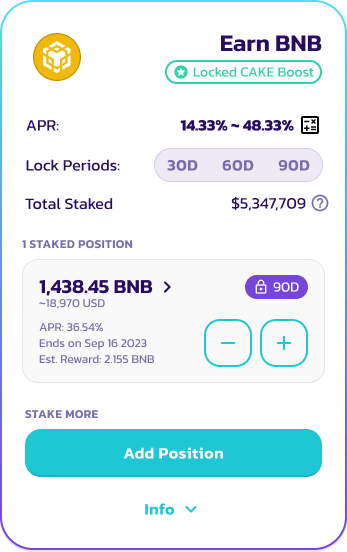
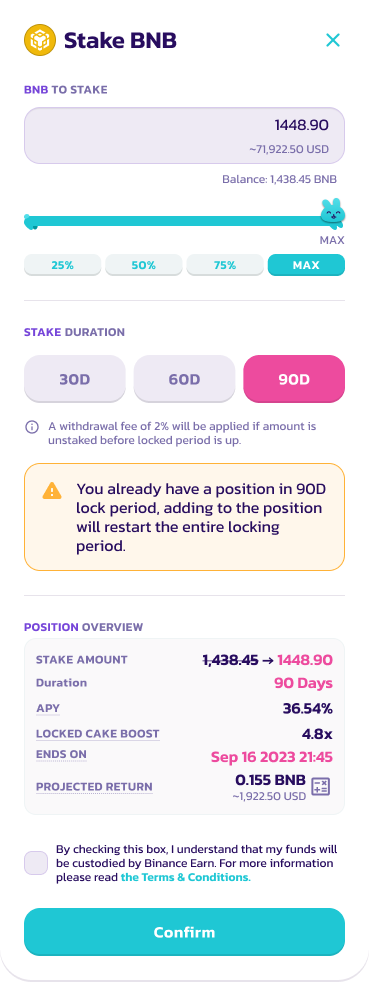
6. **ポジションを追加する** - ユーザーはポジションがロックされている間もポジションを追加できます。ただし、特定のロック期間のステーキング期間がリセットされます。
6.1 現在のステーキングポジションを選択して「+」アイコンをクリックします。
6.2 追加するトークン数を選択して新しいステーキングポジションを確認します。
7. 確認ボタンをクリックしてポジションの追加を完了します。
---
# Agent Instructions
This documentation is published with GitBook. GitBook is the documentation platform designed so that both humans and AI agents can read, navigate, and reason over technical content effectively. Learn more at gitbook.com.
## Querying This Documentation
If you need additional information that is not directly available in this page, you can query the documentation dynamically by asking a question.
Perform an HTTP GET request on the current page URL with the `ask` query parameter, and the optional `goal` query parameter:
```
GET https://docs.pancakeswap.finance/japanese/archive/legacy-products/archived-simple-staking/how-to-start-simple-staking.md?ask=&goal=
```
`ask` is the immediate question: it should be specific, self-contained, and written in natural language.
`goal` is optional and describes the broader end goal you are ultimately trying to accomplish on behalf of the user. GitBook uses it to tailor the answer towards what is most useful for that goal.
The response will contain a direct answer to the question and relevant excerpts and sources from the documentation.
Use this mechanism when the answer is not explicitly present in the current page, you need clarification or additional context, or you want to retrieve related documentation sections.