> For the complete documentation index, see [llms.txt](https://docs.pancakeswap.finance/llms.txt). Markdown versions of documentation pages are available by appending `.md` to page URLs; this page is available as [Markdown](https://docs.pancakeswap.finance/italian/strumenti-di-trading/pancake-gifts/pancake-gifts-how-to-guide.md).
# Pancake Gifts: Guida Pratica
Pancake Gifts ti permette di inviare token — incluso gas opzionale — ad amici, utenti o membri della community usando semplicemente un **link o un codice QR**. Il processo è rapido, fluido e adatto ai principianti.
Questa guida ti accompagna attraverso:
* ✅ Come **creare** un Pancake Gift
* ✅ Come **inviarlo o condividerlo**
* ✅ Come **riscattare** un regalo
* ✅ Come **annullare** un regalo (se non riscattato)
***
### 🧑🍳 Passo 1: Crea un regalo
#### 1. Vai alla scheda di creazione del regalo
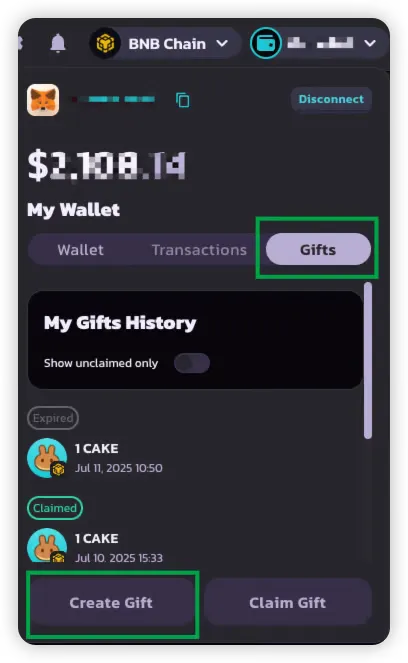
Vai alla scheda **Gift** nell'interfaccia del Portafoglio PancakeSwap.
#### 2. Seleziona i token e gli importi
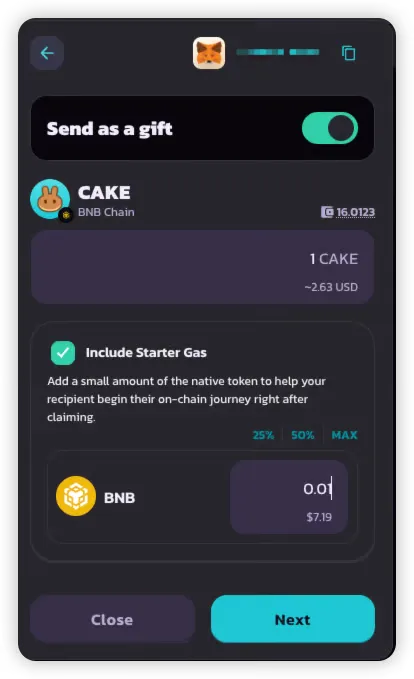
Scegli fino a **due token** da includere nel tuo regalo:
* **Un token BEP-20** (obbligatorio) — es. CAKE
* **Un token gas nativo** (opzionale) — es. BNB
Questa configurazione ti permette di:
* Inviare token utilizzabili al destinatario
* Coprire il suo gas così può fare transazioni immediatamente
#### 3. Scegli il tipo di regalo
Seleziona uno dei seguenti:
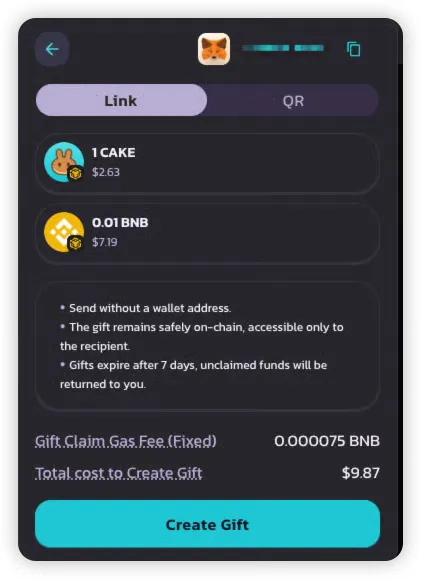
* 🔗 **Link** — facile da copiare e condividere via chat o social
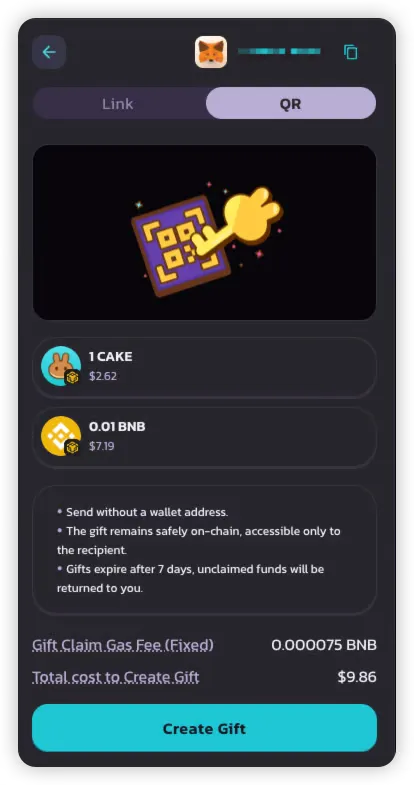
* 📱 **Codice QR** — perfetto per eventi in presenza o utenti mobile
> 💡 Ogni regalo può essere riscattato solo una volta e supporta solo un formato di consegna (link o QR).
#### 4. Rivedi il riepilogo e paga
Prima di confermare, rivedi:
* **Importo del regalo** — token totali inclusi nel regalo
* **Commissione gas per il riscatto** — token nativi inclusi dal mittente perché il destinatario possa riscattare senza gas (\~$0,05 in BNB)
Una volta confermato:
* Il regalo viene creato e memorizzato on-chain
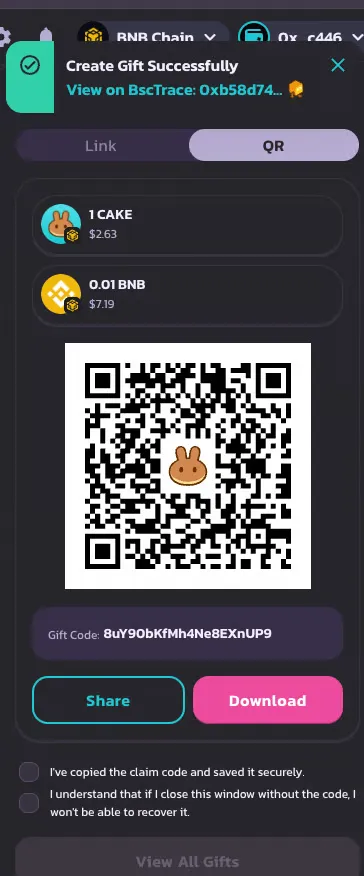
* Riceverai un **link o un codice QR** — assicurati di **salvarlo prima di chiudere il popup**
{% hint style="danger" %}
Se chiudi il popup senza salvare, il codice regalo non potrà essere recuperato in seguito.
{% endhint %}
***
### 📤 Passo 2: Invia o condividi il regalo
Dopo la creazione riceverai:
* Un **Link condivisibile**, e/o
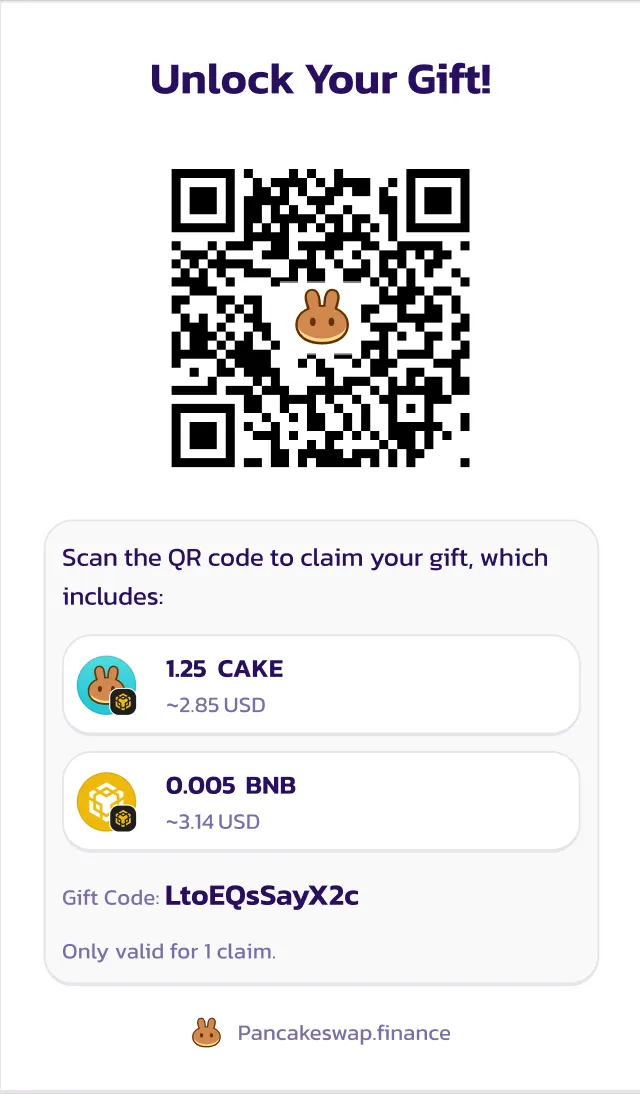
* Un **codice QR scansionabile**
Puoi condividerlo tramite:
* App di chat (Telegram, WhatsApp)
* Email
* Social media
* Messaggio diretto a eventi
Link condivisibile
> Ti ho appena inviato ${Gift\_Amount}! 🎉
>
> Clicca questo link per riscattarlo: 👉 [https://pancakeswap.finance/invite/{Gift\_Code}](https://pancakeswap.finance/invite/%7BGift_Code%7D)
>
> Connetti il tuo portafoglio per completare il riscatto.
>
> Oppure, inserisci il codice `{Gift_Code}` manualmente nel Portafoglio PancakeSwap.
Codice QR
***
### 🎉 Passo 3: Riscatta un regalo
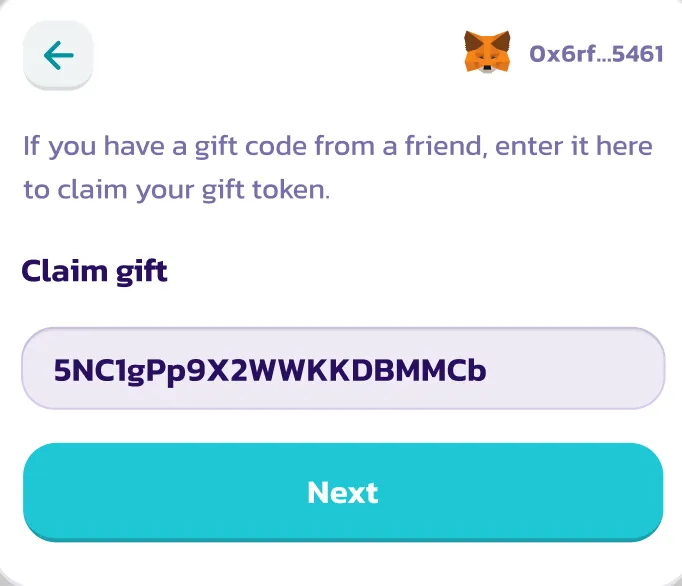
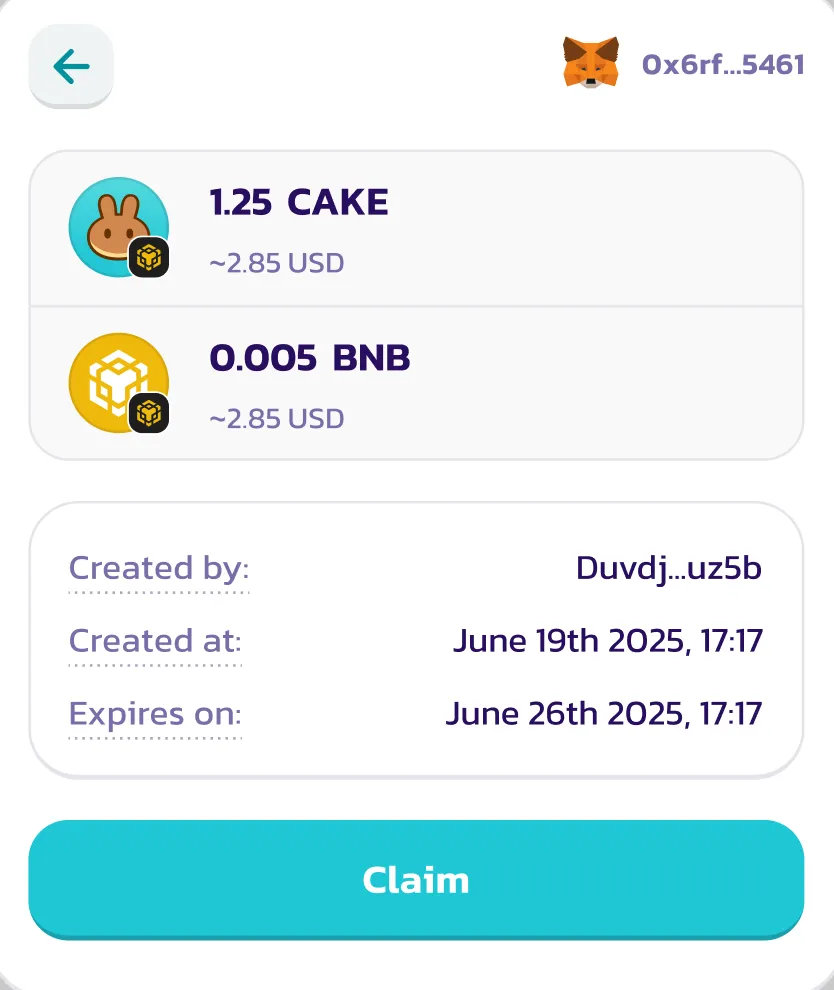
#### 1. Dopo aver connesso il portafoglio, tocca il Link o scansiona il codice QR
Quando il destinatario:
* **Apre il link** o
* **Scansiona il codice QR**
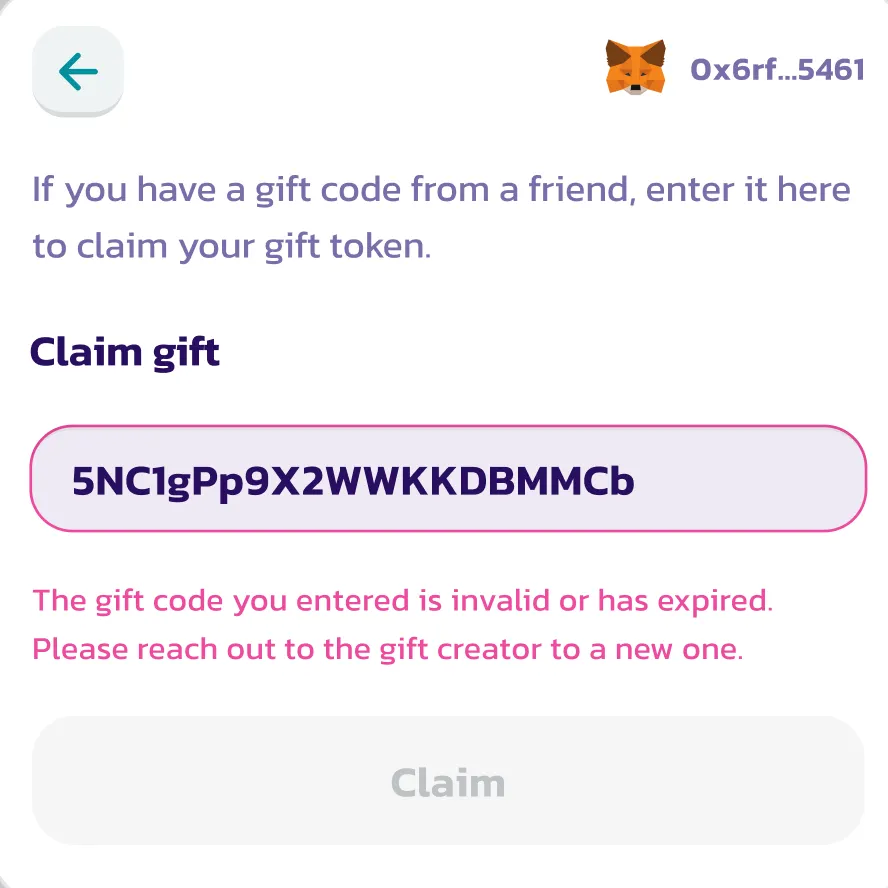
L'app compilerà automaticamente il codice regalo. Se idoneo e non ancora riscattato, si caricherà l'interfaccia di riscatto del regalo.
In caso contrario, verrà mostrato un messaggio di errore (es. scaduto o già riscattato).
***
#### 2. Approva e ricevi i token
Il destinatario può riscattare **senza pagare gas** (è già coperto).
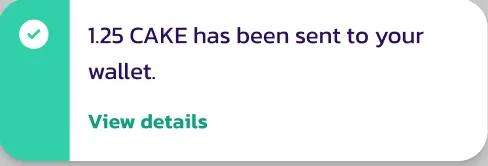
Una volta approvato:
* I token BEP-20 (e il token gas, se incluso) vengono depositati nel suo portafoglio
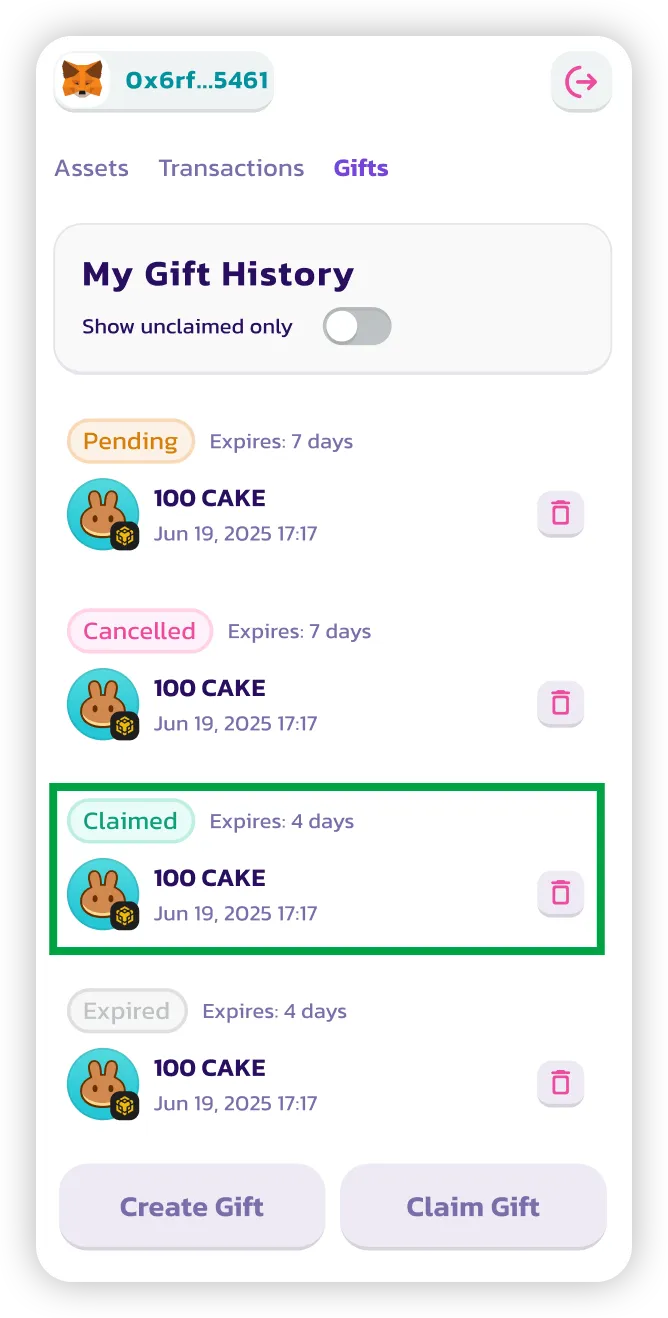
* Il regalo viene contrassegnato come **riscattato**
***
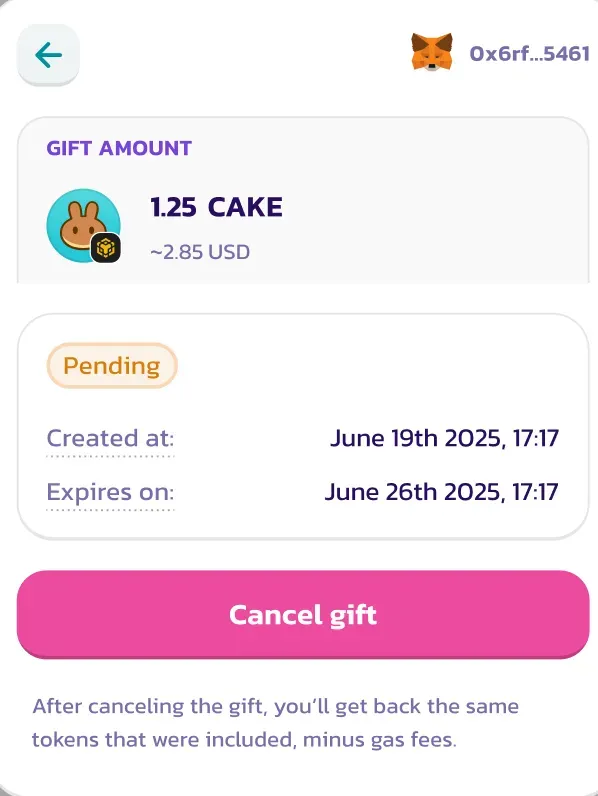
### ❌ Passo 4: Annulla un regalo (se non riscattato)
Puoi annullare un regalo solo se:
* È ancora **non riscattato**
* È ancora **entro la finestra di scadenza** (predefinita: 7 giorni)
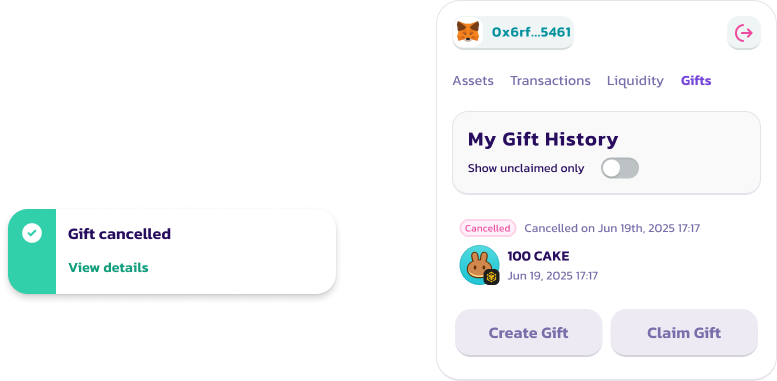
Per annullare:
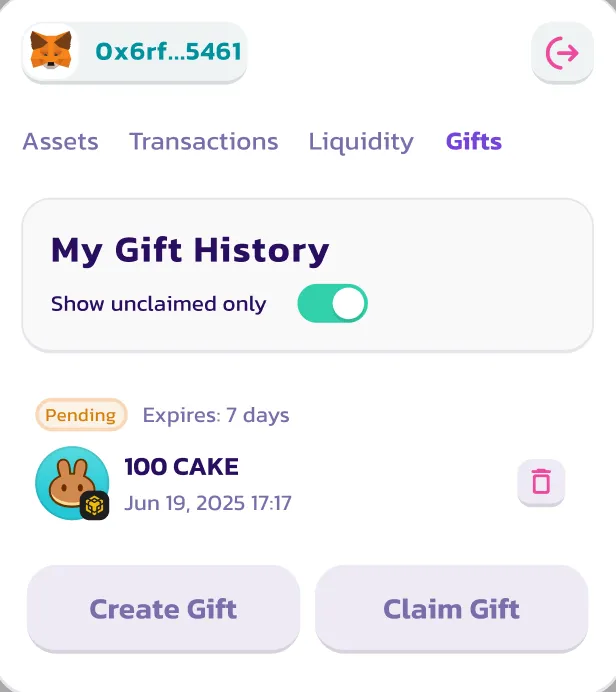
1. Vai alla scheda **Cronologia regali**
2. Trova il regalo
3. Clicca **Annulla**
I token verranno restituiti al tuo portafoglio (meno la commissione di sponsorizzazione del gas).
> ⚠️ I regali annullati non possono essere riattivati o riutilizzati.
***
### ✅ È tutto!
Ora sai come:
1. Creare un Pancake Gift
2. Inviarlo a qualcuno tramite link o QR
3. Riscattare un regalo ricevuto
4. Annullare un regalo se necessario
Vuoi visualizzare la tua cronologia completa dei regali o controllare gli stati? Torna semplicemente alla scheda **Gift** nel Portafoglio PancakeSwap.
---
# Agent Instructions
This documentation is published with GitBook. GitBook is the documentation platform designed so that both humans and AI agents can read, navigate, and reason over technical content effectively. Learn more at gitbook.com.
## Querying This Documentation
If you need additional information that is not directly available in this page, you can query the documentation dynamically by asking a question.
Perform an HTTP GET request on the current page URL with the `ask` query parameter, and the optional `goal` query parameter:
```
GET https://docs.pancakeswap.finance/italian/strumenti-di-trading/pancake-gifts/pancake-gifts-how-to-guide.md?ask=&goal=
```
`ask` is the immediate question: it should be specific, self-contained, and written in natural language.
`goal` is optional and describes the broader end goal you are ultimately trying to accomplish on behalf of the user. GitBook uses it to tailor the answer towards what is most useful for that goal.
The response will contain a direct answer to the question and relevant excerpts and sources from the documentation.
Use this mechanism when the answer is not explicitly present in the current page, you need clarification or additional context, or you want to retrieve related documentation sections.