> For the complete documentation index, see [llms.txt](https://docs.pancakeswap.finance/llms.txt). Markdown versions of documentation pages are available by appending `.md` to page URLs; this page is available as [Markdown](https://docs.pancakeswap.finance/italian/archive/legacy-products/archived-simple-staking/how-to-start-simple-staking.md).
# Come iniziare lo Staking Semplice
{% hint style="danger" %}
\[Archiviato] Simple Staking – A partire dal 10 marzo 2025
{% endhint %}
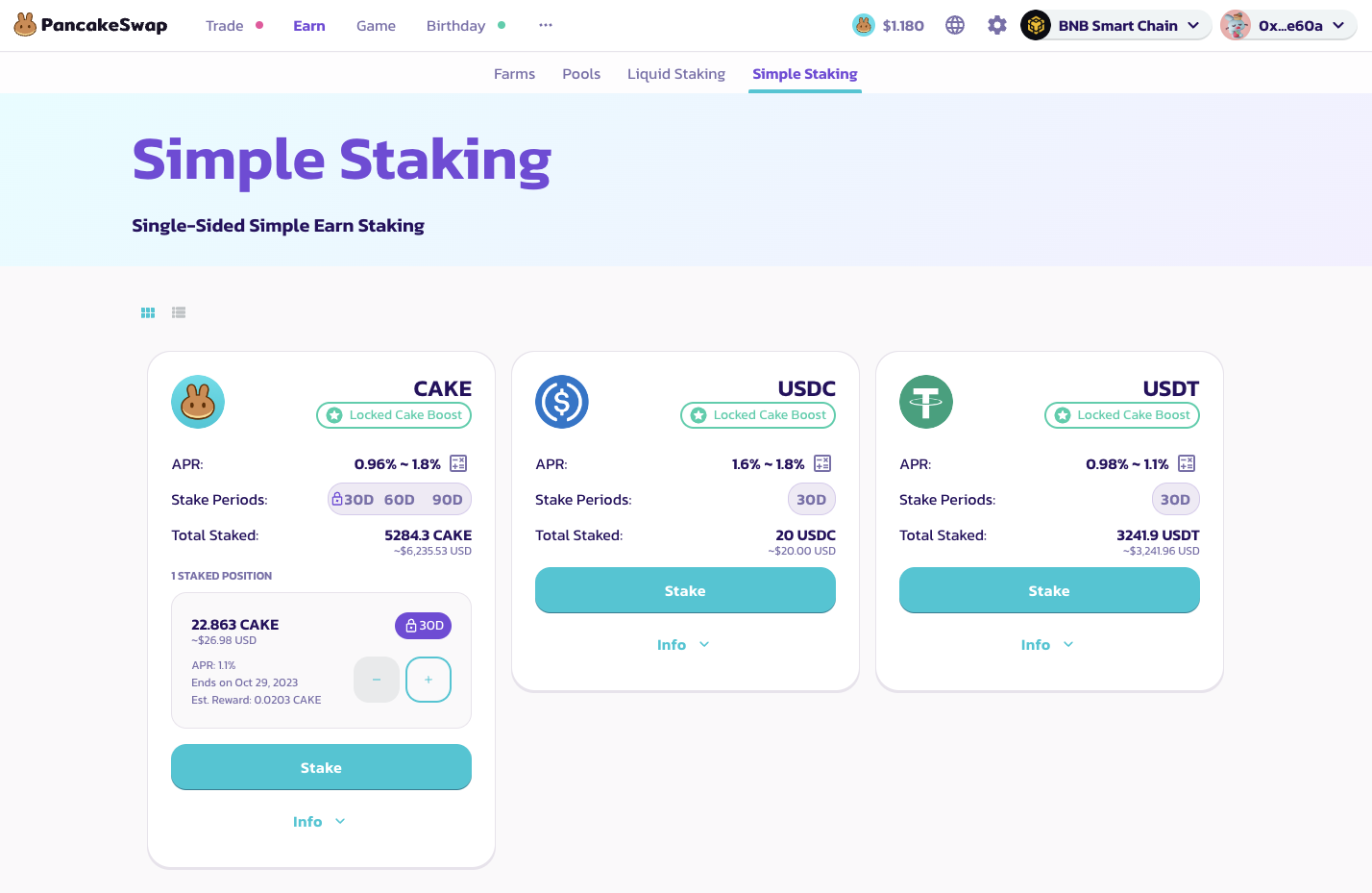
Simple Staking può essere suddiviso in 3 passaggi: **Staking, Guadagno, Rivendicazione**
Ecco la guida passo per passo su come iniziare con simple staking:
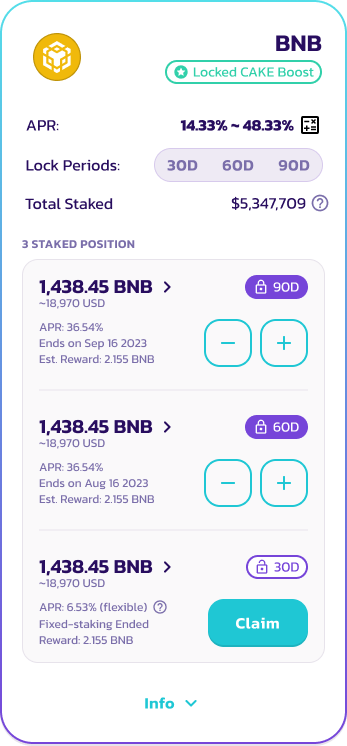
1. **Seleziona il pool per Simple Staking** - PancakeSwap Simple Staking è disponibile in 3 pool diversi per ogni token (30, 60 e 90 giorni). Le stablecoin come USDC o USDT supportano solo i pool da 30 giorni. Gli utenti che bloccano i loro token nei pool con periodo più lungo riceveranno più ricompense giornaliere e un APR più alto.
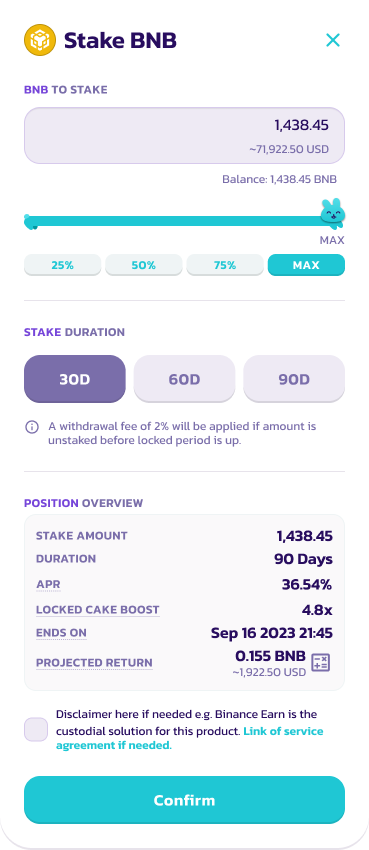
2. **Deposita Token** - Seleziona l'importo di token da depositare nel pool di staking. Tieni presente che c'è un importo minimo per fare staking a seconda del token. Per gli utenti che hanno messo in staking **100 CAKE** nel [CAKE Syrup Pool](https://pancakeswap.finance/pools), nota che potrai usufruire del boost Locked CAKE. Per ulteriori informazioni sul CAKE Syrup Pool, visita la [Guida allo Staking Fisso](/italian/archive/legacy-products/new-cake-pool/fixed-term-staking.md).
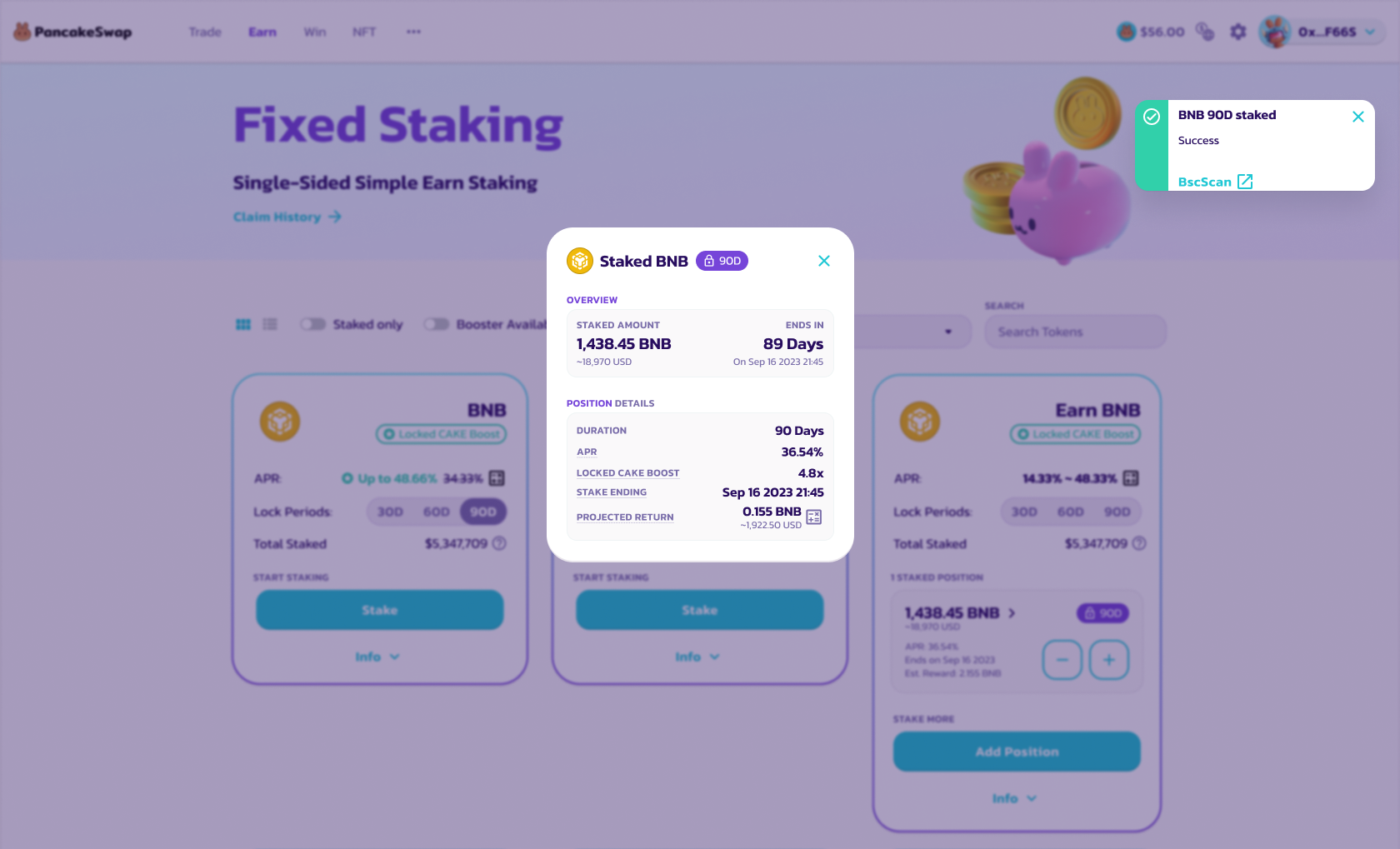
3. **Conferma e fai staking del token** - Conferma i dettagli e fai staking del token. Riceverai una notifica.
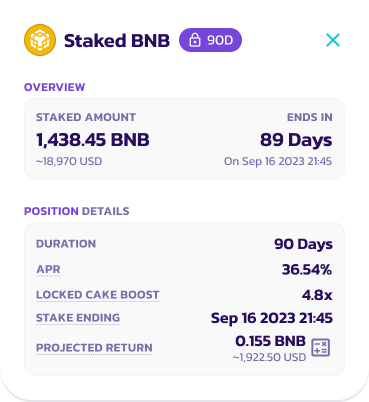
4. **Guadagno degli interessi** - Le ricompense sugli interessi maturano giornalmente. Controlla la tua posizione cliccando il pulsante info per ulteriori dettagli.
5. **Rivendica/Restake/Unstake** - Alla fine del periodo di staking, gli utenti possono scegliere di rivendicare le ricompense e fare unstaking dei loro token.
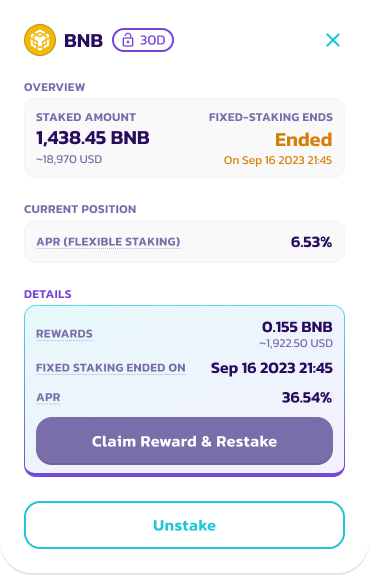
5.1 Clicca il pulsante "Claim" sulla posizione, che apparirà dopo che il periodo di blocco è terminato
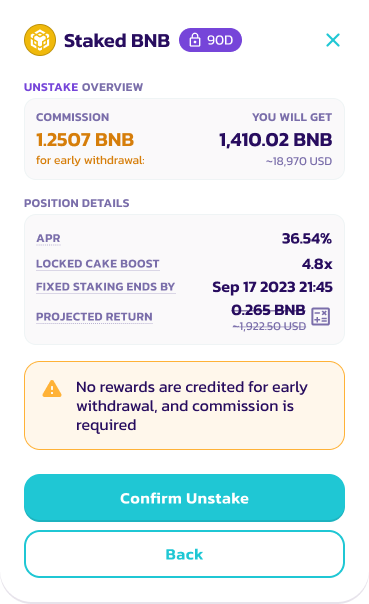
5.2 Seleziona "Claim Reward and Restake" per creare una nuova posizione Simple Staking con lo stesso importo di token. Altrimenti, seleziona "Unstake" per prelevare tutte le ricompense e i token nel tuo portafoglio.
5.3 Controlla i dettagli e conferma l'Unstake
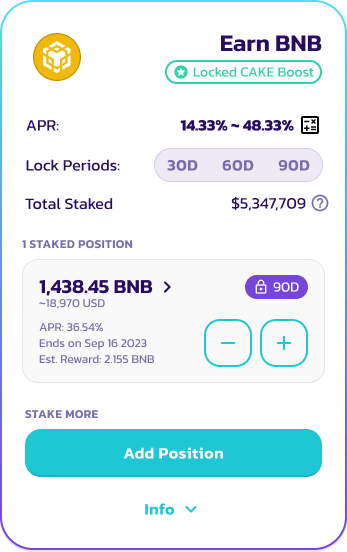
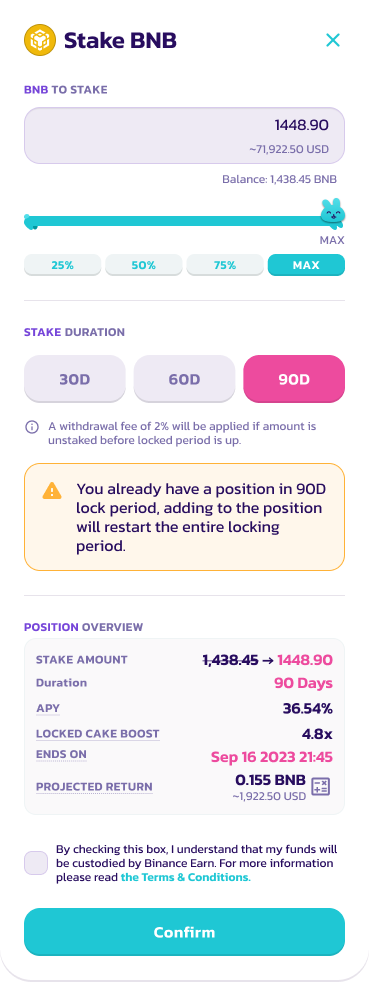
6. **Aggiungi Posizione** - Gli utenti possono aggiungere posizione mentre le loro posizioni sono bloccate. Tuttavia, il periodo di staking si resetterà per il periodo di blocco specifico.
6.1 Seleziona la posizione di staking corrente e clicca l'icona "+"
6.2 Seleziona il numero di token da aggiungere e controlla la nuova posizione di staking
7. Clicca conferma per completare l'aggiunta della posizione
---
# Agent Instructions
This documentation is published with GitBook. GitBook is the documentation platform designed so that both humans and AI agents can read, navigate, and reason over technical content effectively. Learn more at gitbook.com.
## Querying This Documentation
If you need additional information that is not directly available in this page, you can query the documentation dynamically by asking a question.
Perform an HTTP GET request on the current page URL with the `ask` query parameter, and the optional `goal` query parameter:
```
GET https://docs.pancakeswap.finance/italian/archive/legacy-products/archived-simple-staking/how-to-start-simple-staking.md?ask=&goal=
```
`ask` is the immediate question: it should be specific, self-contained, and written in natural language.
`goal` is optional and describes the broader end goal you are ultimately trying to accomplish on behalf of the user. GitBook uses it to tailor the answer towards what is most useful for that goal.
The response will contain a direct answer to the question and relevant excerpts and sources from the documentation.
Use this mechanism when the answer is not explicitly present in the current page, you need clarification or additional context, or you want to retrieve related documentation sections.