> For the complete documentation index, see [llms.txt](https://docs.pancakeswap.finance/llms.txt). Markdown versions of documentation pages are available by appending `.md` to page URLs; this page is available as [Markdown](https://docs.pancakeswap.finance/french/archive/legacy-products/archived-simple-staking/how-to-start-simple-staking.md).
# Comment démarrer le Simple Staking
{% hint style="danger" %}
\[Archivé] Simple Staking – À partir du 10 mars 2025
{% endhint %}
Le Simple Staking peut être décomposé en 3 étapes — **Staking, Gains, Réclamation**
Voici le guide étape par étape pour démarrer le Simple Staking :
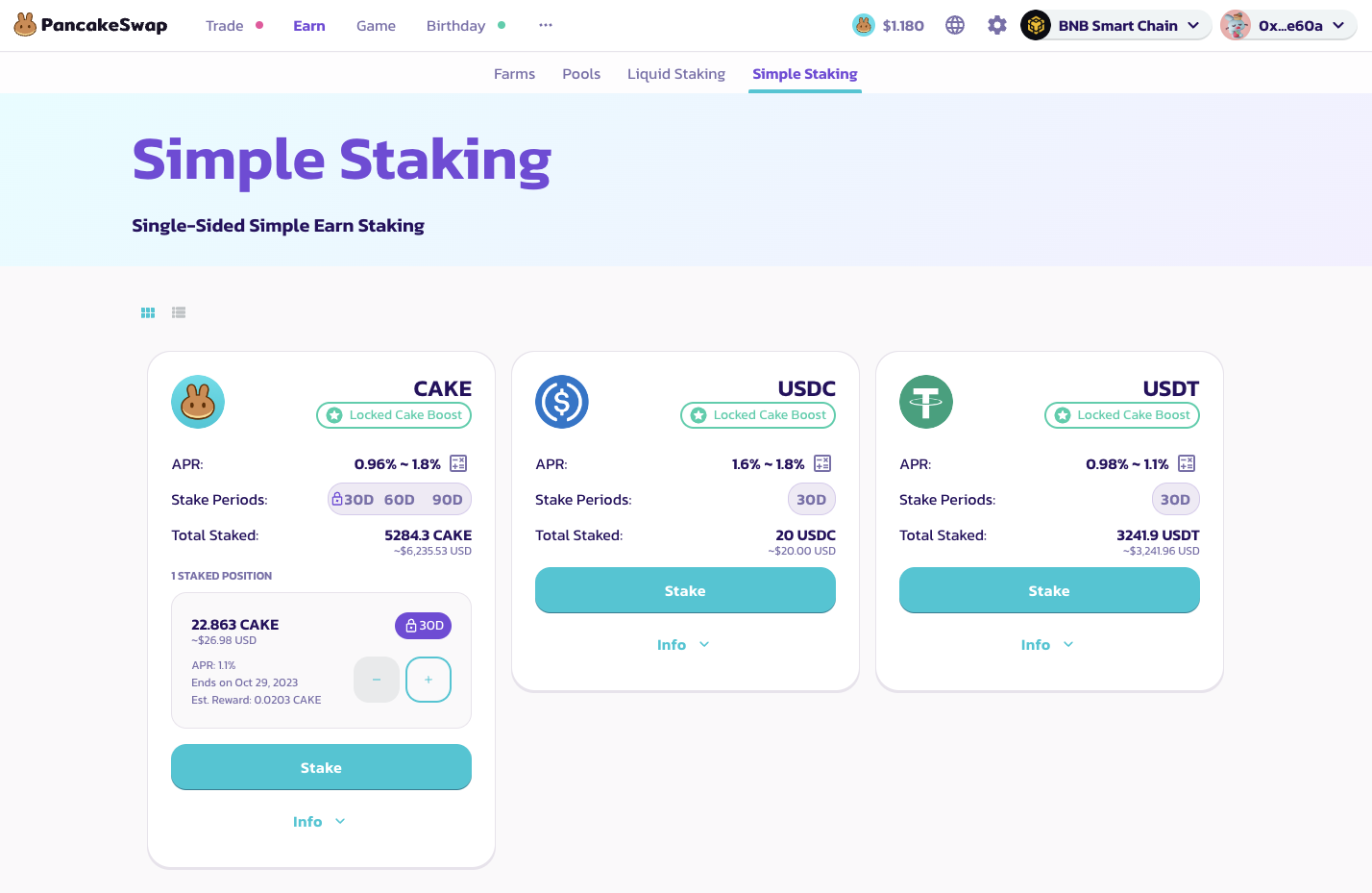
1. **Sélectionner un pool pour le Simple Staking** - Le Simple Staking PancakeSwap propose 3 pools différents pour chaque token (30, 60 et 90 jours). Les stablecoins tels que USDC ou USDT ne prendront en charge que les pools de 30 jours. Les utilisateurs qui verrouillent leurs tokens dans les pools de durée plus longue recevront plus de récompenses quotidiennes et un APR plus élevé.
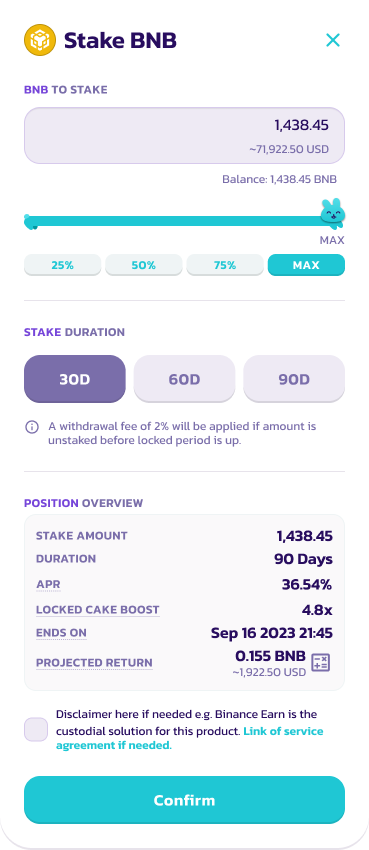
2. **Déposer des tokens** - Sélectionnez le montant de tokens à déposer dans le pool de staking. Veuillez noter qu'il existe un montant minimum à staker selon le token. Pour les utilisateurs ayant staké **100 CAKE** dans le [CAKE Syrup Pool](https://pancakeswap.finance/pools), notez que vous pourrez bénéficier du boost CAKE verrouillé. Pour plus d'informations sur le CAKE Syrup Pool, veuillez consulter le [Guide de Staking Fixe](/french/archive/legacy-products/new-cake-pool/fixed-term-staking.md).
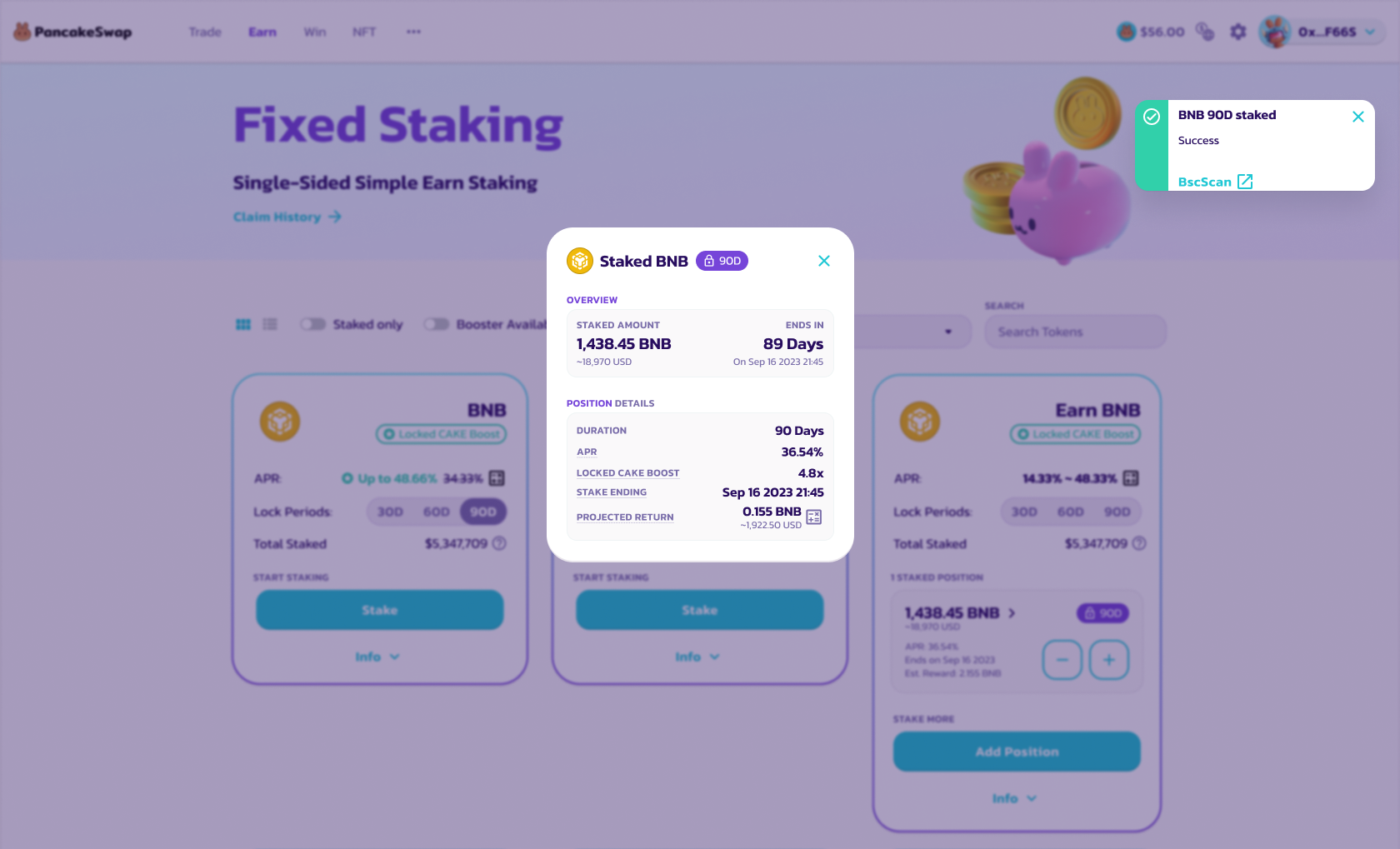
3. **Confirmer et staker le token** - Confirmez les détails et stakez le token. Vous recevrez une notification.
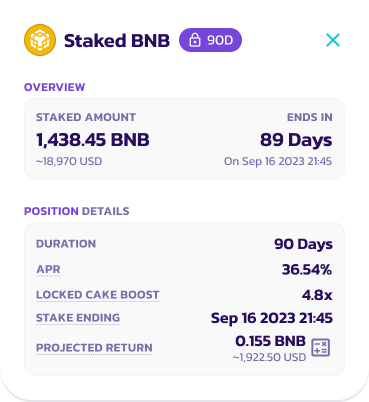
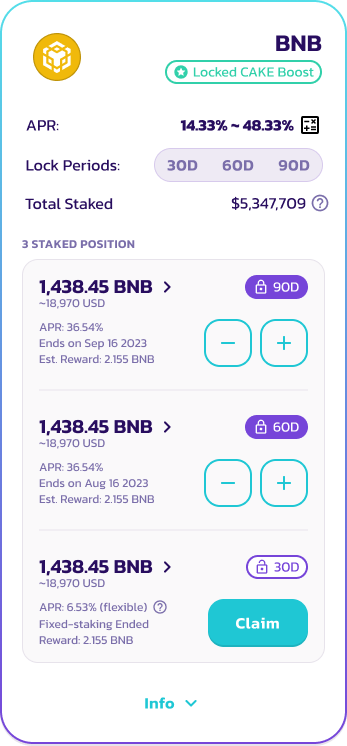
4. **Gagner des intérêts** - Les récompenses d'intérêts s'accumulent quotidiennement. Vérifiez votre position en cliquant sur le bouton d'informations pour plus de détails.
5. **Réclamer/Re-staker/Unstaker** - À la fin de la période de staking, les utilisateurs peuvent choisir de réclamer les récompenses et de unstaker leurs tokens.
5.1 Cliquez sur le bouton « Claim » sur la position, qui apparaîtra après la fin de la période de verrouillage
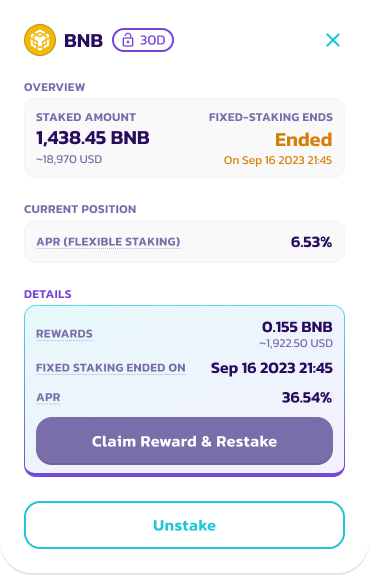
5.2 Sélectionnez « Claim Reward and Restake » pour créer une nouvelle position de Simple Staking avec le même montant de tokens. Sinon, sélectionnez « Unstake » pour retirer toutes les récompenses et tokens vers votre portefeuille.
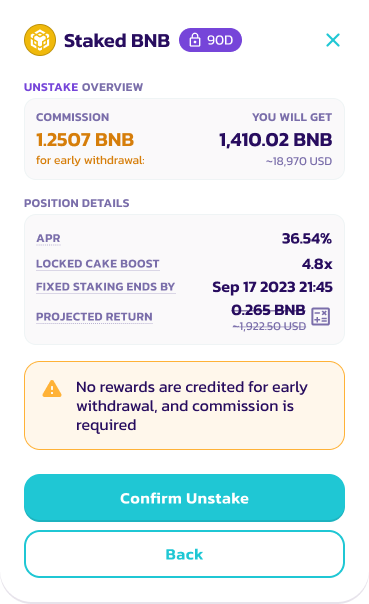
5.3 Examinez les détails et confirmez le Unstake
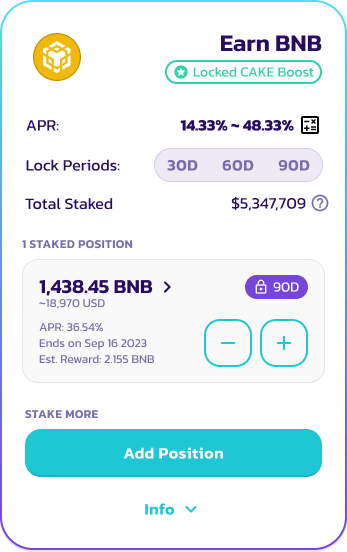
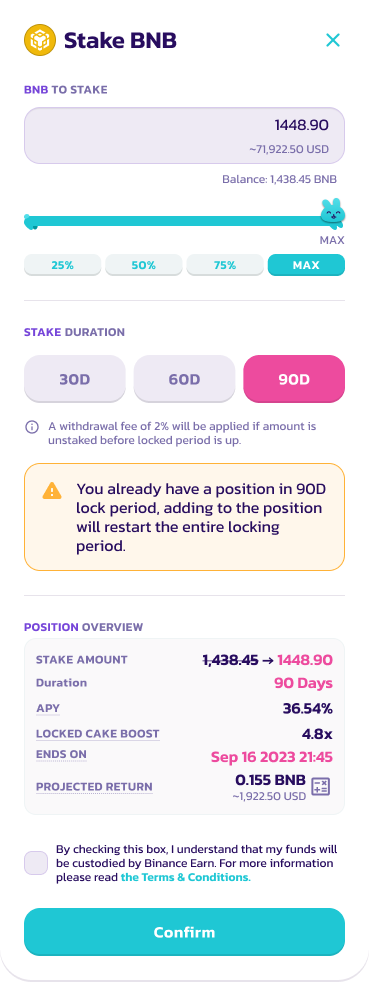
6. **Ajouter une position** - Les utilisateurs peuvent ajouter une position pendant que leurs positions sont verrouillées. Cependant, la période de staking sera réinitialisée pour la période de verrouillage spécifique.
6.1 Sélectionnez la position de staking actuelle et cliquez sur l'icône « + »
6.2 Sélectionnez le nombre de tokens à ajouter et examinez la nouvelle position de staking
7. Cliquez sur confirmer pour compléter l'ajout de position
---
# Agent Instructions
This documentation is published with GitBook. GitBook is the documentation platform designed so that both humans and AI agents can read, navigate, and reason over technical content effectively. Learn more at gitbook.com.
## Querying This Documentation
If you need additional information that is not directly available in this page, you can query the documentation dynamically by asking a question.
Perform an HTTP GET request on the current page URL with the `ask` query parameter, and the optional `goal` query parameter:
```
GET https://docs.pancakeswap.finance/french/archive/legacy-products/archived-simple-staking/how-to-start-simple-staking.md?ask=&goal=
```
`ask` is the immediate question: it should be specific, self-contained, and written in natural language.
`goal` is optional and describes the broader end goal you are ultimately trying to accomplish on behalf of the user. GitBook uses it to tailor the answer towards what is most useful for that goal.
The response will contain a direct answer to the question and relevant excerpts and sources from the documentation.
Use this mechanism when the answer is not explicitly present in the current page, you need clarification or additional context, or you want to retrieve related documentation sections.