> For the complete documentation index, see [llms.txt](https://docs.pancakeswap.finance/llms.txt). Markdown versions of documentation pages are available by appending `.md` to page URLs; this page is available as [Markdown](https://docs.pancakeswap.finance/espanol/intercambio/perpetual-trading/perpetuals-trading-new/simple-mode.md).
# Modo simple
El Modo Simple está diseñado para traders que quieren actuar rápido. Establece tu tamaño, elige tu apalancamiento y toca ARRIBA o ABAJO — eso es todo.
### **Ve a la página de PCS Perps**
Ve a [pancakeswap.finance/perps](https://pancakeswap.finance/perps) o haz clic en Perps en la barra de navegación principal de PancakeSwap.
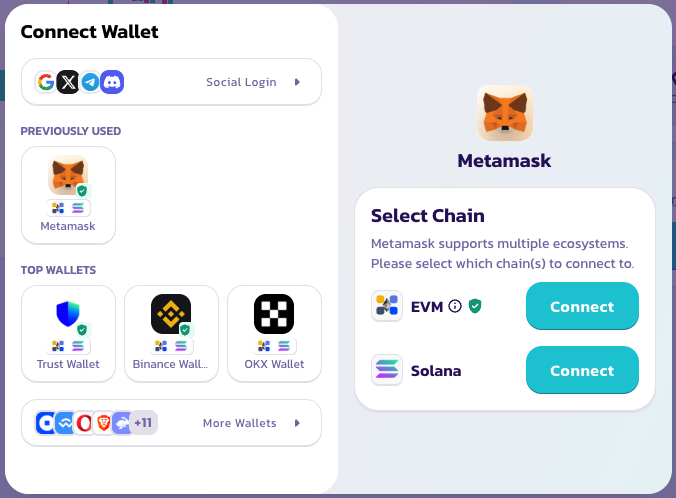
### **Conecta tu billetera**
Haz clic en Conectar Billetera en la esquina superior derecha. No se requiere creación de cuenta ni KYC — tu billetera es tu cuenta.
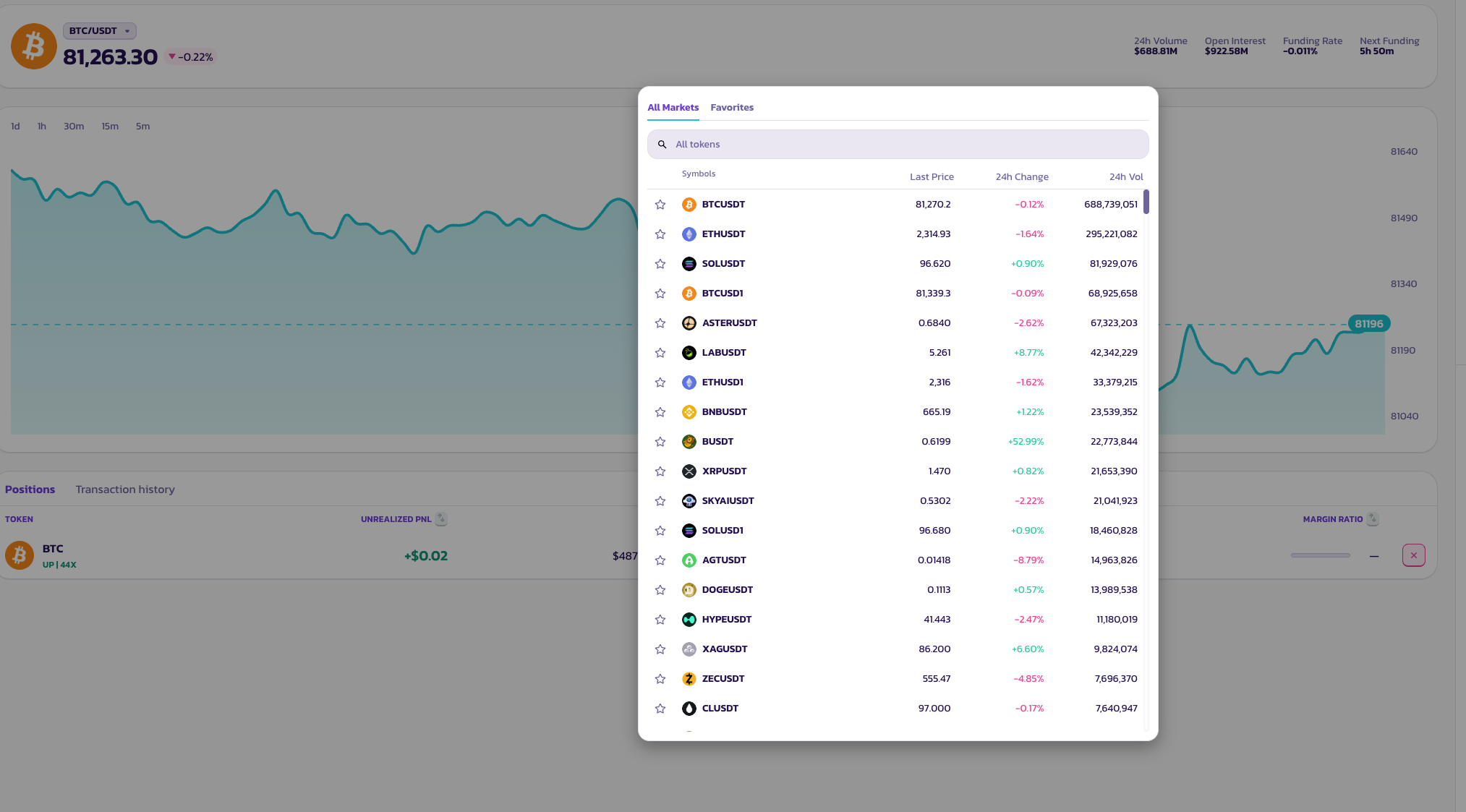
### **Elige un par de trading**
Haz clic en el nombre del par en la parte superior de la página para abrir el selector de activos. Hay disponible una enorme variedad de pares de tokens.
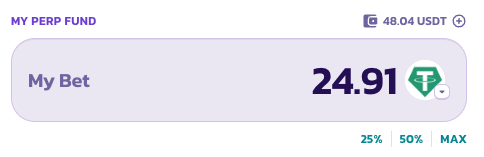
### **Mi Apuesta — Tamaño de Posición**
Ingresa cuánto quieres poner, o toca los botones preestablecidos — **25%**, **50%** o **MÁX** — para dimensionar tu posición como una parte de tu saldo disponible en el fondo de perpetuos.
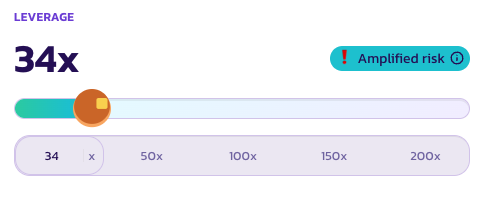
### **Apalancamiento**
Usa el control deslizante o toca un preestablecido — **50×**, **100×**, **150×** o **200×** — para establecer tu apalancamiento. Tu multiplicador actual se muestra en texto grande sobre el control deslizante.
Cuando el apalancamiento es suficientemente alto como para conllevar un riesgo de liquidación significativo, aparece un indicador de **Riesgo Amplificado** como recordatorio.
### **Un toque para abrir**
Toca **ARRIBA** para ponerte long, o **ABAJO** para ponerte short. Tu posición se abre inmediatamente al mejor precio de mercado disponible.
### **Tocar varias veces**
El Modo Simple está diseñado para permitirte construir o reducir tu posición con toques repetidos — sin necesidad de ajustar el tamaño manualmente cada vez.
* **Toca ARRIBA dos veces** — tu posición se duplica. Cada toque añade una unidad a tu long existente.
* **Toca ARRIBA y luego ABAJO** — las posiciones se cancelan, volviendo a neutral.
Piensa en cada toque como añadir o restar una unidad en una dirección. Es una forma divertida de escalar dentro o fuera de una operación.
### **Verifica el estado de tu orden**
Tu orden aparecerá bajo **Posiciones** mientras espera completarse.
***
💡 ¿Quieres establecer órdenes límite, TP/SL o gestionar posiciones con más detalle? Cambia al **Modo Pro** en cualquier momento — tus posiciones abiertas no se ven afectadas.
---
# Agent Instructions
This documentation is published with GitBook. GitBook is the documentation platform designed so that both humans and AI agents can read, navigate, and reason over technical content effectively. Learn more at gitbook.com.
## Querying This Documentation
If you need additional information that is not directly available in this page, you can query the documentation by asking a question.
Perform an HTTP GET request on the following URL with the `ask` and `goal` query parameters:
```
GET https://docs.pancakeswap.finance/espanol/intercambio/perpetual-trading/perpetuals-trading-new/simple-mode.md?ask=&goal=
```
`ask` is the immediate question: it should be specific, self-contained, and written in natural language.
`goal` is what the user is ultimately trying to achieve, the reason they need the answer. Sharing it helps GitBook give you a better, more relevant answer. A goal is most helpful when it describes the outcome the user wants rather than restating the question. For example, with `ask=how do I create an API token`, a goal like `automate deployments from our CI pipeline` lets GitBook tailor the answer to that use case.
The response will contain a direct answer to the question and relevant excerpts and sources from the documentation.
Use this mechanism when the answer is not explicitly present in the current page, you need clarification or additional context, or you want to retrieve related documentation sections.