> For the complete documentation index, see [llms.txt](https://docs.pancakeswap.finance/llms.txt). Markdown versions of documentation pages are available by appending `.md` to page URLs; this page is available as [Markdown](https://docs.pancakeswap.finance/espanol/herramientas-de-trading/social-login/social-login-how-to-guide.md).
# Inicio de sesión social: Guía práctica
Empieza con DeFi en segundos — sin extensiones de billetera ni frases semilla. Sigue los pasos a continuación para crear tu billetera de Social Login, establecer una contraseña de recuperación y recuperar tu billetera en un dispositivo nuevo.
### 1. Crear tu billetera de Social Login
1. Ve a pancakeswap.finance
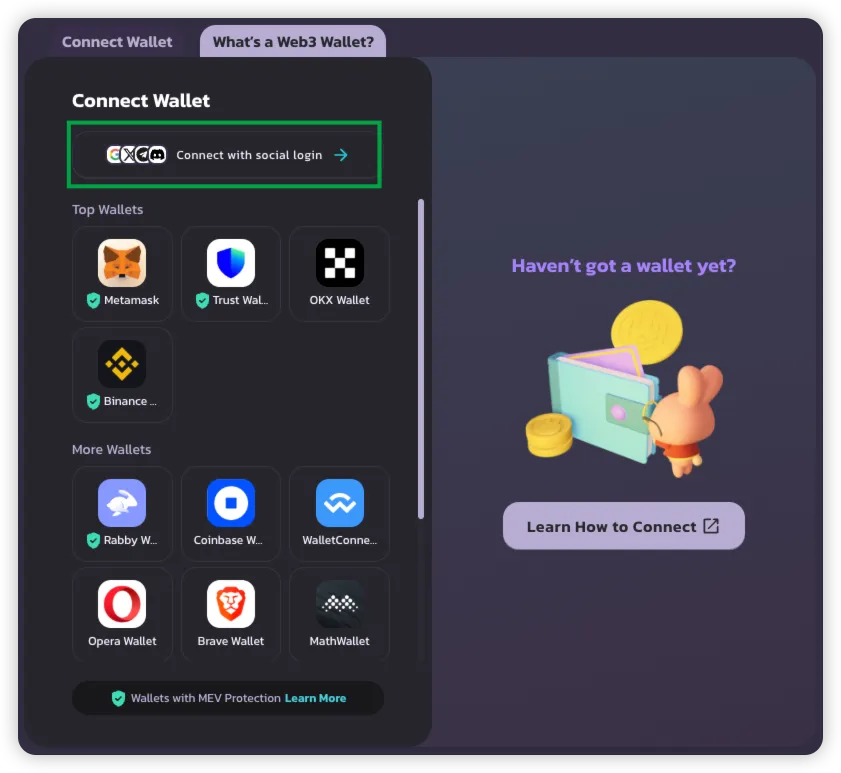
2. Haz clic en **Conectar billetera** → Selecciona **Conectar con Social Login**
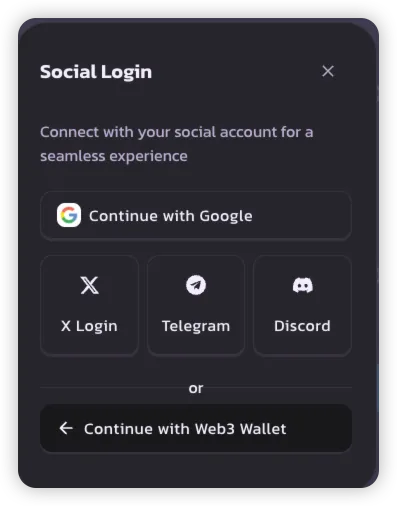
3. Elige tu método de Social Login preferido:
* **Google**
* **X (Twitter)**
* **Telegram**
* **Discord**
> 💡 Cada cuenta social crea una billetera única para usar en PancakeSwap.
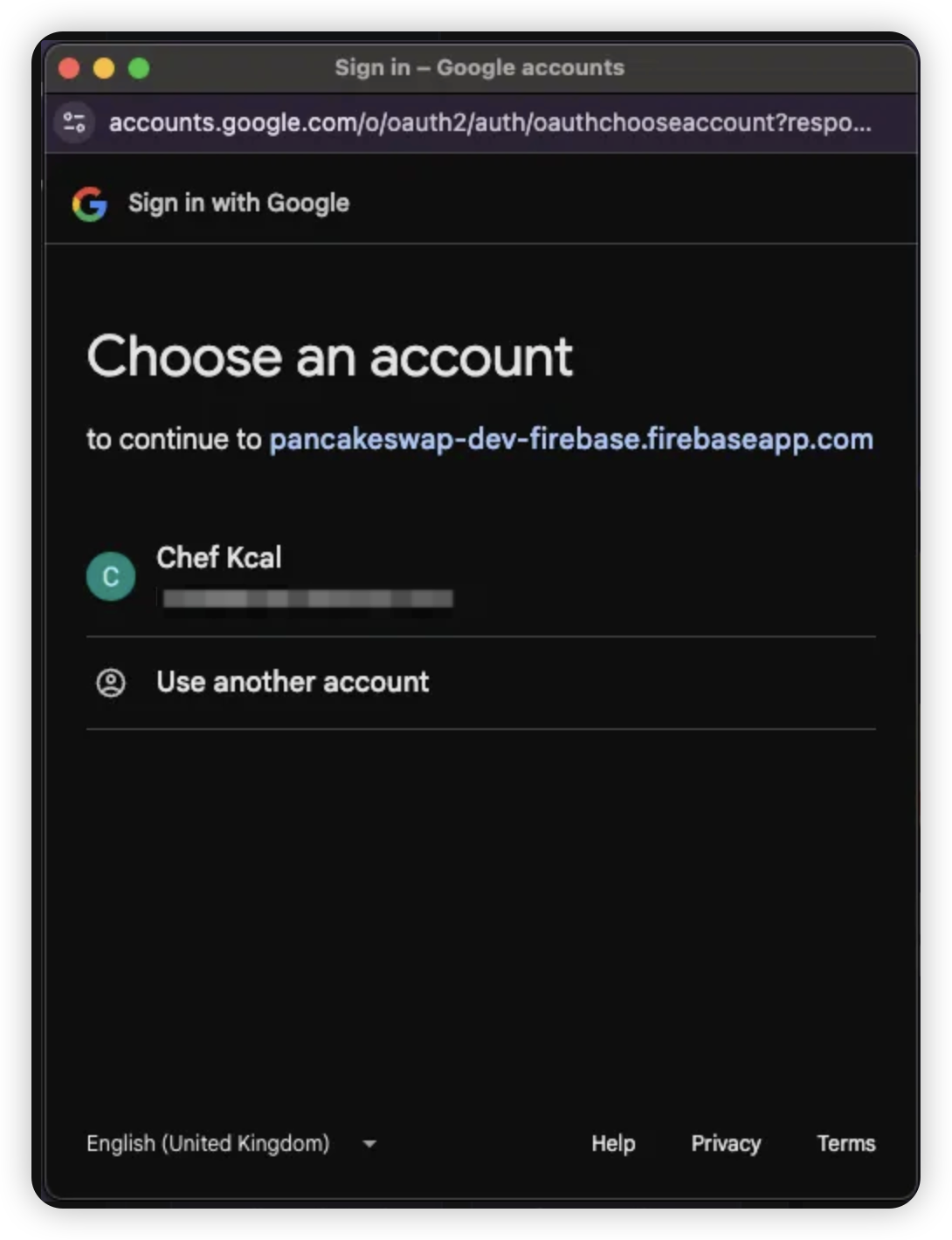
4. Inicia sesión con las credenciales de tu cuenta social seleccionada
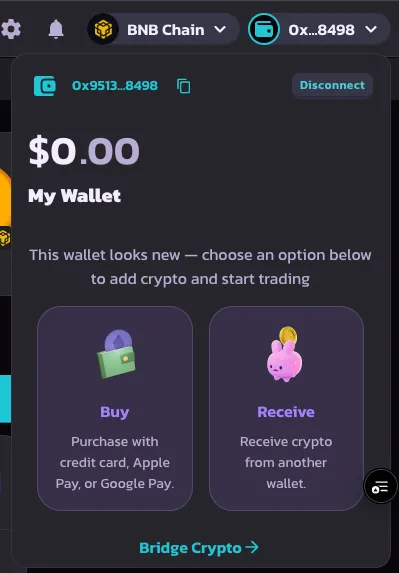
5. Una vez que el inicio de sesión sea exitoso, tu billetera se creará y estará lista para usar
***
### 2. Establecer una contraseña de recuperación
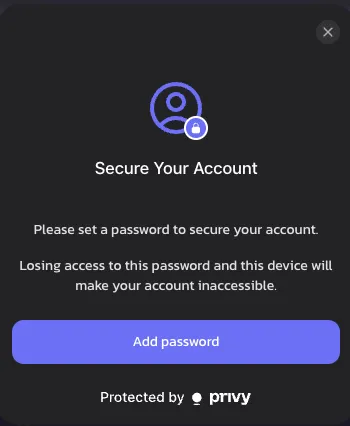
Después de tu primer inicio de sesión, se te pedirá que establezcas una **contraseña de recuperación**. Este paso es opcional pero muy recomendado para tener control total de la billetera.
1. Haz clic en **Establecer contraseña de recuperación** cuando se te solicite
> 🔒 Si no la estableces, la parte de recuperación será almacenada por Privy de forma predeterminada
>
> 🔑 [Obtén más información sobre las partes de recuperación](https://docs.privy.io/security/wallet-infrastructure/advanced/user-device#securing-the-recovery-share)
{% hint style="success" %}
Si descartas este mensaje, volverá a aparecer después de 1 semana, como parte del compromiso de PancakeSwap con la seguridad de la billetera.
{% endhint %}
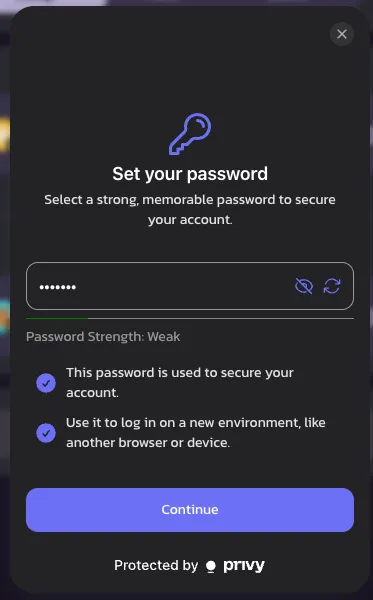
2. Elige una **contraseña memorable** — la necesitarás para iniciar sesión en un nuevo dispositivo o cuando tu sesión expire
> ⚠️ Si la olvidas, el acceso a la billetera puede perderse permanentemente
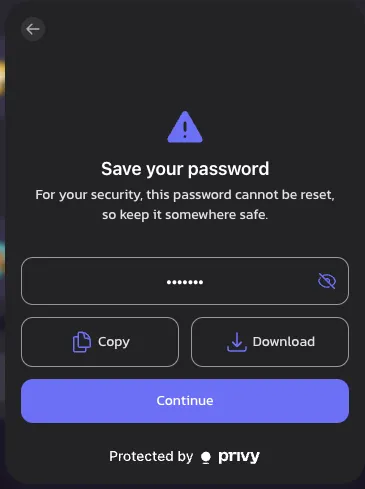
3. Guarda tu contraseña de forma segura **copiándola o descargándola**
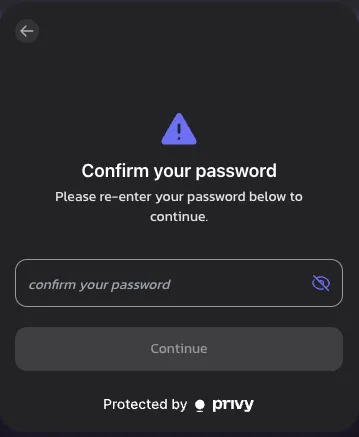
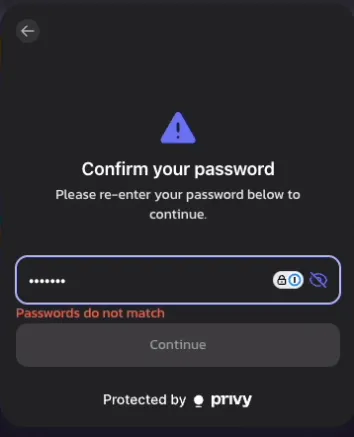
4. Vuelve a ingresar tu contraseña para confirmar
> ❗ Aparecerá un error si tus contraseñas no coinciden
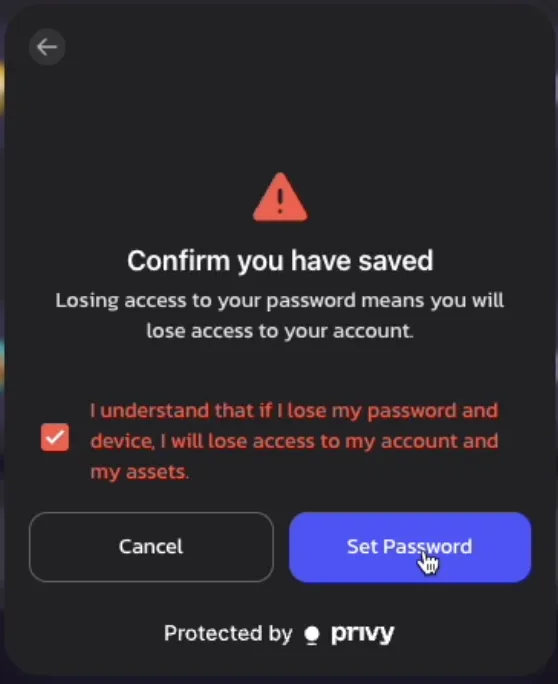
5. Revisa el **aviso legal** y confirma que entiendes el riesgo de la contraseña de recuperación
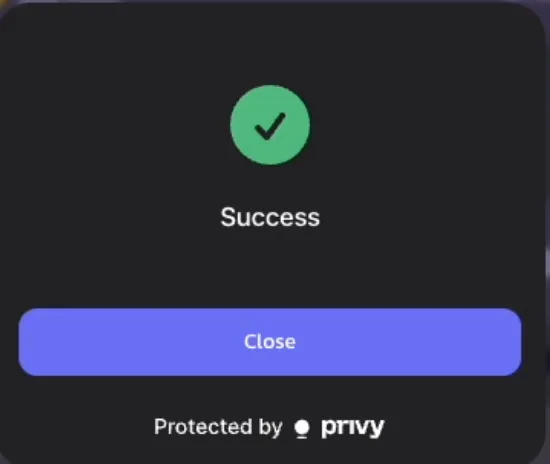
6. 🎉 ¡Éxito! Tu contraseña de recuperación ya está configurada
> Recordatorio: Se te pedirá que la ingreses de nuevo cuando tu sesión finalice o cambies de dispositivo
>
***
### 3. Recuperar tu billetera (inicio de sesión en nuevo dispositivo)
Si accedes a PancakeSwap en un nuevo dispositivo, sigue estos pasos para recuperar tu billetera:
1. Inicia sesión con tu **cuenta social** en el nuevo dispositivo
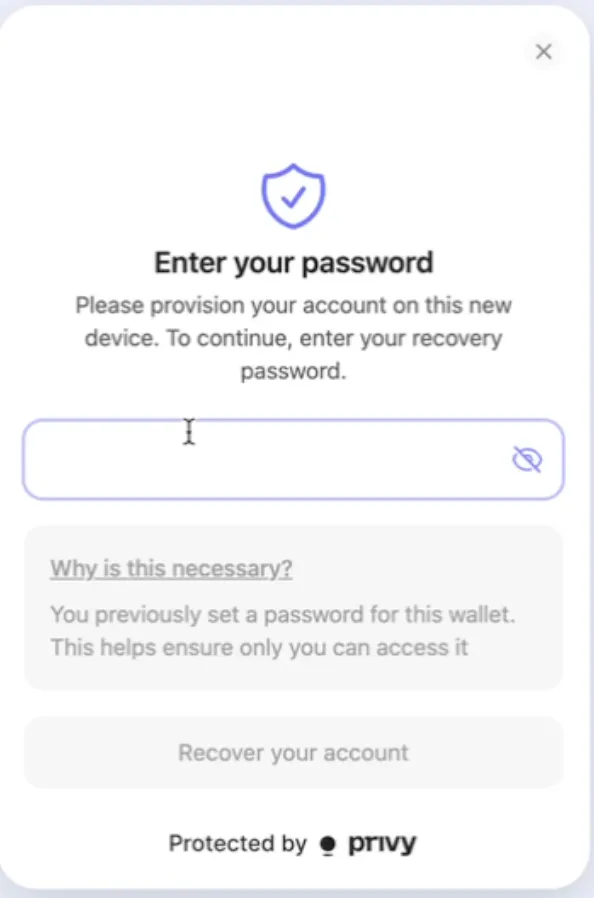
2. Cuando intentes tu primera transacción o acción on-chain, se te pedirá que **ingreses tu contraseña de recuperación**
3. Una vez confirmado, puedes continuar realizando transacciones con normalidad — ¡no se requiere ninguna configuración adicional!
---
# Agent Instructions
This documentation is published with GitBook. GitBook is the documentation platform designed so that both humans and AI agents can read, navigate, and reason over technical content effectively. Learn more at gitbook.com.
## Querying This Documentation
If you need additional information that is not directly available in this page, you can query the documentation dynamically by asking a question.
Perform an HTTP GET request on the current page URL with the `ask` query parameter, and the optional `goal` query parameter:
```
GET https://docs.pancakeswap.finance/espanol/herramientas-de-trading/social-login/social-login-how-to-guide.md?ask=&goal=
```
`ask` is the immediate question: it should be specific, self-contained, and written in natural language.
`goal` is optional and describes the broader end goal you are ultimately trying to accomplish on behalf of the user. GitBook uses it to tailor the answer towards what is most useful for that goal.
The response will contain a direct answer to the question and relevant excerpts and sources from the documentation.
Use this mechanism when the answer is not explicitly present in the current page, you need clarification or additional context, or you want to retrieve related documentation sections.