> For the complete documentation index, see [llms.txt](https://docs.pancakeswap.finance/llms.txt). Markdown versions of documentation pages are available by appending `.md` to page URLs; this page is available as [Markdown](https://docs.pancakeswap.finance/espanol/herramientas-de-trading/pancake-gifts/pancake-gifts-how-to-guide.md).
# Pancake Gifts: Guía práctica
Pancake Gifts te permite enviar tokens — incluyendo gas opcional — a amigos, usuarios o miembros de la comunidad usando simplemente un **enlace o código QR**. El proceso es rápido, fluido y apto para principiantes.
Esta guía te explica:
* ✅ Cómo **crear** un Pancake Gift
* ✅ Cómo **enviarlo o compartirlo**
* ✅ Cómo **reclamar** un regalo
* ✅ Cómo **cancelar** un regalo (si no ha sido reclamado)
***
### 🧑🍳 Paso 1: Crear un regalo
#### 1. Ve a la pestaña de creación de regalos
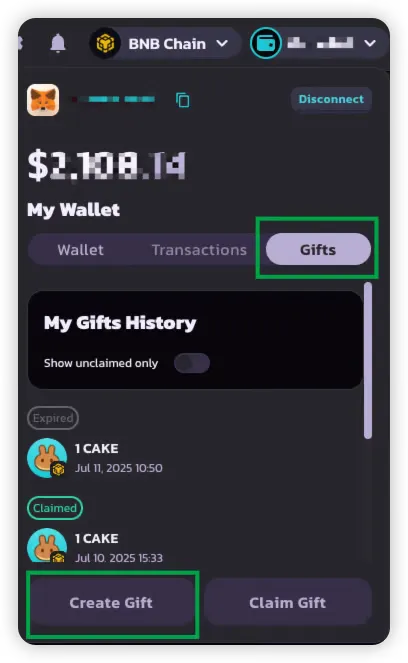
Ve a la pestaña **Gift** dentro de la interfaz de billetera de PancakeSwap.
#### 2. Selecciona tokens y cantidades
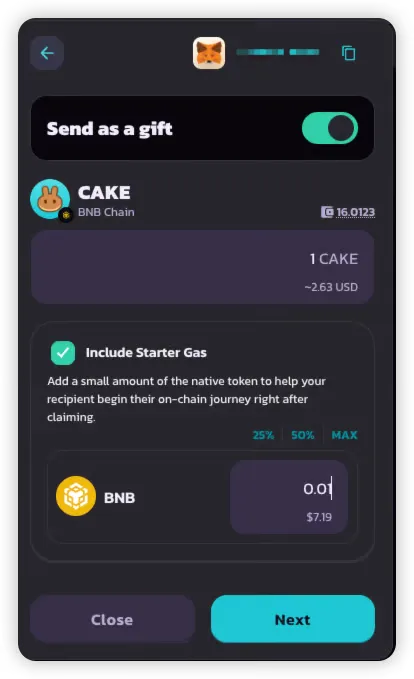
Elige hasta **dos tokens** para incluir en tu regalo:
* **Un token BEP-20** (obligatorio) — ej., CAKE
* **Un token de gas nativo** (opcional) — ej., BNB
Esta configuración te permite:
* Enviar tokens utilizables al destinatario
* Cubrir su gas para que pueda realizar transacciones de inmediato
#### 3. Elige el tipo de regalo
Selecciona una de las siguientes opciones:
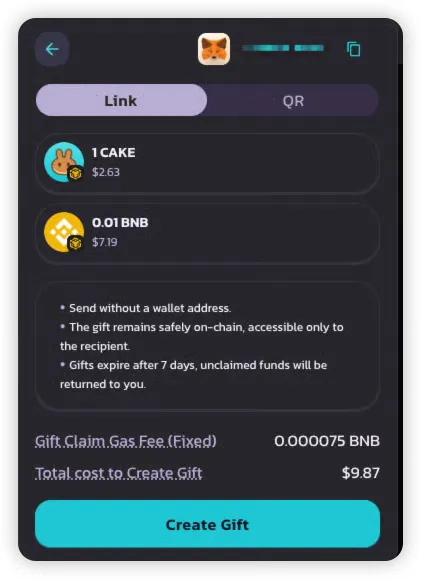
* 🔗 **Enlace** — Fácil de copiar y compartir por chat o redes sociales
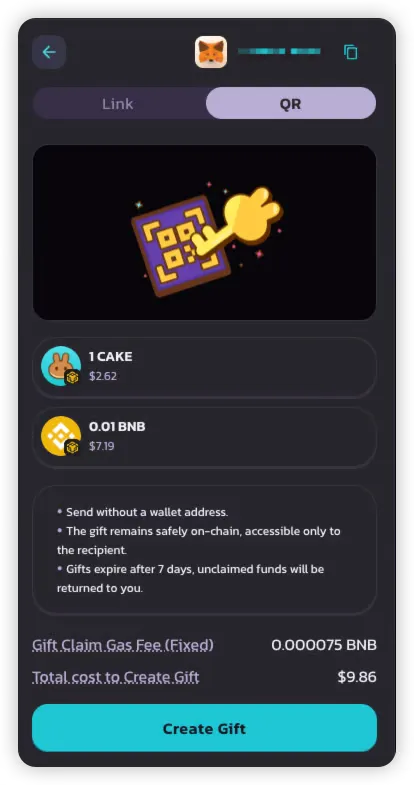
* 📱 **Código QR** — Perfecto para eventos presenciales o usuarios de móvil
> 💡 Cada regalo solo puede reclamarse una vez y solo admite un formato de entrega (enlace o QR).
#### 4. Revisa el resumen y paga
Antes de confirmar, revisa:
* **Importe del regalo** — Total de tokens incluidos en el regalo
* **Tarifa de gas del reclamo** — Tokens nativos que el remitente incluyó para que el destinatario pueda reclamar sin pagar gas (\~$0.05 en BNB)
Una vez confirmado:
* El regalo se crea y almacena on-chain
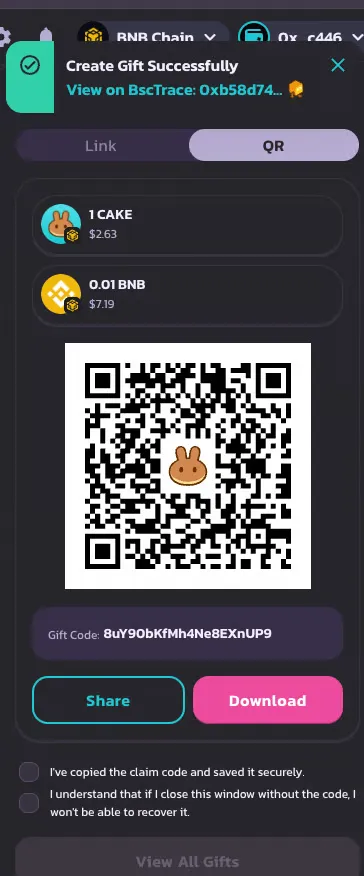
* Recibirás un **enlace o código QR** — asegúrate de **guardarlo antes de cerrar el popup**
{% hint style="danger" %}
Si cierras el popup sin guardar, el código del regalo no podrá recuperarse más tarde.
{% endhint %}
***
### 📤 Paso 2: Enviar o compartir el regalo
Después de la creación, recibirás:
* Un **enlace para compartir**, y/o
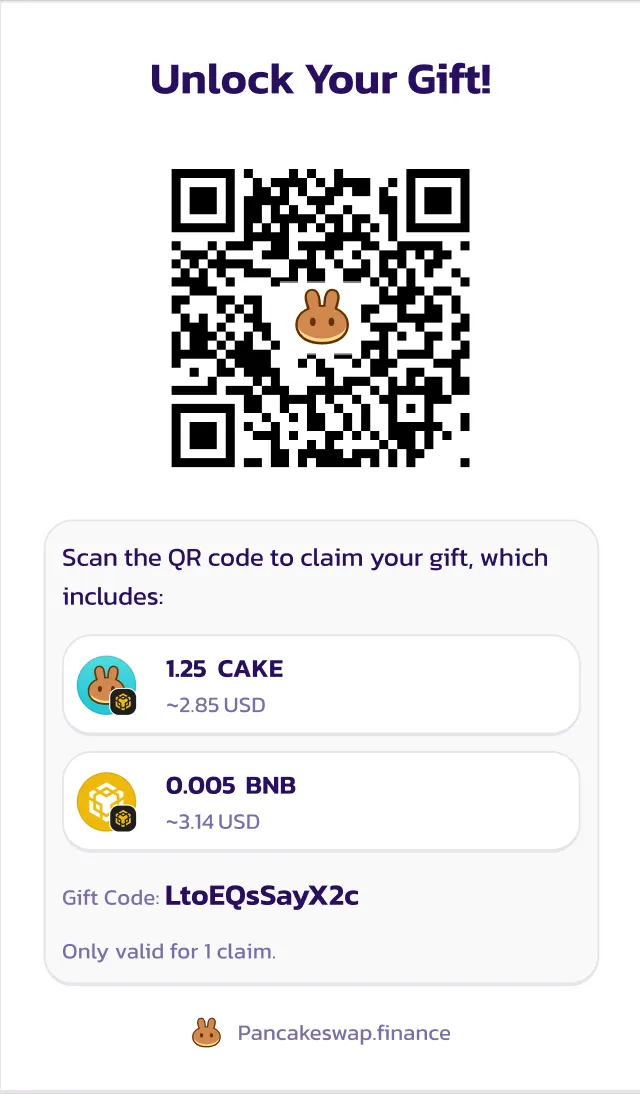
* Un **código QR escaneable**
Puedes compartirlo a través de:
* Aplicaciones de chat (Telegram, WhatsApp)
* Correo electrónico
* Redes sociales
* Mensaje directo en eventos
Enlace para compartir
> ¡Acabo de enviarte ${Gift\_Amount}! 🎉
>
> Toca este enlace para reclamarlo: 👉 [https://pancakeswap.finance/invite/{Gift\_Code}](https://pancakeswap.finance/invite/%7BGift_Code%7D)
>
> Conecta tu billetera para completar el reclamo.
>
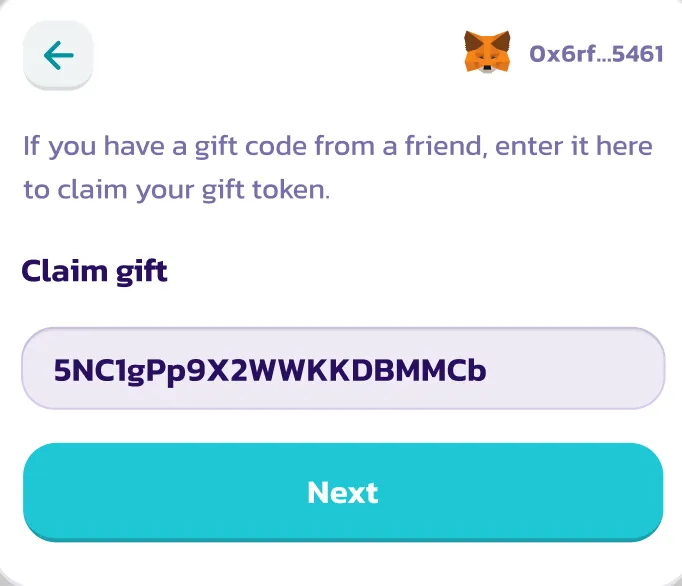
> O bien, ingresa el código `{Gift_Code}` manualmente en la billetera de PancakeSwap.
Código QR
***
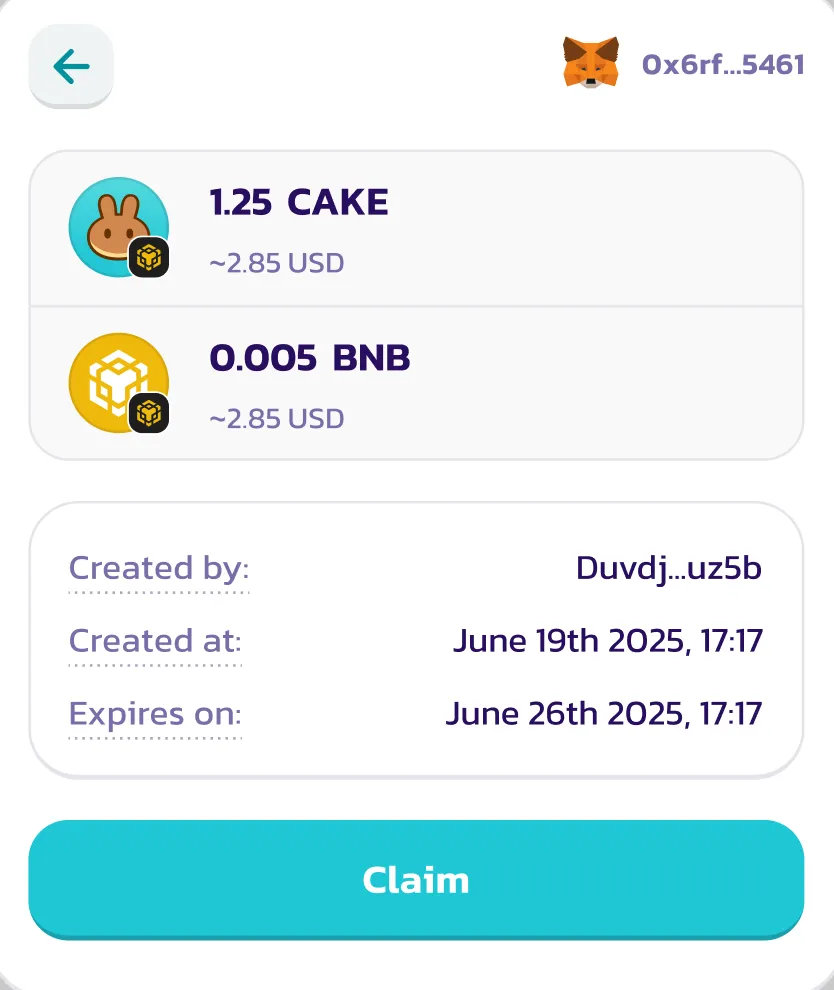
### 🎉 Paso 3: Reclamar un regalo
#### 1. Después de conectar tu billetera, toca el enlace o escanea el código QR
Cuando el destinatario:
* **Abre el enlace** o
* **Escanea el código QR**
La aplicación rellenará automáticamente el código del regalo. Si es elegible y no ha sido reclamado, se cargará la interfaz de reclamo del regalo.
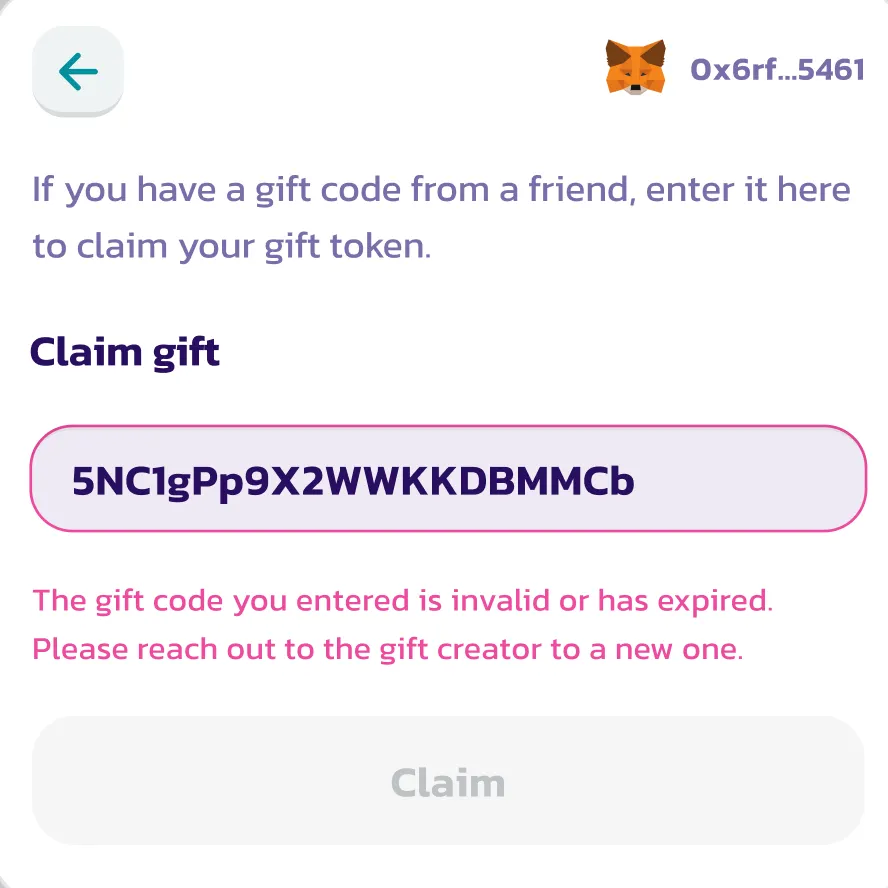
Si no, se mostrará un mensaje de error (ej. vencido o ya reclamado).
***
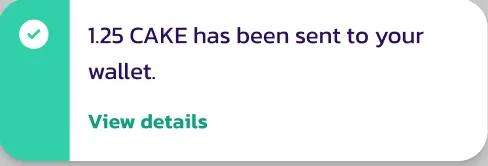
#### 2. Aprueba y recibe los tokens
El destinatario puede reclamar **sin pagar ningún gas** (ya está cubierto).
Una vez aprobado:
* Los tokens BEP-20 (y el token de gas, si se incluyó) se depositan en su billetera
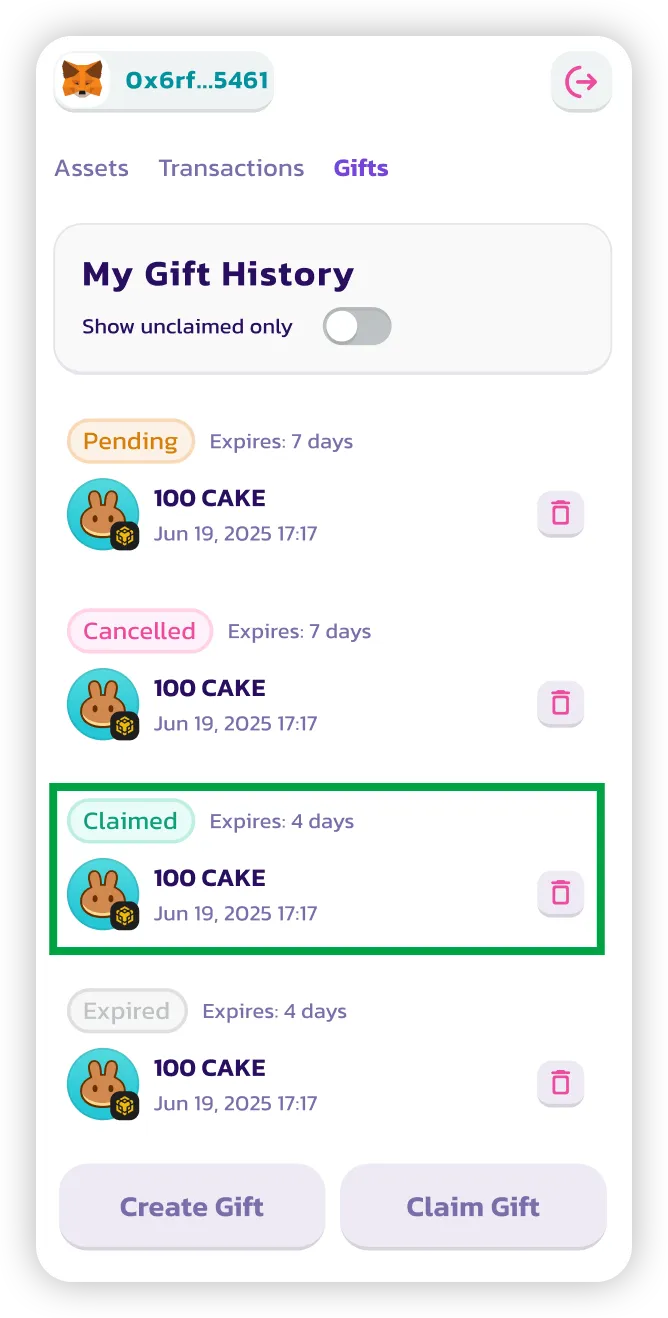
* El regalo se marca como **reclamado**
***
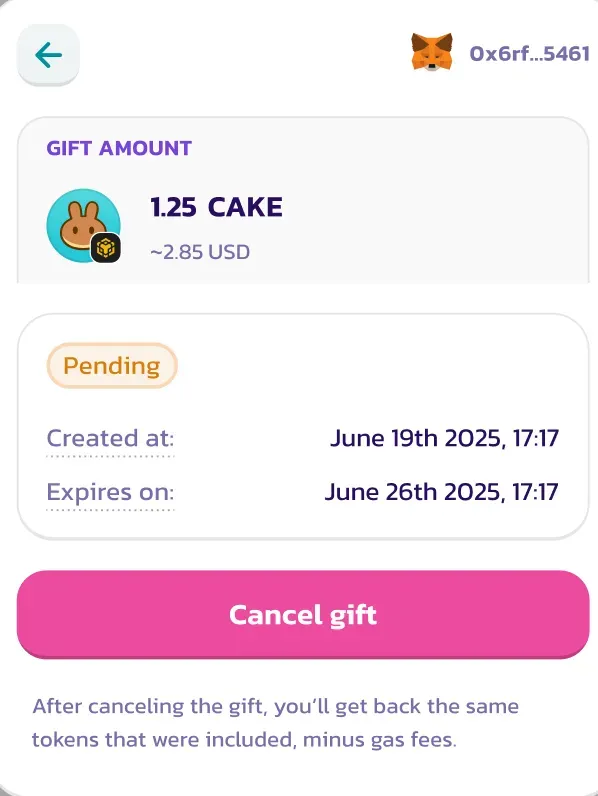
### ❌ Paso 4: Cancelar un regalo (si no ha sido reclamado)
Puedes cancelar un regalo solo si:
* Aún está **sin reclamar**
* Aún está **dentro del período de vencimiento** (predeterminado: 7 días)
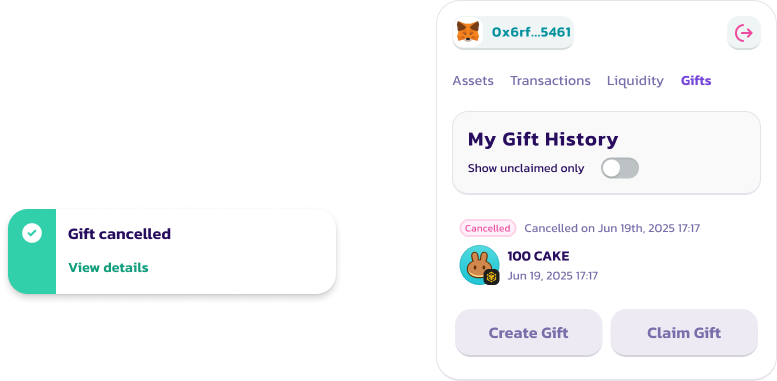
Para cancelar:
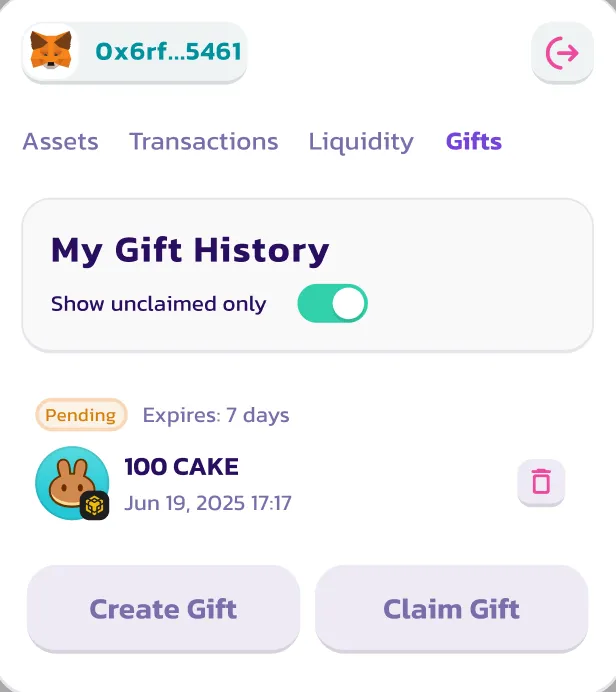
1. Ve a la pestaña de **Historial de regalos**
2. Encuentra el regalo
3. Haz clic en **Cancelar**
Los tokens serán devueltos a tu billetera (menos la tarifa de patrocinio de gas).
> ⚠️ Los regalos cancelados no pueden reactivarse ni reutilizarse.
***
### ✅ ¡Eso es todo!
Ahora sabes cómo:
1. Crear un Pancake Gift
2. Enviarlo a alguien mediante enlace o QR
3. Reclamar un regalo enviado a ti
4. Cancelar un regalo si es necesario
¿Quieres ver tu historial completo de regalos o comprobar los estados? Simplemente vuelve a la pestaña **Gift** en la billetera de PancakeSwap.
---
# Agent Instructions
This documentation is published with GitBook. GitBook is the documentation platform designed so that both humans and AI agents can read, navigate, and reason over technical content effectively. Learn more at gitbook.com.
## Querying This Documentation
If you need additional information that is not directly available in this page, you can query the documentation by asking a question.
Perform an HTTP GET request on the following URL with the `ask` and `goal` query parameters:
```
GET https://docs.pancakeswap.finance/espanol/herramientas-de-trading/pancake-gifts/pancake-gifts-how-to-guide.md?ask=&goal=
```
`ask` is the immediate question: it should be specific, self-contained, and written in natural language.
`goal` is what the user is ultimately trying to achieve, the reason they need the answer. Sharing it helps GitBook give you a better, more relevant answer. A goal is most helpful when it describes the outcome the user wants rather than restating the question. For example, with `ask=how do I create an API token`, a goal like `automate deployments from our CI pipeline` lets GitBook tailor the answer to that use case.
The response will contain a direct answer to the question and relevant excerpts and sources from the documentation.
Use this mechanism when the answer is not explicitly present in the current page, you need clarification or additional context, or you want to retrieve related documentation sections.