> For the complete documentation index, see [llms.txt](https://docs.pancakeswap.finance/llms.txt). Markdown versions of documentation pages are available by appending `.md` to page URLs; this page is available as [Markdown](https://docs.pancakeswap.finance/espanol/ganar/yield-farming/solana-farming.md).
# Farming en Solana
## Cómo Usar las Granjas en PancakeSwap SOL V3
El farming te permite ganar recompensas adicionales además de las comisiones estándar de proveedor de liquidez (LP) cuando proporcionas liquidez a pools elegibles. Aquí te explicamos cómo comenzar a través de:
{% hint style="warning" %}
**Nota:** Las imágenes mostradas en esta guía son solo ilustrativas y pueden no reflejar datos en tiempo real o estadísticas actuales de farming.
{% endhint %}
***
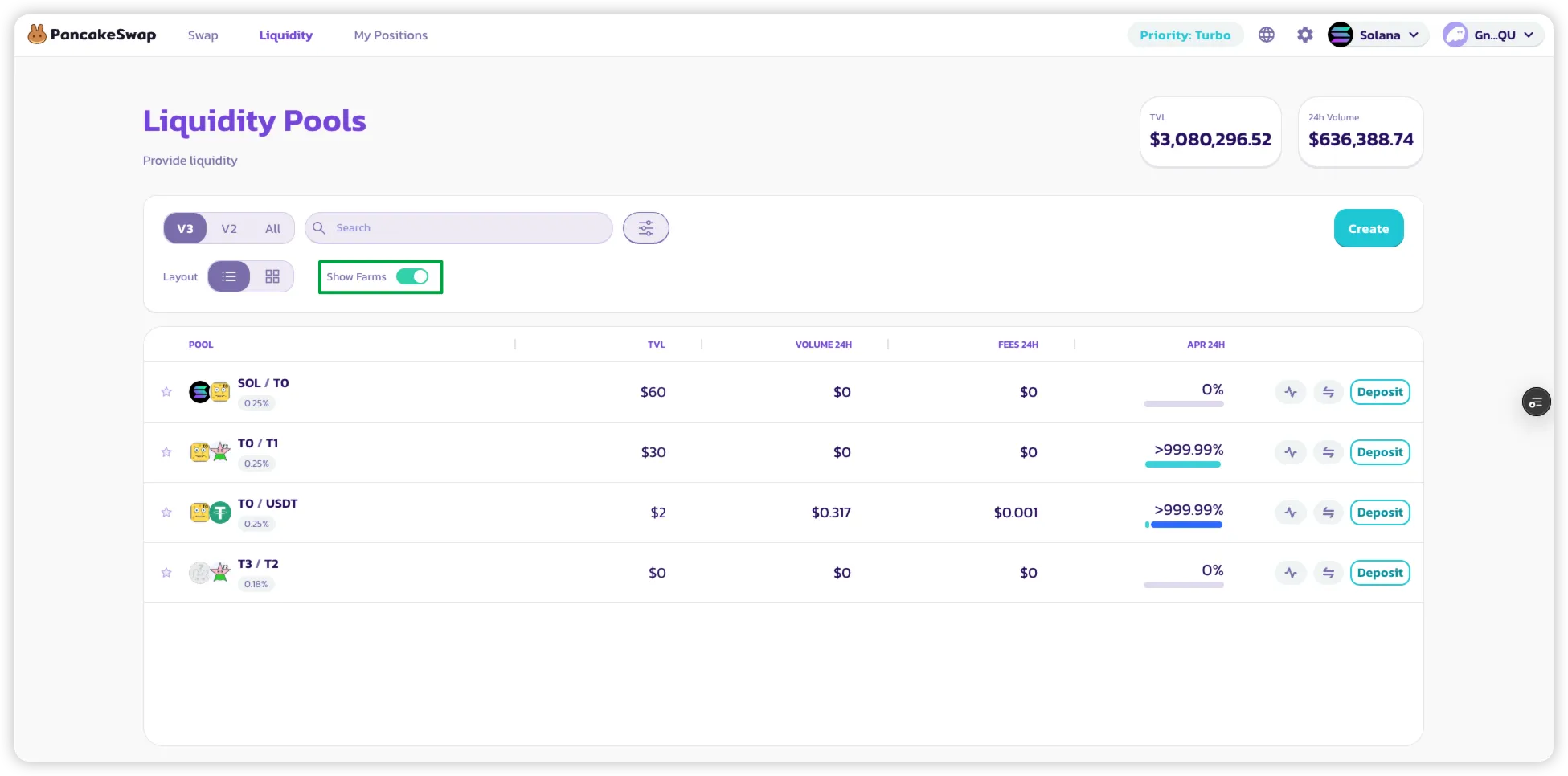
### 1. Filtrar para Ver las Granjas
* En la página de **Lista de Pools**, activa el filtro **"Mostrar solo Granjas"** para mostrar solo los pools que ofrecen recompensas de farming.
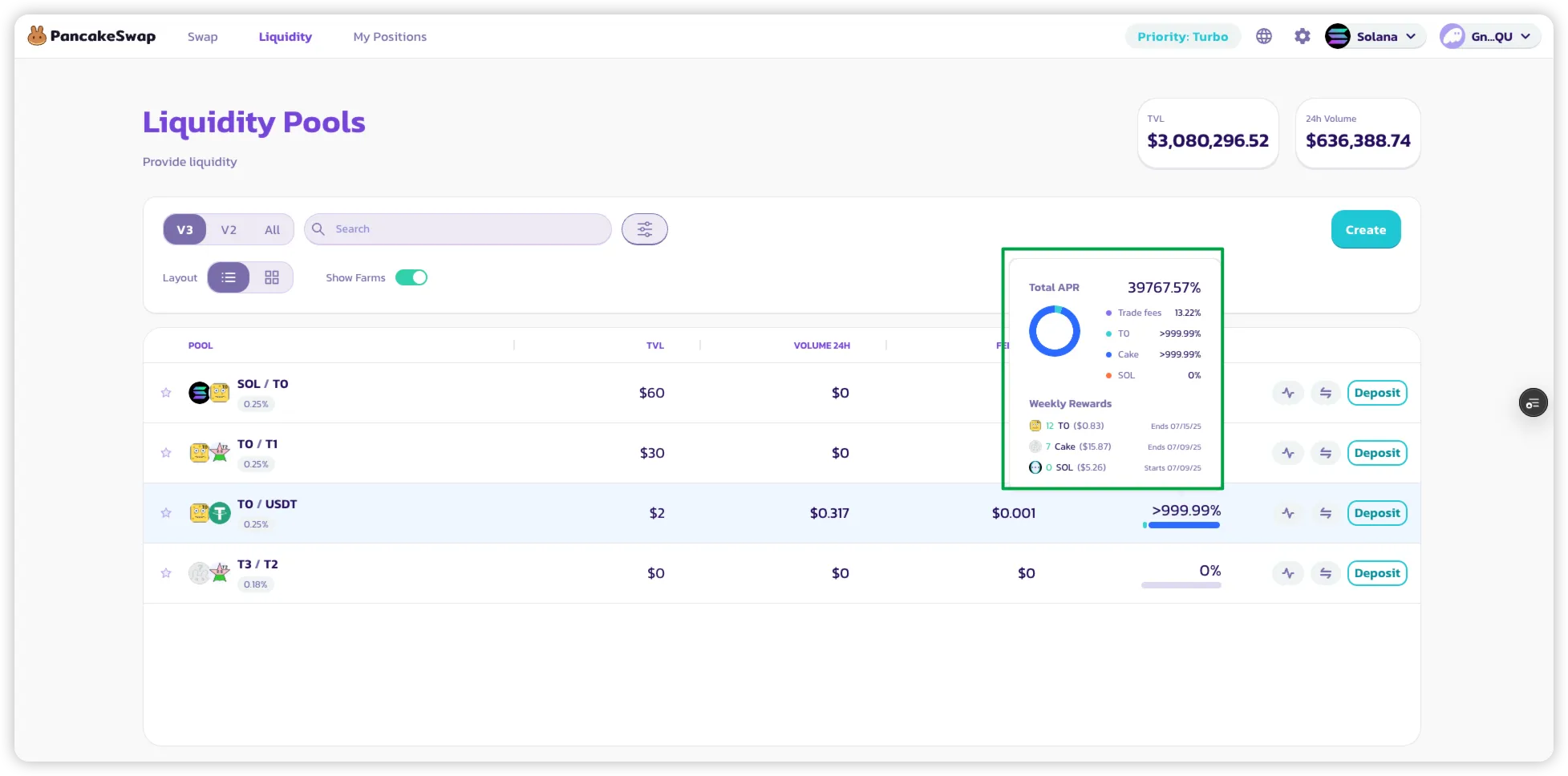
### 2. Ver el Desglose de APR
* **Pasa el cursor** o **haz clic** en el APR que se muestra junto a un pool.
* Aparecerá un desglose que muestra:
* Recompensas LP de las comisiones de trading.
* Recompensas adicionales de los incentivos de farming.
* Una **recompensa semanal estimada** en tokens para ese pool.
### 3. Comenzar a Ganar Recompensas de Farming
* Simplemente **agrega liquidez** a un pool que tenga farming habilitado.
* Una vez que tengas una posición **activa (dentro del rango)**:
* Comenzarás a ganar recompensas de farming **automáticamente cuando ocurran intercambios**.
* **No es necesario poner en staking tu NFT LP** — las recompensas se acumulan directamente en tu posición.
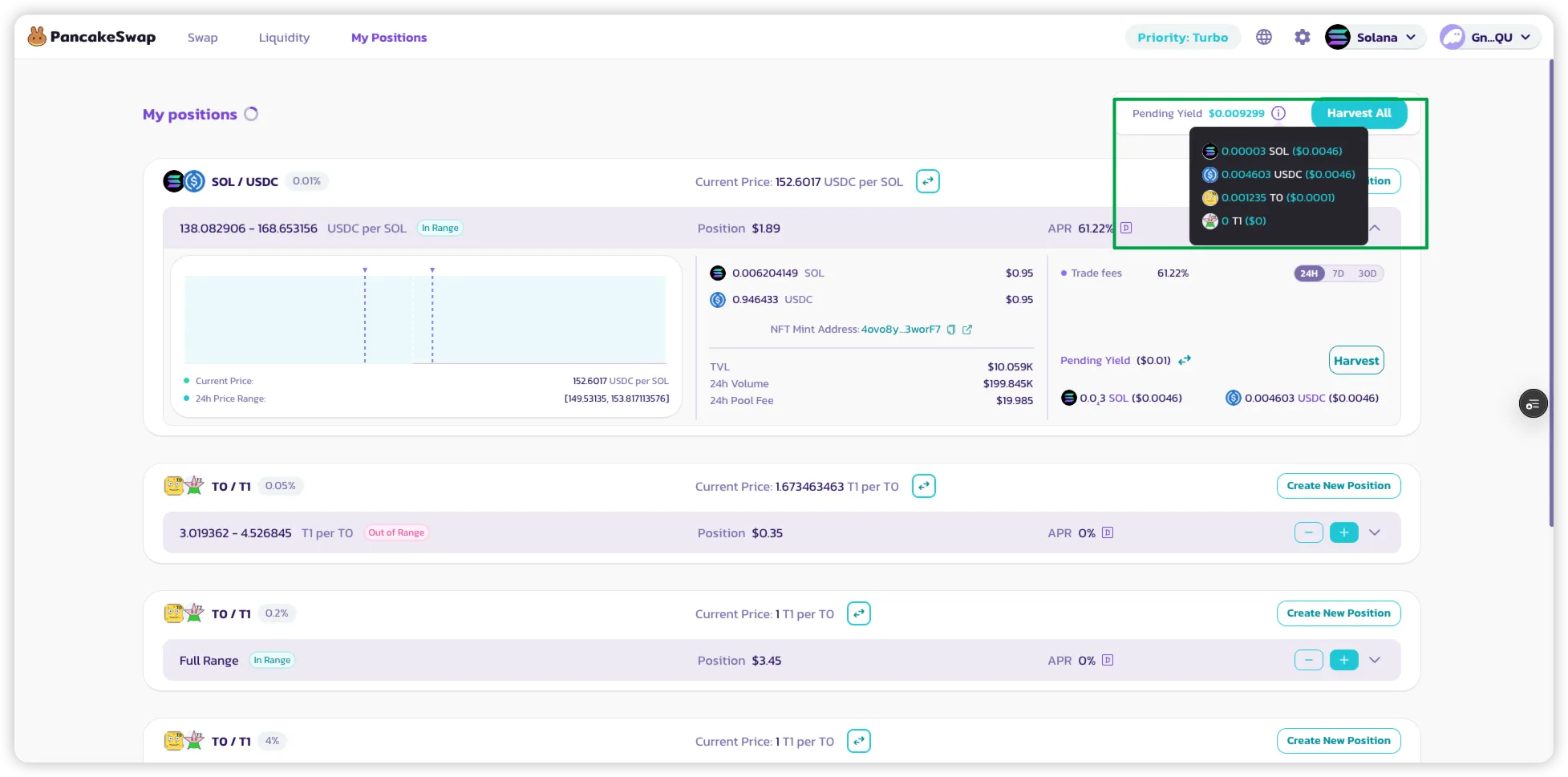
### 4. Rastrear tus Recompensas
* Navega a la página **"Mis Posiciones"** para ver:
* Tus posiciones LP activas.
* Las recompensas de farming acumuladas para cada posición.
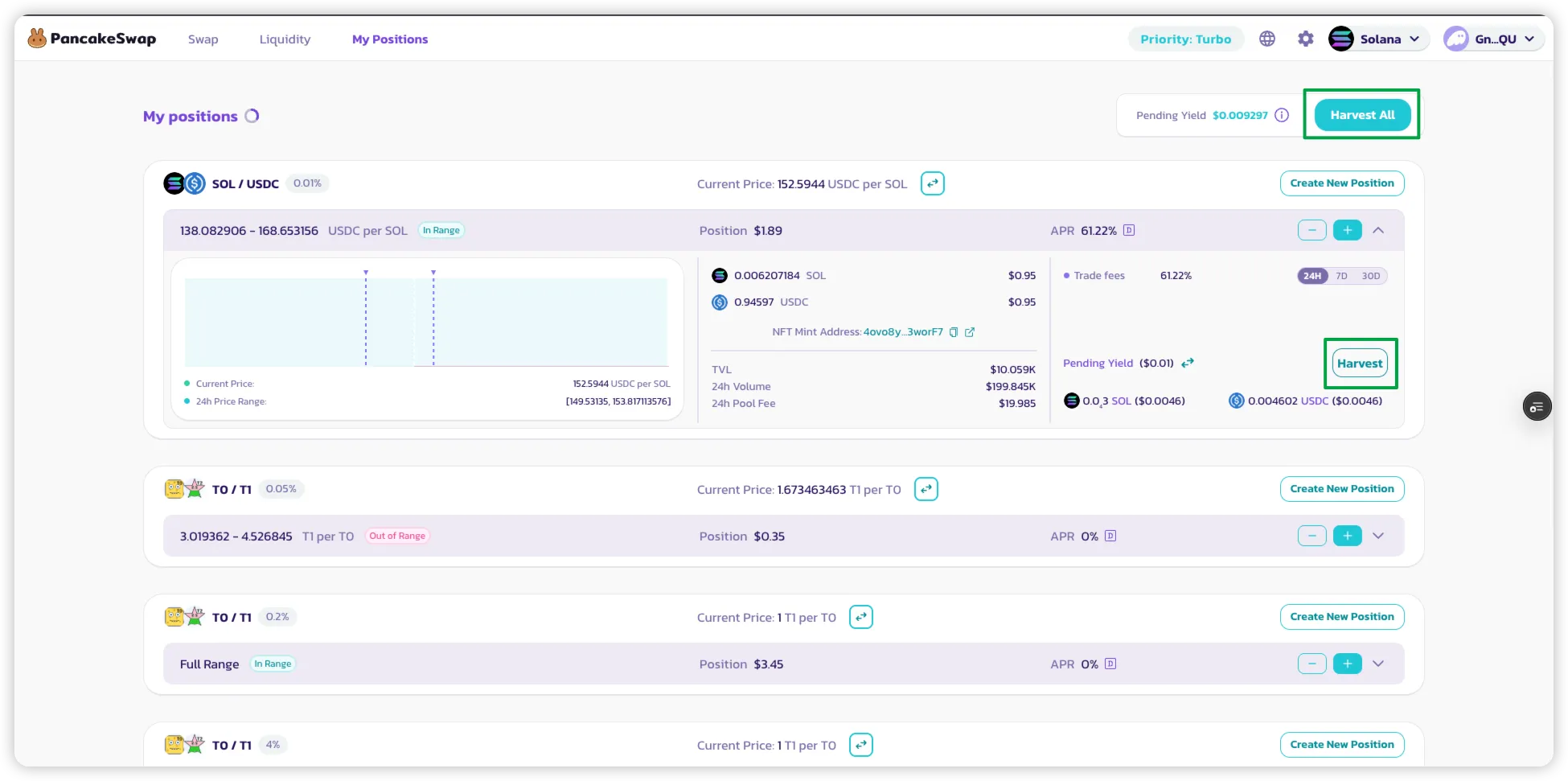
### 5. Reclamar tus Recompensas
* **Haz clic en "Harvest"** en una posición para cosechar tanto:
* Recompensas LP (de comisiones de trading)
* Recompensas de tokens de farming (si aplica)
* Usa **"Harvest All"** para cobrar recompensas de **todas las posiciones activas** en una sola transacción.
---
# Agent Instructions
This documentation is published with GitBook. GitBook is the documentation platform designed so that both humans and AI agents can read, navigate, and reason over technical content effectively. Learn more at gitbook.com.
## Querying This Documentation
If you need additional information that is not directly available in this page, you can query the documentation by asking a question.
Perform an HTTP GET request on the following URL with the `ask` and `goal` query parameters:
```
GET https://docs.pancakeswap.finance/espanol/ganar/yield-farming/solana-farming.md?ask=&goal=
```
`ask` is the immediate question: it should be specific, self-contained, and written in natural language.
`goal` is what the user is ultimately trying to achieve, the reason they need the answer. Sharing it helps GitBook give you a better, more relevant answer. A goal is most helpful when it describes the outcome the user wants rather than restating the question. For example, with `ask=how do I create an API token`, a goal like `automate deployments from our CI pipeline` lets GitBook tailor the answer to that use case.
The response will contain a direct answer to the question and relevant excerpts and sources from the documentation.
Use this mechanism when the answer is not explicitly present in the current page, you need clarification or additional context, or you want to retrieve related documentation sections.