> For the complete documentation index, see [llms.txt](https://docs.pancakeswap.finance/llms.txt). Markdown versions of documentation pages are available by appending `.md` to page URLs; this page is available as [Markdown](https://docs.pancakeswap.finance/espanol/bienvenido-a-pancakeswap/how-to-guides/v3-v2-migration/how-to-migrate.md).
# Cómo migrar
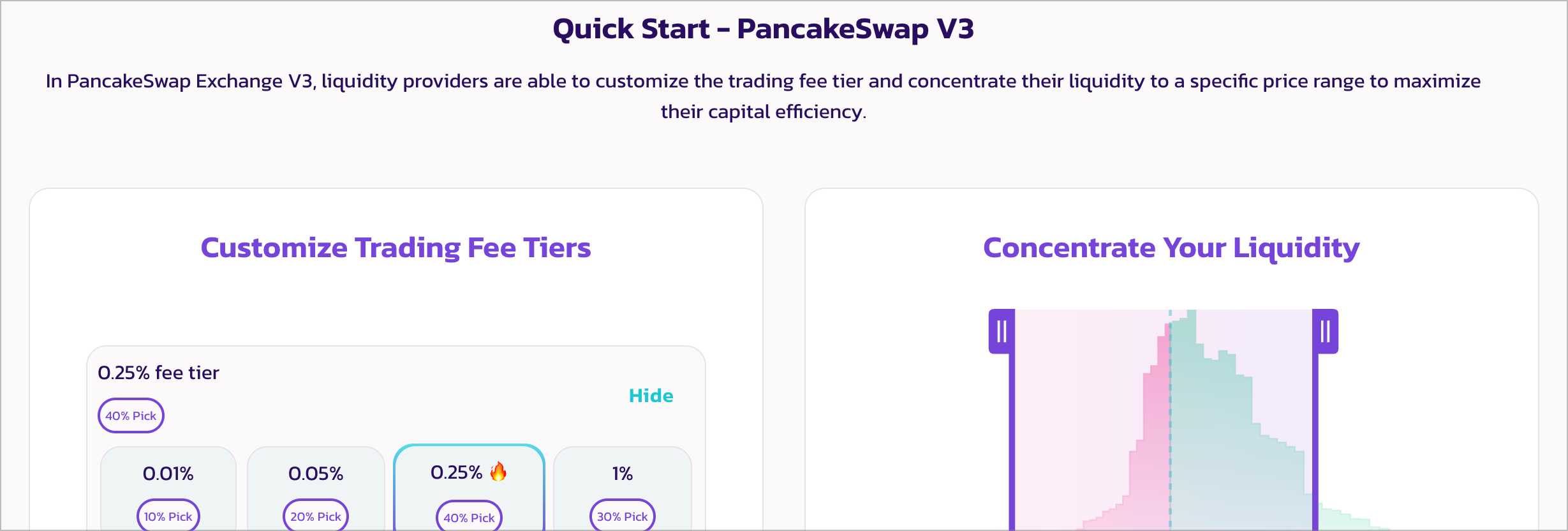
Migra tu liquidez y stakings de farm al nuevo PancakeSwap Exchange y Farm V3
En abril de 2023, PancakeSwap anunció V3 para Exchange y Farms. Algunos pares de farming necesitarán ser migrados para continuar ganando recompensas de Staking. Relájate, como la vez anterior, debería ser un proceso sencillo.
### ¡Pero espera! ¿Necesito migrar?
Necesitas migrar si cumples las siguientes condiciones:
**Farming en los siguientes farms V2 de PancakeSwap:**
* BNB Chain:
* CAKE-BNB
* CAKE-BUSD
* CAKE-USDT
* BUSD-BNB
* USDT-BNB
* BTCB-BUSD
* BTCB-USDT
* BTCB-ETH
* BTCB-BNB
* ETH-BNB
* ETH-USDC
* USDC-USDT
* BUSD-USDC
* BUSD-USDT
* Ethereum:
* ETH-USDC
* ETH-USDT
* WBTC-ETH
La lista probablemente crecerá con el tiempo. La forma más fácil de verificar la lista actualizada es visitar y conectar tu billetera.
**Proporcionando liquidez V2, y cumpliendo las siguientes condiciones:**
* La mayoría de la liquidez para el par de tokens ha sido migrada a V3: por favor verifica la página de información de PancakeSwap, o el sitio web o los canales sociales del proyecto del token para más detalles.
* El equipo del proyecto de ese token ha anunciado que la liquidez será migrada a V3: por favor verifica los sitios web individuales del proyecto o sus canales sociales para más detalles.
### Cómo migrar
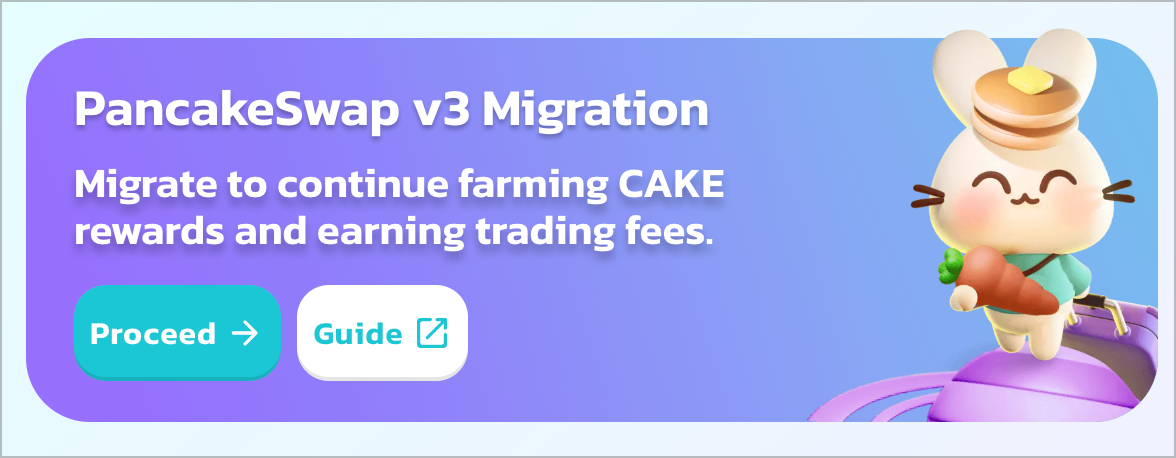
Busca el banner de migración a V3 en la página de Liquidez o Farm. Luego haz clic en "Proceed" para ingresar a la página del asistente de migración.
**Paso 1 - Retirar Staking de farms V2 y/o StableSwap**
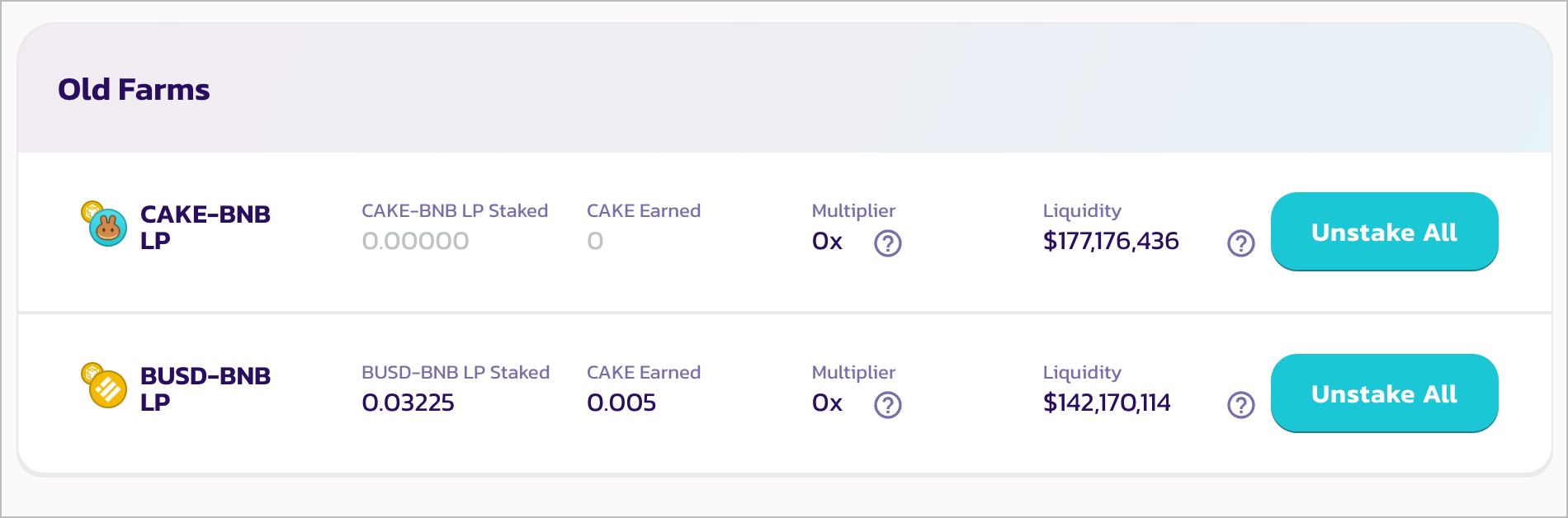
En el paso 1, el asistente listará todos los farms PancakeSwap V2 o StableSwap que requieren migración.
Haz clic en cada uno de los botones "Unstake All" para retirar el Staking de todos los tokens LP en Staking de los farms. Tu billetera pedirá confirmación.
Cuando todos los farms listados estén sin Staking, haz clic en "Next Steps" para continuar.
**Paso 2 - Retirar liquidez de Exchange V2 o StableSwap**
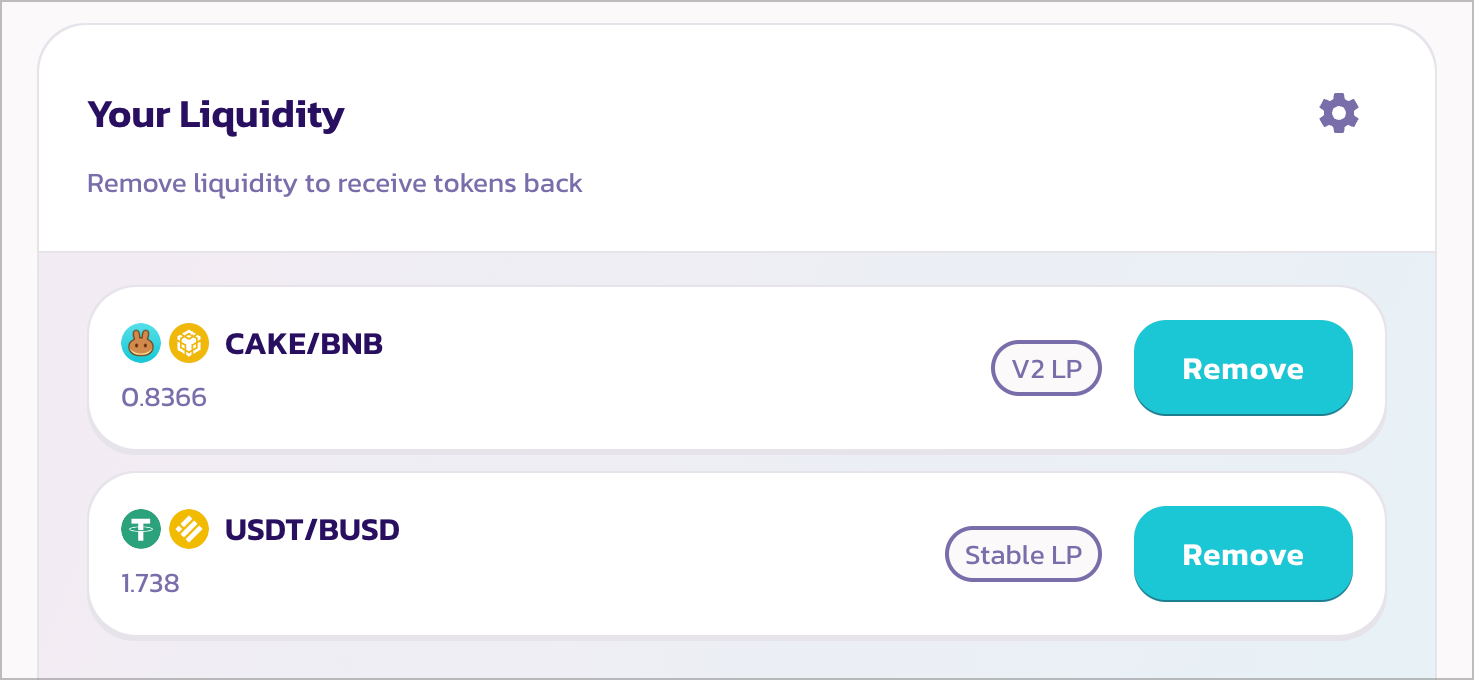
En el paso 2, el asistente listará todas las posiciones de liquidez que pueden ser migradas a V3 con Yield Farming de CAKE.
Haz clic en cada uno de los botones "Remove" para abrir el modal de retirar liquidez con el 100% seleccionado.
Luego haz clic en "Enable", firma la transacción en tu billetera, y haz clic en "Remove". Tu billetera pedirá confirmación.
{% hint style="info" %}
Aunque otros tokens de proyectos también están migrando a V3, no aparecerán en la lista. Por favor verifica los sitios web individuales del proyecto o sus canales sociales para más detalles. Y usa la página de [Liquidez](https://pancakeswap.finance/liquidity) para migrar manualmente.
{% endhint %}
**Paso 3 - Prepararse para V3**
No se requiere ninguna acción. Simplemente lee y asegúrate de estar familiarizado con cómo funciona V3 y cómo proporcionar liquidez en V3.
**Paso 4 - Agregar liquidez V3**

En este paso, agregarás tu liquidez al nuevo Exchange V3.
Haz clic en "Add Liquidity". Tu liquidez V2 retirada anteriormente aparecerá en la lista, haz clic en "Add" para abrir la interfaz para agregar liquidez V3.
Si no ves el par que quieres agregar, haz clic en "Add Other Pairs" y elige los dos tokens manualmente.
Para un tutorial más detallado sobre cómo proporcionar liquidez en V3, lee [aquí](/espanol/ganar/pancakeswap-pools/liquidity-guide.md).
Si tienes preguntas al proporcionar liquidez en V3, consulta aquí las [FAQ](/espanol/intercambio/trading-faq/swap-faq.md).
{% hint style="warning" %}
Ten en cuenta que en Exchange V3, solo las posiciones de liquidez activas (en rango) ganarán recompensas de comisiones de trading.
Por favor sé cuidadoso al establecer el rango de precios para la posición de liquidez.
{% endhint %}
**Paso 5 - Hacer Staking en farms V3**
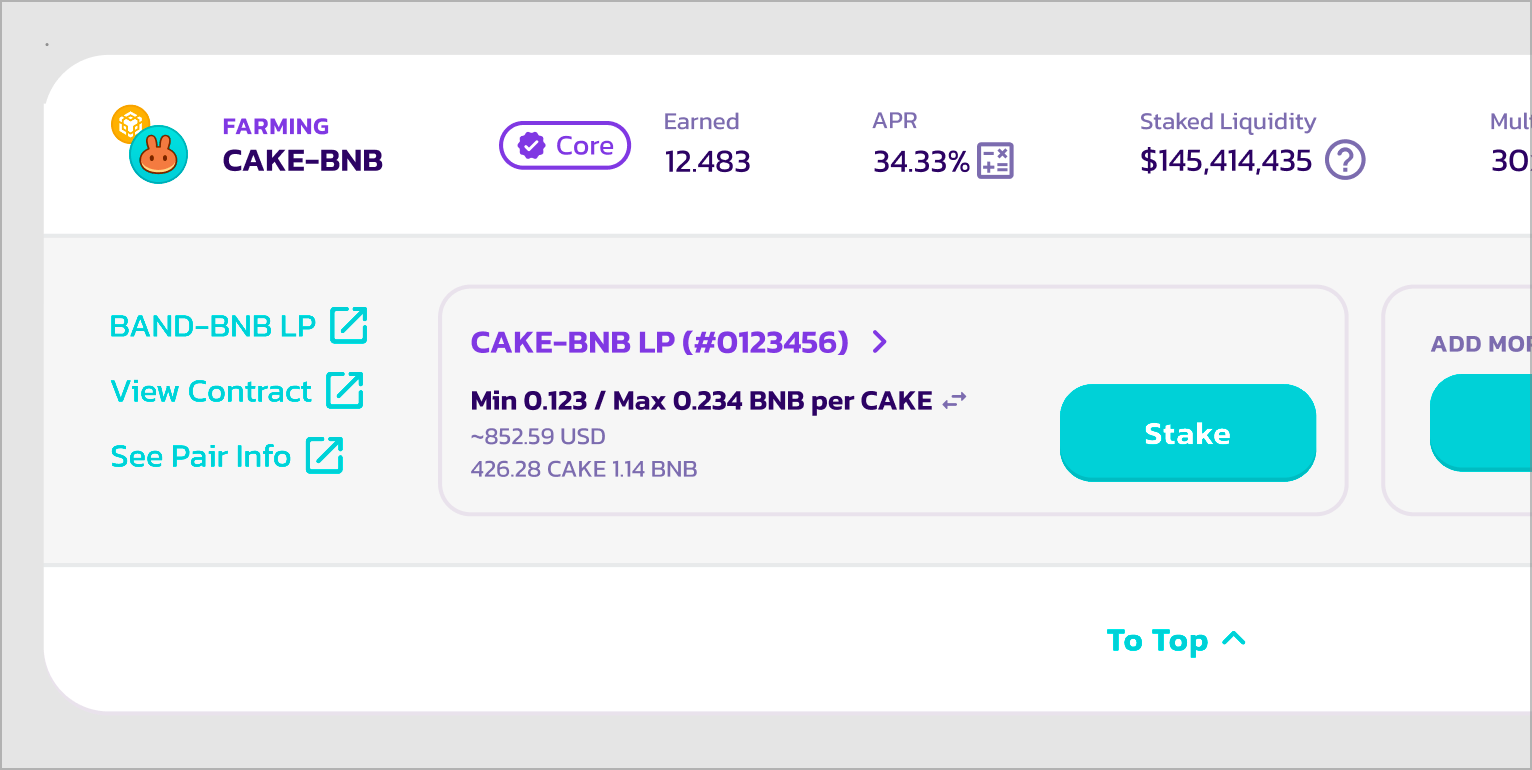
En este paso, harás Staking de tus posiciones de liquidez V3 recién agregadas en los nuevos farms V3 para comenzar a ganar recompensas de CAKE.
Haz clic en cada uno de los botones "Stake" en la posición para hacer Staking en los farms. Tu billetera pedirá confirmación.
Para un tutorial más detallado sobre cómo hacer farming en V3, lee [aquí](/espanol/ganar/yield-farming/how-to-use-farms.md#farm-v3).
Si tienes preguntas al hacer Staking de liquidez en farms V3, consulta aquí las [FAQ](/espanol/ganar/earn-faq/farming-faq.md).
{% hint style="warning" %}
Ten en cuenta que en Farm V3, solo las posiciones de liquidez activas (en rango) ganarán recompensas de CAKE.
Por favor sé cuidadoso al establecer el rango de precios para la posición de liquidez.
{% endhint %}
**Finalizado**
Eso es todo. ¡Has migrado tu Staking de farm y liquidez al nuevo PancakeSwap V3!
---
# Agent Instructions
This documentation is published with GitBook. GitBook is the documentation platform designed so that both humans and AI agents can read, navigate, and reason over technical content effectively. Learn more at gitbook.com.
## Querying This Documentation
If you need additional information that is not directly available in this page, you can query the documentation by asking a question.
Perform an HTTP GET request on the following URL with the `ask` and `goal` query parameters:
```
GET https://docs.pancakeswap.finance/espanol/bienvenido-a-pancakeswap/how-to-guides/v3-v2-migration/how-to-migrate.md?ask=&goal=
```
`ask` is the immediate question: it should be specific, self-contained, and written in natural language.
`goal` is what the user is ultimately trying to achieve, the reason they need the answer. Sharing it helps GitBook give you a better, more relevant answer. A goal is most helpful when it describes the outcome the user wants rather than restating the question. For example, with `ask=how do I create an API token`, a goal like `automate deployments from our CI pipeline` lets GitBook tailor the answer to that use case.
The response will contain a direct answer to the question and relevant excerpts and sources from the documentation.
Use this mechanism when the answer is not explicitly present in the current page, you need clarification or additional context, or you want to retrieve related documentation sections.