> For the complete documentation index, see [llms.txt](https://docs.pancakeswap.finance/llms.txt). Markdown versions of documentation pages are available by appending `.md` to page URLs; this page is available as [Markdown](https://docs.pancakeswap.finance/chinese/xie-yi/voting/voting-guide.md).
# 如何投票

参与治理投票非常简单,而且完全**免费**。你甚至无需支付 gas 费!进一步了解如何投票,关注下一个提案并投出你的一票。
### 如何投票
#### 导航至投票提案
每当我们发布新提案时,都会附上投票页面的链接。因此,请务必关注[我们的社交渠道](/chinese/huan-ying-lai-dao-pancakeswap/contact-us/social-accounts.md)以获取新闻和更新。
或者,你也可以访问 [PancakeSwap 的原生投票门户](https://voting.pancakeswap.finance/?_gl=1*pc8o0h*_ga*MTUzNDEzNDQxMy4xNjAwNzkzNDM4*_ga_334KNG3DMQ*MTYwNDMwMTk4Ni42MC4xLjE2MDQzMDM3MDIuMA..#/)[ ](https://pancakeswap.finance/voting),以列表形式浏览提案。如果你没有看到该提案,它可能位于"即将开始"标签页中。
#### 阅读并选择要投票的选项

在提案页面上,你会找到:
* 提案的内容
* 投票选项
* 提案的详细信息,例如快照区块和投票窗口
* 最新的投票结果
* 投票列表
仔细阅读提案,并点击你想投票的选项。

#### 确认并投出你的一票

确认所有详情并点击"Confirm Vote",然后在你的钱包中确认以签署消息。
完成,你已成功投出你的一票。
### 如何查看详情
{% tabs %}
{% tab title="查看投票权" %}
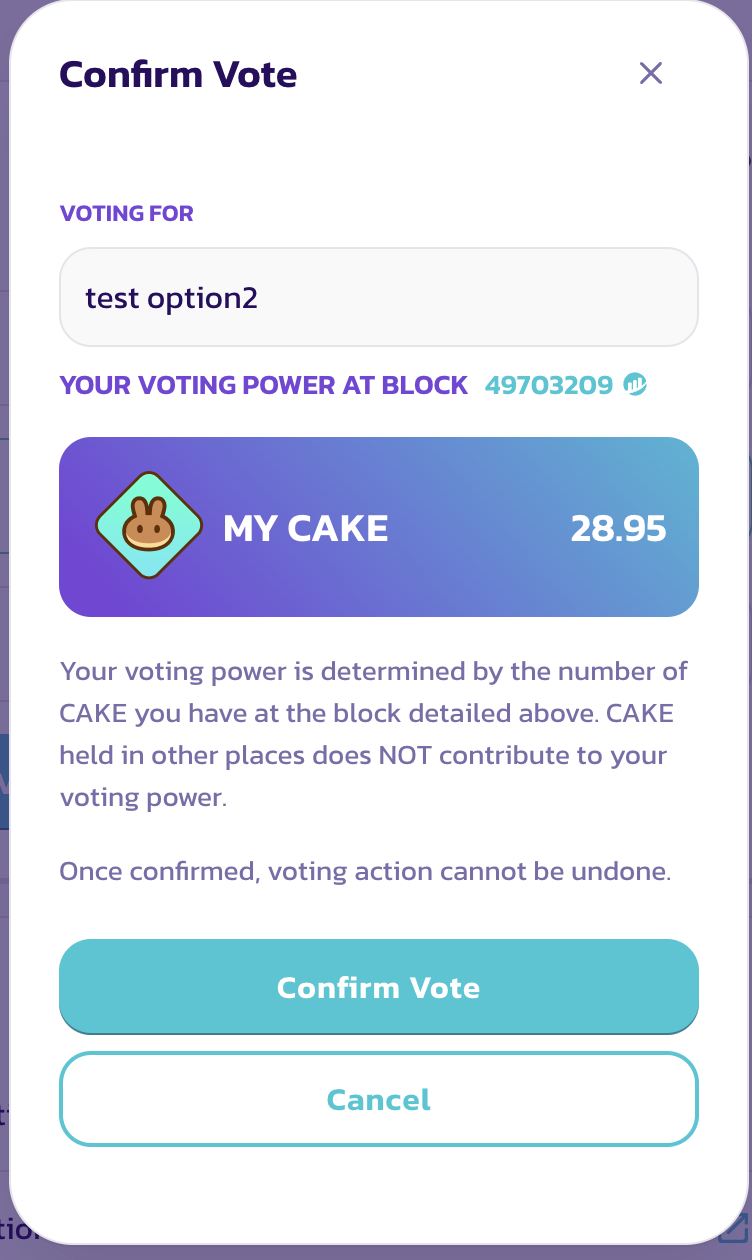
在投出你的一票之前,你会看到一个"Confirm Vote"窗口。
在此窗口中,你将能够查看以下项目:
* 你选择的选项
* 你的投票权
你的投票权等于你在快照区块时的 CAKE 余额。
{% endtab %}
{% tab title="查看快照区块" %}
#### 查看快照区块

投票权是根据在快照区块拍摄的快照计算的。因此,在提案发布后购买或存入更多 CAKE 不会提高你在该特定提案中的投票权。
如果你想知道快照区块的确切时间,只需点击区块编号,然后在 BscScan 页面上查找时间戳。

{% endtab %}
{% endtabs %}
---
# Agent Instructions
This documentation is published with GitBook. GitBook is the documentation platform designed so that both humans and AI agents can read, navigate, and reason over technical content effectively. Learn more at gitbook.com.
## Querying This Documentation
If you need additional information that is not directly available in this page, you can query the documentation by asking a question.
Perform an HTTP GET request on the following URL with the `ask` and `goal` query parameters:
```
GET https://docs.pancakeswap.finance/chinese/xie-yi/voting/voting-guide.md?ask=&goal=
```
`ask` is the immediate question: it should be specific, self-contained, and written in natural language.
`goal` is what the user is ultimately trying to achieve, the reason they need the answer. Sharing it helps GitBook give you a better, more relevant answer. A goal is most helpful when it describes the outcome the user wants rather than restating the question. For example, with `ask=how do I create an API token`, a goal like `automate deployments from our CI pipeline` lets GitBook tailor the answer to that use case.
The response will contain a direct answer to the question and relevant excerpts and sources from the documentation.
Use this mechanism when the answer is not explicitly present in the current page, you need clarification or additional context, or you want to retrieve related documentation sections.