> For the complete documentation index, see [llms.txt](https://docs.pancakeswap.finance/llms.txt). Markdown versions of documentation pages are available by appending `.md` to page URLs; this page is available as [Markdown](https://docs.pancakeswap.finance/chinese/jiao-yi/perpetual-trading/perpetuals-trading-new/simple-mode.md).
# Simple Mode
Simple Mode 专为想要快速行动的交易者设计。设置你的规模,选择你的杠杆,然后点击 UP 或 DOWN——就这么简单。
### **前往 PCS Perps 页面**
前往 [pancakeswap.finance/perps](https://pancakeswap.finance/perps),或点击 PancakeSwap 主导航栏中的 Perps。
### **连接你的钱包**
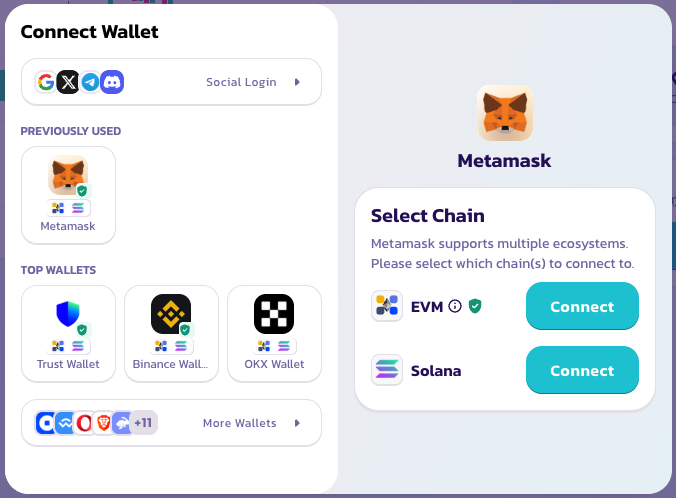
点击右上角的 Connect Wallet。无需创建账户或进行 KYC——你的钱包就是你的账户。
### **选择交易对**
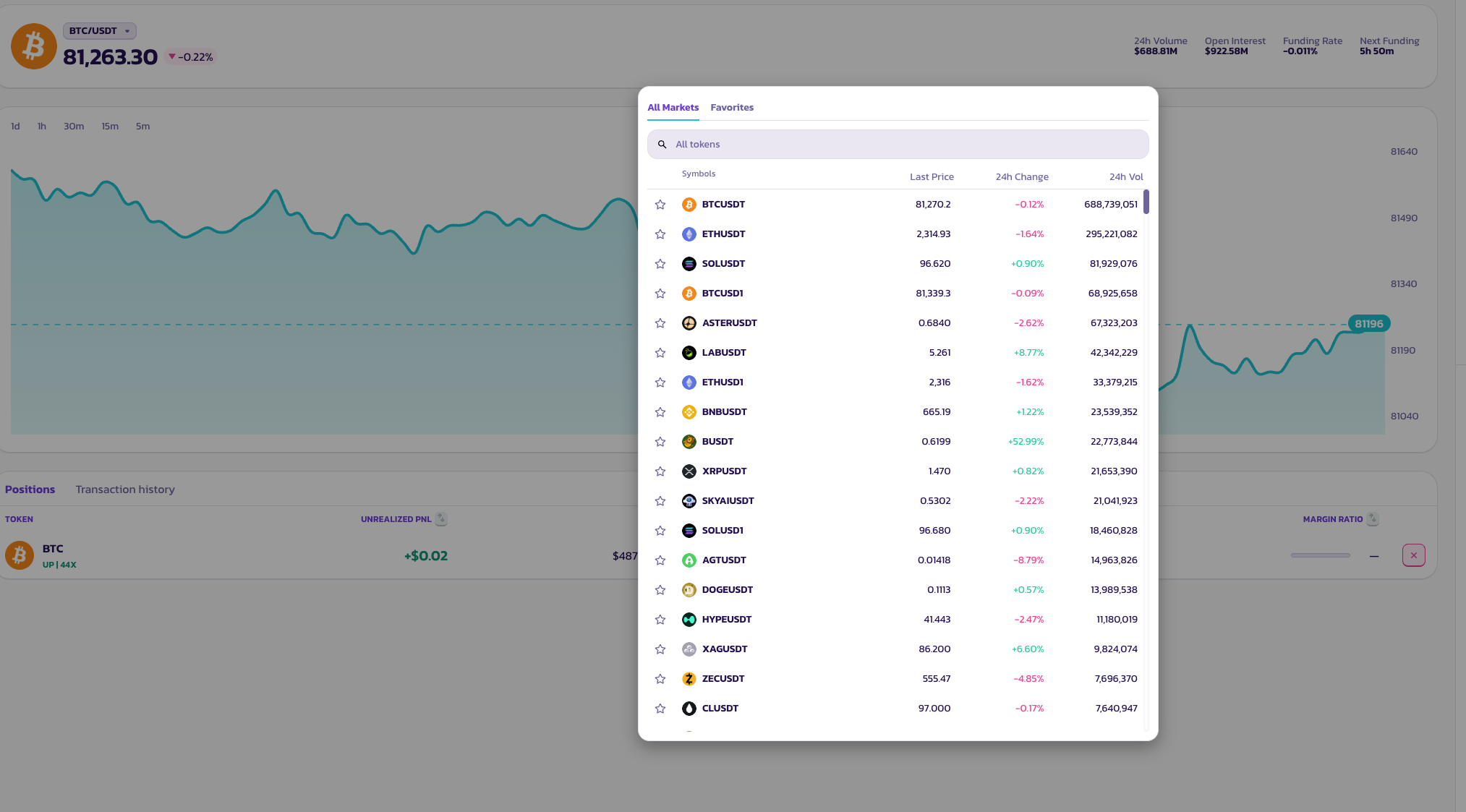
点击页面顶部的交易对名称以打开资产选择器。提供种类繁多的代币交易对。
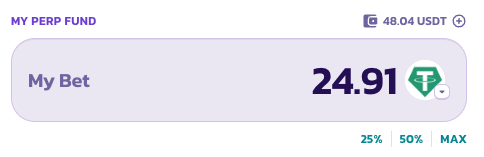
### **My Bet — 仓位规模**
输入你想投入的金额,或点击预设按钮——**25%**、**50%** 或 **MAX**——以将你的仓位规模设置为可用永续合约资金余额的一部分。
### **杠杆**
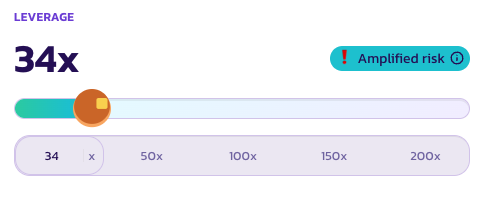
使用滑块或点击预设——**50×**、**100×**、**150×** 或 **200×**——来设置你的杠杆。你当前的倍数会以大号文字显示在滑块上方。
当杠杆高到足以带来显著的清算风险时,会出现 **Amplified Risk**(风险放大)指示器作为提醒。
### **一键开仓**
点击 **UP** 做多,或点击 **DOWN** 做空。你的仓位将立即以最佳可用市价开立。
### **多次点击**
Simple Mode 的设计让你可以通过反复点击来建立或减少你的仓位——无需每次手动调整规模。
* **点击两次 UP** — 你的仓位翻倍。每次点击都会向你现有的多头仓位添加一个单位。
* **先点击 UP 再点击 DOWN** — 仓位相互抵消,使你回到空仓状态。
可以把每次点击想象成在某个方向上增加或减少一个单位。这是一种有趣的方式来逐步加仓或减仓。
### **检查你的订单状态**
你的订单在等待成交时会显示在 **Positions**(仓位)下。
***
💡 想要设置限价订单、止盈/止损(TP/SL),或更详细地管理仓位?随时切换到 **Pro Mode**——你的未平仓仓位不会受到影响。
---
# Agent Instructions
This documentation is published with GitBook. GitBook is the documentation platform designed so that both humans and AI agents can read, navigate, and reason over technical content effectively. Learn more at gitbook.com.
## Querying This Documentation
If you need additional information that is not directly available in this page, you can query the documentation dynamically by asking a question.
Perform an HTTP GET request on the current page URL with the `ask` query parameter, and the optional `goal` query parameter:
```
GET https://docs.pancakeswap.finance/chinese/jiao-yi/perpetual-trading/perpetuals-trading-new/simple-mode.md?ask=&goal=
```
`ask` is the immediate question: it should be specific, self-contained, and written in natural language.
`goal` is optional and describes the broader end goal you are ultimately trying to accomplish on behalf of the user. GitBook uses it to tailor the answer towards what is most useful for that goal.
The response will contain a direct answer to the question and relevant excerpts and sources from the documentation.
Use this mechanism when the answer is not explicitly present in the current page, you need clarification or additional context, or you want to retrieve related documentation sections.