> For the complete documentation index, see [llms.txt](https://docs.pancakeswap.finance/llms.txt). Markdown versions of documentation pages are available by appending `.md` to page URLs; this page is available as [Markdown](https://docs.pancakeswap.finance/chinese/jiao-yi/perpetual-trading/perpetuals-trading-new/pro-mode.md).
# Pro Mode
Pro Mode 让你全面掌控你的交易——订单类型、杠杆、止盈/止损(TP/SL)以及仓位管理都集中在一处。请按照以下步骤开立你的第一个仓位。有关关键术语的定义,请参阅 PCS Perps 术语表。
### **前往 PCS Perps 页面**
前往 [pancakeswap.finance/perps](https://pancakeswap.finance/perps),或点击 PancakeSwap 主导航栏中的 Perps。
### **连接你的钱包**
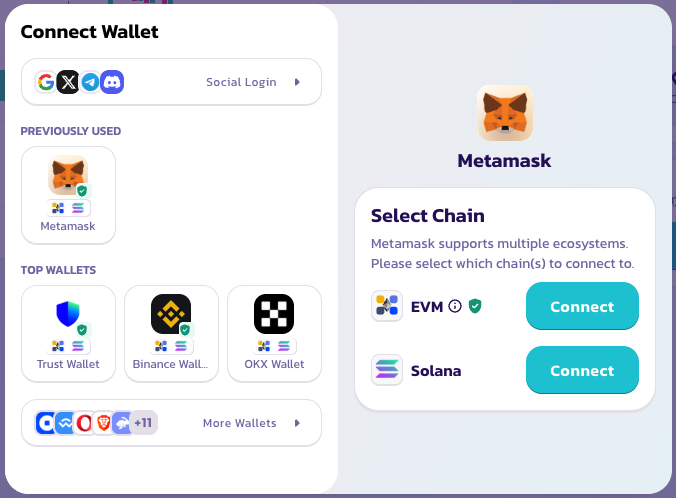
点击右上角的 Connect Wallet。无需创建账户或进行 KYC——你的钱包就是你的账户。
### **选择你的模式**
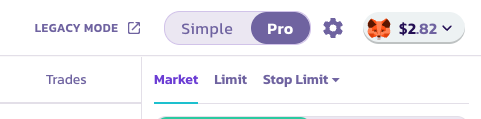
选择 **Simple Mode** 即可通过预设规模快速一键做多或做空。如果你想设置限价订单、配置止盈/止损(TP/SL),或更详细地管理仓位,请切换到 **Pro Mode**。
### **选择交易对**
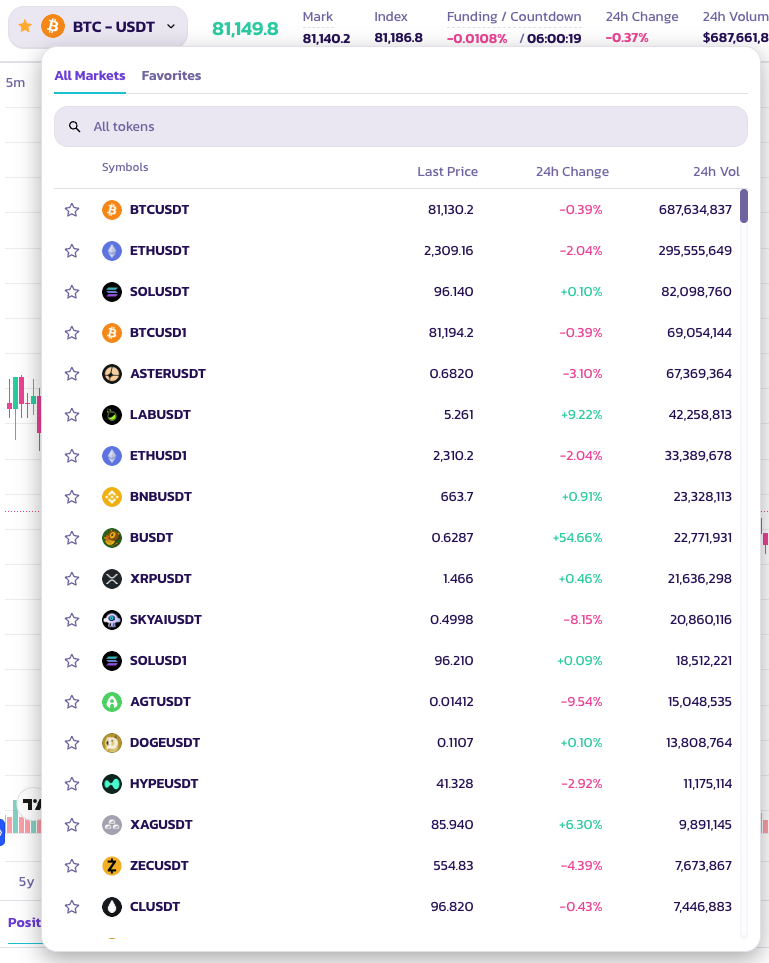
点击页面顶部的交易对名称以打开资产选择器。提供种类繁多的代币交易对。
### **分析图表并决定你的策略**
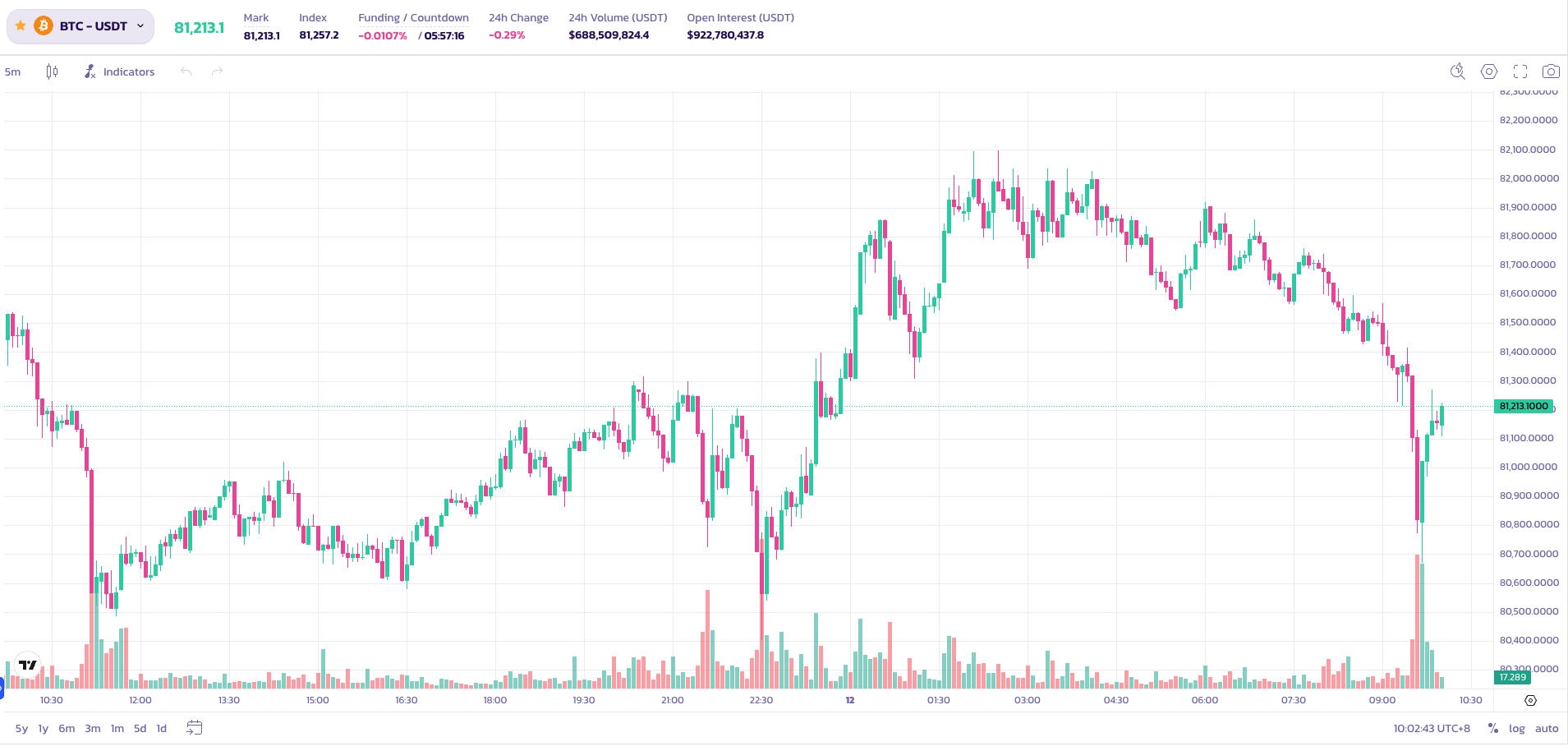
在下单之前,使用内置的 TradingView 图表来分析价格走势。所有标准图表工具均可使用。
### **设置你的仓位参数**
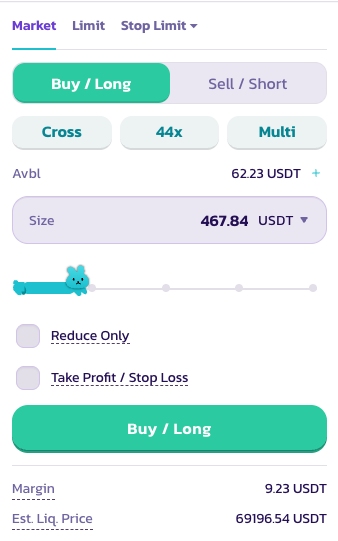
在订单面板中,配置以下内容:
1. **做多或做空** — 选择你交易的方向
2. **杠杆** — 使用滑块或手动输入来设置你的杠杆。BTC 上最高可达 200×。
⚠️ 高杠杆蕴含重大风险。请谨慎使用。
3. **订单类型** — Market(市价,立即成交)或 Limit(限价,以你选定的价格成交)
4. **仓位规模** — 以你偏好的参考货币输入你的交易规模
**设置止盈和止损** *(可选)*
* **止盈(Take Profit)** — 当达到你的目标收益时,你的仓位会自动平仓
* **止损(Stop Loss)** — 当达到设定的阈值时,你的仓位会自动平仓以限制损失
设置好所有参数后,点击 Buy / Long 或 Sell / Short 提交你的订单。
### **检查你的订单状态**
你的订单在等待成交时会显示在 **Positions**(仓位)下。
祝你交易顺利!
---
# Agent Instructions
This documentation is published with GitBook. GitBook is the documentation platform designed so that both humans and AI agents can read, navigate, and reason over technical content effectively. Learn more at gitbook.com.
## Querying This Documentation
If you need additional information that is not directly available in this page, you can query the documentation dynamically by asking a question.
Perform an HTTP GET request on the current page URL with the `ask` query parameter, and the optional `goal` query parameter:
```
GET https://docs.pancakeswap.finance/chinese/jiao-yi/perpetual-trading/perpetuals-trading-new/pro-mode.md?ask=&goal=
```
`ask` is the immediate question: it should be specific, self-contained, and written in natural language.
`goal` is optional and describes the broader end goal you are ultimately trying to accomplish on behalf of the user. GitBook uses it to tailor the answer towards what is most useful for that goal.
The response will contain a direct answer to the question and relevant excerpts and sources from the documentation.
Use this mechanism when the answer is not explicitly present in the current page, you need clarification or additional context, or you want to retrieve related documentation sections.