> For the complete documentation index, see [llms.txt](https://docs.pancakeswap.finance/llms.txt). Markdown versions of documentation pages are available by appending `.md` to page URLs; this page is available as [Markdown](https://docs.pancakeswap.finance/chinese/jiao-yi/pancakeswap-x/how-to-use-pancakeswap-x.md).
# 如何使用 PancakeSwap X
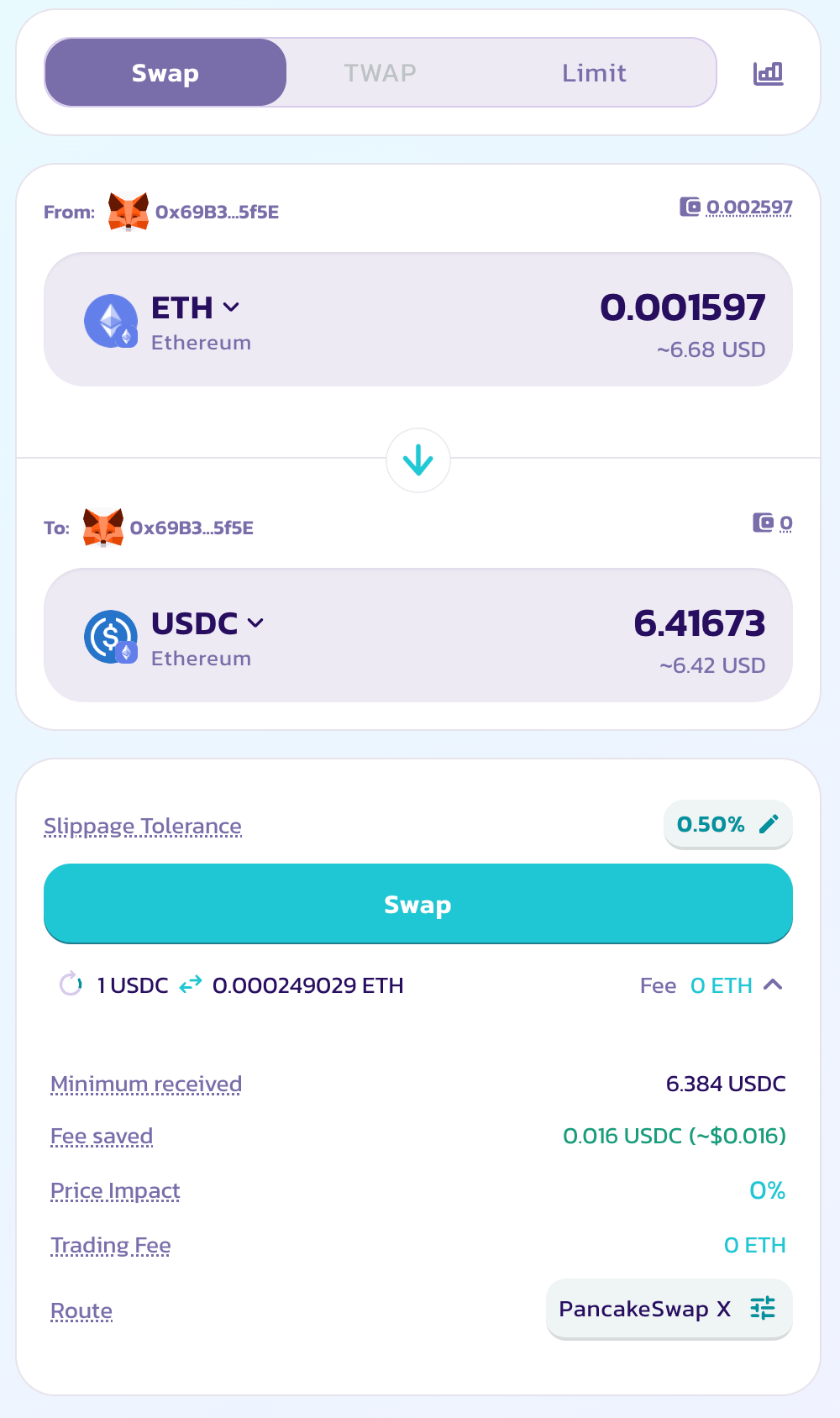
PancakeSwap X 直接构建在大家熟悉的 "Swap" 界面中,并默认为所有用户启用。要使用 PancakeSwap X,只需前往 [Swap](https://pancakeswap.finance/swap) 页面并开始交易即可。
### 启用 PancakeSwap X
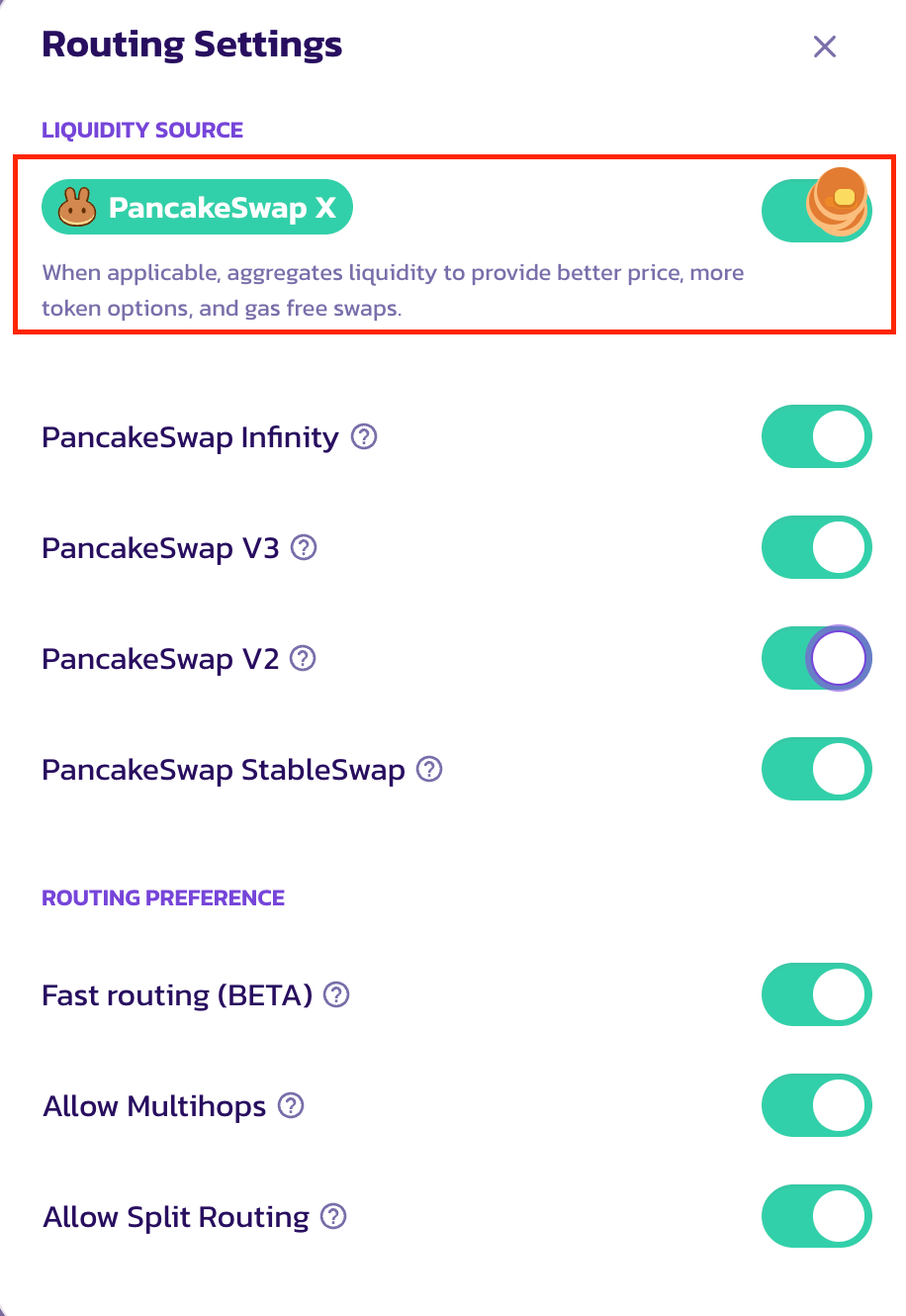
如果 X 未启用,请点击 "Route"(路由)中的设置图标以打开设置弹窗,然后点击 "Customise Routing"(自定义路由)以调出路由偏好设置。
在 "Customize Routing" 弹窗中,将有一个用于切换 PancakeSwap X 交易路由的新开关。只需点击或轻触即可将其开启。
切换后,你可以返回主 Swap 页面。如果当前的兑换可使用 PancakeSwap X,则会在 "Route" 部分显示一个指示标志,且价格影响和费用均为 0。
请注意,PancakeSwap X 并非适用于所有兑换。其可用性取决于输入和输出代币、交易规模以及网络。如果该兑换无法由 PancakeSwap X 处理,它将通过 AMM 流动性资金池进行路由。
当一笔交易通过 PancakeSwap X 进行时,它会在 "Route" 部分高亮显示。
### 提交订单
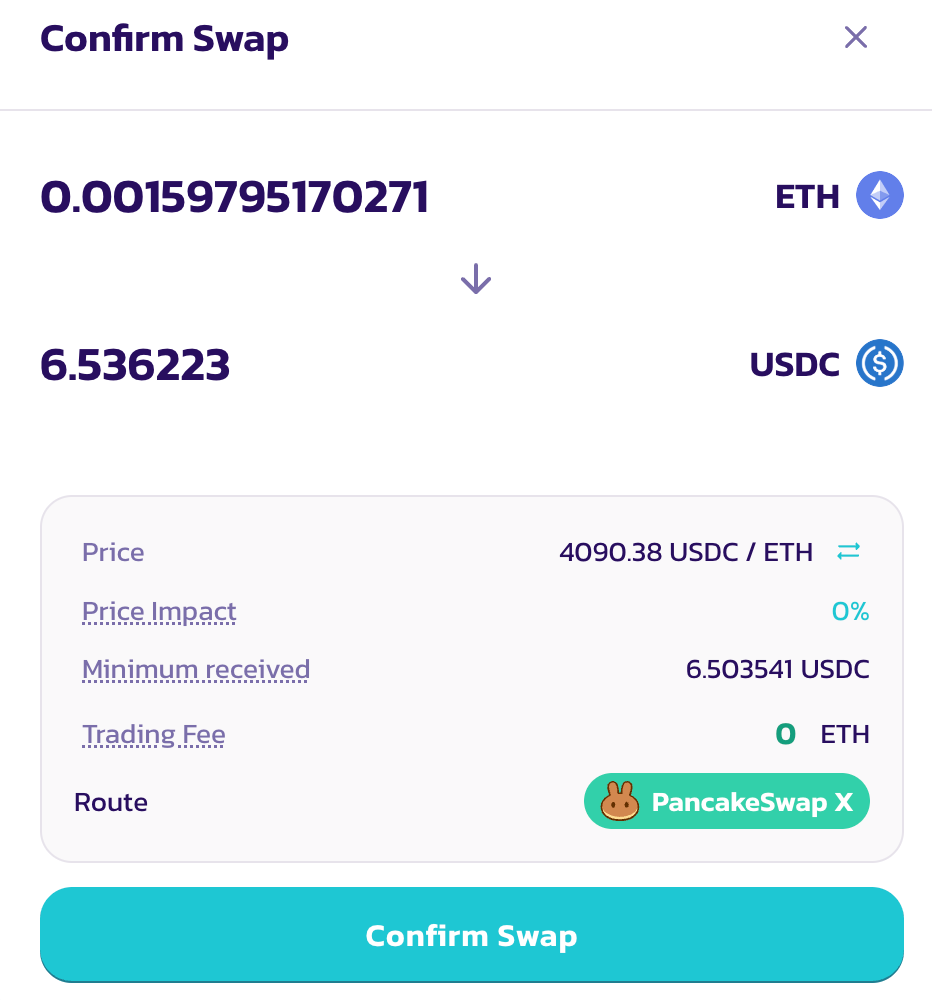
要提交订单,请点击 "Swap",然后在 "Confirm Swap"(确认兑换)弹窗中核实所有参数。如果一切无误,点击 "Confirm Swap" 以继续。
如果你尚未授权输入代币,你的钱包将提示你进行授权。请注意,虽然通过 PancakeSwap X 兑换不需要任何 gas 代币,但授权代币支出确实需要 gas。
代币授权后,将出现另一个钱包弹窗,要求对订单进行签名。只需点击 "Confirm" 即可继续。这不涉及任何 gas 成本或链上交易。
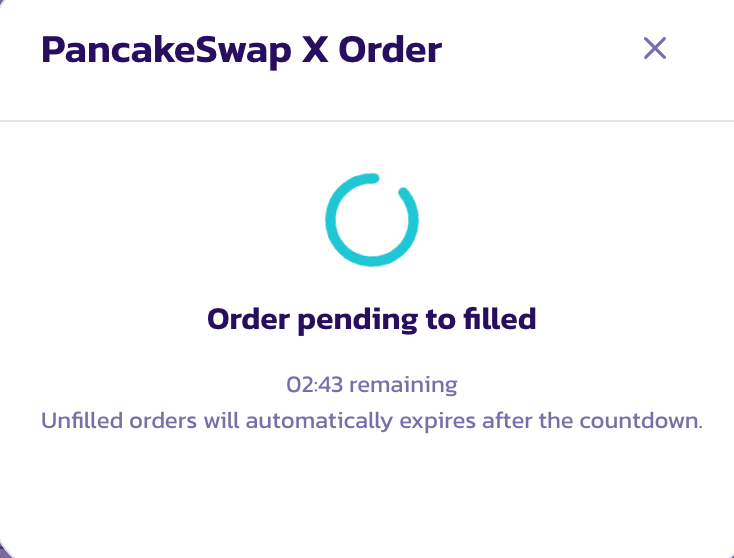
一旦订单提交,将出现一个带进度条的弹窗。你可以关闭该弹窗,而你的订单将继续在后台被成交。
请注意,与常规的 AMM DEX 流动性资金池兑换不同,一旦 PancakeSwap X 订单提交,流动性提供者需要一些时间来响应并成交你的订单。订单成功成交可能最多需要 2 分钟。
### 跟踪你的订单状态
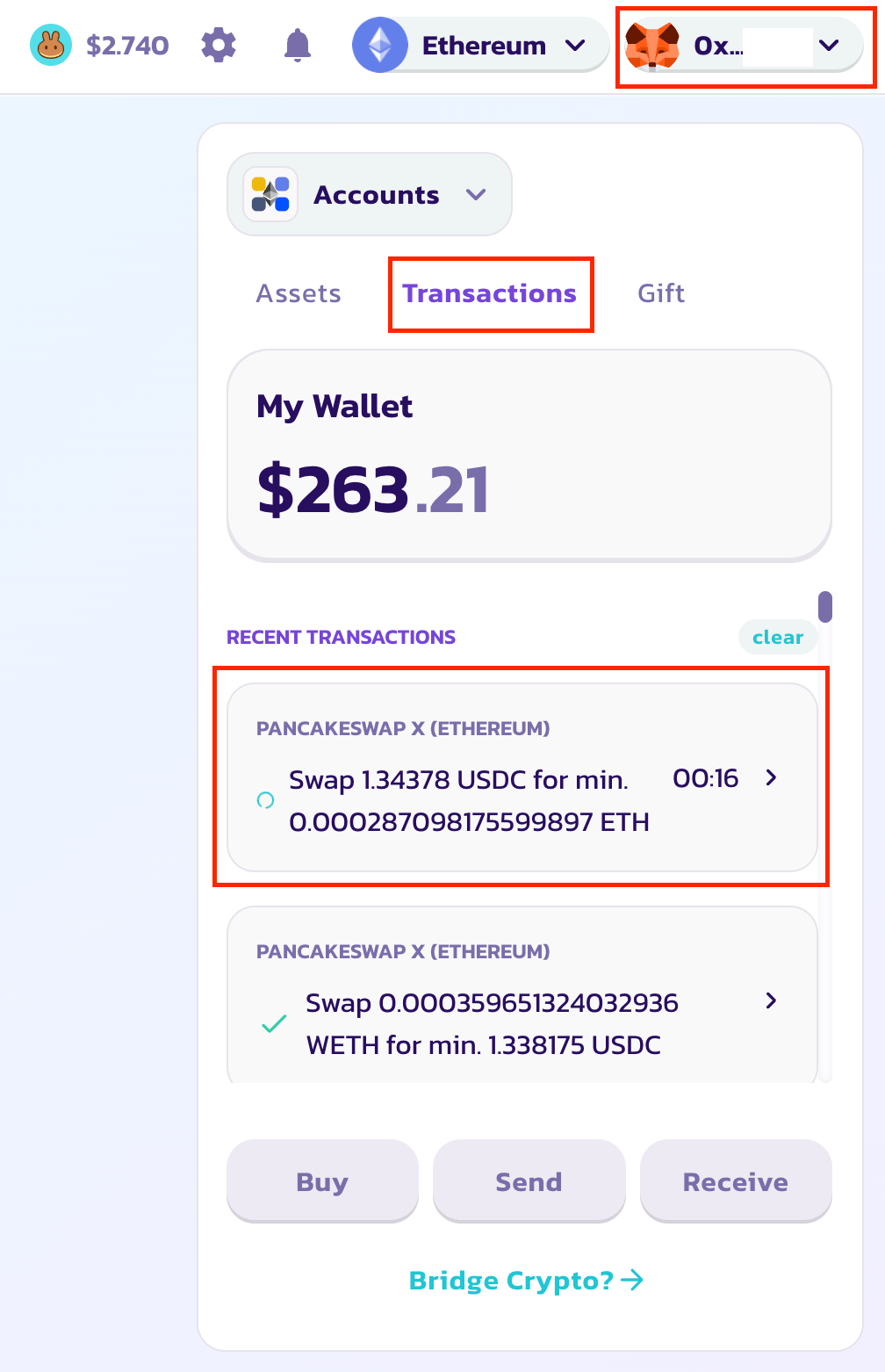
要跟踪你的订单状态,请从右上角的钱包下拉菜单中打开钱包弹窗。点击 "Transaction"(交易)按钮以调出订单列表。要查看某个特定订单的更多详情,只需点击并打开详情弹窗。
一旦订单成功成交,你将在该订单上看到一个绿色对勾,同时购买的代币会自动发送到你的钱包。
---
# Agent Instructions
This documentation is published with GitBook. GitBook is the documentation platform designed so that both humans and AI agents can read, navigate, and reason over technical content effectively. Learn more at gitbook.com.
## Querying This Documentation
If you need additional information that is not directly available in this page, you can query the documentation dynamically by asking a question.
Perform an HTTP GET request on the current page URL with the `ask` query parameter, and the optional `goal` query parameter:
```
GET https://docs.pancakeswap.finance/chinese/jiao-yi/pancakeswap-x/how-to-use-pancakeswap-x.md?ask=&goal=
```
`ask` is the immediate question: it should be specific, self-contained, and written in natural language.
`goal` is optional and describes the broader end goal you are ultimately trying to accomplish on behalf of the user. GitBook uses it to tailor the answer towards what is most useful for that goal.
The response will contain a direct answer to the question and relevant excerpts and sources from the documentation.
Use this mechanism when the answer is not explicitly present in the current page, you need clarification or additional context, or you want to retrieve related documentation sections.