> For the complete documentation index, see [llms.txt](https://docs.pancakeswap.finance/llms.txt). Markdown versions of documentation pages are available by appending `.md` to page URLs; this page is available as [Markdown](https://docs.pancakeswap.finance/chinese/jiao-yi-gong-ju/social-login/social-login-how-to-guide.md).
# Social login:操作指南
几秒钟即可开始体验 DeFi —— 无需钱包扩展或助记词。请按照以下步骤创建您的社交登录钱包、设置恢复密码,并在新设备上恢复您的钱包。
### 1. 创建您的 Social Login 钱包
1. 前往 pancakeswap.finance
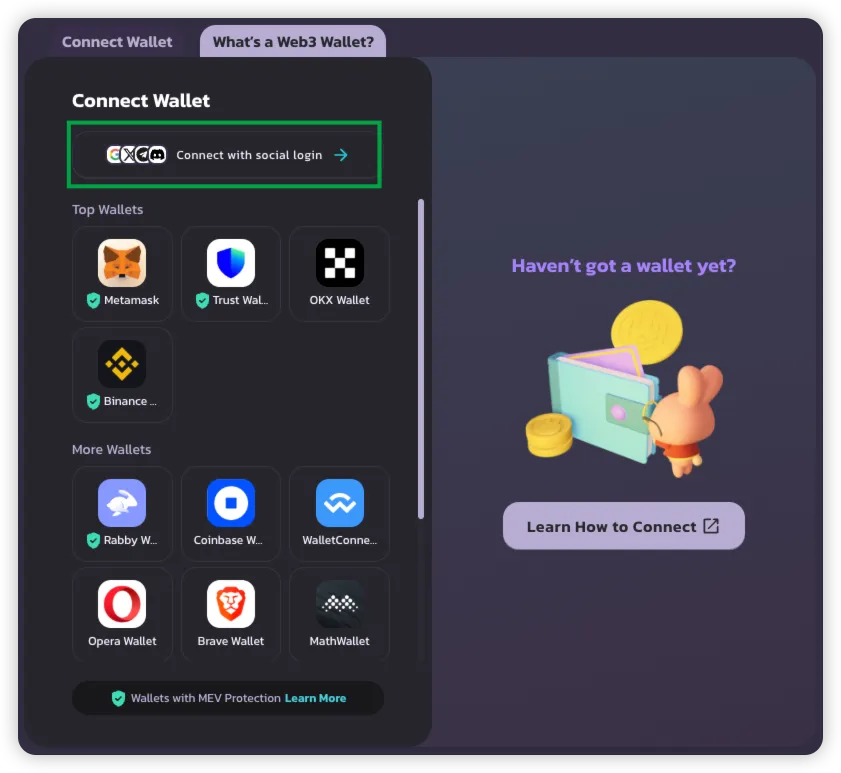
2. 点击 **Connect Wallet** → 选择 **Connect with Social Login**
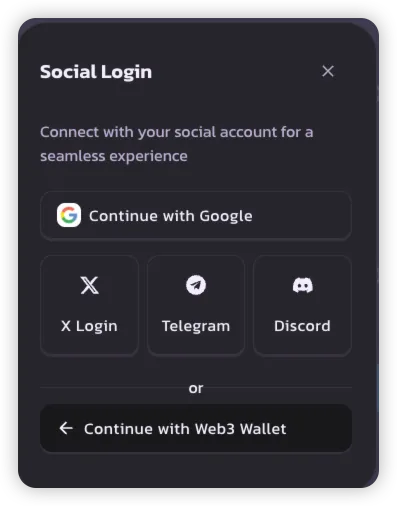
3. 选择您偏好的社交登录方式:
* **Google**
* **X (Twitter)**
* **Telegram**
* **Discord**
> 💡 每个社交账户都会创建一个唯一的钱包,供您在 PancakeSwap 上使用。
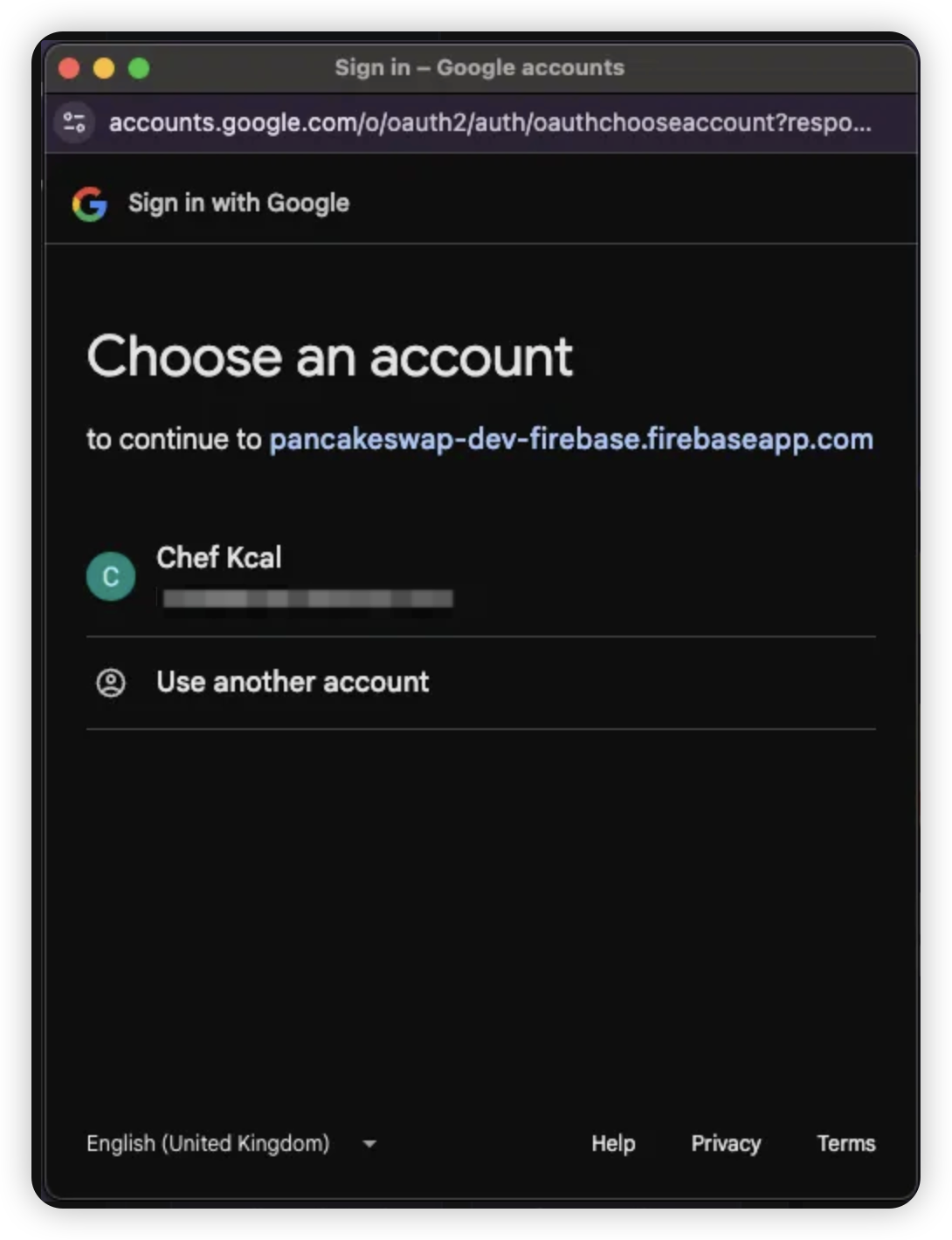
4. 使用您所选社交账户的凭据登录
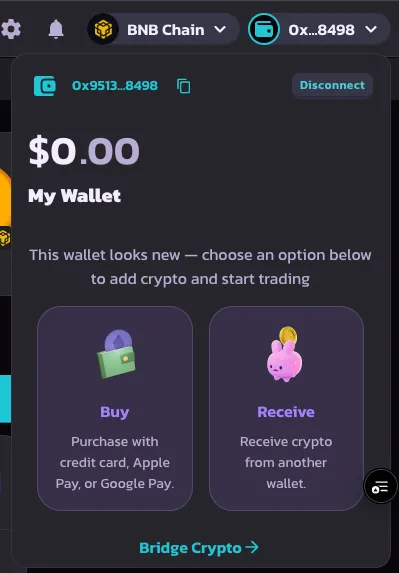
5. 登录成功后,您的钱包将被创建并可立即使用
***
### 2. 设置恢复密码
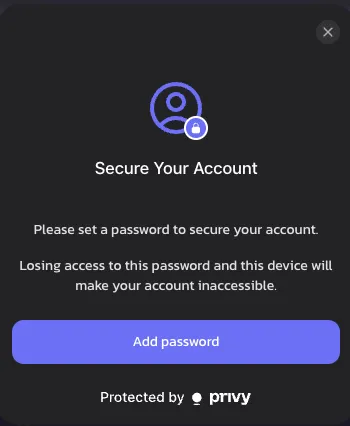
首次登录后,系统会提示您设置一个**恢复密码**。此步骤为可选,但强烈建议设置,以便完全掌控您的钱包。
1. 在出现提示时点击 **Set Recovery Password**
> 🔒 若未设置,恢复份额(recovery share)将默认由 Privy 存储
>
> 🔑 [了解有关恢复份额的更多信息](https://docs.privy.io/security/wallet-infrastructure/advanced/user-device#securing-the-recovery-share)
{% hint style="success" %}
如果您关闭此提示,作为 PancakeSwap 对钱包安全承诺的一部分,它将在 1 周后再次出现。
{% endhint %}
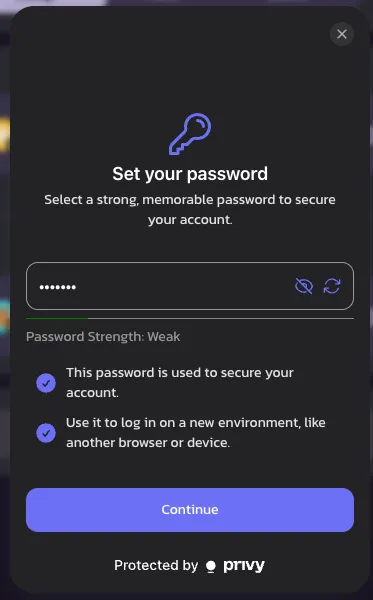
2. 选择一个**易记的密码** —— 在新设备上登录或会话过期时,您将需要用到它
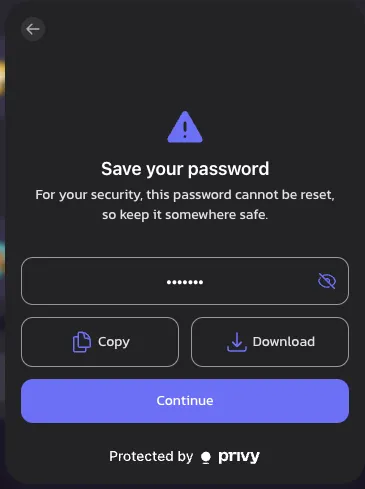
> ⚠️ 一旦遗忘,钱包访问权限可能会永久丢失
3. 通过**复制或下载**安全地保存您的密码
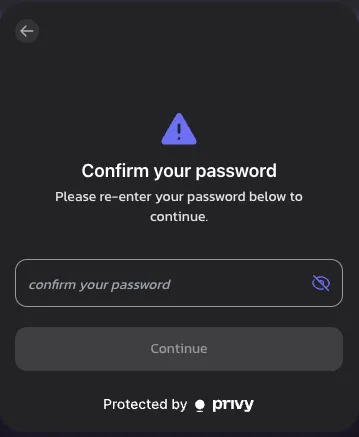
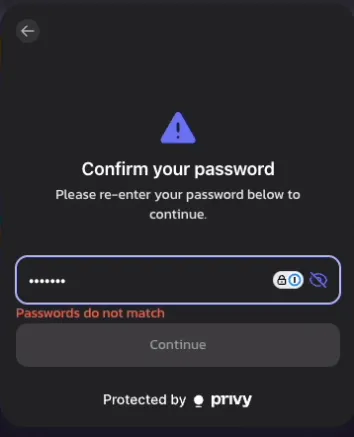
4. 重新输入您的密码以确认
> ❗ 如果两次输入的密码不匹配,将会显示错误提示
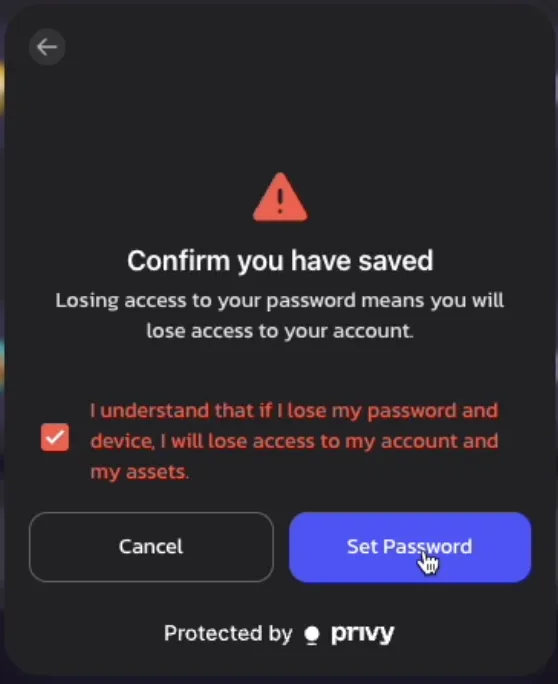
5. 查看**免责声明**并确认您了解恢复密码的相关风险
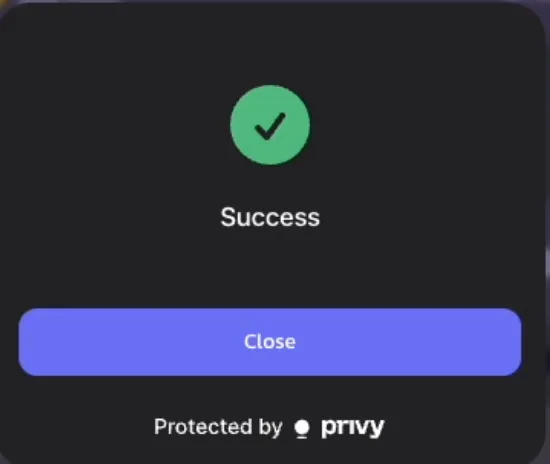
6. 🎉 成功!您的恢复密码现已设置完成
> 提醒:当会话结束或您切换设备时,系统会要求您再次输入该密码
>
***
### 3. 恢复您的钱包(在新设备上登录)
如果您在新设备上访问 PancakeSwap,请按照以下步骤恢复您的钱包:
1. 在新设备上使用您的**社交账户**登录
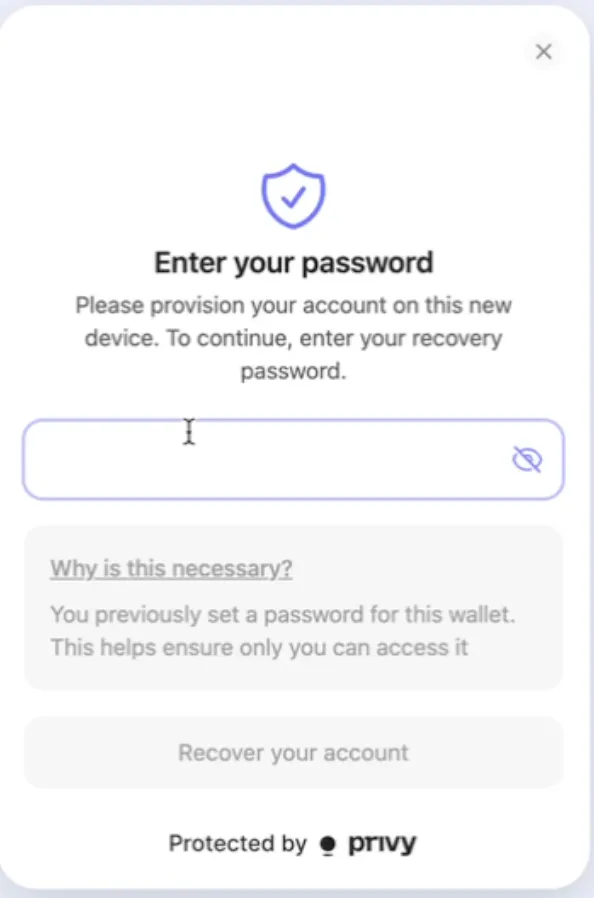
2. 当您尝试进行首次交易或链上操作时,系统会提示您**输入恢复密码**
3. 确认后,您即可像往常一样继续交易 —— 无需任何进一步设置!
---
# Agent Instructions
This documentation is published with GitBook. GitBook is the documentation platform designed so that both humans and AI agents can read, navigate, and reason over technical content effectively. Learn more at gitbook.com.
## Querying This Documentation
If you need additional information that is not directly available in this page, you can query the documentation dynamically by asking a question.
Perform an HTTP GET request on the current page URL with the `ask` query parameter, and the optional `goal` query parameter:
```
GET https://docs.pancakeswap.finance/chinese/jiao-yi-gong-ju/social-login/social-login-how-to-guide.md?ask=&goal=
```
`ask` is the immediate question: it should be specific, self-contained, and written in natural language.
`goal` is optional and describes the broader end goal you are ultimately trying to accomplish on behalf of the user. GitBook uses it to tailor the answer towards what is most useful for that goal.
The response will contain a direct answer to the question and relevant excerpts and sources from the documentation.
Use this mechanism when the answer is not explicitly present in the current page, you need clarification or additional context, or you want to retrieve related documentation sections.