> For the complete documentation index, see [llms.txt](https://docs.pancakeswap.finance/llms.txt). Markdown versions of documentation pages are available by appending `.md` to page URLs; this page is available as [Markdown](https://docs.pancakeswap.finance/chinese/jiao-yi-gong-ju/pancake-gifts/pancake-gifts-how-to-guide.md).
# Pancake Gifts:操作指南
Pancake Gifts 让你只用一个**链接或二维码**,就能向朋友、用户或社区成员发送代币(可选附带 gas)。整个流程快捷、顺畅,对新手十分友好。
本指南将带你了解:
* ✅ 如何**创建** Pancake Gift
* ✅ 如何**发送或分享**它
* ✅ 如何**领取**礼物
* ✅ 如何**取消**礼物(若尚未被领取)
***
### 🧑🍳 第 1 步:创建礼物
#### 1. 进入礼物创建选项卡
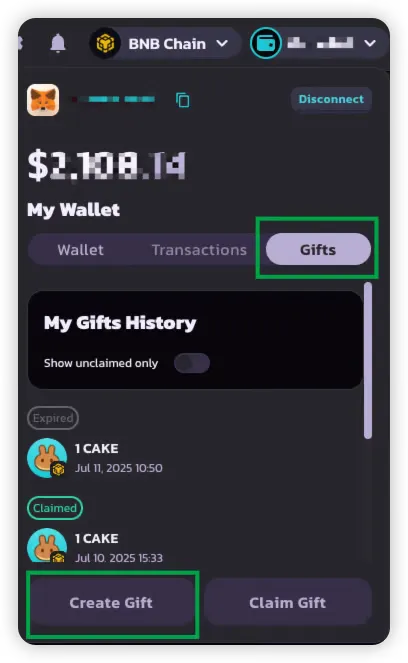
在 PancakeSwap Wallet 界面中进入 **Gift(礼物)选项卡**。
#### 2. 选择代币和金额
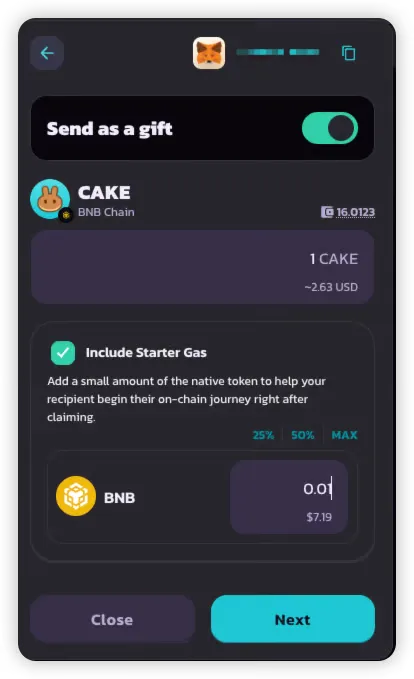
最多可选择**两种代币**加入你的礼物:
* **一种 BEP-20 代币**(必选)——例如 CAKE
* **一种原生 gas 代币**(可选)——例如 BNB
这样的设置可以让你:
* 向接收方发送可用的代币
* 为对方支付 gas,使其可以立即进行交易
#### 3. 选择礼物类型
请选择以下其中一种:
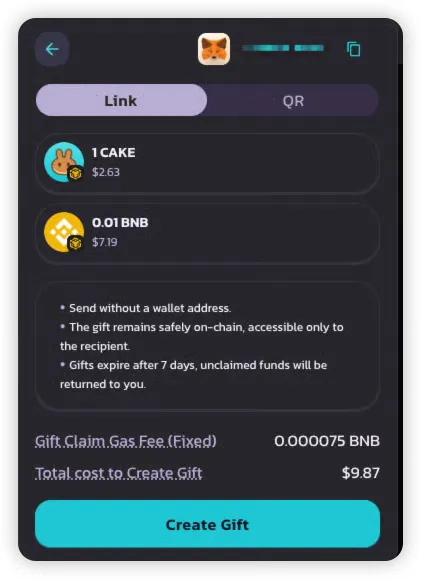
* 🔗 **链接**——便于复制并通过聊天或社交平台分享
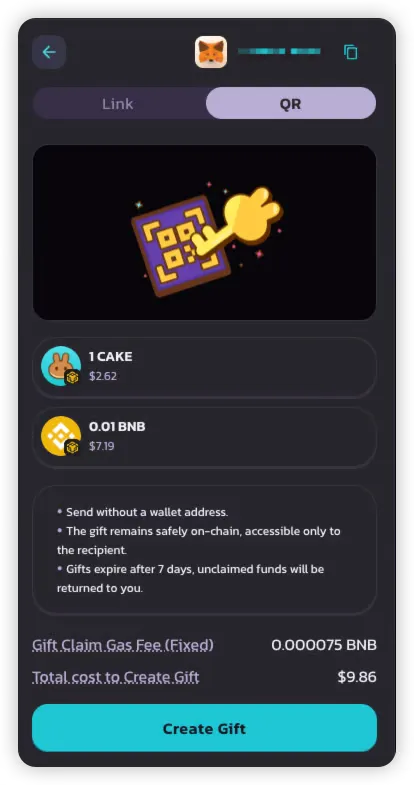
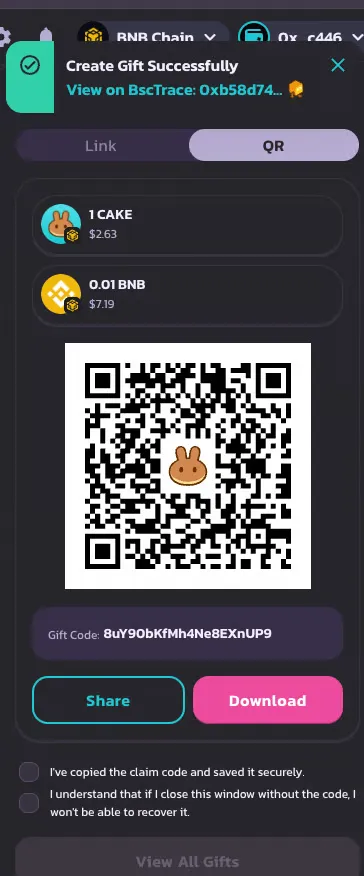
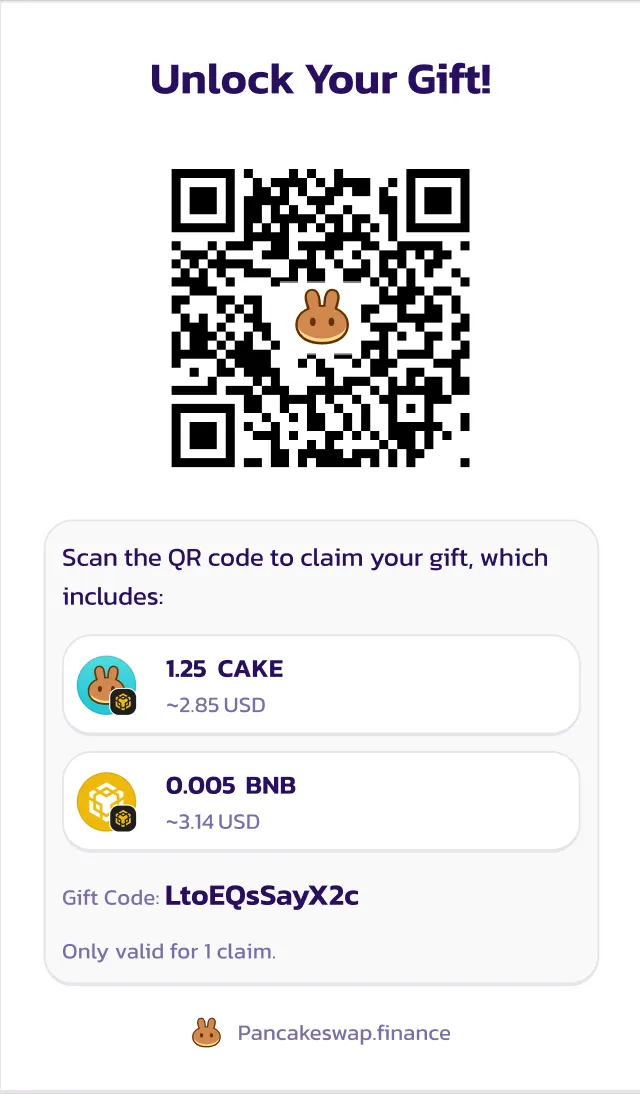
* 📱 **二维码**——非常适合线下活动或移动端用户
> 💡 每份礼物只能被领取一次,并且只支持一种交付形式(链接或二维码)。
#### 4. 查看摘要并支付
确认前,请核对:
* **礼物金额**——礼物中包含的代币总量
* **礼物领取 Gas 费**——发送方为接收方免 gas 领取而包含的原生代币(约合 \~$0.05 的 BNB)
确认后:
* 礼物即创建完成并存储在链上
* 你将获得一个**链接或二维码**——请务必在**关闭弹窗前保存好**
{% hint style="danger" %}
如果你在未保存的情况下关闭弹窗,之后将无法再找回该礼物码。
{% endhint %}
***
### 📤 第 2 步:发送或分享礼物
创建完成后,你将获得:
* 一个**可分享的链接**,以及/或
* 一个**可扫描的二维码**
你可以通过以下方式分享:
* 聊天应用(Telegram、WhatsApp)
* 电子邮件
* 社交媒体
* 活动现场直接发送
可分享的链接
> 刚给你发送了 ${Gift\_Amount}!🎉
>
> 点击此链接即可领取:👉 [https://pancakeswap.finance/invite/{Gift\_Code}](https://pancakeswap.finance/invite/%7BGift_Code%7D)
>
> 连接你的钱包以完成领取。
>
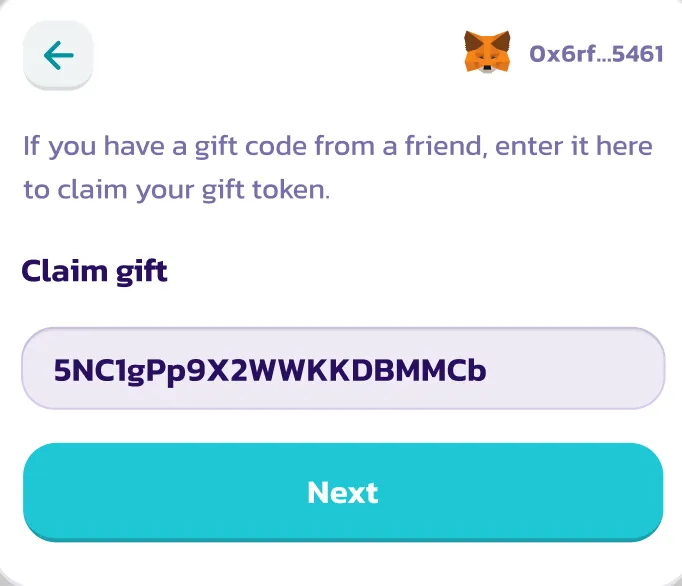
> 或者,在 PancakeSwap Wallet 中手动输入礼物码 `{Gift_Code}`。
二维码
***
### 🎉 第 3 步:领取礼物
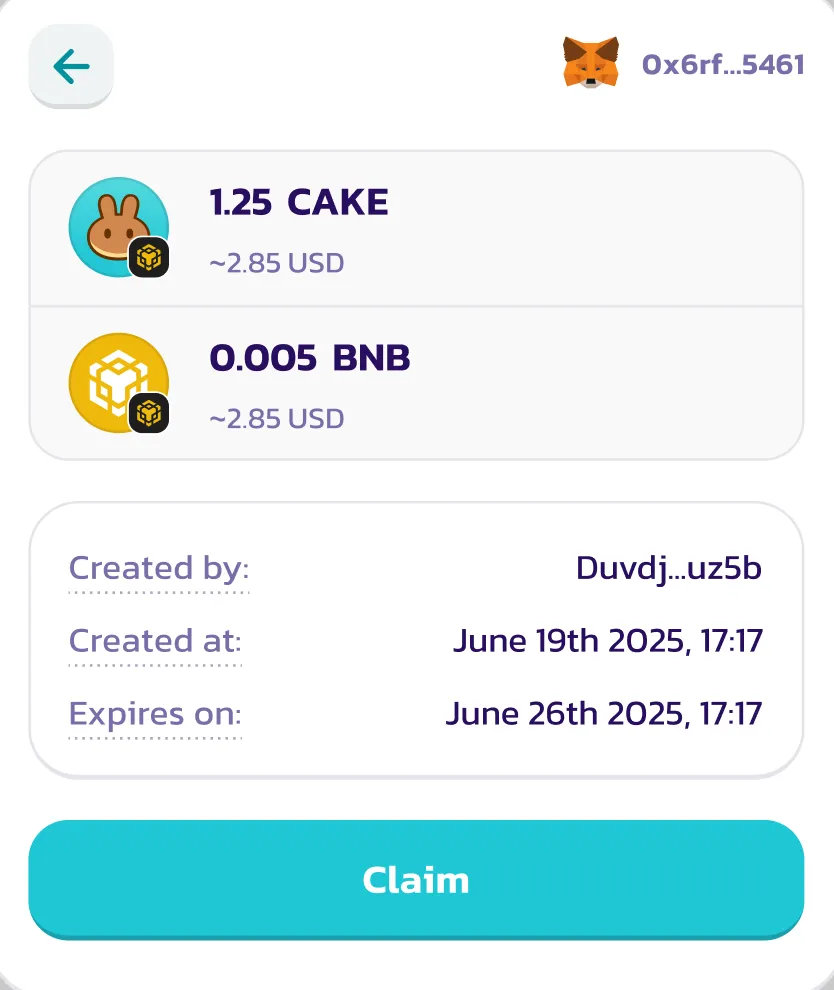
#### 1. 连接钱包后,点击链接或扫描二维码
当接收方:
* **打开链接**,或
* **扫描二维码**
应用会自动填入礼物码。若符合条件且尚未被领取,礼物领取界面将会加载。
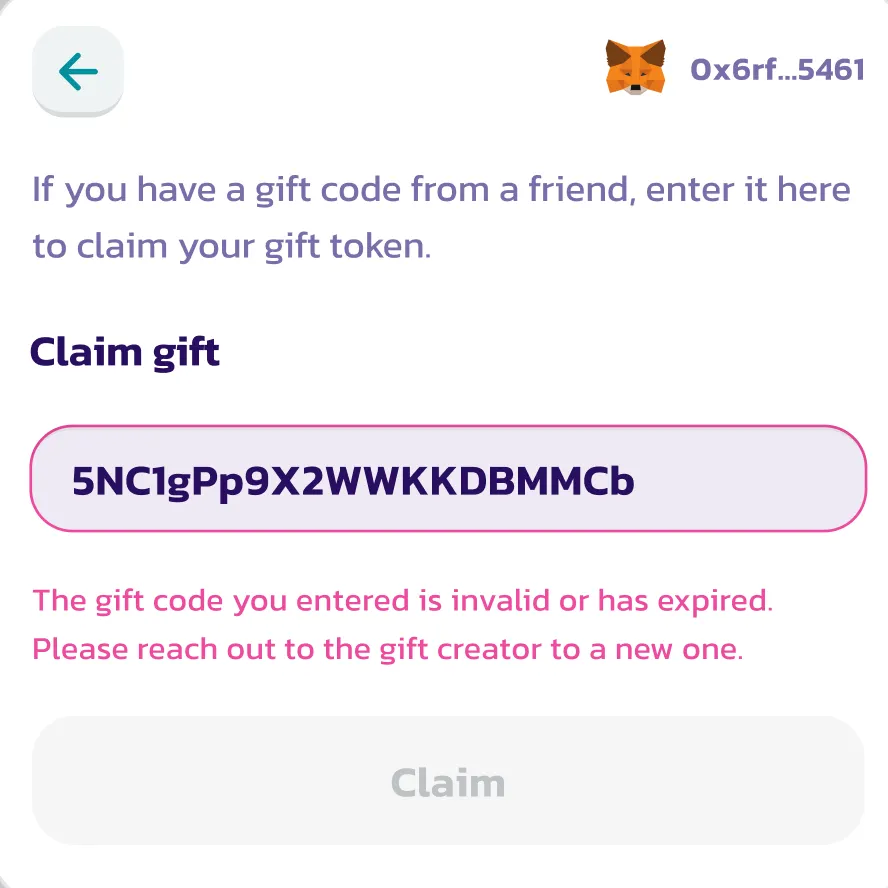
否则,将显示错误信息(例如已过期或已被领取)。
***
#### 2. 授权并接收代币
接收方可以**无需支付任何 gas** 即可领取(gas 已被覆盖)。
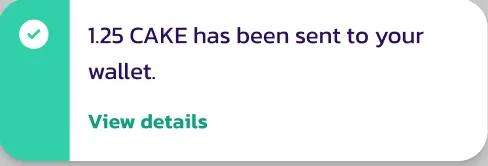
授权完成后:
* BEP-20 代币(以及包含的 gas 代币)将存入其钱包
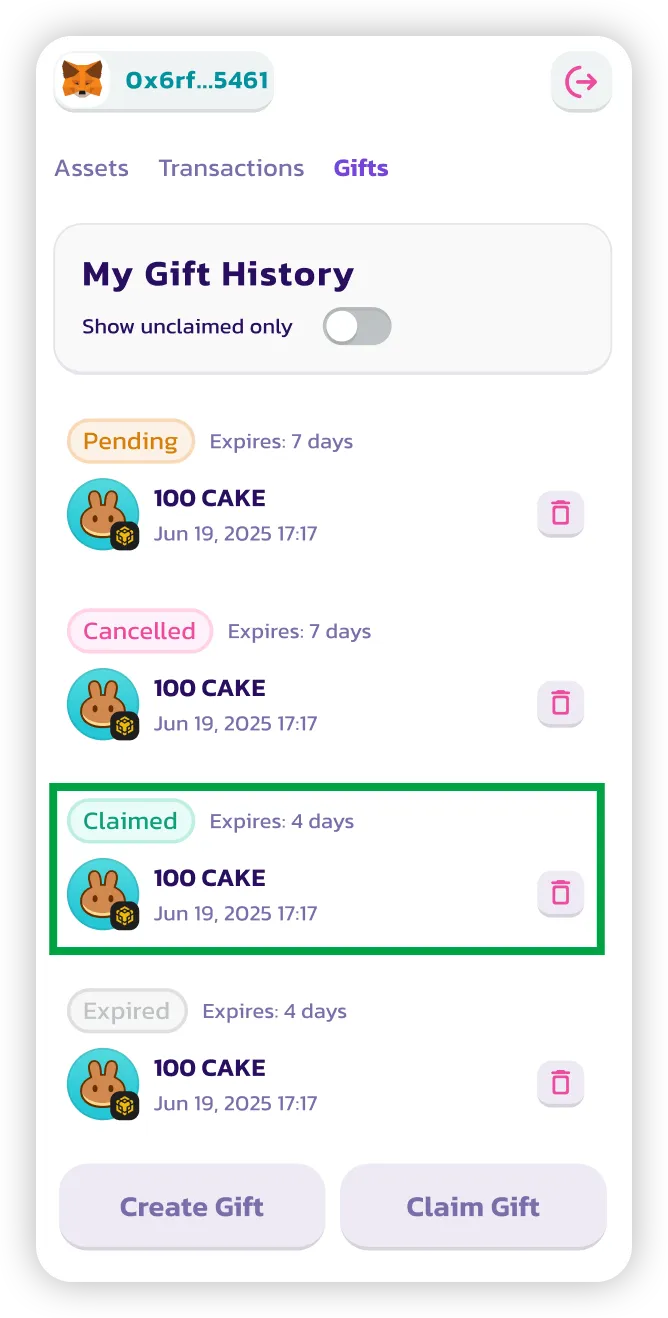
* 该礼物被标记为**已领取(claimed)**
***
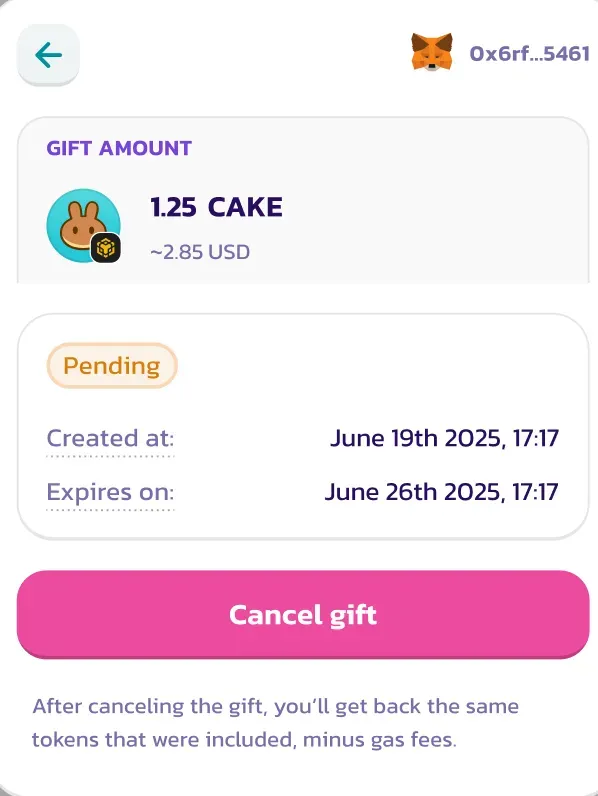
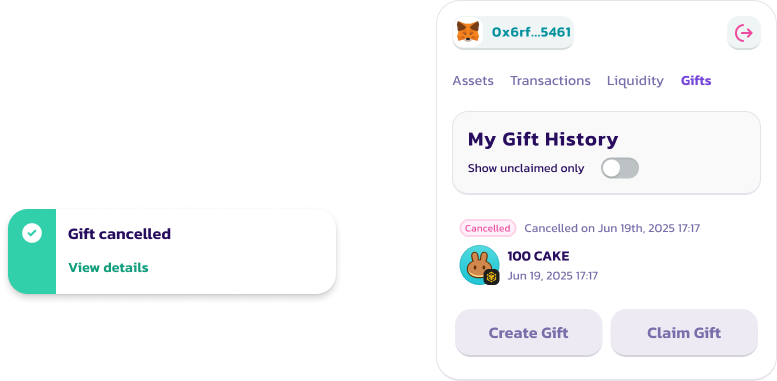
### ❌ 第 4 步:取消礼物(若尚未被领取)
仅在满足以下条件时,你才能取消礼物:
* 它仍处于**未领取**状态
* 它仍在**有效期内**(默认:7 天)
取消步骤:
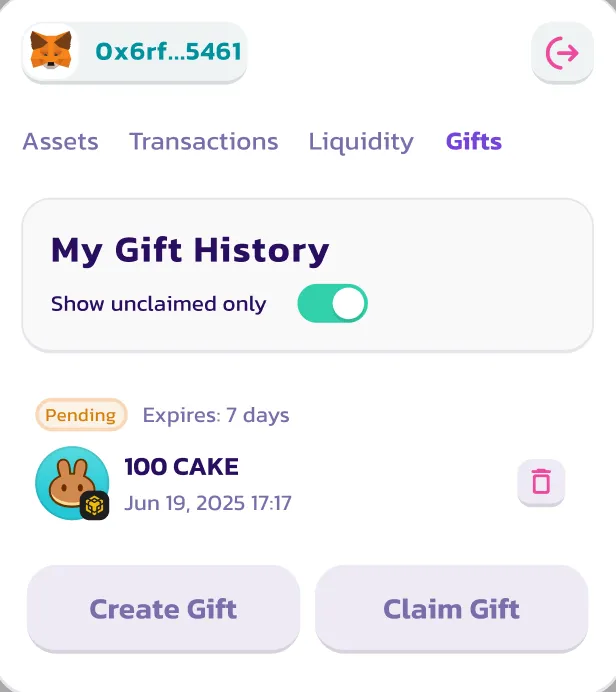
1. 进入 \*\*Gift History(礼物历史)\*\*选项卡
2. 找到对应的礼物
3. 点击 **Cancel(取消)**
代币将退还至你的钱包(扣除 gas 赞助费后)。
> ⚠️ 已取消的礼物无法重新激活或再次使用。
***
### ✅ 大功告成!
现在你已经掌握如何:
1. 创建一份 Pancake Gift
2. 通过链接或二维码将其发送给他人
3. 领取发送给你的礼物
4. 在需要时取消礼物
想查看完整的礼物历史或检查状态?只需返回 PancakeSwap Wallet 中的 **Gift(礼物)选项卡**即可。
---
# Agent Instructions
This documentation is published with GitBook. GitBook is the documentation platform designed so that both humans and AI agents can read, navigate, and reason over technical content effectively. Learn more at gitbook.com.
## Querying This Documentation
If you need additional information that is not directly available in this page, you can query the documentation dynamically by asking a question.
Perform an HTTP GET request on the current page URL with the `ask` query parameter, and the optional `goal` query parameter:
```
GET https://docs.pancakeswap.finance/chinese/jiao-yi-gong-ju/pancake-gifts/pancake-gifts-how-to-guide.md?ask=&goal=
```
`ask` is the immediate question: it should be specific, self-contained, and written in natural language.
`goal` is optional and describes the broader end goal you are ultimately trying to accomplish on behalf of the user. GitBook uses it to tailor the answer towards what is most useful for that goal.
The response will contain a direct answer to the question and relevant excerpts and sources from the documentation.
Use this mechanism when the answer is not explicitly present in the current page, you need clarification or additional context, or you want to retrieve related documentation sections.